

Proforma Invoice Template
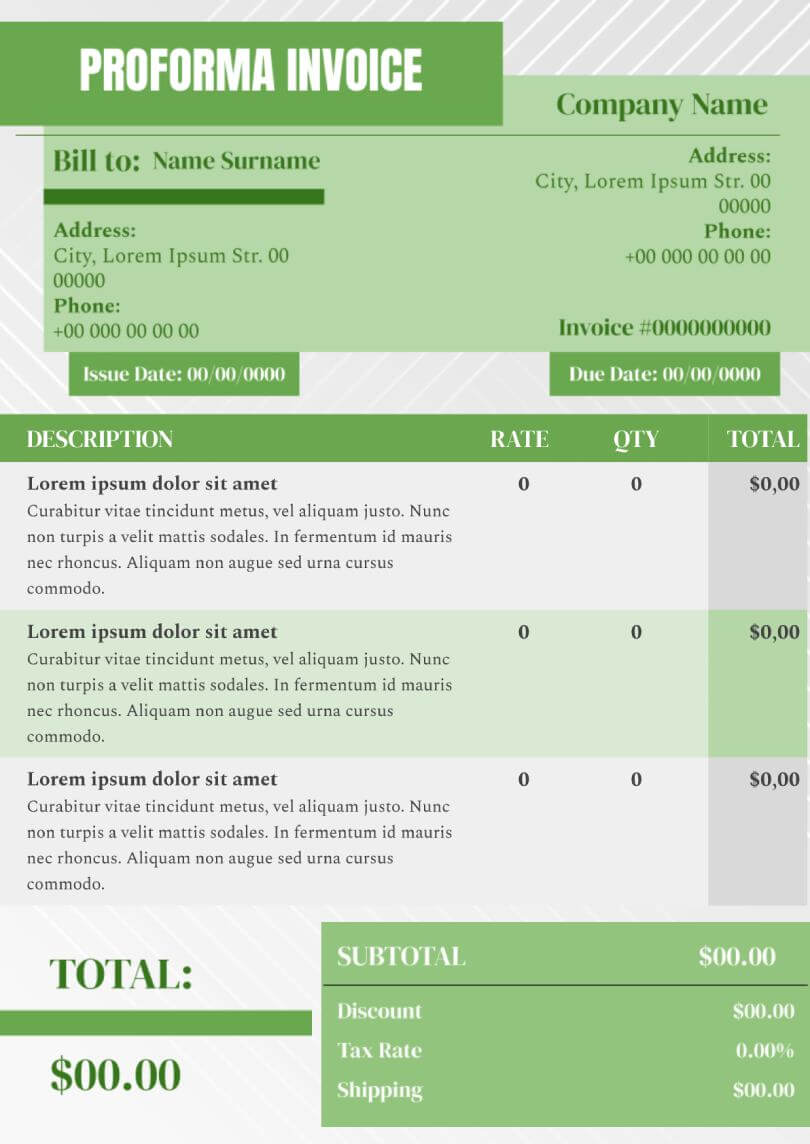


Have you ever faced a situation when the invoice for the purchase of goods or services exceeded your expectations? Furthermore, you can find out the details of this information at the last moment by having no opportunity to cancel payment. This is a typical issue common among the individuals expressing no necessary knowledge and skills to create a proforma invoice. It is your chance to be aware of all upcoming expenses before approving the transaction. The use of proforma invoice template for Google Docs can provide you with a wide range of the opportunities needed for the more secure payments for services and goods causing no unexpected situations. The template implies certain categories of the advantages involving:
- no need to have specific experience and skills to create this type of the documentation
- no necessity to spend additional funds to complete this task
- an opportunity to avoid unforeseen expenses or refusal of the customer to pay for previously unprotected services
The use of a proforma invoice template for Google Docs is your guarantee of more conscious financial costs that you can plan. The development of this category of the accounting documentation is available for any user due to the high level of the simplicity of template exploitation. Invoice templates for Google Docs can include any kinds of data involving cost of services and goods, project deadlines, and nuances of all processes. This approach greatly simplifies the order management process by both the customer and the contractor. You can change any aspect of the working process by obtaining a financial economy or getting a larger range of services. In this case, your spending will never go beyond the budget by avoiding the feeling of stress and lack of control over the situation.

designer
My goal is to create beautiful and intuitive graphic designs for individuals and businesses! I, Kateryna Kyrylova, specialize in a variety of formats, from Google products to Microsoft.
Achievements:


designed more than 1500 templates for docsandslides.com
Template text reviewed by an expert from docsandslide's blog.



1

2

3

Related Invoice Templates
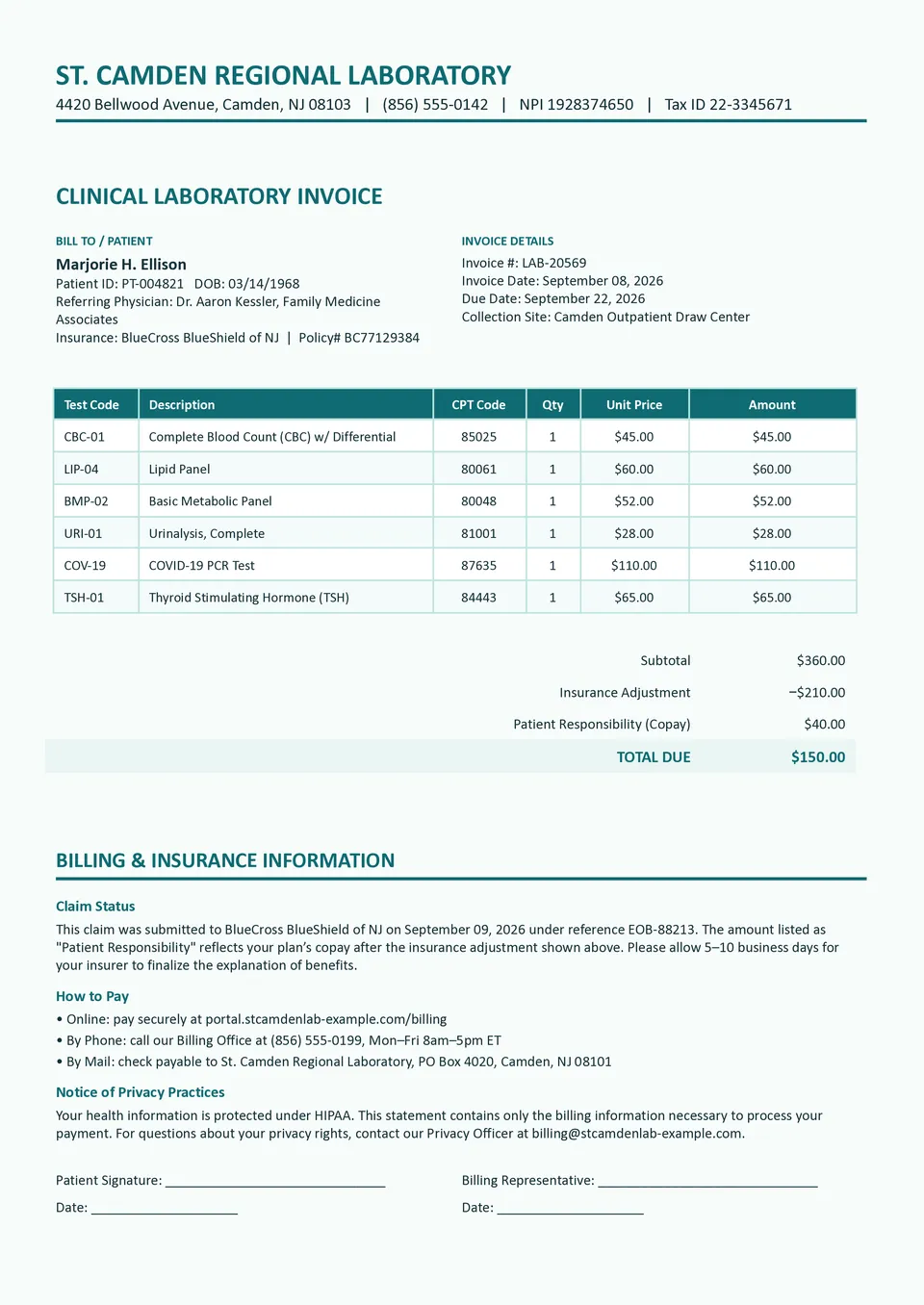
Need a clear invoice for laboratory services that keeps patient, provider, and billing details together? Hospital Laboratory Invoice Template includes sections for the laboratory or hospital’s information, patient details, referring physician, invoice number, service date, test names, quantities, prices, insurance information, taxes, subtotal, total, and payment instructions. Hospitals, diagnostic centers, private laboratories, and medical billing teams can use it to document testing services and issue organized charges. The itemized structure helps patients and insurers understand exactly what was provided and how the final amount was calculated. It is free to customize, ready for download and printing, and easy to adapt for recurring laboratory billing.

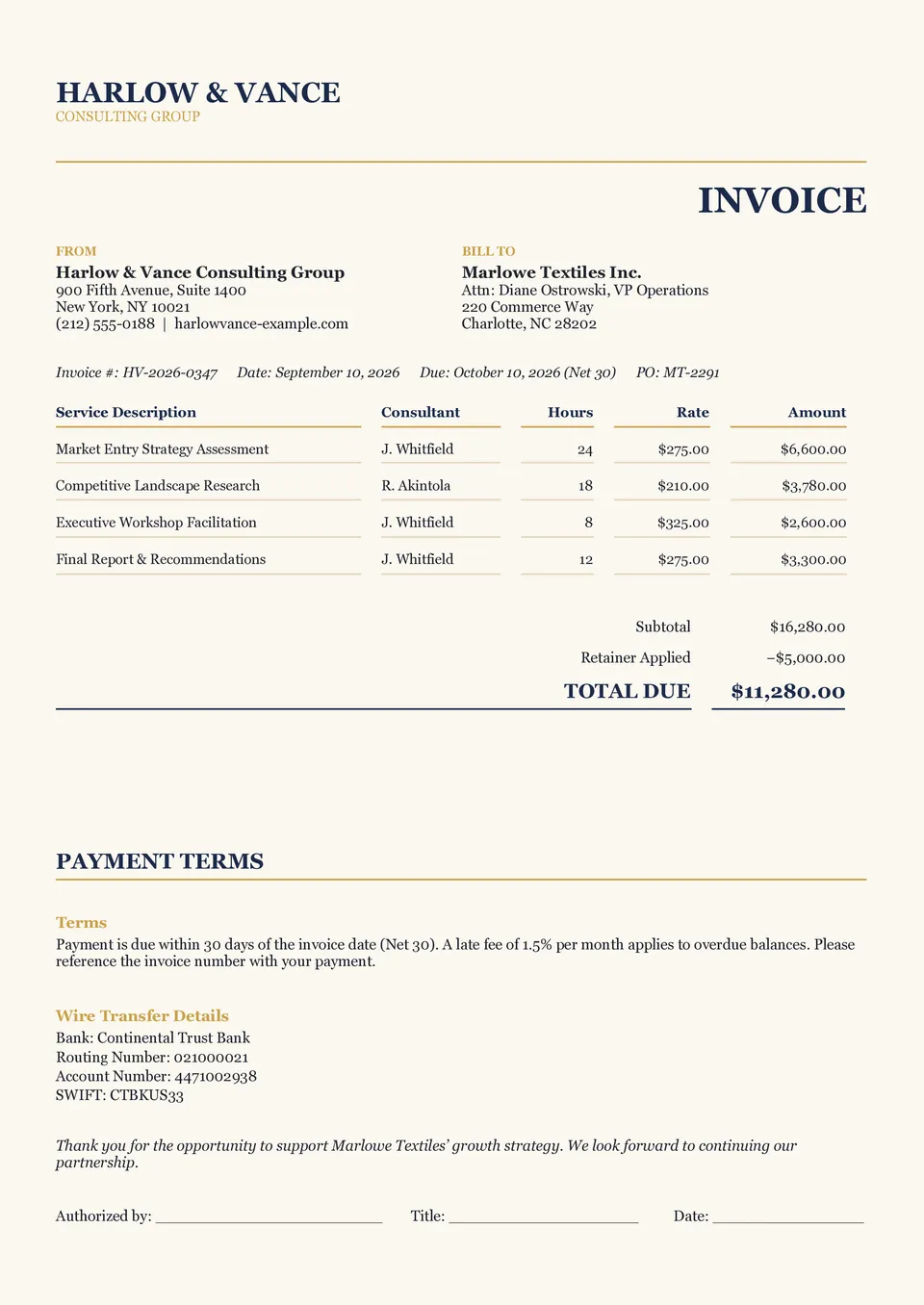
Professional Invoice Template gives freelancers, consultants, agencies, and service providers a polished way to request payment for completed work. It includes space for business details, customer information, invoice number, issue date, due date, itemized services, quantities, rates, subtotal, tax, total amount due, and payment terms. Service-based businesses can adjust the line items and notes to match projects, retainers, hourly work, or one-time assignments. The organized layout makes charges easier for clients to review and helps businesses keep consistent billing records. You can edit it for free, download or print the finished invoice, and share it with customers digitally.
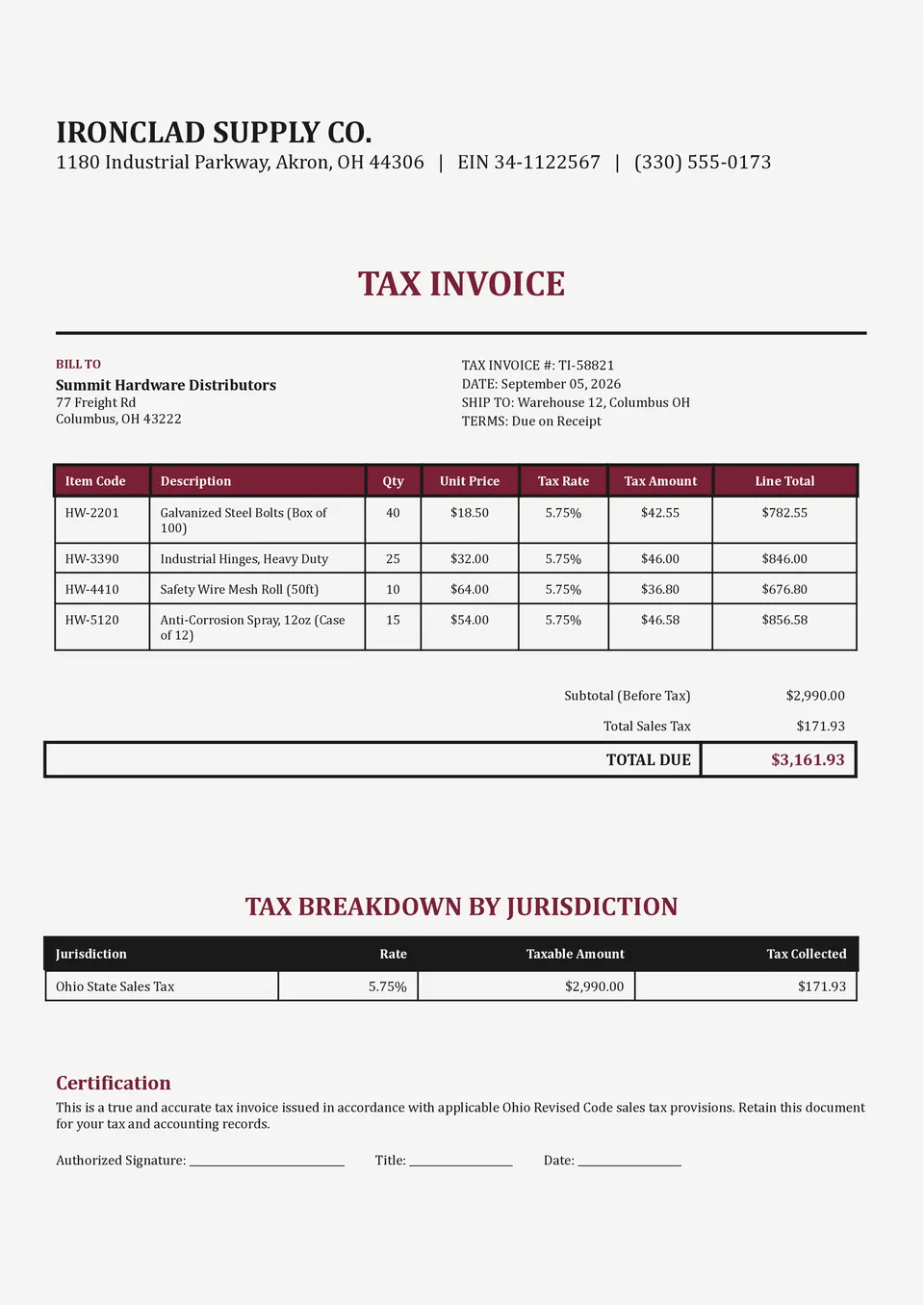
Are you worried that an invoice may miss essential tax details or make the final amount difficult for customers to verify? Tax Invoice Template provides fields for the seller’s legal information, tax identification number, buyer details, invoice number, issue date, product or service descriptions, quantities, unit prices, tax rates, tax amounts, subtotal, total, due date, and payment instructions. Businesses, contractors, retailers, and registered suppliers can adapt it for taxable sales and business-to-business transactions. The itemized structure separates pre-tax amounts from applicable taxes, making the document easier to check and maintain for accounting records. Customize it at no cost, then download, print, or send the completed invoice after confirming that it meets your local tax requirements.

Cleaning Invoice Template helps cleaning professionals present recurring or one-time services in a simple, itemized billing document. It includes sections for the cleaner or company’s contact information, client details, service date, property address, cleaning tasks, hours or quantities, rates, additional charges, subtotal, tax, total due, and payment terms. Independent cleaners, janitorial companies, housekeeping services, and commercial cleaning teams can use it for residential, office, move-out, or deep-cleaning jobs. Listing each service separately makes the bill easier for customers to understand and helps providers keep accurate income records. The free layout is easy to edit, ready to download and print, and suitable for sending digitally after each appointment.
Related Invoice Templates
Need a clear invoice for laboratory services that keeps patient, provider, and billing details together? Hospital Laboratory Invoice Template includes sections for the laboratory or hospital’s information, patient details, referring physician, invoice number, service date, test names, quantities, prices, insurance information, taxes, subtotal, total, and payment instructions. Hospitals, diagnostic centers, private laboratories, and medical billing teams can use it to document testing services and issue organized charges. The itemized structure helps patients and insurers understand exactly what was provided and how the final amount was calculated. It is free to customize, ready for download and printing, and easy to adapt for recurring laboratory billing.
Professional Invoice Template gives freelancers, consultants, agencies, and service providers a polished way to request payment for completed work. It includes space for business details, customer information, invoice number, issue date, due date, itemized services, quantities, rates, subtotal, tax, total amount due, and payment terms. Service-based businesses can adjust the line items and notes to match projects, retainers, hourly work, or one-time assignments. The organized layout makes charges easier for clients to review and helps businesses keep consistent billing records. You can edit it for free, download or print the finished invoice, and share it with customers digitally.
Are you worried that an invoice may miss essential tax details or make the final amount difficult for customers to verify? Tax Invoice Template provides fields for the seller’s legal information, tax identification number, buyer details, invoice number, issue date, product or service descriptions, quantities, unit prices, tax rates, tax amounts, subtotal, total, due date, and payment instructions. Businesses, contractors, retailers, and registered suppliers can adapt it for taxable sales and business-to-business transactions. The itemized structure separates pre-tax amounts from applicable taxes, making the document easier to check and maintain for accounting records. Customize it at no cost, then download, print, or send the completed invoice after confirming that it meets your local tax requirements.
Cleaning Invoice Template helps cleaning professionals present recurring or one-time services in a simple, itemized billing document. It includes sections for the cleaner or company’s contact information, client details, service date, property address, cleaning tasks, hours or quantities, rates, additional charges, subtotal, tax, total due, and payment terms. Independent cleaners, janitorial companies, housekeeping services, and commercial cleaning teams can use it for residential, office, move-out, or deep-cleaning jobs. Listing each service separately makes the bill easier for customers to understand and helps providers keep accurate income records. The free layout is easy to edit, ready to download and print, and suitable for sending digitally after each appointment.
Don’t forget to check your spam box!

Generating high-quality templates requires significant time and dedication. We simply request the inclusion of a small attribution link. Select the platform where you intend to utilize the template.
Copy this link and paste it wherever it’s visible, close to where you’re using the image. If that’s not possible, place it at the footer of your website, blog or newsletter, or in the credits section.
Place the attribution line near the image’s usage on your website, or if that’s not feasible, include it in the credits section. For example: ‘image: Docsandslides.com’. This template was created using images from Docsandslides.com.

Choose your preferred social media platform from options like Pinterest, Facebook, Twitter, and more. Share our templates with your contacts or friends. If you’re not active on these social networks, you can simply copy the link and paste it into the one you use.