

 Back to templates
Free Order Form Google Docs Templates
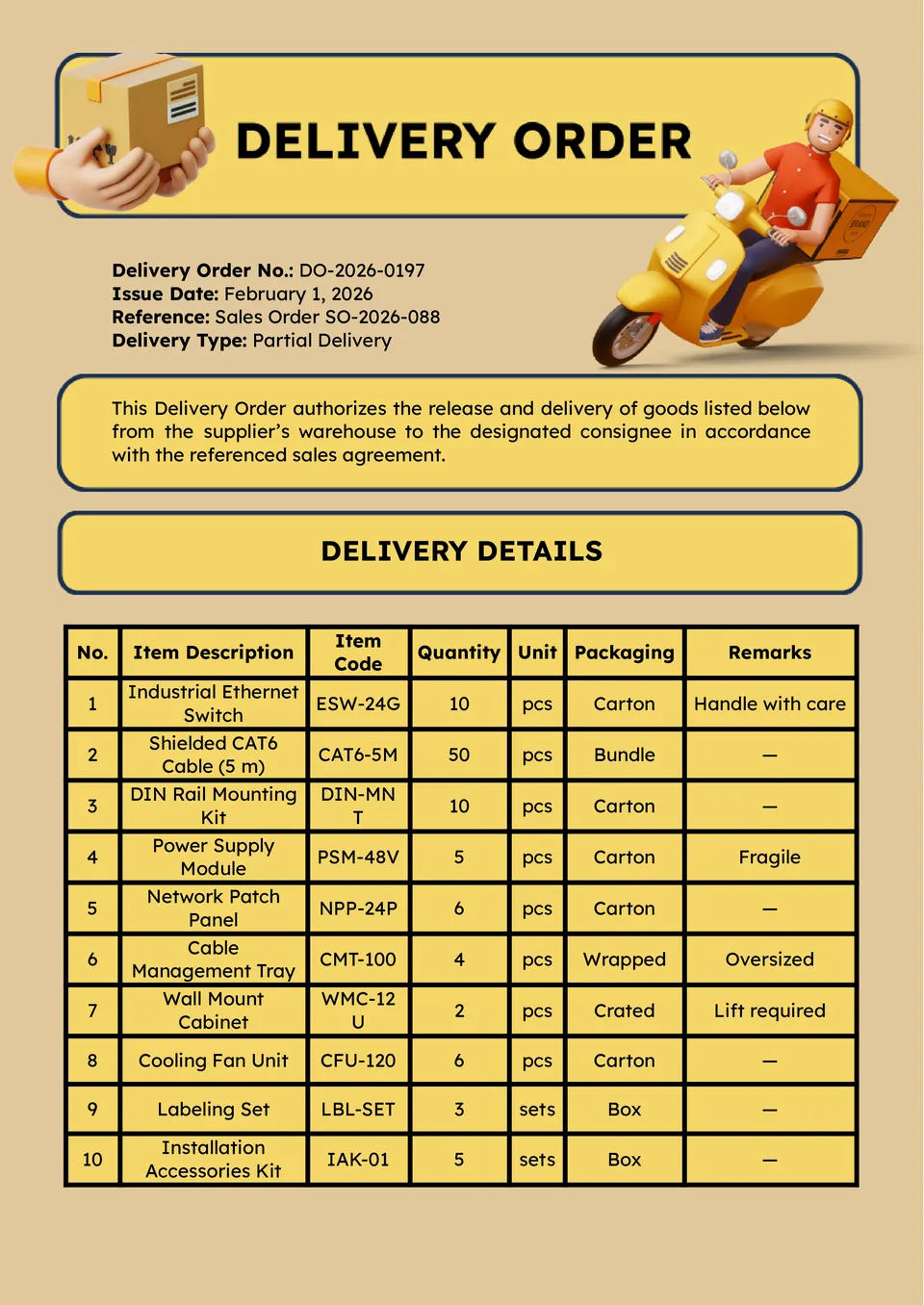
Looking for a streamlined way to record deliveries and fulfillment details? The Delivery Order Template gives logistics teams, couriers, and businesses a structured sheet for item descriptions, addresses, and delivery dates.

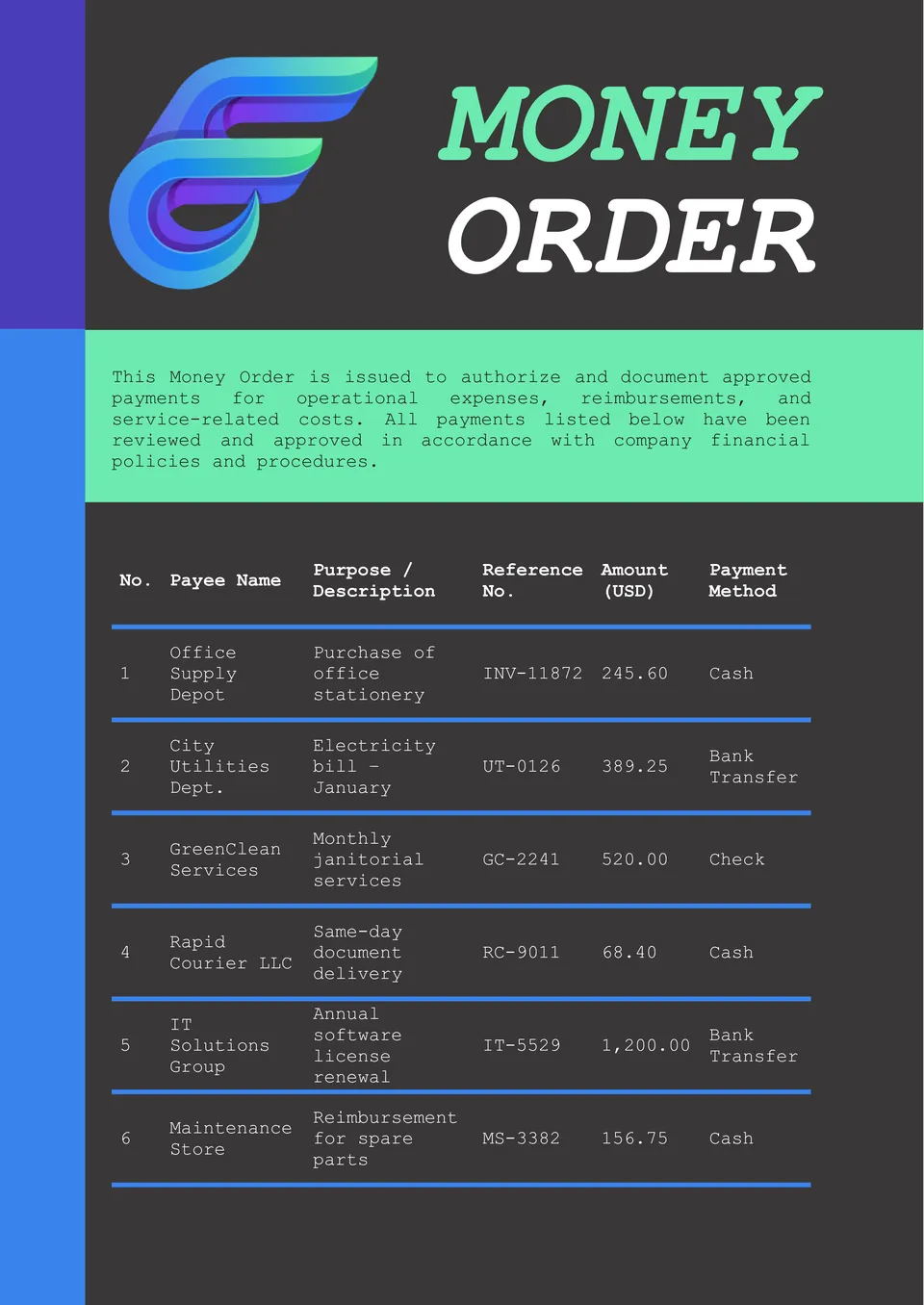
Want a reliable way to document money orders and transfers? The Money Order Template gives individuals and small businesses a simple format to log payment details, recipient info, and reference numbers.
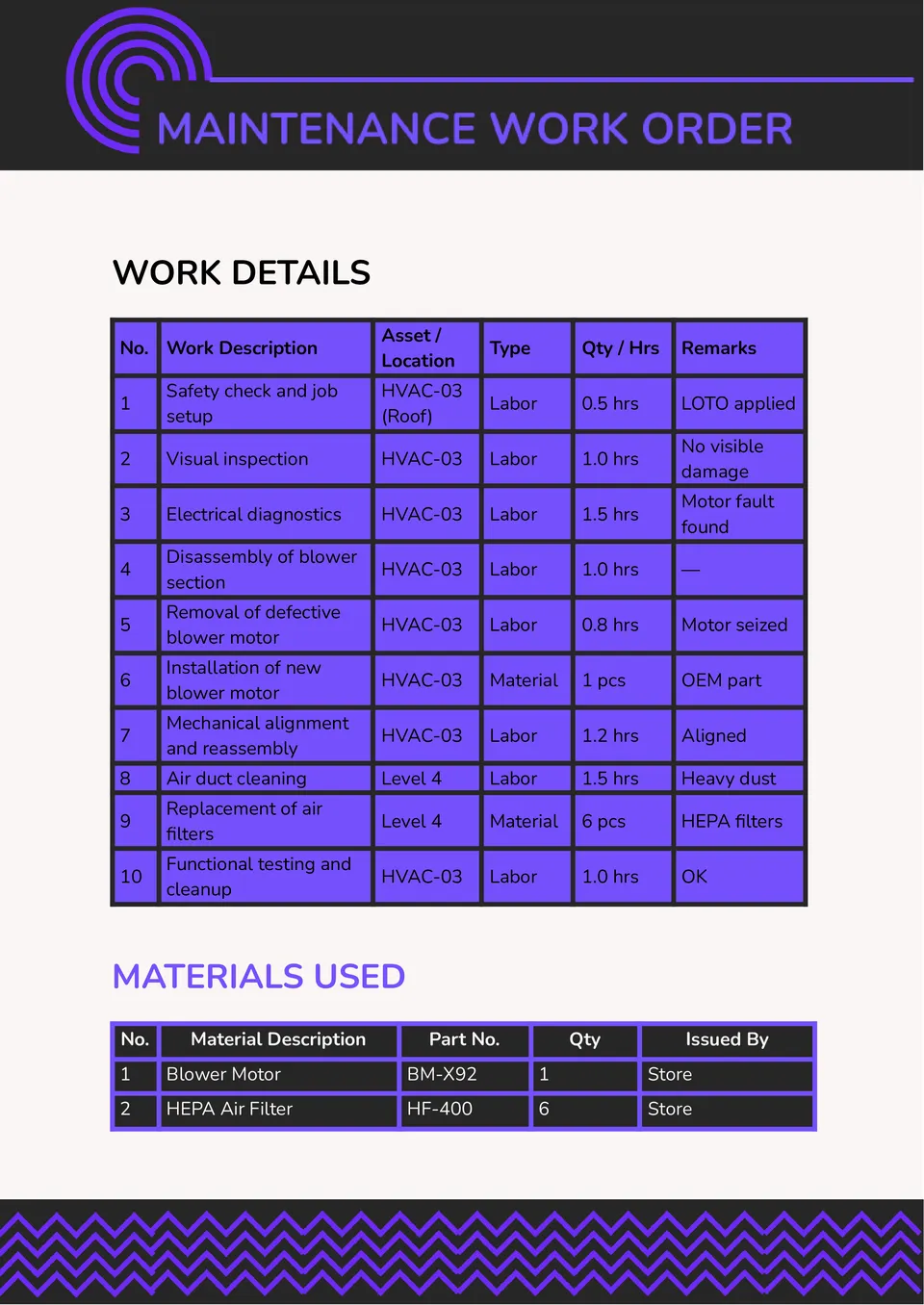
Need a clear way to track maintenance tasks, assignments, and completion? The Maintenance Work Order Template helps facilities managers, technicians, and property teams record work details, equipment issues, and timelines.
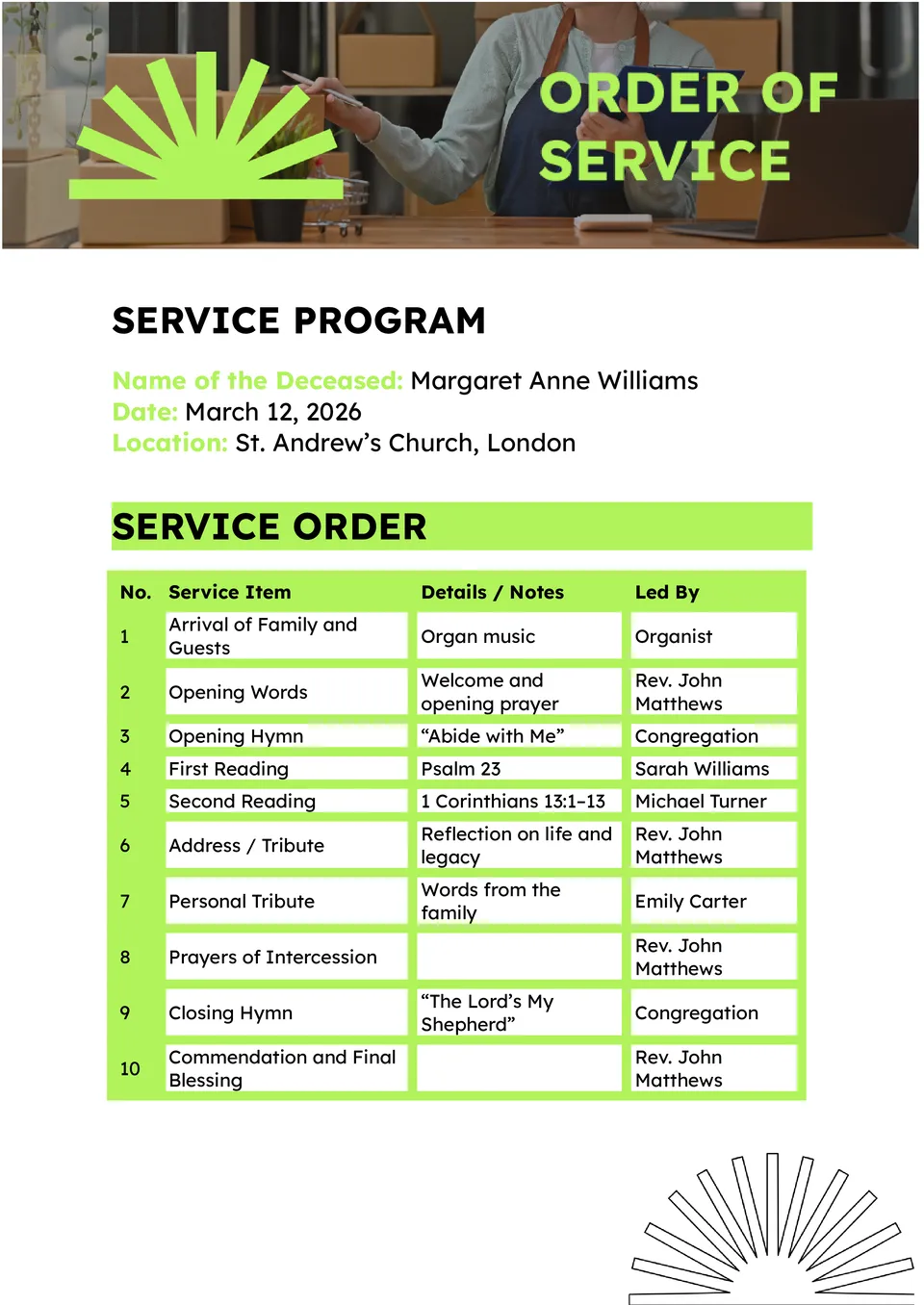
Looking to organize a funeral service with respect and ease? The Order of Service Funeral Template provides a thoughtful, structured layout for readings, hymns, speakers, and memorial details.
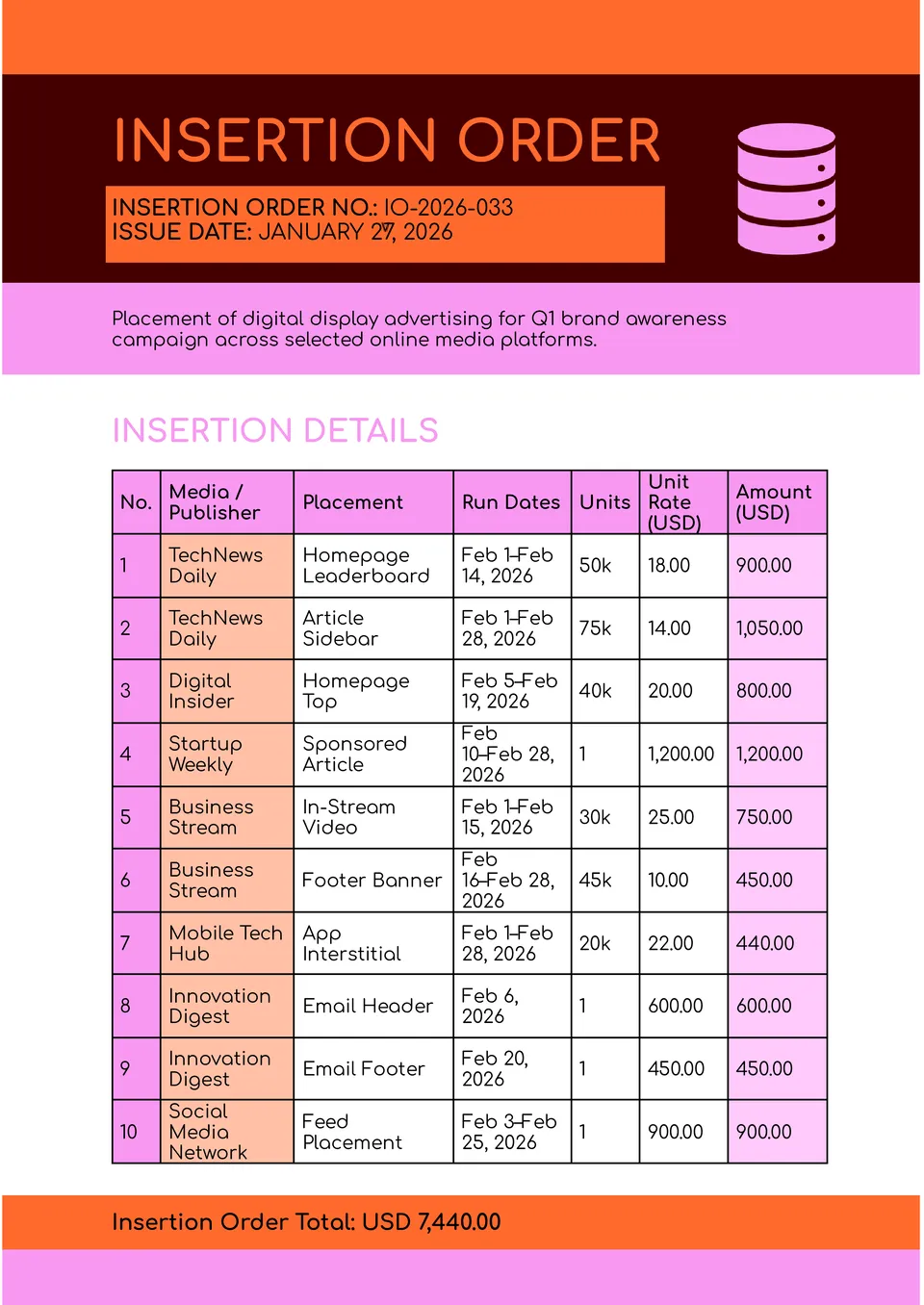
Looking for a professional way to capture advertising commitments and placements? The Insertion Order Template gives media teams, advertisers, and agencies a clear format to formalize ad buys, dates, and pricing.
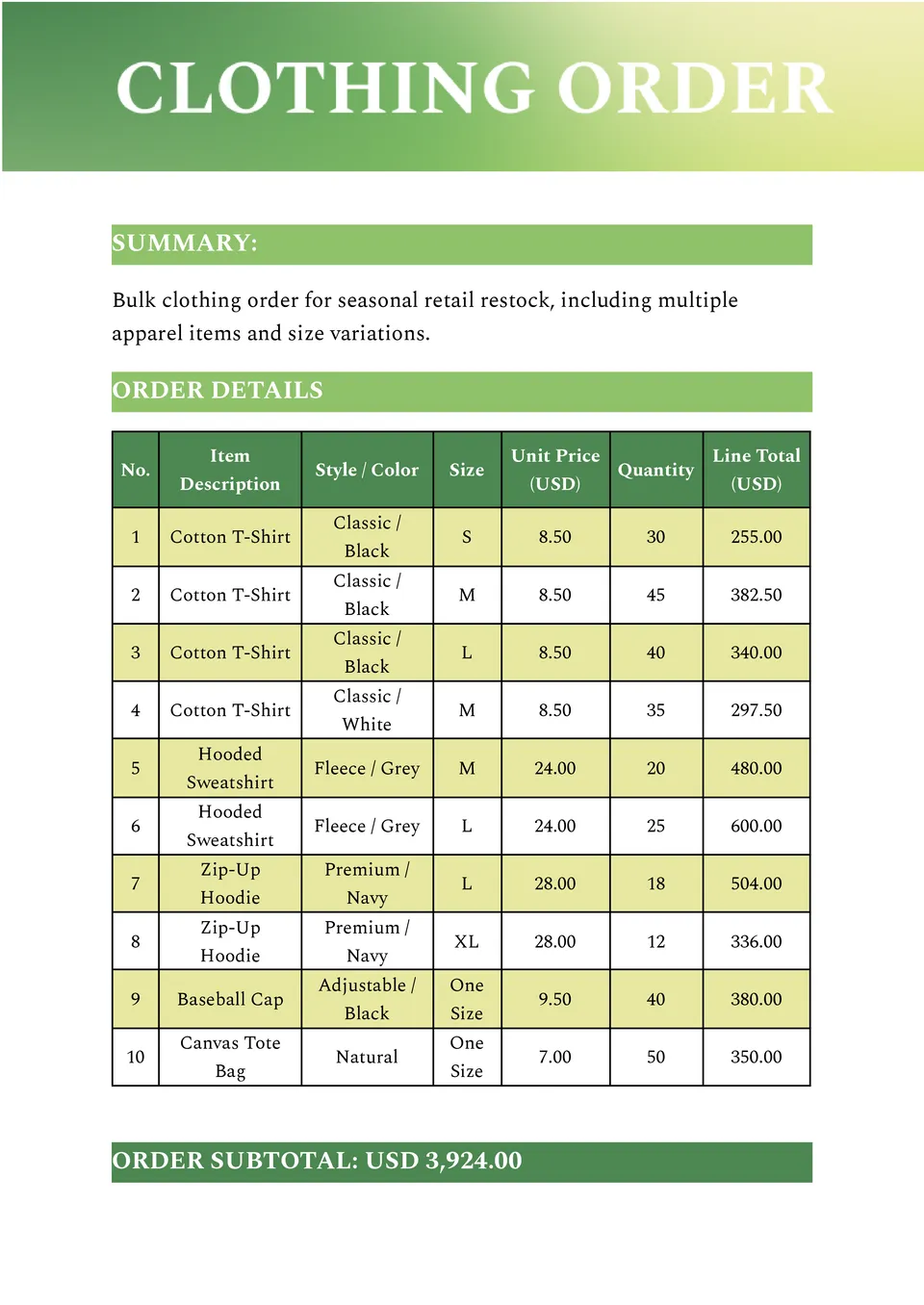
Looking to capture clothing orders without the hassle of scattered notes? The Clothing Order Form Template organizes sizes, colors, styles, quantities, and customer details in one easy format.
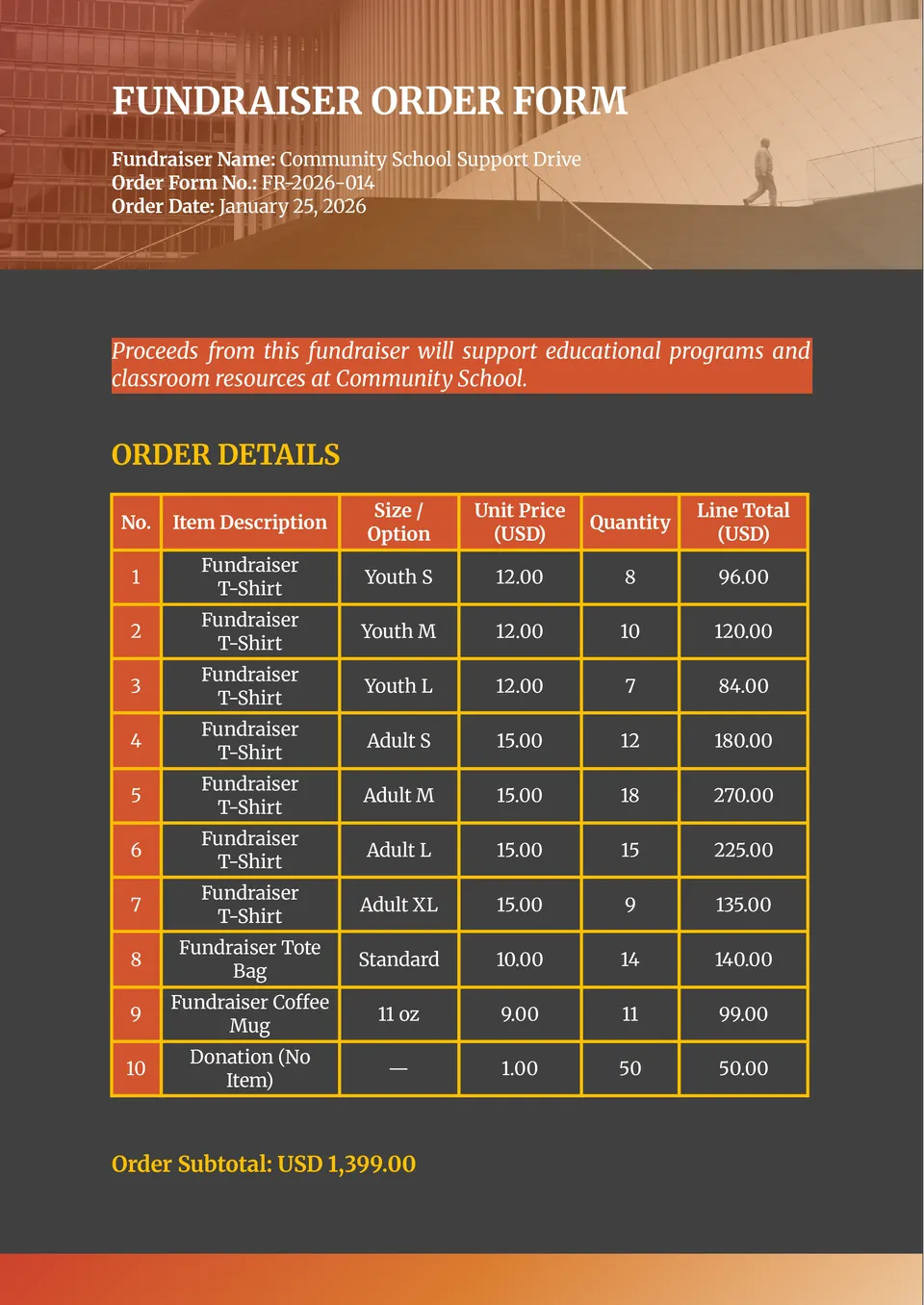
Looking for a way to take orders and raise money efficiently? The Fundraiser Order Form Template gives organizers a clean format to collect purchases, donor info, and payment preferences.
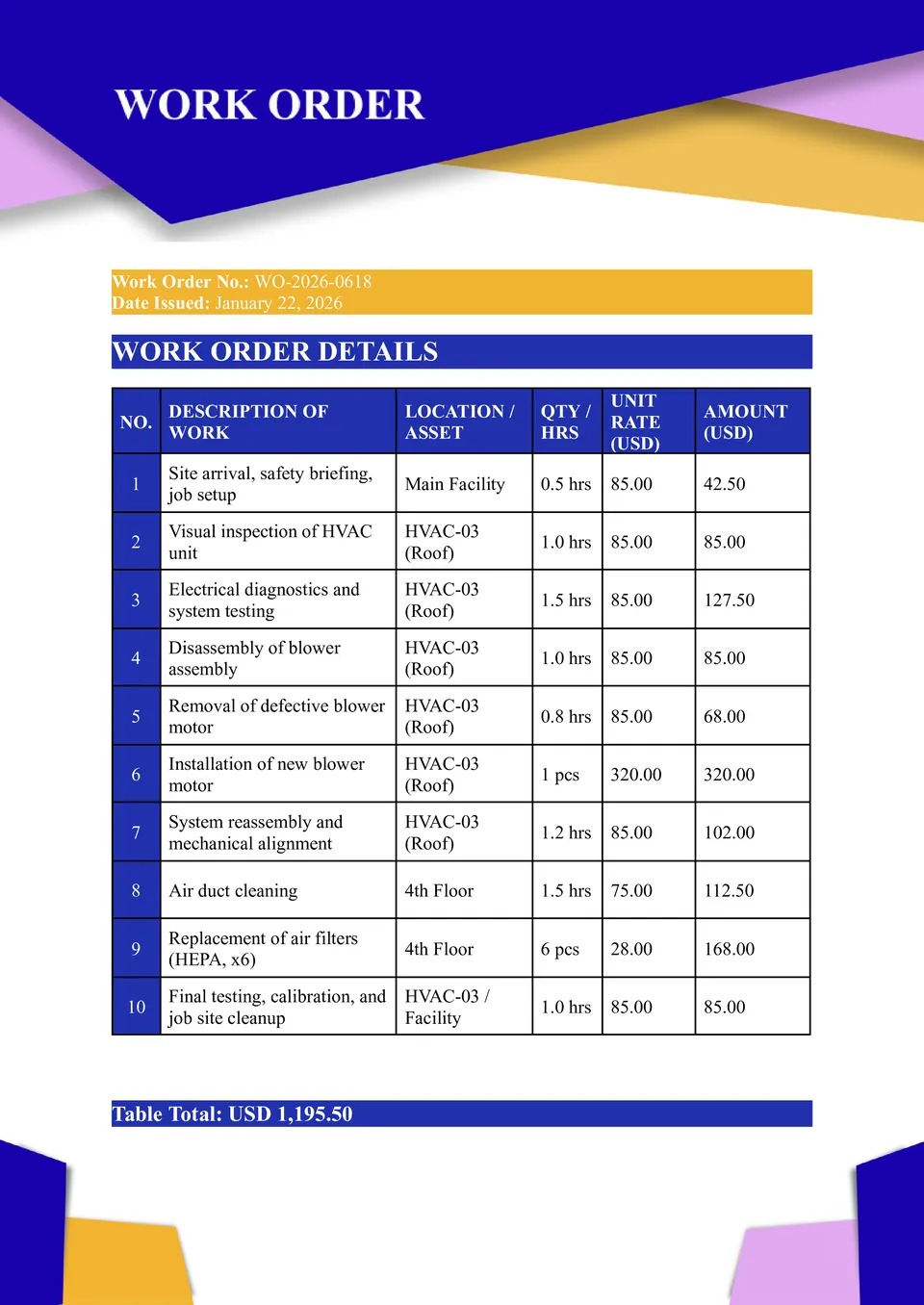
Looking to assign tasks and track jobs with precision? The Work Order Template helps service teams, contractors, and maintenance crews record work details, timelines, and responsibilities.
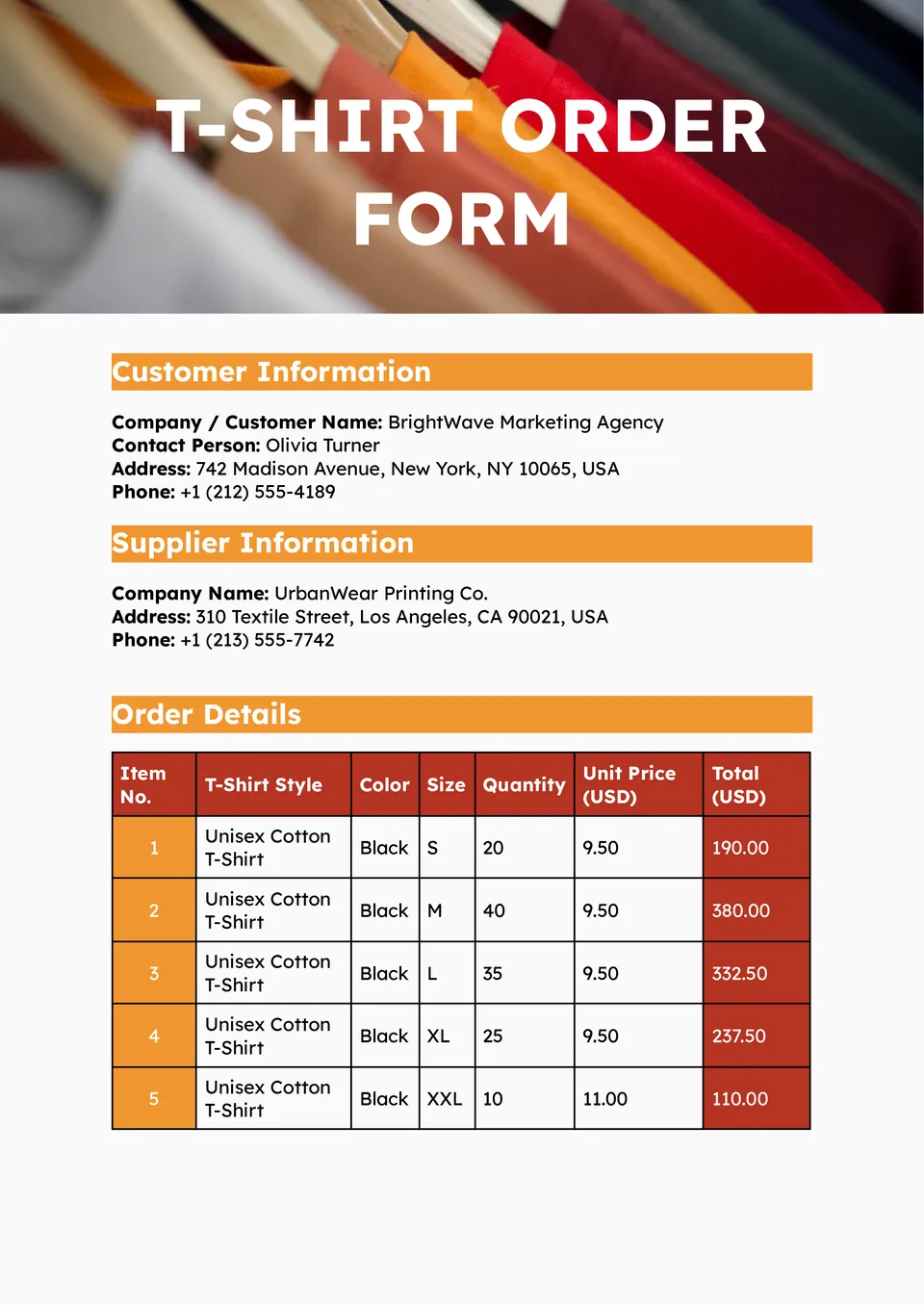
Want an effortless form to collect T-shirt orders for events, teams, or fundraisers? The T-Shirt Order Form Template provides structured fields for sizes, quantities, styles, and contact info.
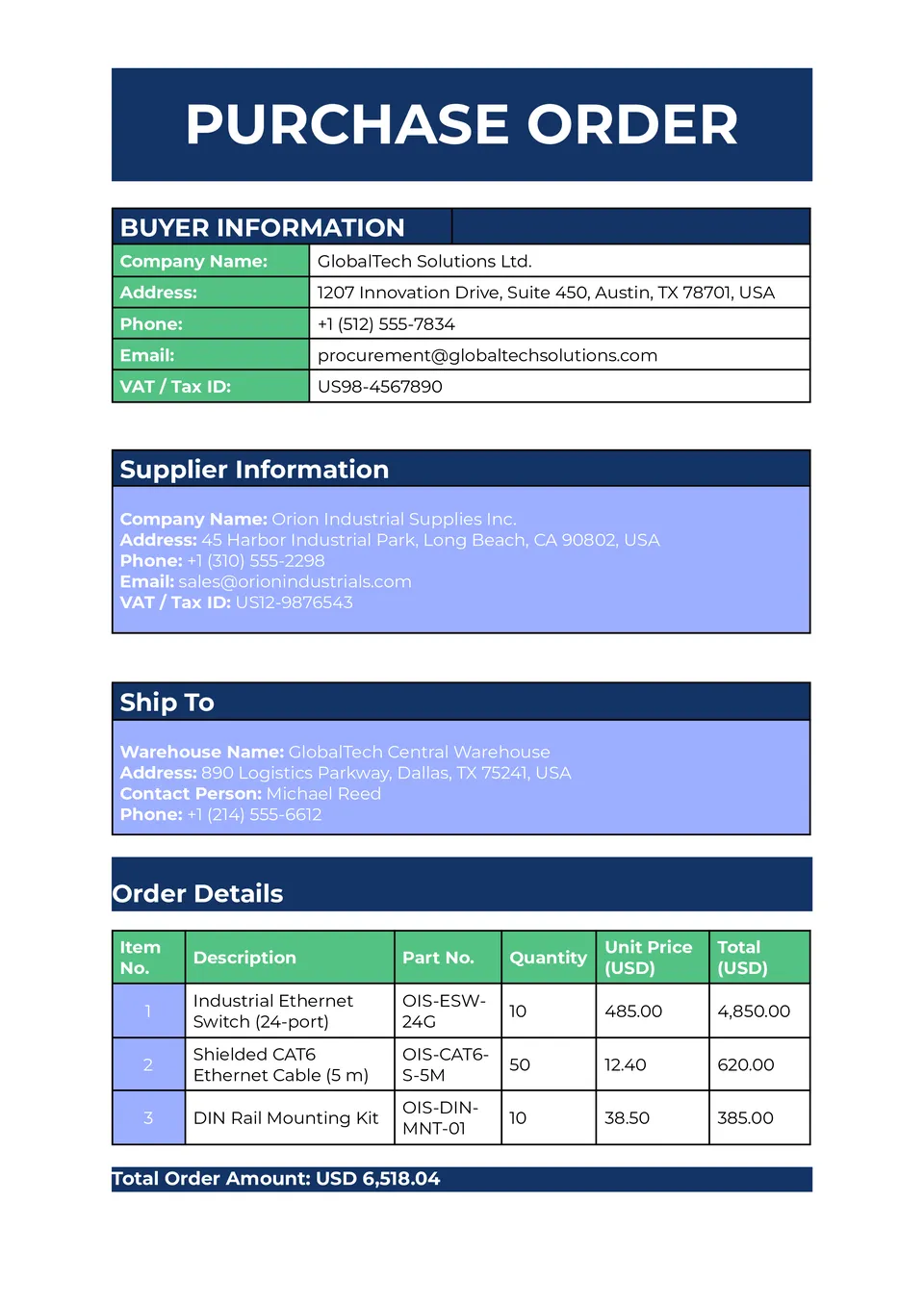
Looking for a simple way to formalize orders with vendors and suppliers? The Purchase Order Template gives businesses an easy-to-use format for listing items, quantities, prices, and terms.
What Are Order Form Templates for Google Docs and MS Word?
For shop owners, procurement teams, delivery coordinators, and service providers, scattered requests can leave important details unclear. Our Order Form Templates bring customer information, item specifications, quantities, instructions, and reference numbers into prepared documents. Use them to record purchases, organize deliveries, assign maintenance work, or collect product orders.
We create these layouts around different operational needs rather than treating every order alike. A clothing request needs size and color options, while a maintenance assignment needs space for equipment issues and deadlines. Each design gives you a relevant starting point that you can adapt to your process.
Benefits of Using Order Form Templates
A consistent form helps the person making a request and the team fulfilling it work from the same information. Our layouts support clearer handoffs without requiring you to design every field yourself.
- capture specifications before purchasing or fulfillment begins;
- keep contact details and order references together;
- separate quantities, prices, and special instructions;
- record responsibilities and expected completion dates;
- retain a readable reference for questions and follow-ups.
The emphasis is on accuracy: making essential details easy to provide, review, and retrieve.

How to Customize Google Docs Order Form Templates
Choose a layout that matches the request you need to document. Editable text, colors, and objects let you personalize the form while keeping its prepared structure.
- Open the template in Google Docs or download it for Microsoft Word.
- Add your business name, contact details, and order reference fields.
- Adapt tables and labels for products, services, or work assignments.
- Include relevant instructions, dates, and approval or signature fields.
- Check the completed document before saving, sharing, or printing.
Keep an unfilled master copy so future requests follow the same structure.

Popular Types of Order Form Templates
Our collection covers purchasing, fulfillment, service assignments, and transaction records:
- Delivery Order Template — record item descriptions, destination addresses, delivery dates, and fulfillment instructions;
- Money Order Template — log payment details, recipients, and reference numbers for recordkeeping, not as a substitute for an issued payment instrument;
- Maintenance Work Order Template — document equipment issues, assigned tasks, responsible technicians, and timelines;
- Clothing Order Form Template — collect customer details alongside sizes, colors, styles, and quantities;
- Purchase Order Template — list supplier orders with item quantities, prices, and purchasing terms.
Select the form according to what needs to be requested, authorized, or recorded.
Download Free Order Form Templates for Your Needs
Prepare your next order document with a free, editable layout from our collection. Choose a supported format, customize the fields, and download your copy for digital use or printing. Need to collect vendor, membership, or candidate information instead? Browse our Application Templates for those requests. Pick your order form and turn the next request into a clear, ready-to-use document today.


Choose your preferred social media platform from options like Pinterest, Facebook, Twitter, and more. Share our templates with your contacts or friends. If you’re not active on these social networks, you can simply copy the link and paste it into the one you use.