

 Back to templates
Free AI Prompt Google Docs Templates
Keep reusable AI instructions and experiment notes together with free AI prompt templates. This collection includes briefs for writing, SEO, marketing, social media, and image generation, plus prompt libraries and logs. Dedicated sections help you specify the task, context, audience, and expected response. These are editable planning documents, not AI generators. Fill in a brief for your chosen tool or use a log to track revisions and compare the outputs you receive.
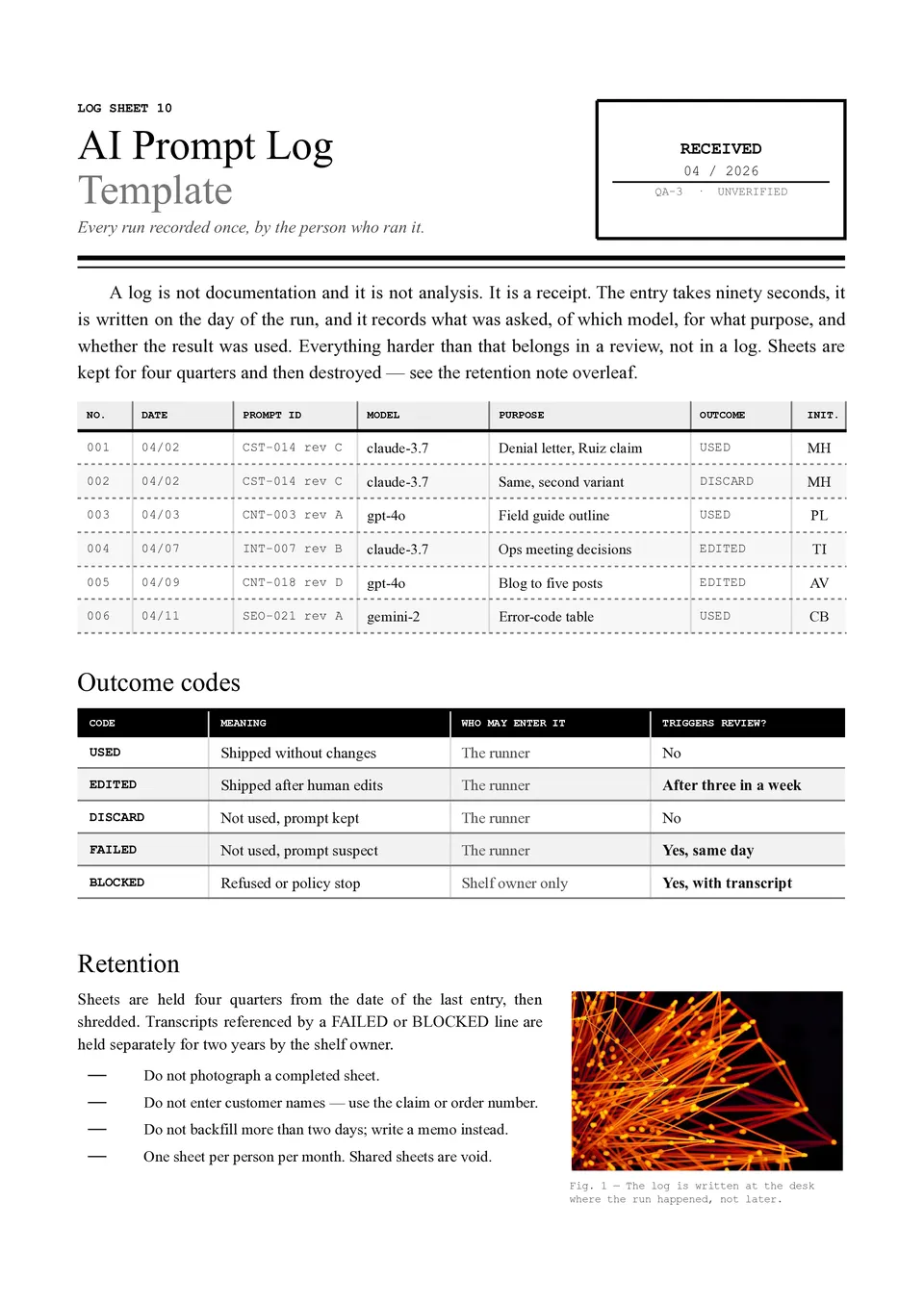
AI Prompt Log Template helps track which prompts were used, what inputs were provided, what results were generated, and which versions performed best. It can include fields for the date, project, tool or model, prompt text, context, output summary, rating, revisions, and next steps. Teams, researchers, marketers, students, and AI users can use it to compare experiments and avoid losing effective instructions. Keeping a record makes it easier to improve prompt quality, reproduce results, and identify patterns in successful outputs. The free editable layout is ready to download, print, or use as an ongoing prompt documentation system.

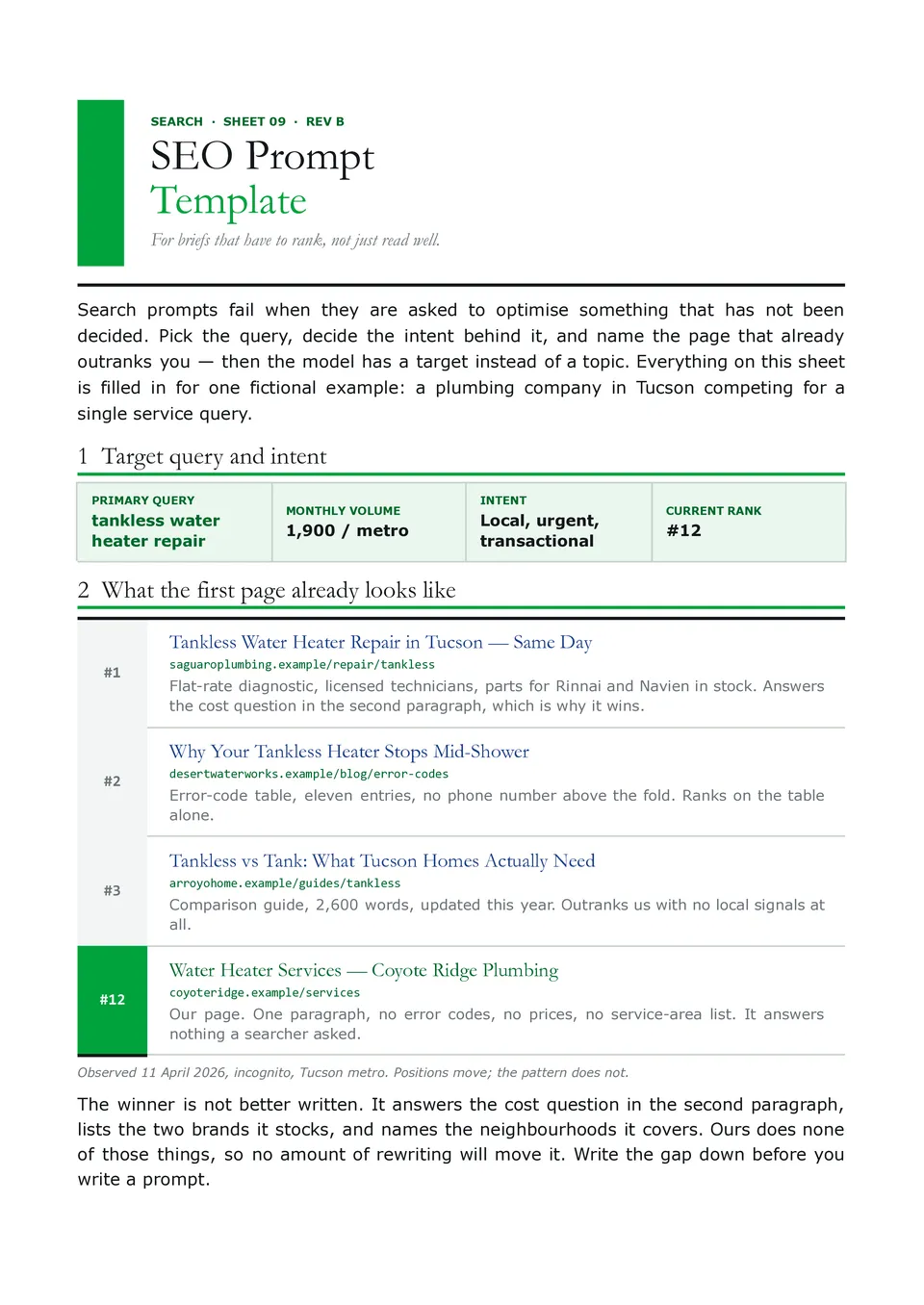
SEO Prompt Template helps structure AI requests for keyword research, search intent, content briefs, title ideas, meta descriptions, outlines, internal links, and optimization checks. SEO specialists, bloggers, agencies, ecommerce teams, and business owners can define the target keyword, audience, search intent, content goal, competitor context, tone, and required output. These details give AI a clearer basis for producing content that is relevant to both readers and search strategy. The organized fields also make prompts easier to reuse across pages, products, and campaigns. You can edit the template for free and maintain it as part of a repeatable SEO workflow.
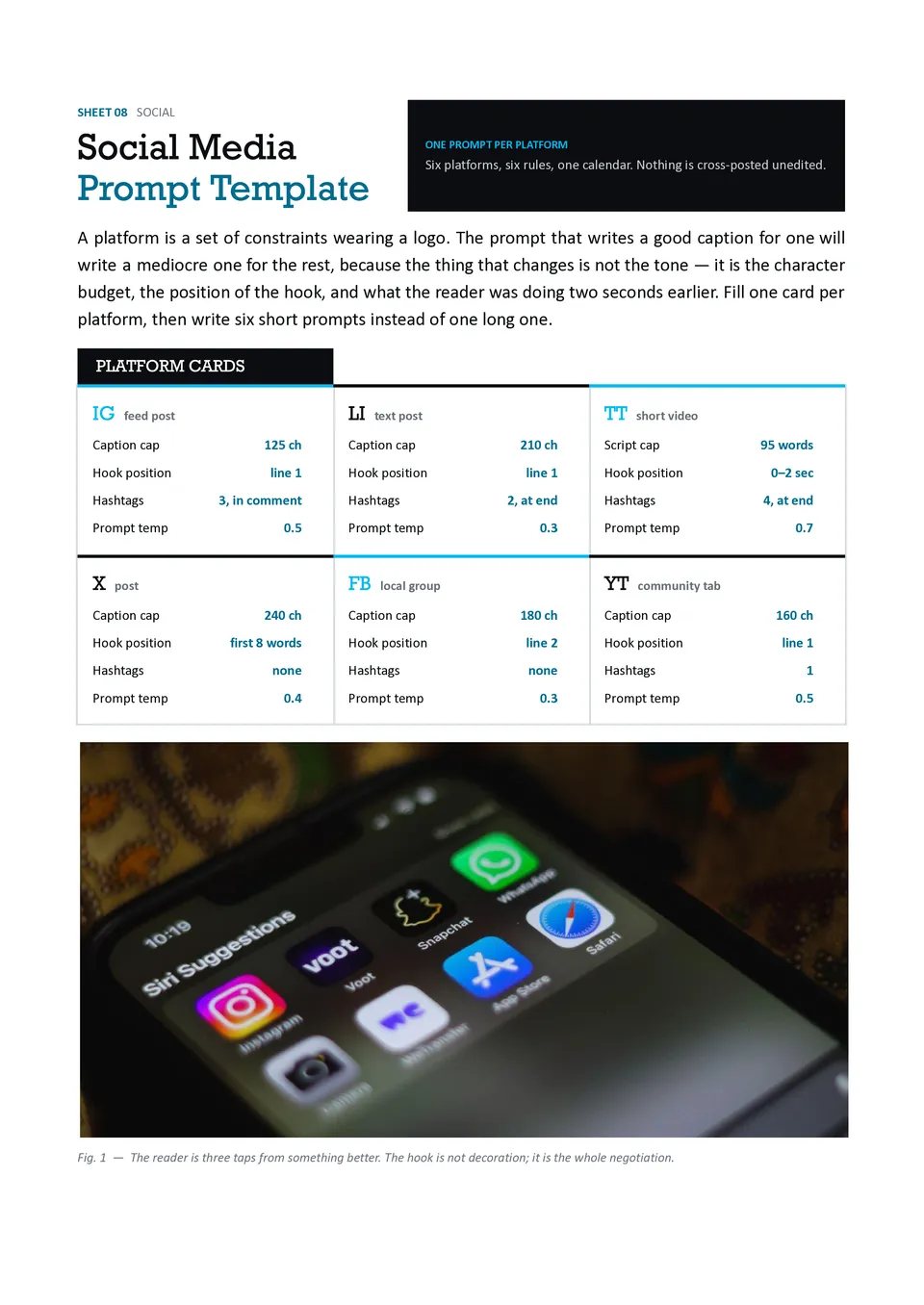
Social Media Prompt Template organizes the information AI needs to create platform-specific posts, captions, hooks, hashtags, content ideas, and calls to action. It includes sections for the platform, audience, campaign goal, topic, brand voice, post length, visual direction, and engagement objective. Social media managers, creators, agencies, and small-business owners can use it to produce content that fits each channel instead of copying one generic message everywhere. The detailed structure helps maintain consistency while allowing the wording to adapt to different audiences. It is free to customize and useful for building repeatable weekly or campaign-based content workflows.
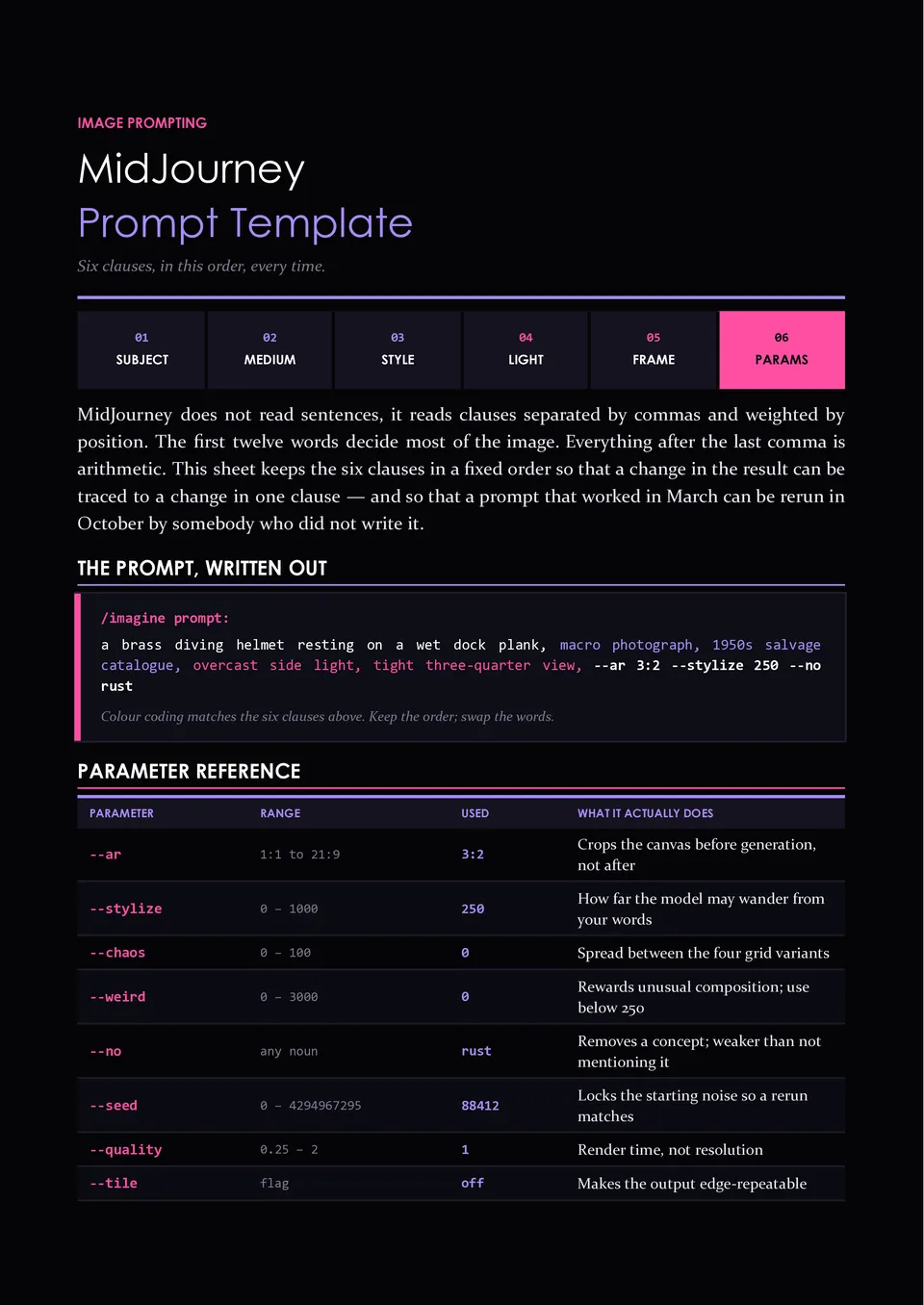
Are your AI-generated images missing the composition, mood, style, or visual details you had in mind? Midjourney Prompt Template helps organize subject, setting, composition, lighting, color palette, artistic style, camera details, aspect ratio, and negative instructions. Designers, artists, marketers, content creators, and product teams can use it to develop more deliberate image prompts before generating visuals. The structured approach makes it easier to compare variations and refine the elements that affect the final result. You can customize the free template for different visual projects and keep a reusable prompt record for future work.
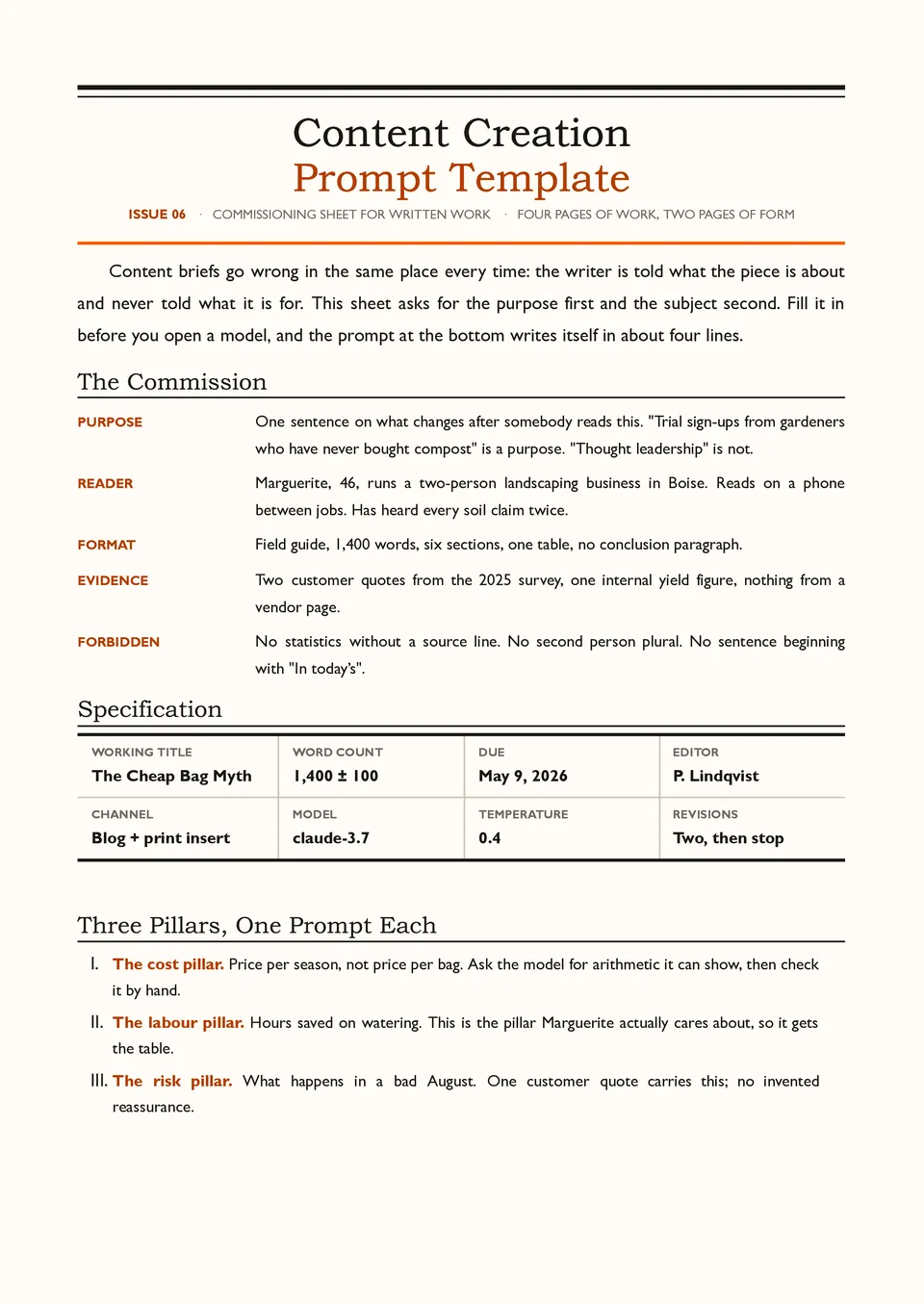
Content Creation Prompt Template helps turn a content idea into a complete AI brief with a defined audience, topic, purpose, tone, structure, length, key points, and call to action. Bloggers, copywriters, video creators, newsletter teams, and social media professionals can use it for articles, scripts, captions, posts, and other content formats. The sections make it easier to provide the background and limitations an AI model needs before generating a draft. A reusable structure also supports a more consistent voice across multiple pieces of content. It is free to edit and ready to save, print, or use as a repeatable content workflow.
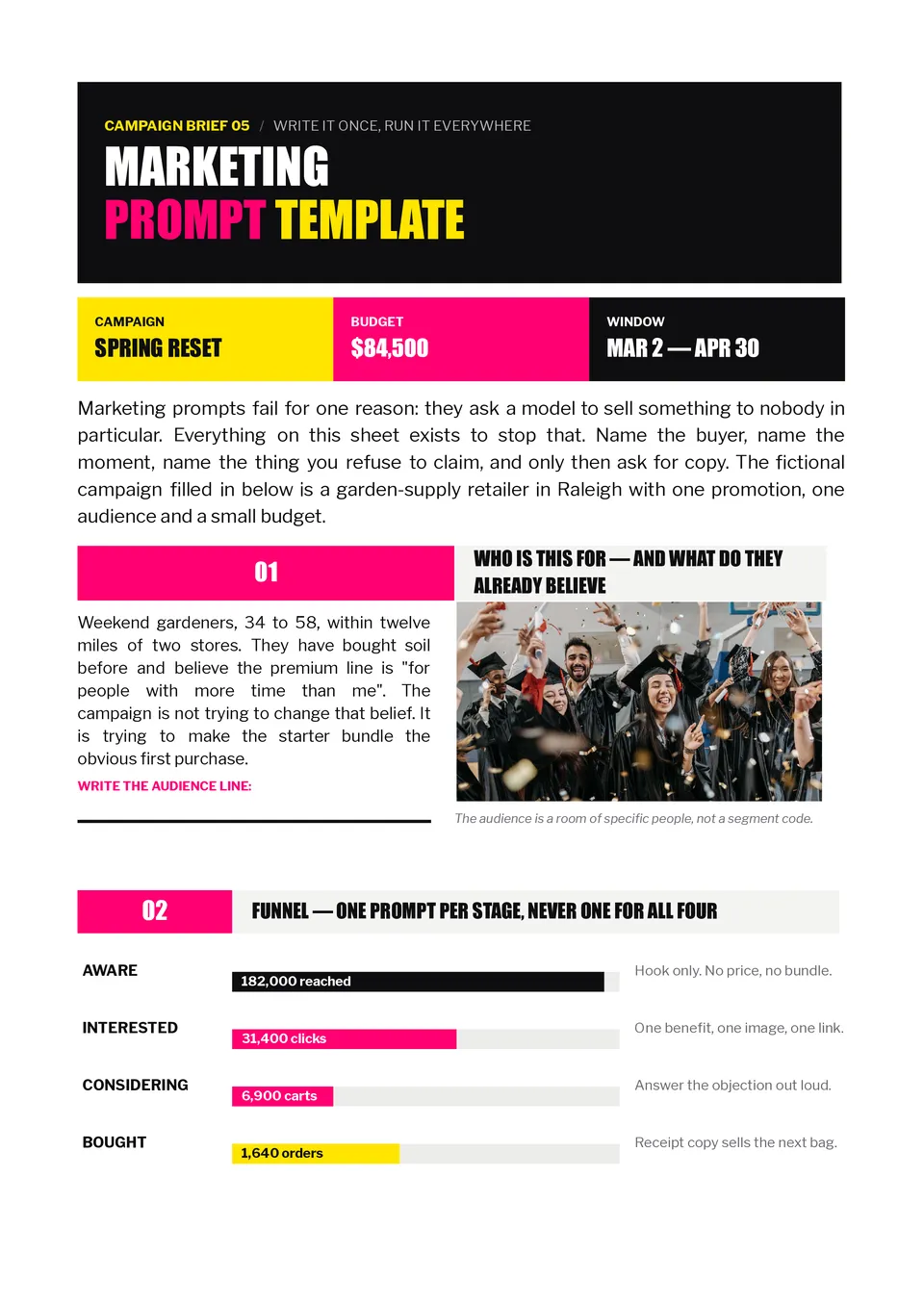
Marketing Prompt Template gives marketers a repeatable structure for generating campaign ideas, audience insights, ad copy, email content, product messaging, and promotional concepts. It provides space for the target audience, campaign objective, offer, brand voice, platform, call to action, length, and restrictions. Agencies, founders, social media managers, and in-house marketing teams can use it to brief AI with enough context for more relevant results. The detailed input fields help keep generated content aligned with the brand and the intended customer journey. You can personalize it for free and reuse it across campaigns, channels, and content formats.
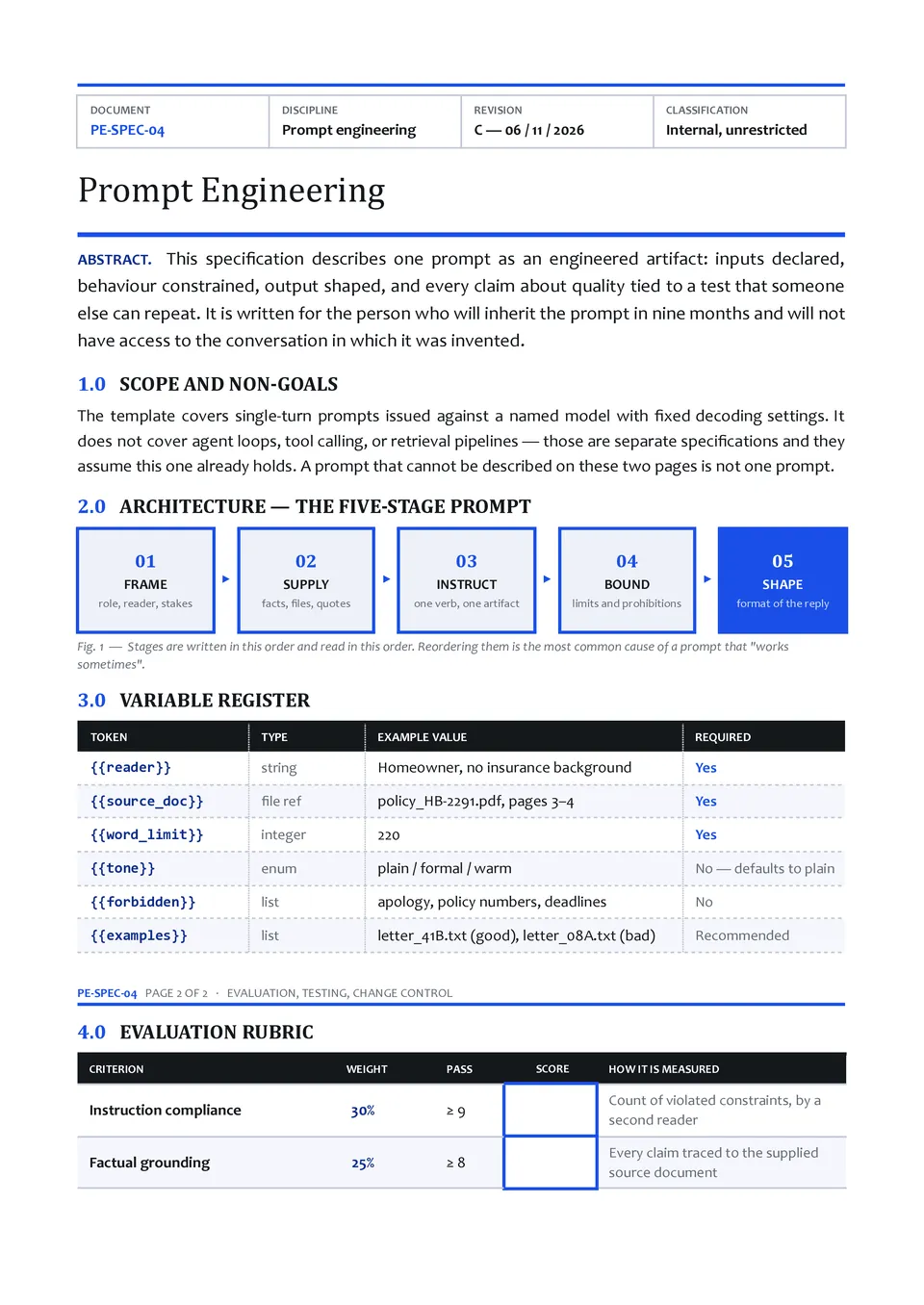
Do your AI responses vary because your requests lack clear goals, context, instructions, or output requirements? Prompt Engineering Template breaks a strong prompt into practical sections such as role, task, context, constraints, examples, tone, and response format. It suits AI practitioners, developers, analysts, educators, and teams building repeatable workflows with language models. The framework helps identify missing information and makes prompts easier to test and improve over time. You can edit the sections for free and use the completed structure for experiments, documentation, or team standards.
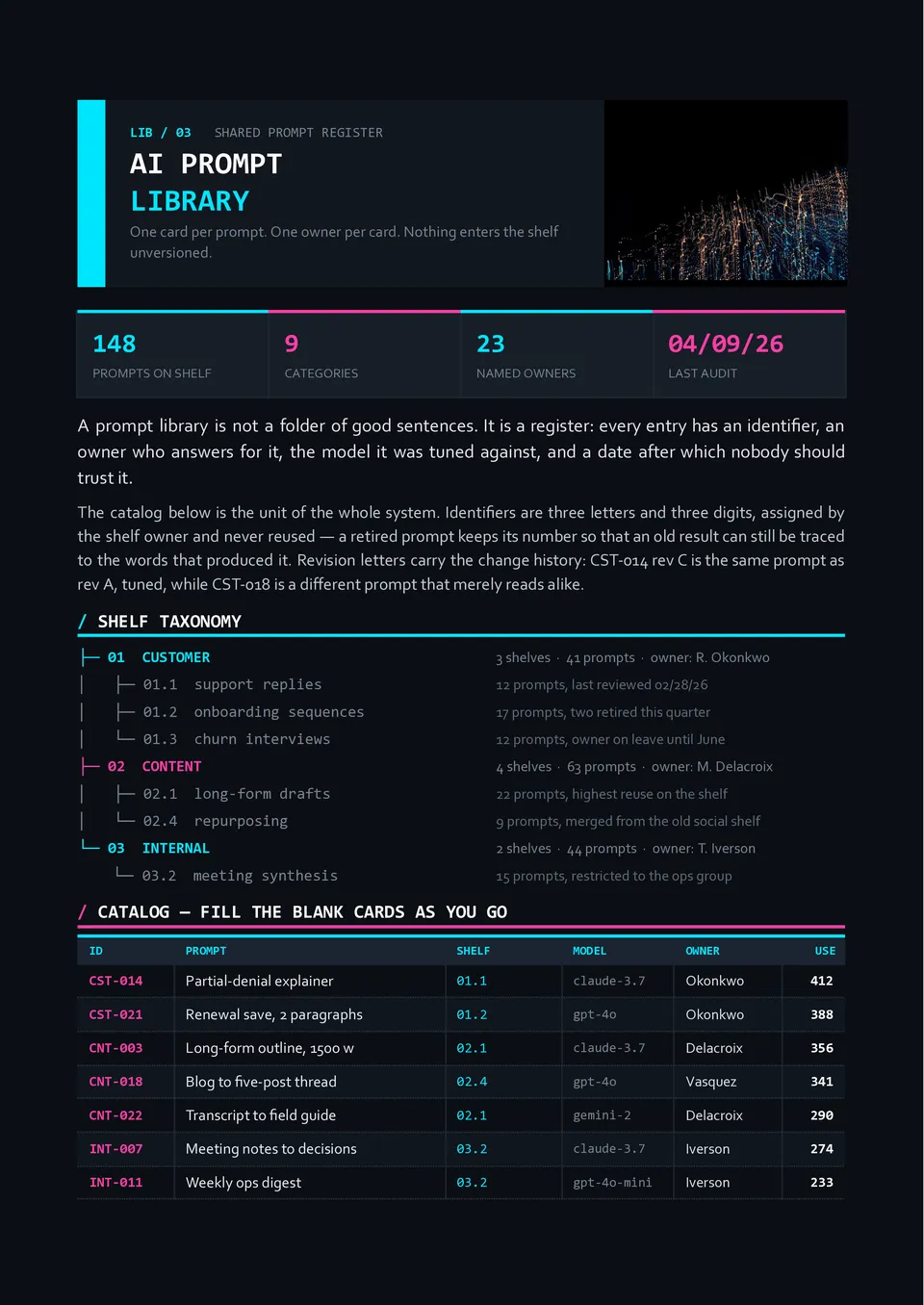
AI Prompt Library Template organizes reusable prompts by category, purpose, audience, model, tone, and workflow. It can include fields for the prompt itself, required inputs, example outputs, tags, version history, and notes about when to use it. Marketing teams, content creators, researchers, educators, and businesses can use it to build a searchable collection instead of recreating effective instructions from memory. The structured library makes successful prompts easier to find, compare, update, and share with colleagues. It is free to customize and ready to download, print, or maintain as a working prompt repository.
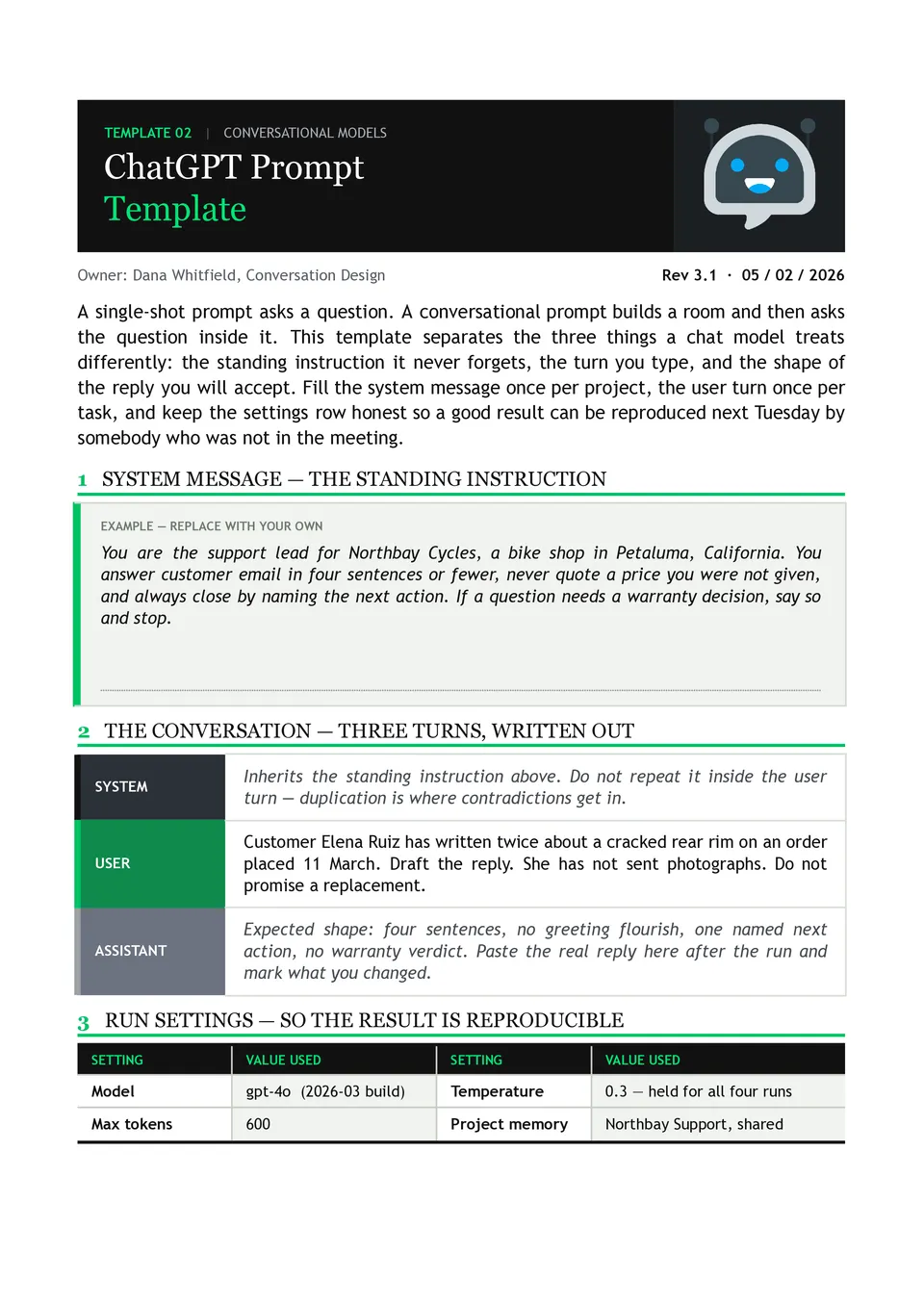
ChatGPT Prompt Template helps users turn a vague request into a more specific instruction with defined context, goal, tone, format, and constraints. It includes sections for the task, relevant background, desired response, examples, and requirements that ChatGPT must follow. Students, creators, researchers, support teams, and professionals can use it to get more consistent and useful responses. The structured layout reduces ambiguity and makes it easier to refine prompts for repeated tasks. You can customize it for free and use the finished prompt as a reusable workflow.
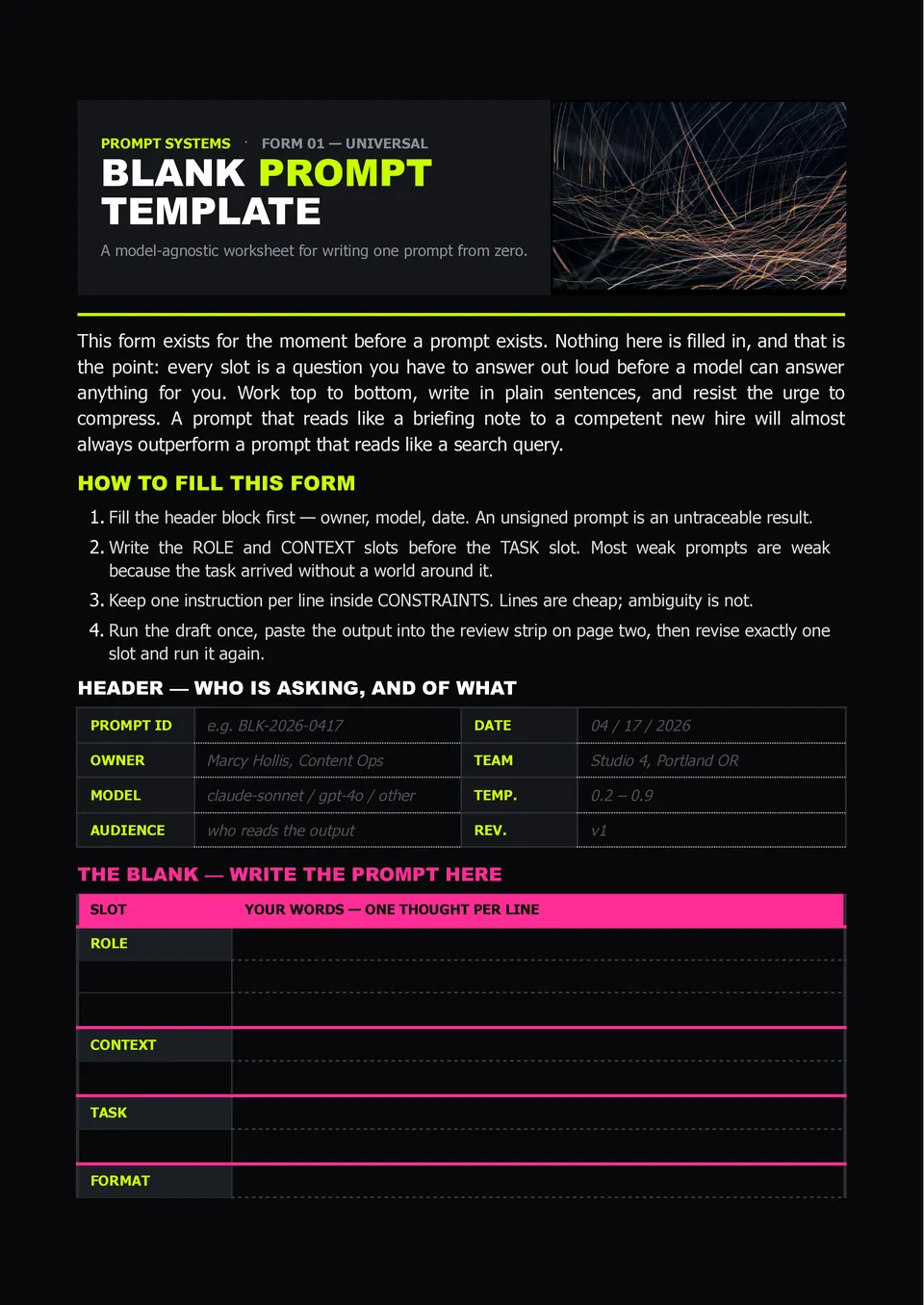
Need a flexible place to write better AI instructions without forgetting important context or constraints? Blank Prompt Template provides open sections for the role, task, background information, desired output, tone, limitations, and examples. Students, professionals, marketers, and business teams can adapt it for almost any AI-related task. The empty structure gives you full control over the prompt instead of forcing your request into a rigid use case. It is free to edit, ready to download, print, or reuse whenever you need a clearer starting point.
AI Prompt Templates for Google Docs and MS Word
A useful AI request needs more than a topic. It also needs a purpose, relevant background, and a clear description of the expected result. Our AI Prompt Templates provide dedicated sections for those details, helping you prepare instructions for writing, research, marketing, and image generation. The collection suits content creators, students, agencies, and teams developing reusable AI workflows.
These are editable documents, not AI generators. You complete the brief in Google Docs or Microsoft Word, then use the finished instructions in your chosen AI tool. Alongside task-specific layouts, the collection includes a prompt log for documenting experiments and keeping effective versions within reach.
Benefits of Using AI Prompt Templates
When the audience, tone, or output format stays undefined, those decisions are left open. A structured prompt makes your requirements explicit and gives you a reference point when reviewing the response. Our templates help you:
- define the task and the audience it should serve;
- include background information and useful examples;
- specify tone, length, structure, and restrictions;
- adapt an existing brief for another channel or campaign;
- record revisions and compare the results of different instructions.
The goal is not to make every request longer. It is to include the details that matter for the task and preserve them for future use.

How to Customize Google Docs AI Prompt Templates
Open the document and select File > Make a copy in Google Docs, or work with the Microsoft Word version. Text, colors, and other template objects are editable, so you can rename sections or remove fields that do not apply.
- State the outcome you need, such as an article outline, caption set, or visual concept.
- Add the audience, project background, and source material.
- Describe the required format and any wording or style restrictions.
- Transfer the completed instructions to your AI tool and review the response against the brief.
- Save the prompt, note what needs changing, and document the next version.
For recurring work, keep the core instructions and update the variable details—such as the product, topic, platform, or campaign objective. A separate log can preserve the context behind each revision.
Popular Types of AI Prompt Templates
A campaign brief, an image description, and an experiment record require different information. These layouts reflect those differences:
- AI Prompt Log Template keeps the prompt text alongside the date, project, tool or model, output summary, rating, and revision notes.
- SEO Prompt Template organizes target keywords, search intent, audience, and content goals.
- Social Media Prompt Template puts platform, brand voice, post length, visual direction, and engagement goals into one document.
- MidJourney Prompt Template breaks visual ideas into subject, setting, composition, lighting, palette, and style.
- Marketing Prompt Template connects the offer and campaign objective with audience details, messaging, channel, and call to action.
Download Free AI Prompt Templates and Write Your First Brief
Keep your next set of AI instructions somewhere more useful than a forgotten chat. Our AI Prompt Templates are free to download and edit in Google Docs or Microsoft Word, with layouts for both creative briefs and ongoing experiments. For broader activity records, our Log Templates offer additional ways to document work and follow-up actions. Get your free prompt template and build a reusable brief for the task you do most often.

Choose your preferred social media platform from options like Pinterest, Facebook, Twitter, and more. Share our templates with your contacts or friends. If you’re not active on these social networks, you can simply copy the link and paste it into the one you use.