

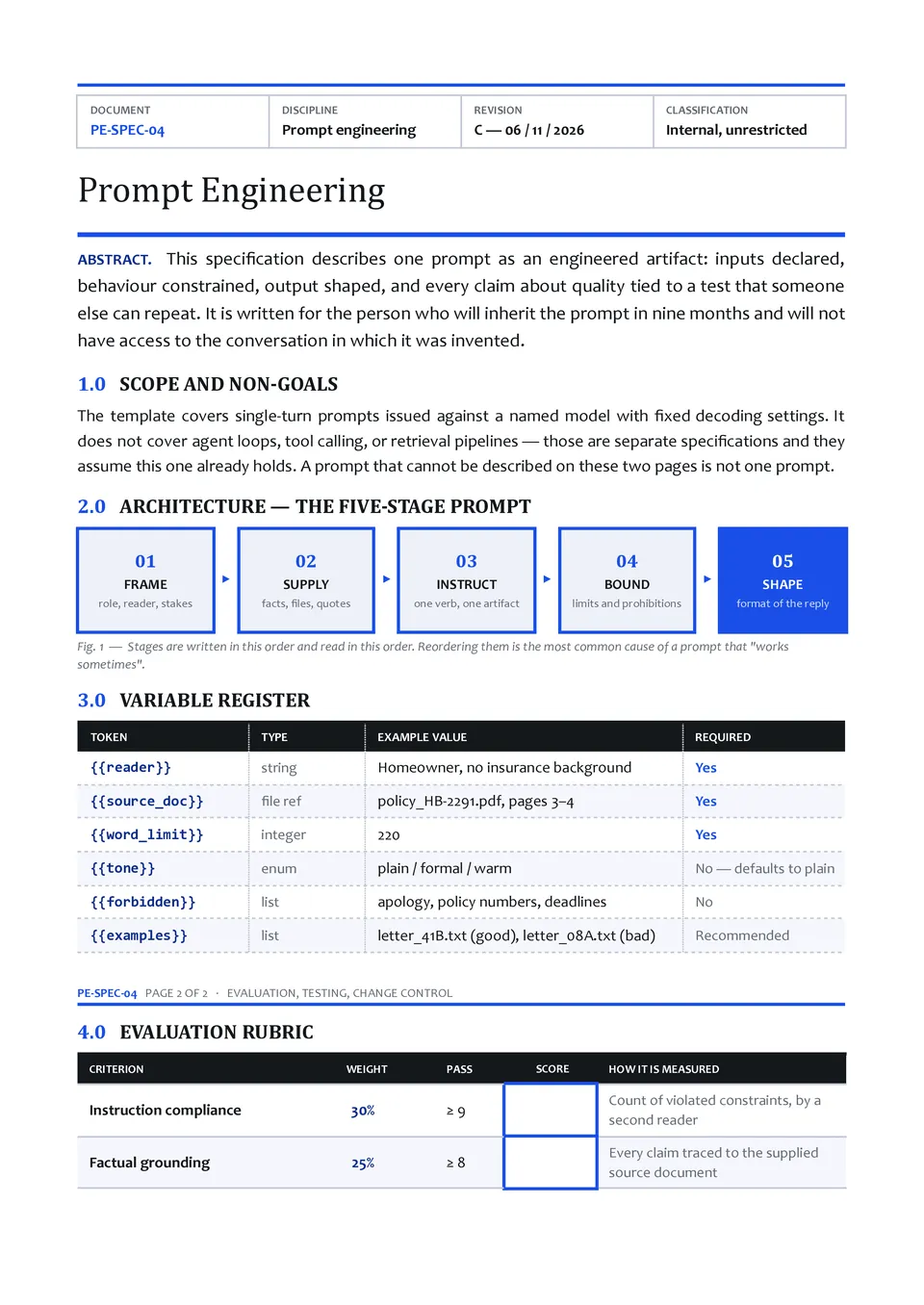
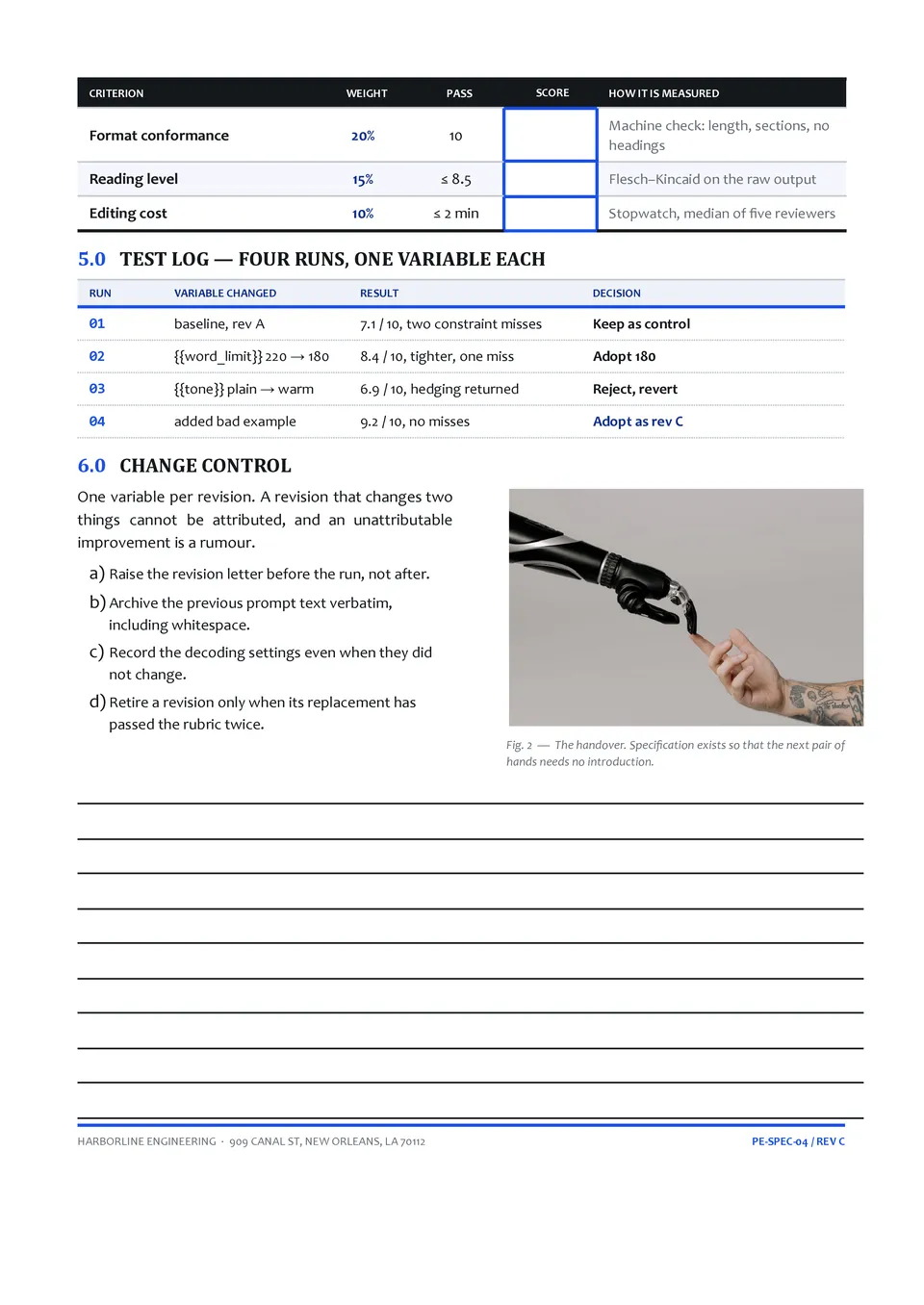
Prompt Engineering Template



designer
My goal is to create beautiful and intuitive graphic designs for individuals and businesses! I, Kateryna Kyrylova, specialize in a variety of formats, from Google products to Microsoft.
Achievements:


designed more than 1500 templates for docsandslides.com
Template text reviewed by an expert from docsandslide's blog.



1

2

3

Related AI Prompt Templates
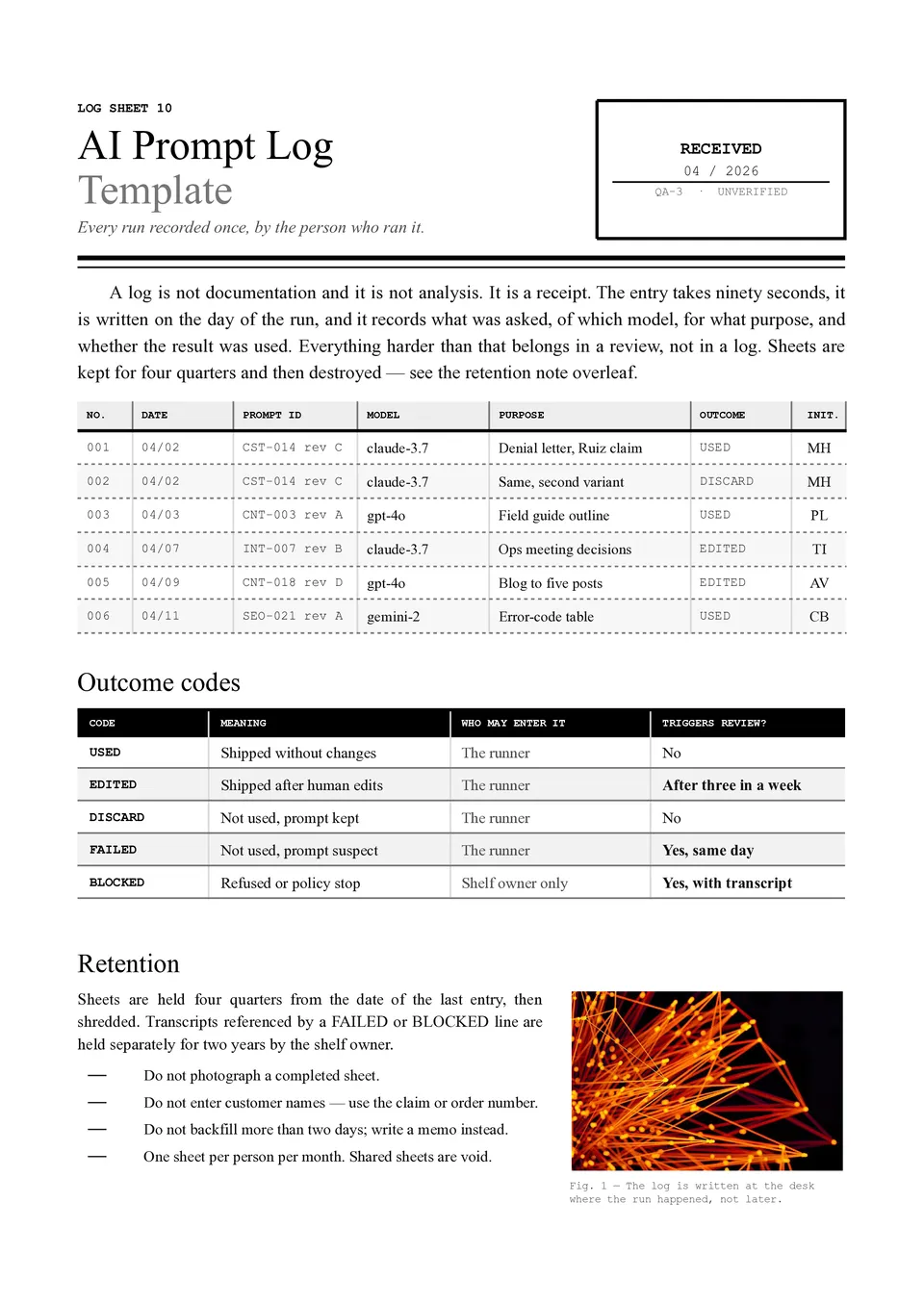
AI Prompt Log Template helps track which prompts were used, what inputs were provided, what results were generated, and which versions performed best. It can include fields for the date, project, tool or model, prompt text, context, output summary, rating, revisions, and next steps. Teams, researchers, marketers, students, and AI users can use it to compare experiments and avoid losing effective instructions. Keeping a record makes it easier to improve prompt quality, reproduce results, and identify patterns in successful outputs. The free editable layout is ready to download, print, or use as an ongoing prompt documentation system.

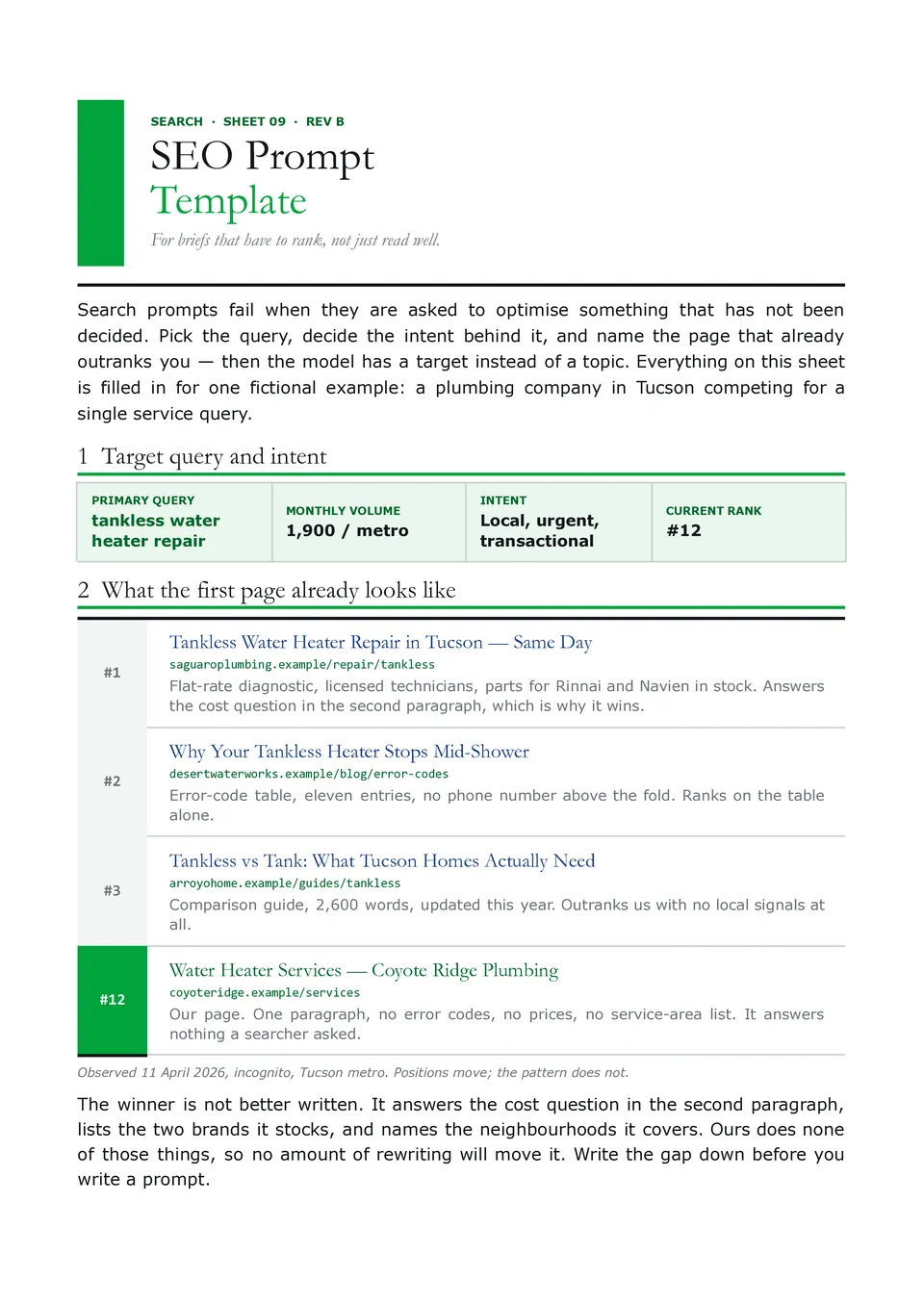
SEO Prompt Template helps structure AI requests for keyword research, search intent, content briefs, title ideas, meta descriptions, outlines, internal links, and optimization checks. SEO specialists, bloggers, agencies, ecommerce teams, and business owners can define the target keyword, audience, search intent, content goal, competitor context, tone, and required output. These details give AI a clearer basis for producing content that is relevant to both readers and search strategy. The organized fields also make prompts easier to reuse across pages, products, and campaigns. You can edit the template for free and maintain it as part of a repeatable SEO workflow.
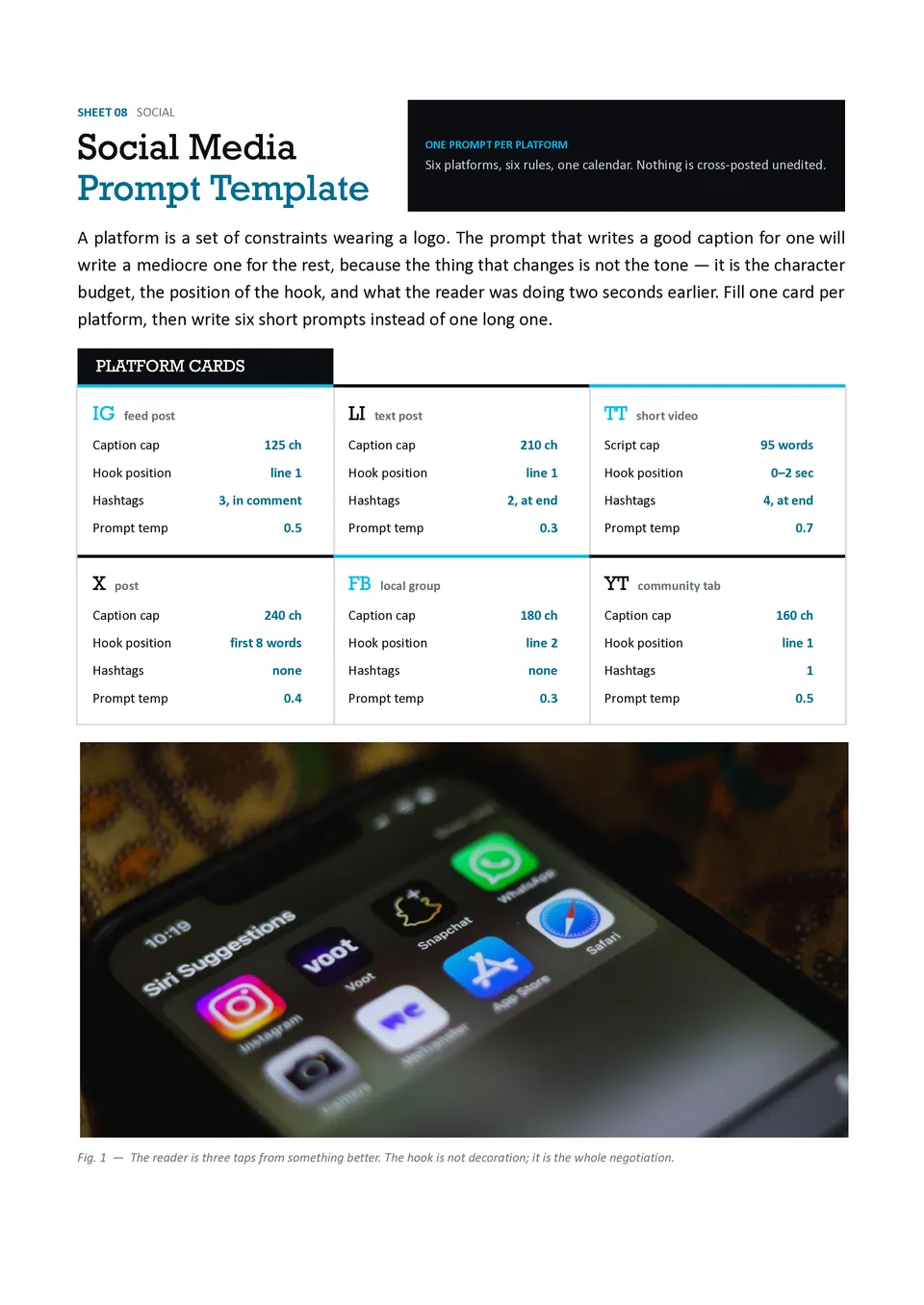
Social Media Prompt Template organizes the information AI needs to create platform-specific posts, captions, hooks, hashtags, content ideas, and calls to action. It includes sections for the platform, audience, campaign goal, topic, brand voice, post length, visual direction, and engagement objective. Social media managers, creators, agencies, and small-business owners can use it to produce content that fits each channel instead of copying one generic message everywhere. The detailed structure helps maintain consistency while allowing the wording to adapt to different audiences. It is free to customize and useful for building repeatable weekly or campaign-based content workflows.
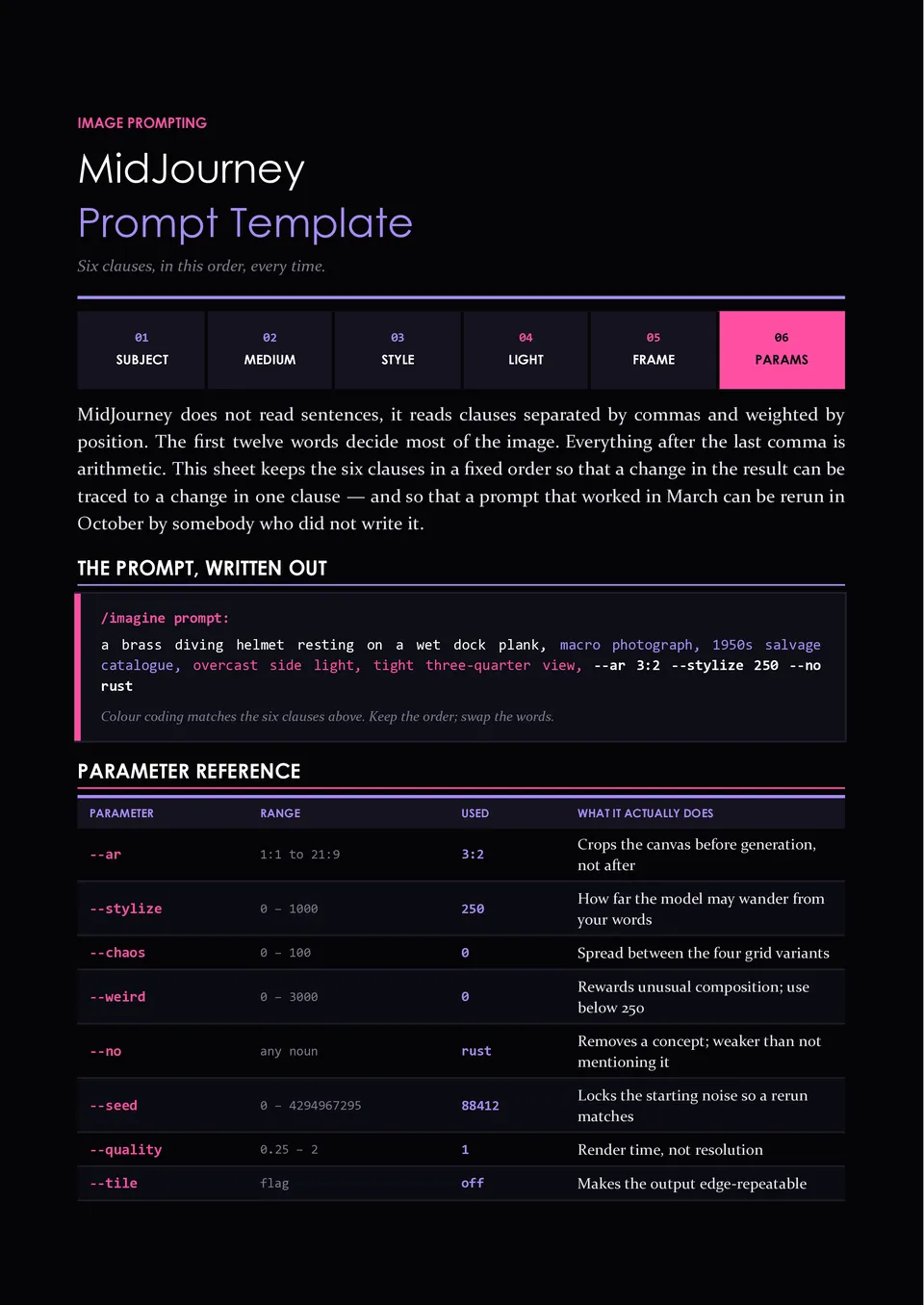
Are your AI-generated images missing the composition, mood, style, or visual details you had in mind? Midjourney Prompt Template helps organize subject, setting, composition, lighting, color palette, artistic style, camera details, aspect ratio, and negative instructions. Designers, artists, marketers, content creators, and product teams can use it to develop more deliberate image prompts before generating visuals. The structured approach makes it easier to compare variations and refine the elements that affect the final result. You can customize the free template for different visual projects and keep a reusable prompt record for future work.
Related AI Prompt Templates
AI Prompt Log Template helps track which prompts were used, what inputs were provided, what results were generated, and which versions performed best. It can include fields for the date, project, tool or model, prompt text, context, output summary, rating, revisions, and next steps. Teams, researchers, marketers, students, and AI users can use it to compare experiments and avoid losing effective instructions. Keeping a record makes it easier to improve prompt quality, reproduce results, and identify patterns in successful outputs. The free editable layout is ready to download, print, or use as an ongoing prompt documentation system.
SEO Prompt Template helps structure AI requests for keyword research, search intent, content briefs, title ideas, meta descriptions, outlines, internal links, and optimization checks. SEO specialists, bloggers, agencies, ecommerce teams, and business owners can define the target keyword, audience, search intent, content goal, competitor context, tone, and required output. These details give AI a clearer basis for producing content that is relevant to both readers and search strategy. The organized fields also make prompts easier to reuse across pages, products, and campaigns. You can edit the template for free and maintain it as part of a repeatable SEO workflow.
Social Media Prompt Template organizes the information AI needs to create platform-specific posts, captions, hooks, hashtags, content ideas, and calls to action. It includes sections for the platform, audience, campaign goal, topic, brand voice, post length, visual direction, and engagement objective. Social media managers, creators, agencies, and small-business owners can use it to produce content that fits each channel instead of copying one generic message everywhere. The detailed structure helps maintain consistency while allowing the wording to adapt to different audiences. It is free to customize and useful for building repeatable weekly or campaign-based content workflows.
Are your AI-generated images missing the composition, mood, style, or visual details you had in mind? Midjourney Prompt Template helps organize subject, setting, composition, lighting, color palette, artistic style, camera details, aspect ratio, and negative instructions. Designers, artists, marketers, content creators, and product teams can use it to develop more deliberate image prompts before generating visuals. The structured approach makes it easier to compare variations and refine the elements that affect the final result. You can customize the free template for different visual projects and keep a reusable prompt record for future work.
Don’t forget to check your spam box!

Generating high-quality templates requires significant time and dedication. We simply request the inclusion of a small attribution link. Select the platform where you intend to utilize the template.
Copy this link and paste it wherever it’s visible, close to where you’re using the image. If that’s not possible, place it at the footer of your website, blog or newsletter, or in the credits section.
Place the attribution line near the image’s usage on your website, or if that’s not feasible, include it in the credits section. For example: ‘image: Docsandslides.com’. This template was created using images from Docsandslides.com.

Choose your preferred social media platform from options like Pinterest, Facebook, Twitter, and more. Share our templates with your contacts or friends. If you’re not active on these social networks, you can simply copy the link and paste it into the one you use.