

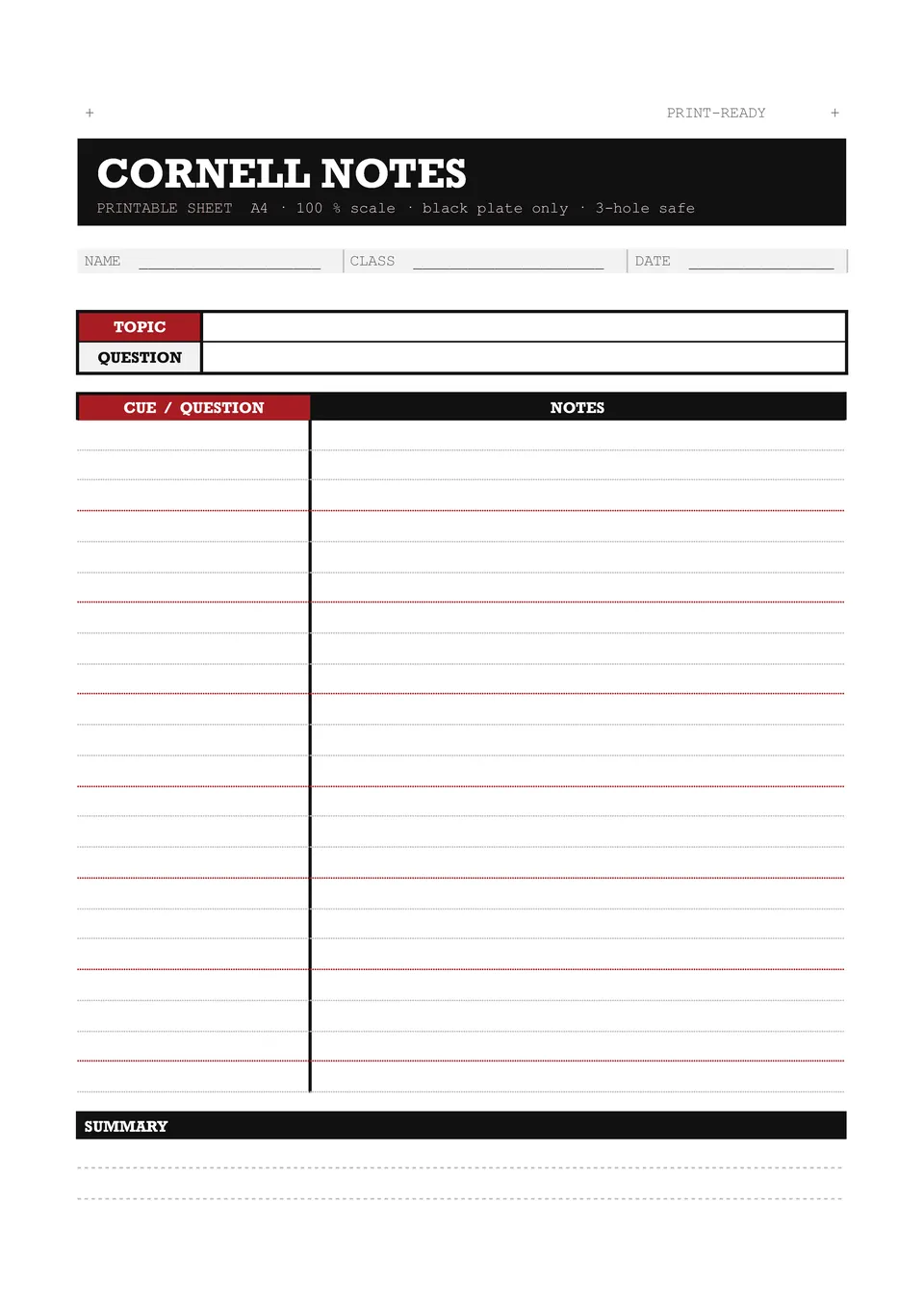
Printable Cornell Notes Template



designer
My goal is to create beautiful and intuitive graphic designs for individuals and businesses! I, Kateryna Kyrylova, specialize in a variety of formats, from Google products to Microsoft.
Achievements:


designed more than 1500 templates for docsandslides.com
Template text reviewed by an expert from docsandslide's blog.



1

2

3

Related Cornell Notes Templates
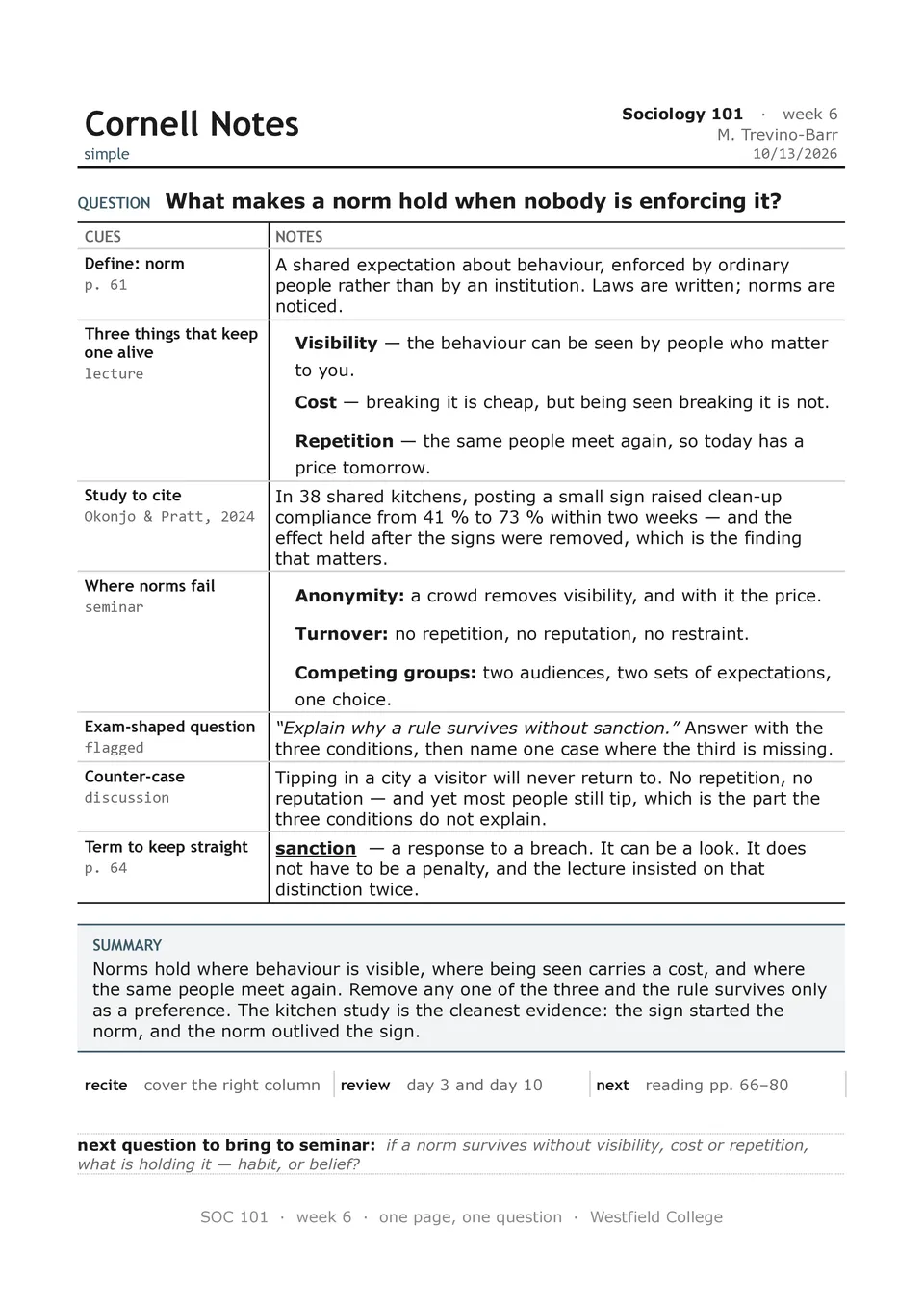
Simple Cornell Notes Template removes unnecessary visual elements and focuses on the core study workflow: take notes, create cues, and write a summary. The page contains a heading area, a left recall column, a main notes section, and a short summary block at the bottom. It is suitable for learners who want a fast, familiar setup for lectures, textbook chapters, webinars, or independent revision. The minimal design helps the reader focus on content and makes the final notes easy to scan before quizzes or exams. It is free to edit, convenient to duplicate, and ready to download, print, or share with classmates.

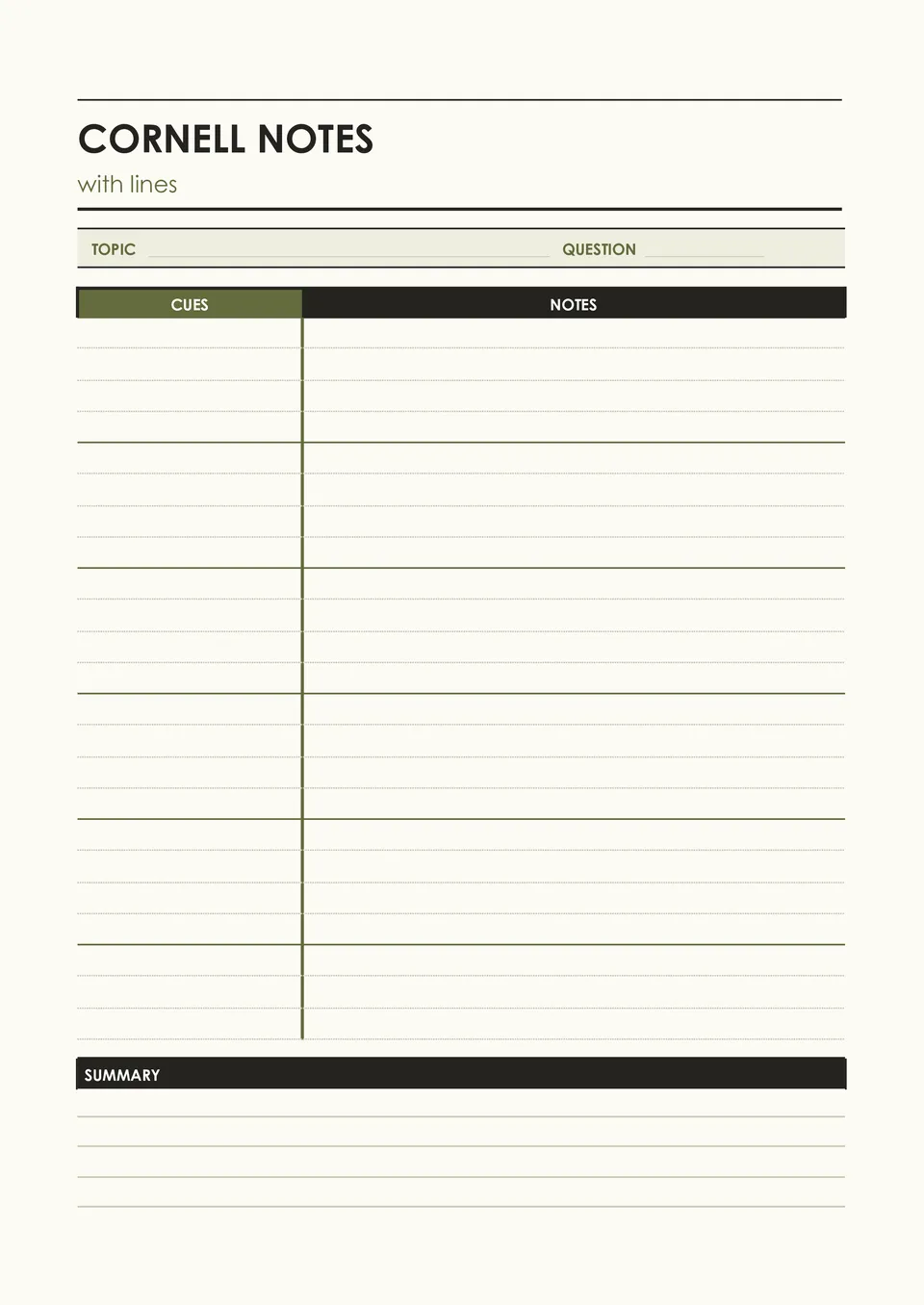
Cornell Notes With Lines Template combines the standard cue, notes, and summary structure with ruled writing space that keeps handwritten pages tidy. It includes a narrow left section for prompts and key terms, lined space for lecture or reading notes, and a bottom area for a concise recap. It works well for students who prefer handwriting but want more guidance than a blank page provides. The lined design makes it easier to keep ideas aligned, leave room for additions, and reread notes later. You can use it free of charge, modify the page details, and print enough copies for an entire course.
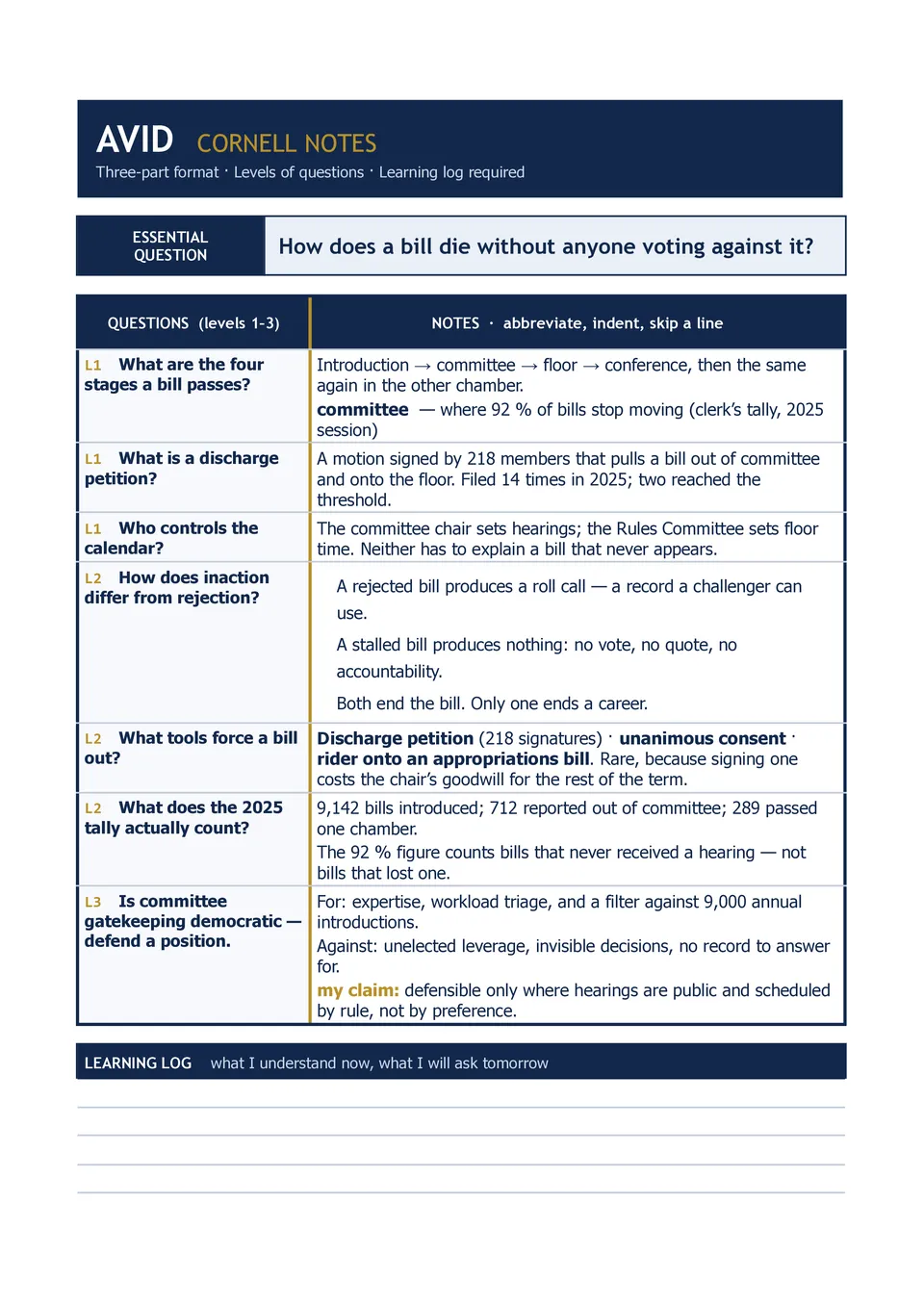
AVID Cornell Notes Template supports the AVID-focused note-taking process by organizing a page around an essential question, questions or connections, detailed notes, and a summary reflection. Teachers, AVID students, academic support staff, and schools can use it to build consistent active-learning habits across subjects. The structure encourages learners to record information first, return to create meaningful prompts, and reflect on the lesson in their own words. It also gives space for identifying the note-taking purpose, class, date, and topic. The layout is free to customize, ready for printing, and useful for both classroom instruction and independent study.
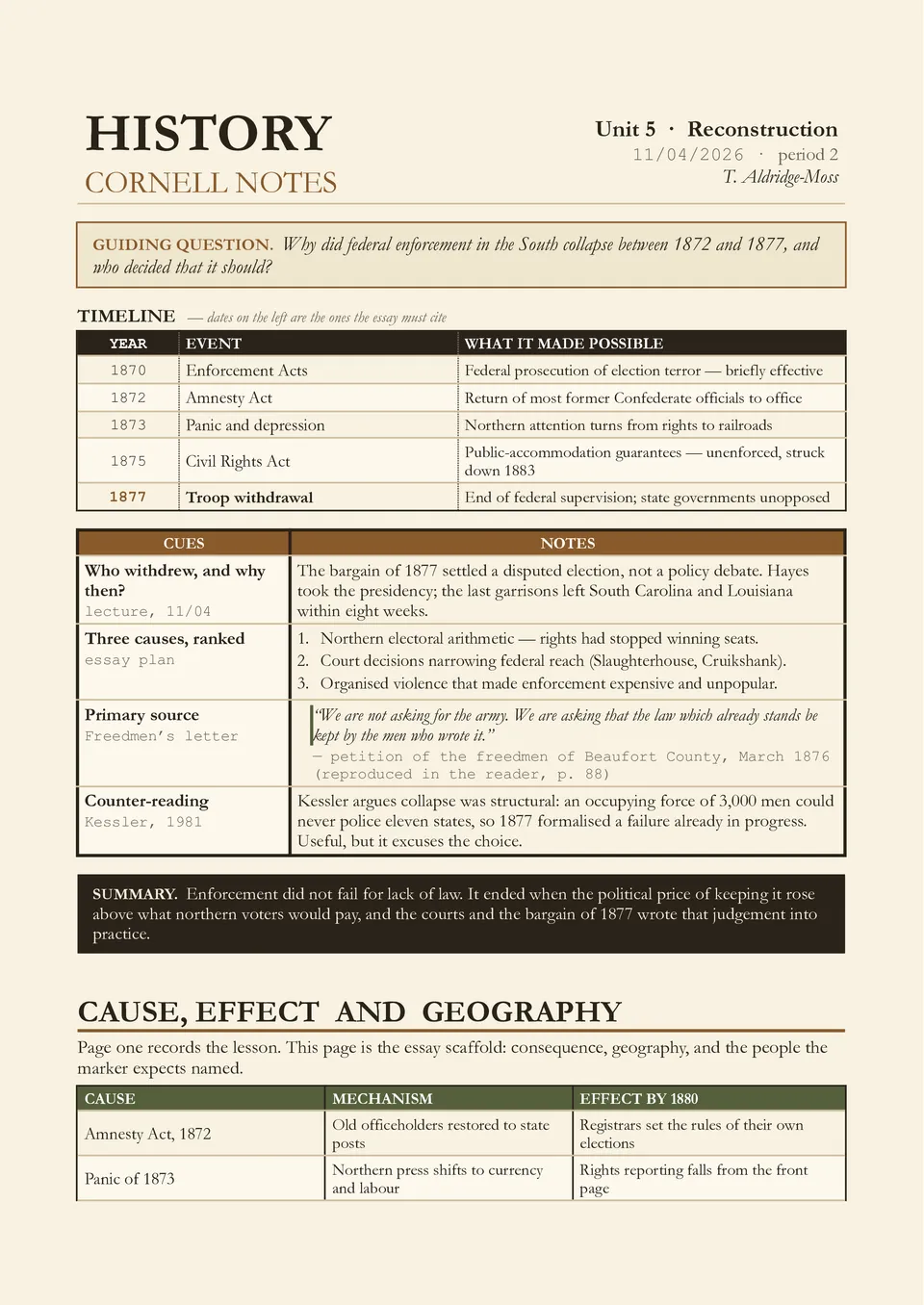
Are historical dates, people, causes, and consequences difficult to remember after a long lecture or reading assignment? History Cornell Notes Template organizes the material into a cue column for dates and guiding questions, a notes section for events and evidence, and a summary area for the broader historical significance. It is ideal for history students, social studies teachers, exam candidates, and anyone studying timelines, source materials, or major movements. The layout makes it easier to link individual facts to causes, effects, and recurring themes. Available for free, it can be customized for any era or topic and prepared for printing or digital review.
Related Cornell Notes Templates
Simple Cornell Notes Template removes unnecessary visual elements and focuses on the core study workflow: take notes, create cues, and write a summary. The page contains a heading area, a left recall column, a main notes section, and a short summary block at the bottom. It is suitable for learners who want a fast, familiar setup for lectures, textbook chapters, webinars, or independent revision. The minimal design helps the reader focus on content and makes the final notes easy to scan before quizzes or exams. It is free to edit, convenient to duplicate, and ready to download, print, or share with classmates.
Cornell Notes With Lines Template combines the standard cue, notes, and summary structure with ruled writing space that keeps handwritten pages tidy. It includes a narrow left section for prompts and key terms, lined space for lecture or reading notes, and a bottom area for a concise recap. It works well for students who prefer handwriting but want more guidance than a blank page provides. The lined design makes it easier to keep ideas aligned, leave room for additions, and reread notes later. You can use it free of charge, modify the page details, and print enough copies for an entire course.
AVID Cornell Notes Template supports the AVID-focused note-taking process by organizing a page around an essential question, questions or connections, detailed notes, and a summary reflection. Teachers, AVID students, academic support staff, and schools can use it to build consistent active-learning habits across subjects. The structure encourages learners to record information first, return to create meaningful prompts, and reflect on the lesson in their own words. It also gives space for identifying the note-taking purpose, class, date, and topic. The layout is free to customize, ready for printing, and useful for both classroom instruction and independent study.
Are historical dates, people, causes, and consequences difficult to remember after a long lecture or reading assignment? History Cornell Notes Template organizes the material into a cue column for dates and guiding questions, a notes section for events and evidence, and a summary area for the broader historical significance. It is ideal for history students, social studies teachers, exam candidates, and anyone studying timelines, source materials, or major movements. The layout makes it easier to link individual facts to causes, effects, and recurring themes. Available for free, it can be customized for any era or topic and prepared for printing or digital review.
Don’t forget to check your spam box!

Generating high-quality templates requires significant time and dedication. We simply request the inclusion of a small attribution link. Select the platform where you intend to utilize the template.
Copy this link and paste it wherever it’s visible, close to where you’re using the image. If that’s not possible, place it at the footer of your website, blog or newsletter, or in the credits section.
Place the attribution line near the image’s usage on your website, or if that’s not feasible, include it in the credits section. For example: ‘image: Docsandslides.com’. This template was created using images from Docsandslides.com.

Choose your preferred social media platform from options like Pinterest, Facebook, Twitter, and more. Share our templates with your contacts or friends. If you’re not active on these social networks, you can simply copy the link and paste it into the one you use.