

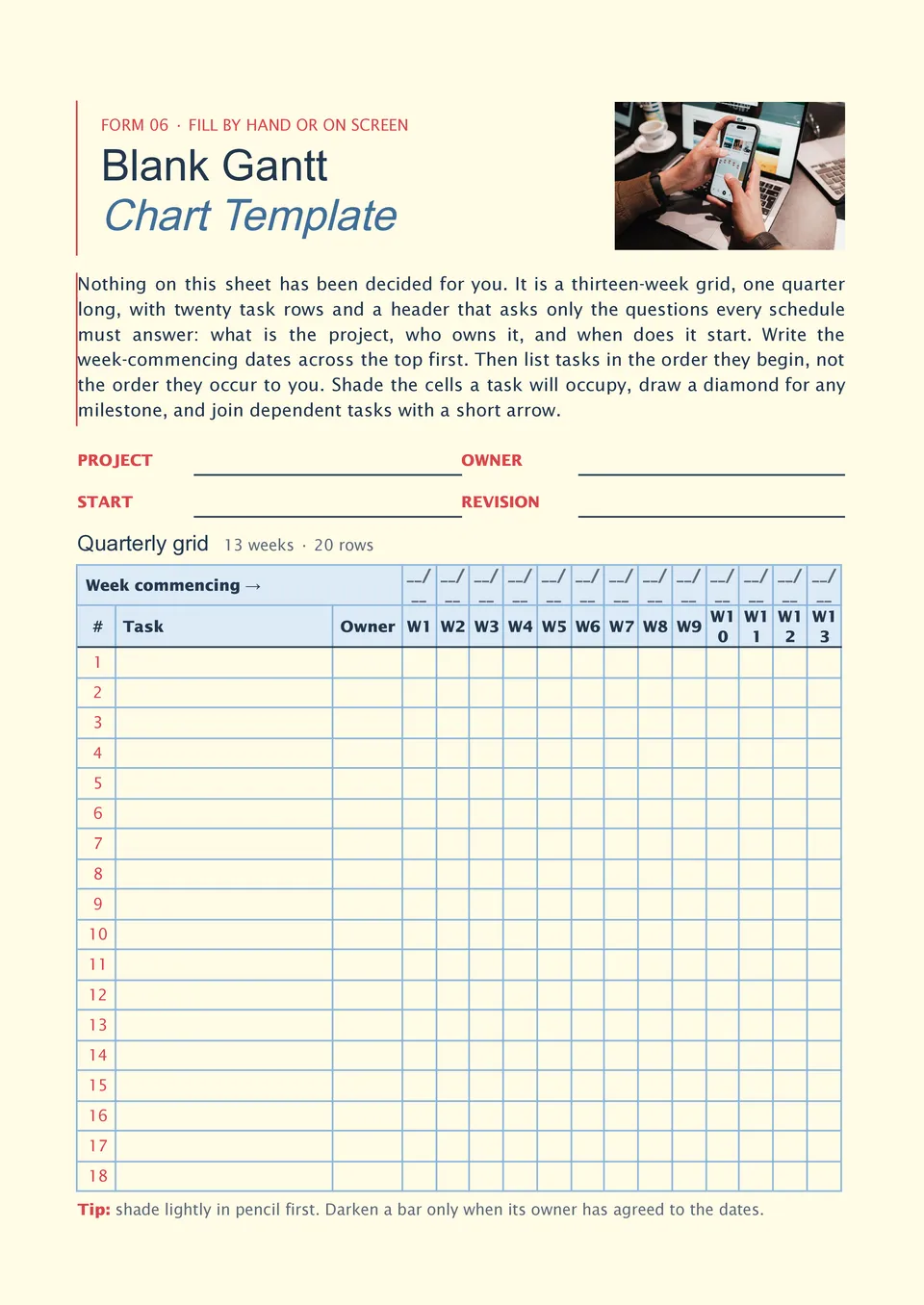
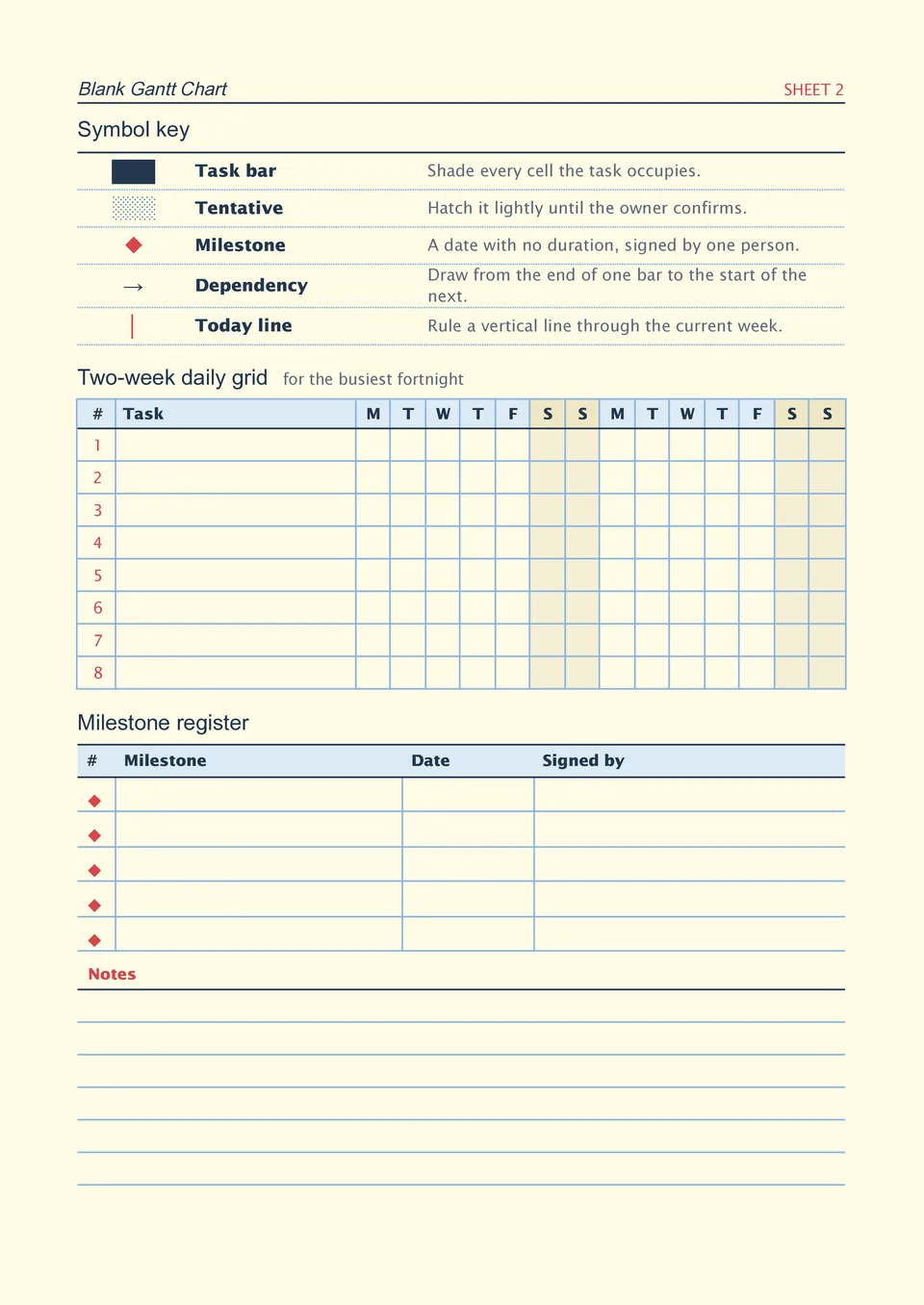
Blank Gantt Chart Template



designer
My goal is to create beautiful and intuitive graphic designs for individuals and businesses! I, Kateryna Kyrylova, specialize in a variety of formats, from Google products to Microsoft.
Achievements:


designed more than 1500 templates for docsandslides.com
Template text reviewed by an expert from docsandslide's blog.



1

2

3

Related Gantt Chart Templates
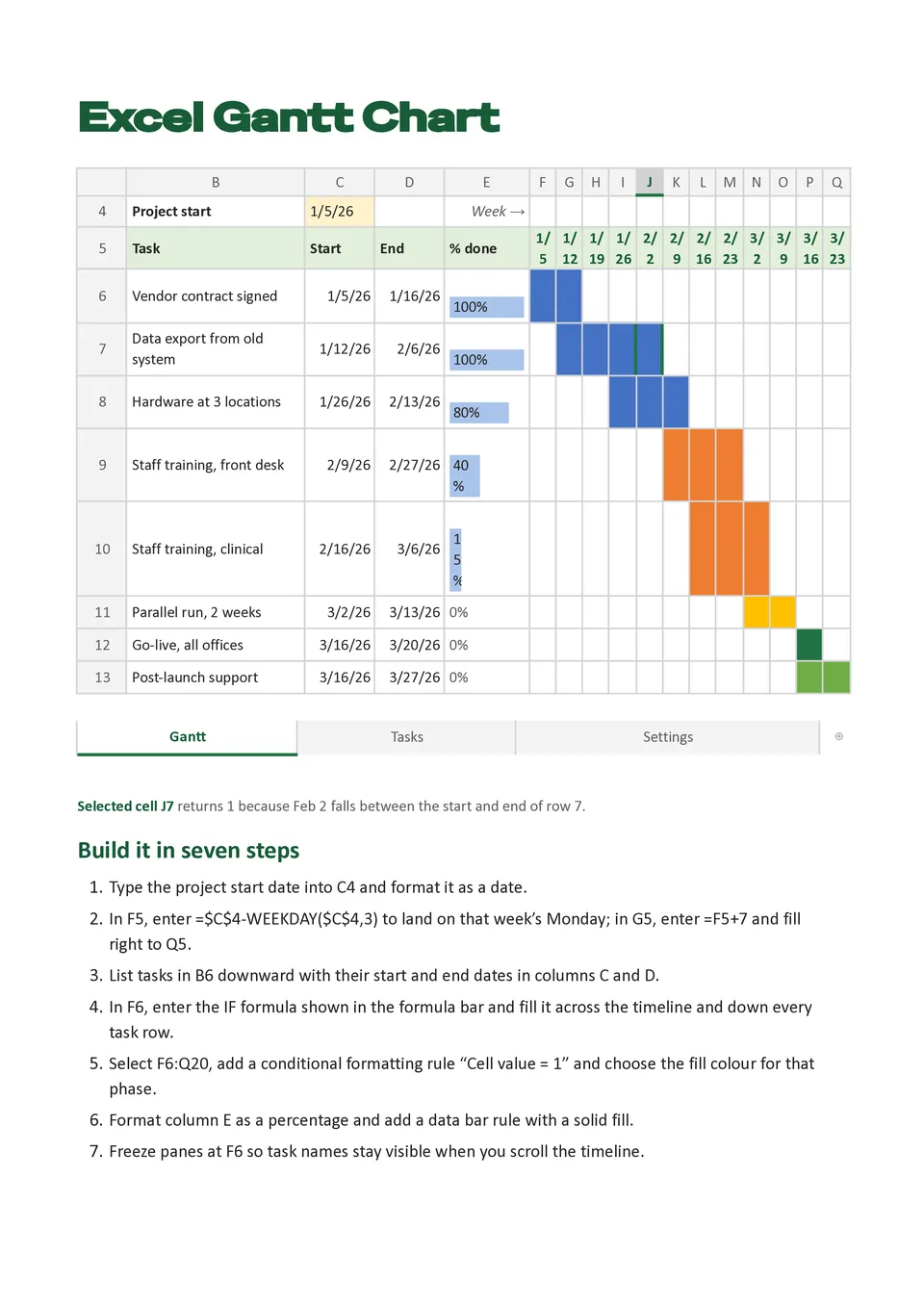
Excel Gantt Chart Template helps users plan tasks and display their duration across a calendar-based timeline with familiar spreadsheet fields. It can include task names, start dates, end dates, duration, owners, milestones, dependencies, progress percentages, and status indicators. Project managers, operations teams, contractors, and business analysts can use it for schedules that require detailed tracking and easy updates. The visual bars make overlapping work, delays, and critical tasks easier to spot than a standard task list. It is free to customize, compatible with spreadsheet-based workflows, and ready for download, printing, or sharing.

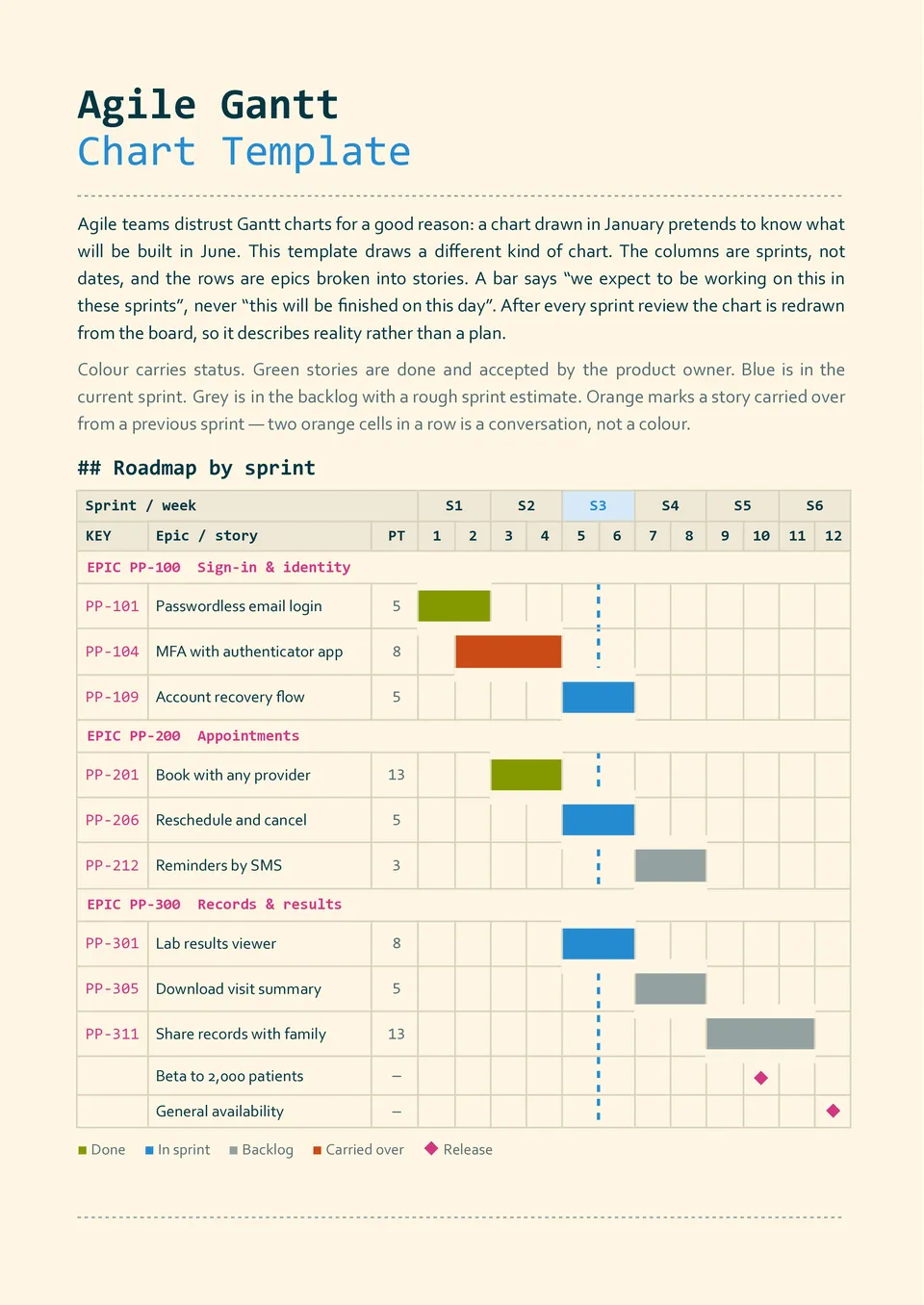
Agile Gantt Chart Template combines a timeline view with space for sprints, backlog items, releases, owners, dependencies, milestones, and completion progress. Software teams, product managers, developers, and agile coaches can use it to connect short delivery cycles with broader release goals. The structure helps visualize what is planned for each sprint and how individual tasks contribute to the product roadmap. Teams can update priorities, dates, and progress as requirements change. You can edit it for free and use the finished chart for sprint planning, reviews, retrospectives, or stakeholder updates.
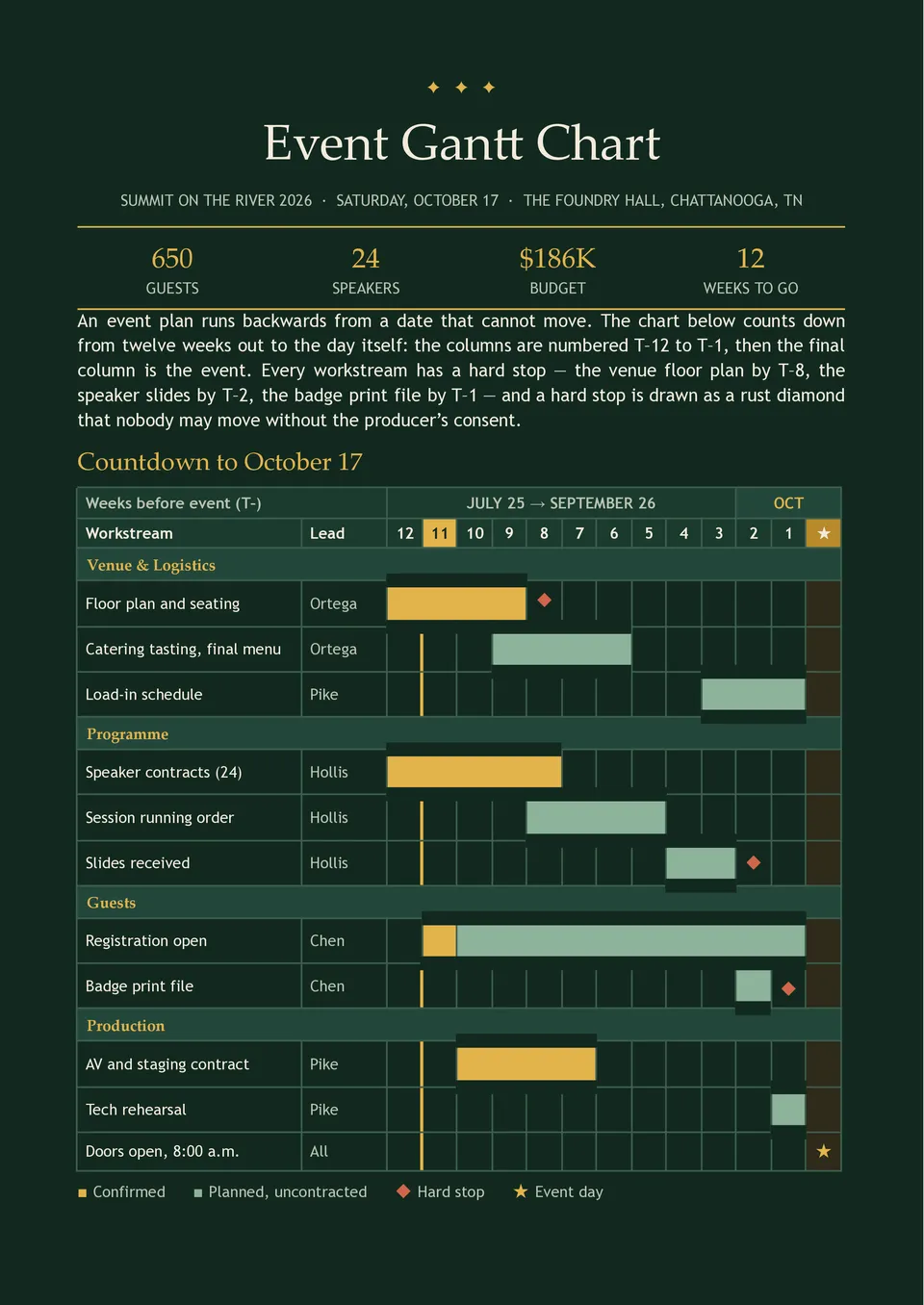
Are event tasks, supplier deadlines, venue arrangements, and promotion activities becoming difficult to coordinate as the date approaches? Event Gantt Chart Template organizes planning phases, vendors, bookings, logistics, marketing, staffing, setup, event-day tasks, and post-event follow-up. Event planners, conference teams, wedding coordinators, schools, and nonprofits can use it to manage preparation from the first booking to final teardown. Dependencies and milestones make it easier to identify tasks that could affect the event if they are delayed. The editable design is free to use and ready to download, print, or share with the planning team.
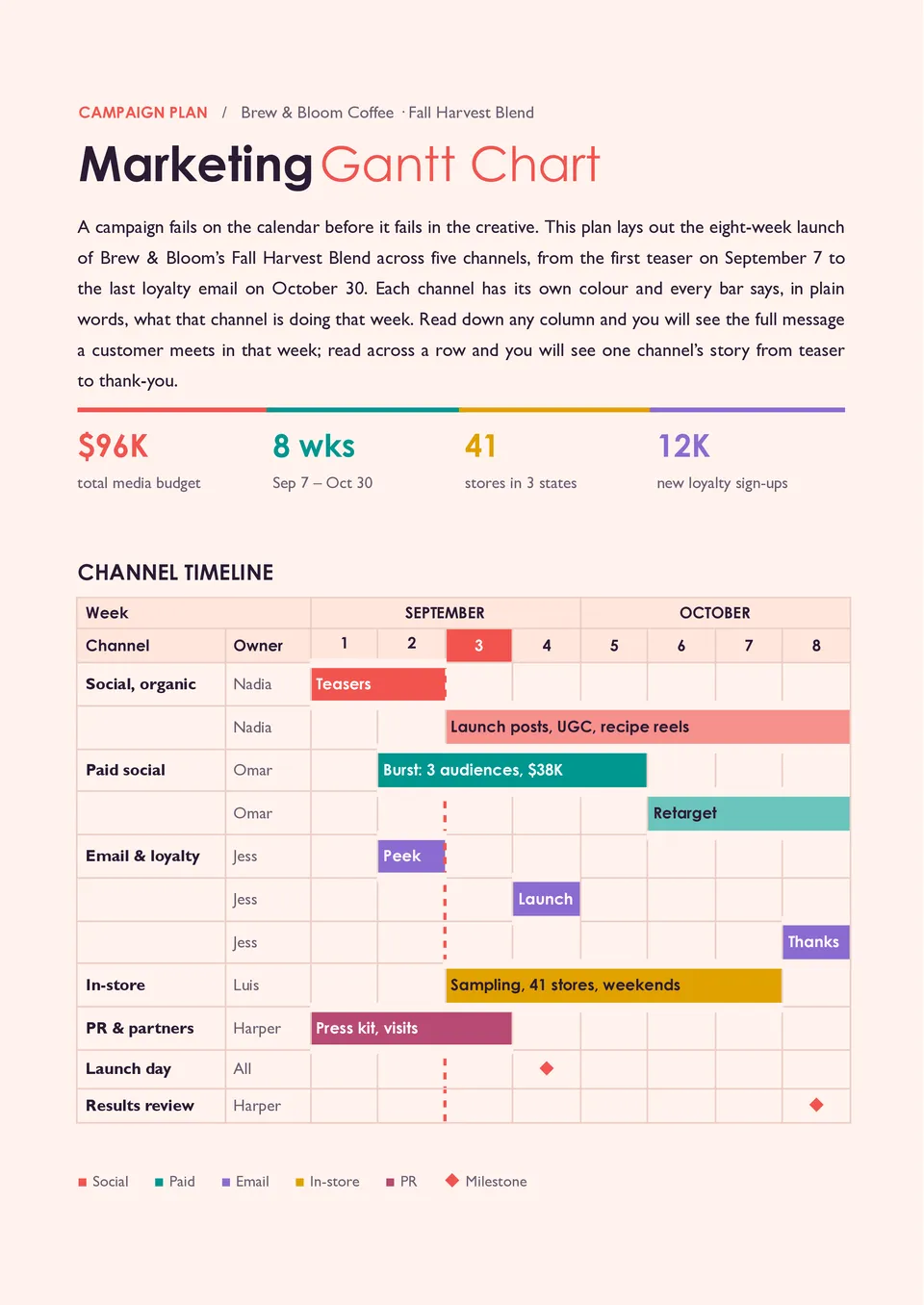
Marketing Gantt Chart Template maps campaigns from research and planning to content production, launch, promotion, and performance review. It provides space for campaign activities, channels, owners, deadlines, dependencies, milestones, budgets, and progress updates. Marketing managers, agencies, content teams, and business owners can use it to coordinate multiple campaigns and avoid missed deliverables. The timeline helps connect each marketing action with the launch date and the next stage of the customer journey. You can personalize the free layout with your campaigns and prepare it for team meetings or client reviews.
Related Gantt Chart Templates
Excel Gantt Chart Template helps users plan tasks and display their duration across a calendar-based timeline with familiar spreadsheet fields. It can include task names, start dates, end dates, duration, owners, milestones, dependencies, progress percentages, and status indicators. Project managers, operations teams, contractors, and business analysts can use it for schedules that require detailed tracking and easy updates. The visual bars make overlapping work, delays, and critical tasks easier to spot than a standard task list. It is free to customize, compatible with spreadsheet-based workflows, and ready for download, printing, or sharing.
Agile Gantt Chart Template combines a timeline view with space for sprints, backlog items, releases, owners, dependencies, milestones, and completion progress. Software teams, product managers, developers, and agile coaches can use it to connect short delivery cycles with broader release goals. The structure helps visualize what is planned for each sprint and how individual tasks contribute to the product roadmap. Teams can update priorities, dates, and progress as requirements change. You can edit it for free and use the finished chart for sprint planning, reviews, retrospectives, or stakeholder updates.
Are event tasks, supplier deadlines, venue arrangements, and promotion activities becoming difficult to coordinate as the date approaches? Event Gantt Chart Template organizes planning phases, vendors, bookings, logistics, marketing, staffing, setup, event-day tasks, and post-event follow-up. Event planners, conference teams, wedding coordinators, schools, and nonprofits can use it to manage preparation from the first booking to final teardown. Dependencies and milestones make it easier to identify tasks that could affect the event if they are delayed. The editable design is free to use and ready to download, print, or share with the planning team.
Marketing Gantt Chart Template maps campaigns from research and planning to content production, launch, promotion, and performance review. It provides space for campaign activities, channels, owners, deadlines, dependencies, milestones, budgets, and progress updates. Marketing managers, agencies, content teams, and business owners can use it to coordinate multiple campaigns and avoid missed deliverables. The timeline helps connect each marketing action with the launch date and the next stage of the customer journey. You can personalize the free layout with your campaigns and prepare it for team meetings or client reviews.
Don’t forget to check your spam box!

Generating high-quality templates requires significant time and dedication. We simply request the inclusion of a small attribution link. Select the platform where you intend to utilize the template.
Copy this link and paste it wherever it’s visible, close to where you’re using the image. If that’s not possible, place it at the footer of your website, blog or newsletter, or in the credits section.
Place the attribution line near the image’s usage on your website, or if that’s not feasible, include it in the credits section. For example: ‘image: Docsandslides.com’. This template was created using images from Docsandslides.com.

Choose your preferred social media platform from options like Pinterest, Facebook, Twitter, and more. Share our templates with your contacts or friends. If you’re not active on these social networks, you can simply copy the link and paste it into the one you use.