

Simple Storyboard Template



designer
My goal is to create beautiful and intuitive graphic designs for individuals and businesses! I, Kateryna Kyrylova, specialize in a variety of formats, from Google products to Microsoft.
Achievements:


designed more than 1500 templates for docsandslides.com
Template text reviewed by an expert from docsandslide's blog.



1

2

3

Related Storyboard Templates
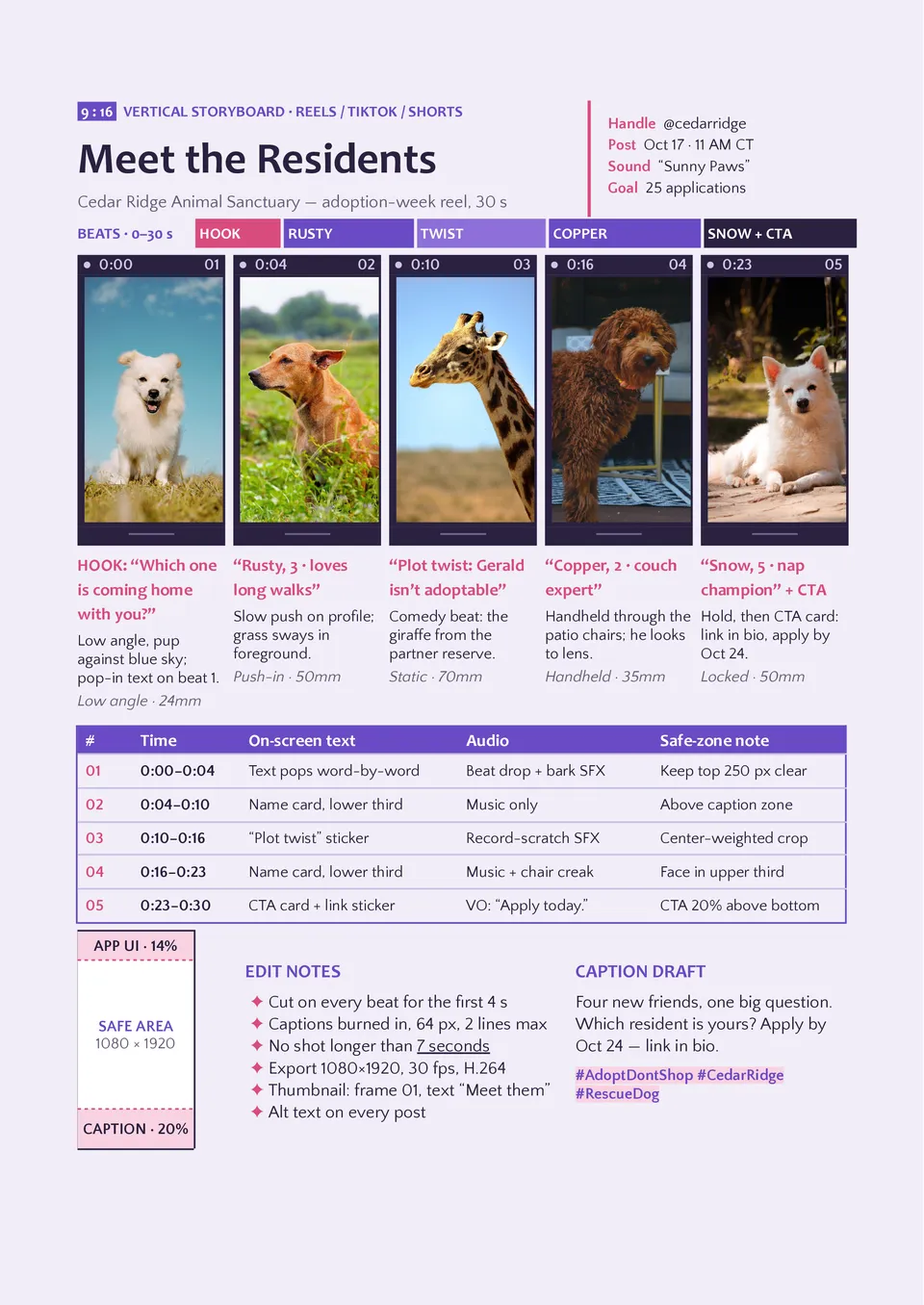
Vertical Storyboard Template is designed for portrait-oriented content such as mobile videos, stories, reels, short-form ads, and social media campaigns. It provides vertical panels with fields for scene numbers, on-screen text, visuals, dialogue, camera movement, sound, transitions, and timing. Content creators, social media managers, advertisers, and mobile-first production teams can use it to plan how a story will appear on a phone screen. The layout keeps the visual composition and text placement aligned with the portrait viewing experience. It is free to personalize, ready to download or print, and suitable for reviewing short-form concepts with a team or client.

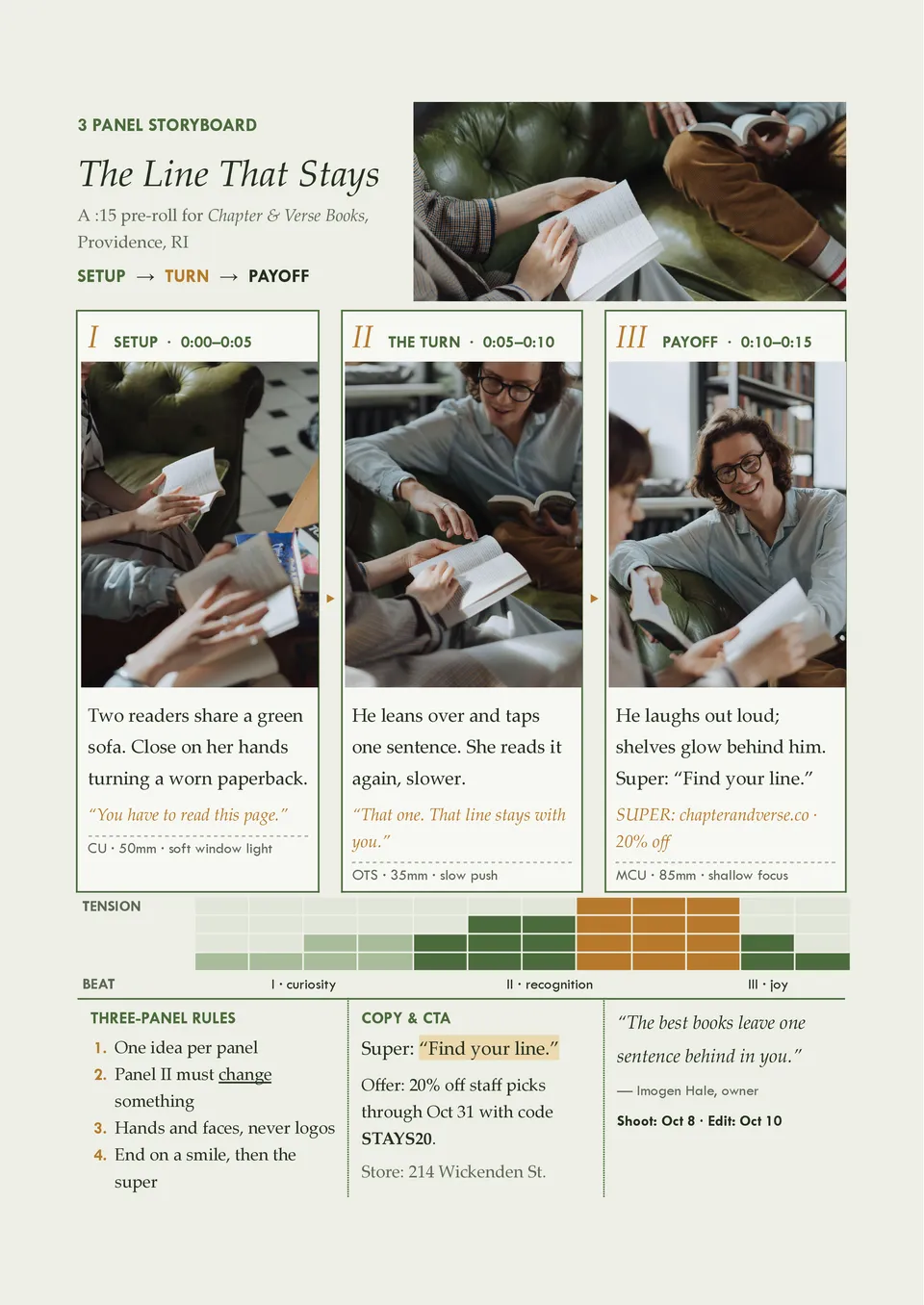
Three-panel Storyboard Template offers a compact way to show the beginning, middle, and end of a short scene, message, or visual idea. Each panel can include an image or sketch with room for action, dialogue, camera direction, sound, and timing notes. It suits short videos, commercials, classroom assignments, social media concepts, and quick creative pitches. The limited panel count encourages concise storytelling and helps users focus on the most important visual beats. You can adapt it for free, download or print it, and use it for rapid planning or presentations.
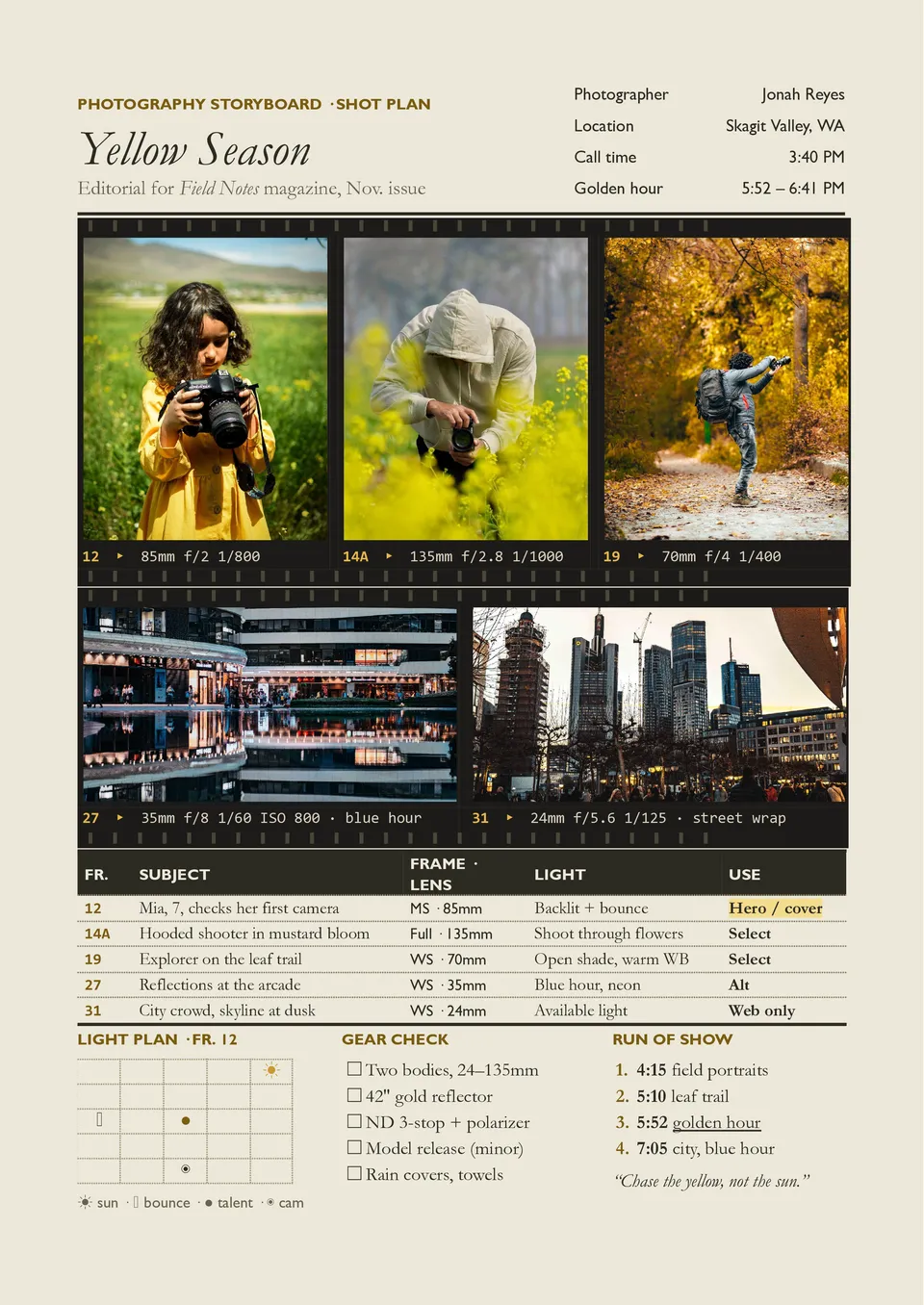
Photography Storyboard Template helps plan a photoshoot by showing the intended sequence, composition, styling, and visual direction before the camera setup begins. It includes space for reference images, shot numbers, subject details, location, framing, lighting, props, wardrobe, and creative notes. Photographers, art directors, advertising teams, fashion professionals, and production coordinators can use it to organize campaign or editorial shoots. The visual plan helps the crew understand the desired look and reduces missed shots during a limited shoot window. It is free to edit, simple to share, and ready for printing as a shoot-day reference.
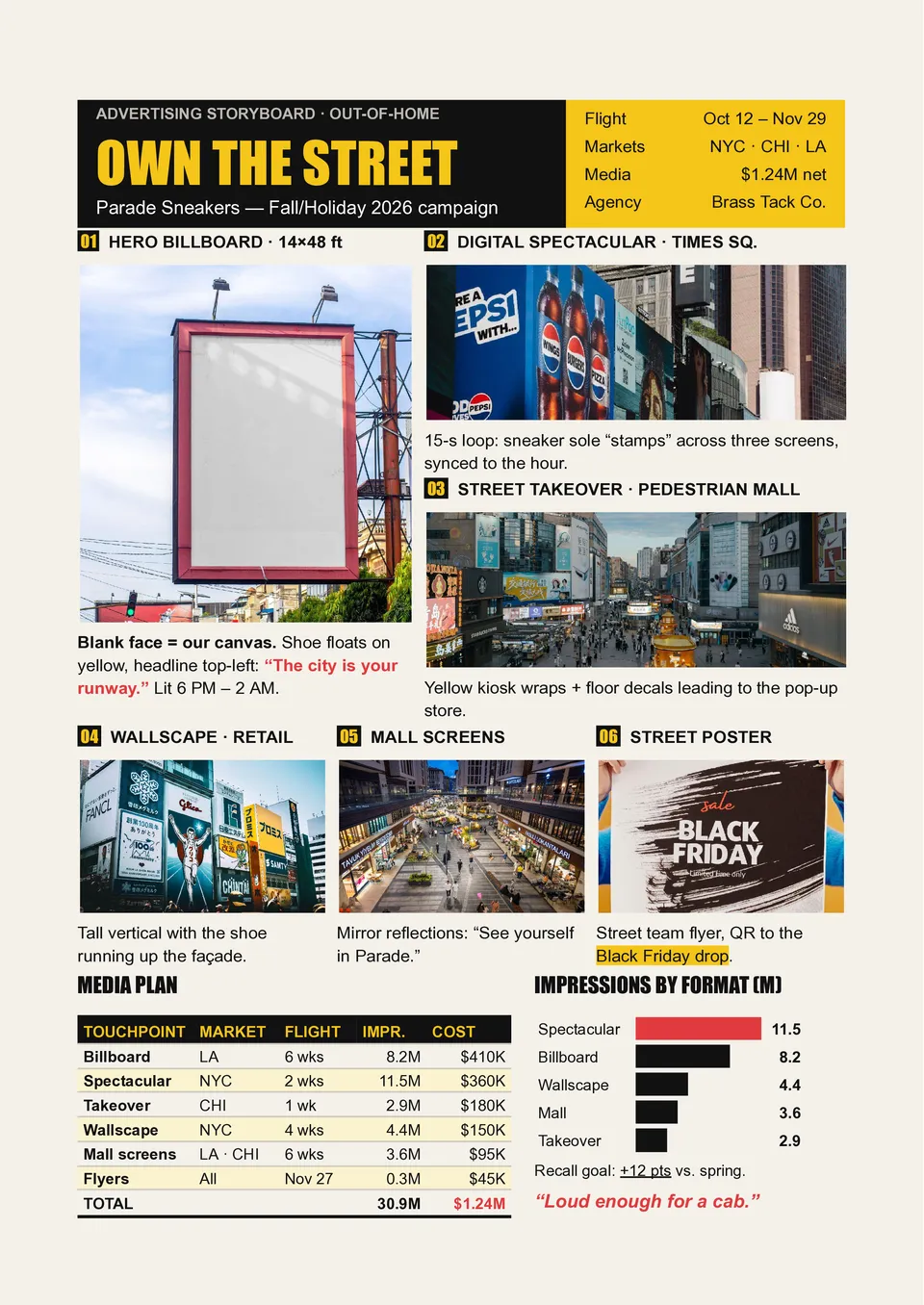
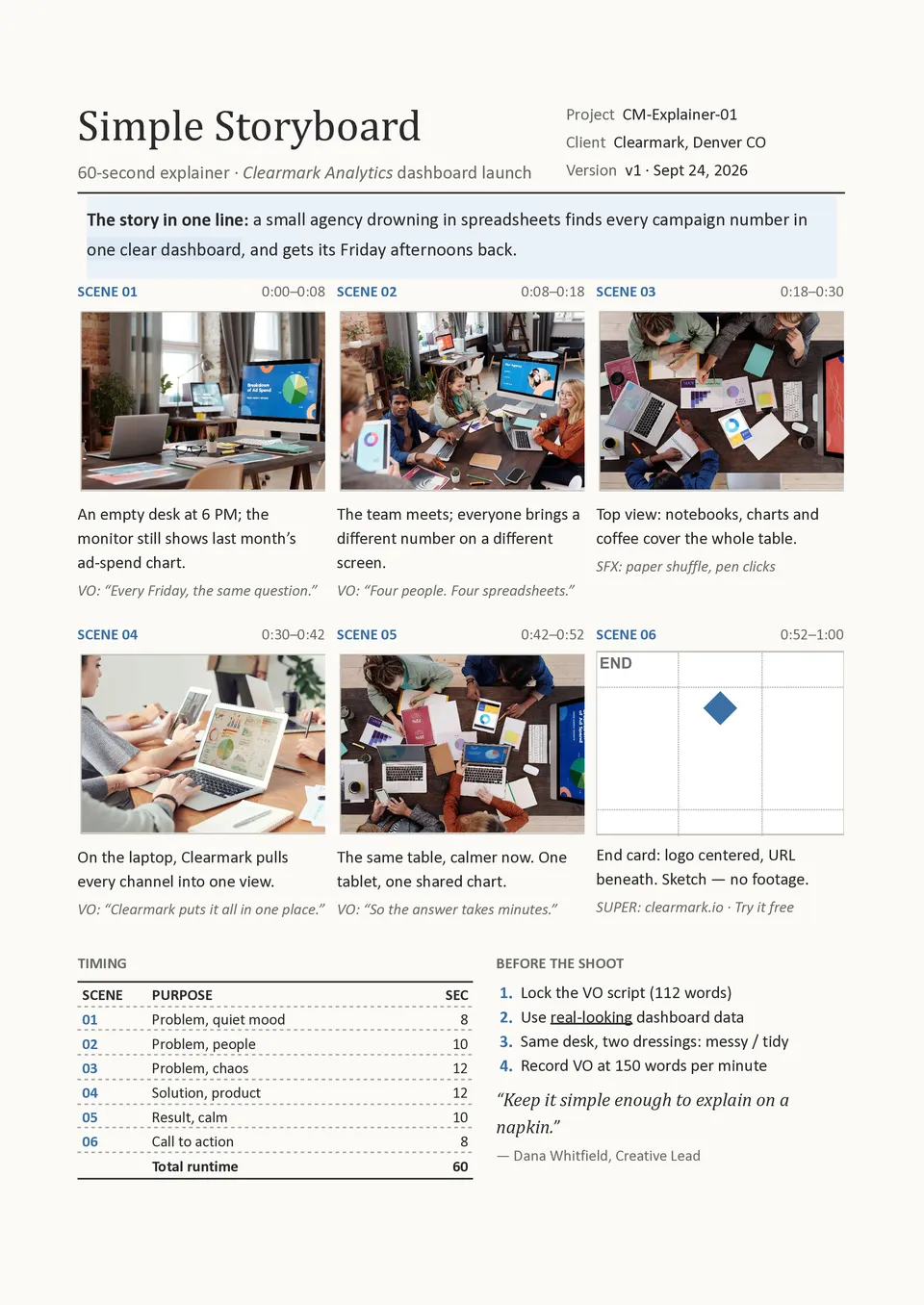
Are marketing teams struggling to explain how an advertising concept should look, sound, and move before it reaches production? Advertising Storyboard Template organizes the campaign into panels for visuals, product shots, on-screen text, voiceover, music, transitions, timing, and the final CTA. Creative directors, copywriters, agencies, and brand managers can use it to present the full narrative to clients and production teams. The storyboard helps connect every scene with the audience message and makes revisions easier before filming or animation. You can personalize the free layout with brand assets and prepare it for approval, printing, or digital collaboration.
Related Storyboard Templates
Vertical Storyboard Template is designed for portrait-oriented content such as mobile videos, stories, reels, short-form ads, and social media campaigns. It provides vertical panels with fields for scene numbers, on-screen text, visuals, dialogue, camera movement, sound, transitions, and timing. Content creators, social media managers, advertisers, and mobile-first production teams can use it to plan how a story will appear on a phone screen. The layout keeps the visual composition and text placement aligned with the portrait viewing experience. It is free to personalize, ready to download or print, and suitable for reviewing short-form concepts with a team or client.
Three-panel Storyboard Template offers a compact way to show the beginning, middle, and end of a short scene, message, or visual idea. Each panel can include an image or sketch with room for action, dialogue, camera direction, sound, and timing notes. It suits short videos, commercials, classroom assignments, social media concepts, and quick creative pitches. The limited panel count encourages concise storytelling and helps users focus on the most important visual beats. You can adapt it for free, download or print it, and use it for rapid planning or presentations.
Photography Storyboard Template helps plan a photoshoot by showing the intended sequence, composition, styling, and visual direction before the camera setup begins. It includes space for reference images, shot numbers, subject details, location, framing, lighting, props, wardrobe, and creative notes. Photographers, art directors, advertising teams, fashion professionals, and production coordinators can use it to organize campaign or editorial shoots. The visual plan helps the crew understand the desired look and reduces missed shots during a limited shoot window. It is free to edit, simple to share, and ready for printing as a shoot-day reference.
Are marketing teams struggling to explain how an advertising concept should look, sound, and move before it reaches production? Advertising Storyboard Template organizes the campaign into panels for visuals, product shots, on-screen text, voiceover, music, transitions, timing, and the final CTA. Creative directors, copywriters, agencies, and brand managers can use it to present the full narrative to clients and production teams. The storyboard helps connect every scene with the audience message and makes revisions easier before filming or animation. You can personalize the free layout with brand assets and prepare it for approval, printing, or digital collaboration.
Don’t forget to check your spam box!

Generating high-quality templates requires significant time and dedication. We simply request the inclusion of a small attribution link. Select the platform where you intend to utilize the template.
Copy this link and paste it wherever it’s visible, close to where you’re using the image. If that’s not possible, place it at the footer of your website, blog or newsletter, or in the credits section.
Place the attribution line near the image’s usage on your website, or if that’s not feasible, include it in the credits section. For example: ‘image: Docsandslides.com’. This template was created using images from Docsandslides.com.

Choose your preferred social media platform from options like Pinterest, Facebook, Twitter, and more. Share our templates with your contacts or friends. If you’re not active on these social networks, you can simply copy the link and paste it into the one you use.