

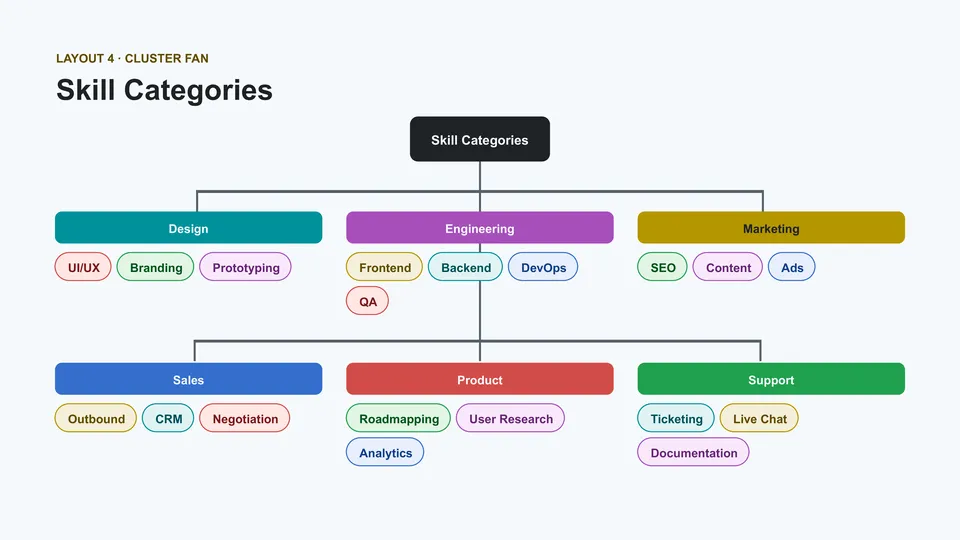
Colorful Mind Map Template



designer
My goal is to create beautiful and intuitive graphic designs for individuals and businesses! I, Kateryna Kyrylova, specialize in a variety of formats, from Google products to Microsoft.
Achievements:


designed more than 1500 templates for docsandslides.com
Template text reviewed by an expert from docsandslide's blog.



1

2

3

Related Mind Map Templates

Are students struggling to organize a large topic, remember key details, or turn scattered notes into a useful revision guide? Student Mind Map Template provides a central subject area with branches for definitions, examples, questions, key facts, connections, and summaries. Learners can use it for exam preparation, essay planning, lesson review, research, or vocabulary development. The visual format helps break difficult material into smaller parts and makes relationships easier to recall. It is free to customize, ready to download or print, and useful for both classroom activities and independent study.


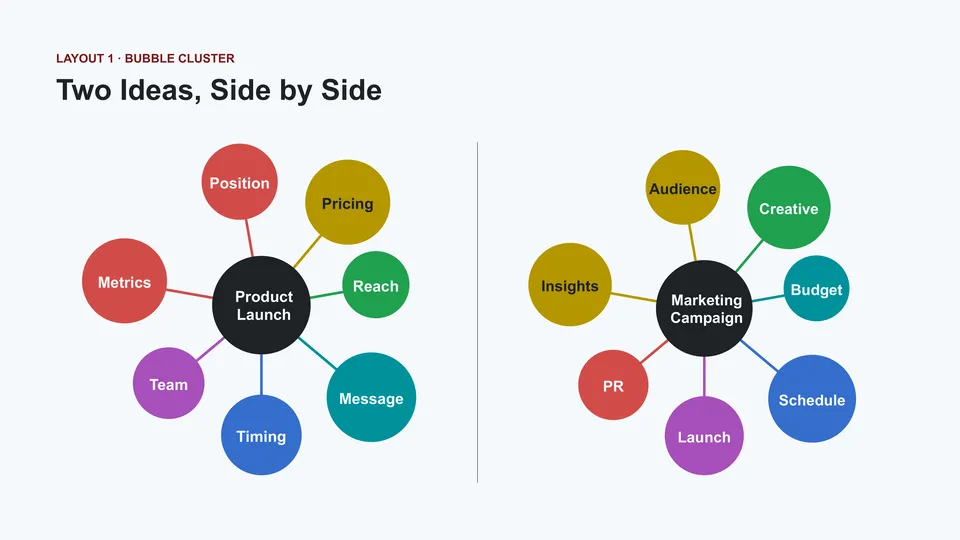
Marketing Mind Map Template maps a campaign or brand strategy through branches for audience, positioning, messaging, channels, content, budget, timeline, and success metrics. Marketing managers, agencies, entrepreneurs, and students can use it to organize campaign ideas before turning them into a detailed plan. The visual structure helps connect customer needs with promotional tactics and measurable outcomes. Teams can add subtopics for social media, email, advertising, partnerships, or launch activities as the strategy develops. You can edit it for free and prepare the map for brainstorming sessions, client presentations, or internal planning.

Simple Mind Map Template focuses on the essential relationship between one main idea and its supporting topics. It includes a central node, clear branches, editable labels, and enough space for short notes or keywords. Learners, professionals, and teams can use it to summarize a lesson, outline a presentation, plan a meeting, or organize a quick brainstorming session. The uncluttered layout keeps the information readable even when several branches are added. You can personalize it without cost and prepare it for print, digital sharing, or repeated use.

Are project goals, tasks, resources, risks, and responsibilities scattered across separate planning documents? Project Mind Map Template organizes a central project idea into branches for objectives, deliverables, timeline, stakeholders, budget, resources, risks, and action items. Project managers, teams, students, and clients can use it to explore the full scope before turning the plan into a schedule. The visual overview helps reveal dependencies, missing information, and areas that need further discussion. You can customize every branch for free, then download, print, or present the map during planning meetings.
Related Mind Map Templates
Are students struggling to organize a large topic, remember key details, or turn scattered notes into a useful revision guide? Student Mind Map Template provides a central subject area with branches for definitions, examples, questions, key facts, connections, and summaries. Learners can use it for exam preparation, essay planning, lesson review, research, or vocabulary development. The visual format helps break difficult material into smaller parts and makes relationships easier to recall. It is free to customize, ready to download or print, and useful for both classroom activities and independent study.
Marketing Mind Map Template maps a campaign or brand strategy through branches for audience, positioning, messaging, channels, content, budget, timeline, and success metrics. Marketing managers, agencies, entrepreneurs, and students can use it to organize campaign ideas before turning them into a detailed plan. The visual structure helps connect customer needs with promotional tactics and measurable outcomes. Teams can add subtopics for social media, email, advertising, partnerships, or launch activities as the strategy develops. You can edit it for free and prepare the map for brainstorming sessions, client presentations, or internal planning.
Simple Mind Map Template focuses on the essential relationship between one main idea and its supporting topics. It includes a central node, clear branches, editable labels, and enough space for short notes or keywords. Learners, professionals, and teams can use it to summarize a lesson, outline a presentation, plan a meeting, or organize a quick brainstorming session. The uncluttered layout keeps the information readable even when several branches are added. You can personalize it without cost and prepare it for print, digital sharing, or repeated use.
Are project goals, tasks, resources, risks, and responsibilities scattered across separate planning documents? Project Mind Map Template organizes a central project idea into branches for objectives, deliverables, timeline, stakeholders, budget, resources, risks, and action items. Project managers, teams, students, and clients can use it to explore the full scope before turning the plan into a schedule. The visual overview helps reveal dependencies, missing information, and areas that need further discussion. You can customize every branch for free, then download, print, or present the map during planning meetings.
Don’t forget to check your spam box!

Generating high-quality templates requires significant time and dedication. We simply request the inclusion of a small attribution link. Select the platform where you intend to utilize the template.
Copy this link and paste it wherever it’s visible, close to where you’re using the image. If that’s not possible, place it at the footer of your website, blog or newsletter, or in the credits section.
Place the attribution line near the image’s usage on your website, or if that’s not feasible, include it in the credits section. For example: ‘image: Docsandslides.com’. This template was created using images from Docsandslides.com.

Choose your preferred social media platform from options like Pinterest, Facebook, Twitter, and more. Share our templates with your contacts or friends. If you’re not active on these social networks, you can simply copy the link and paste it into the one you use.