

College Resume Template
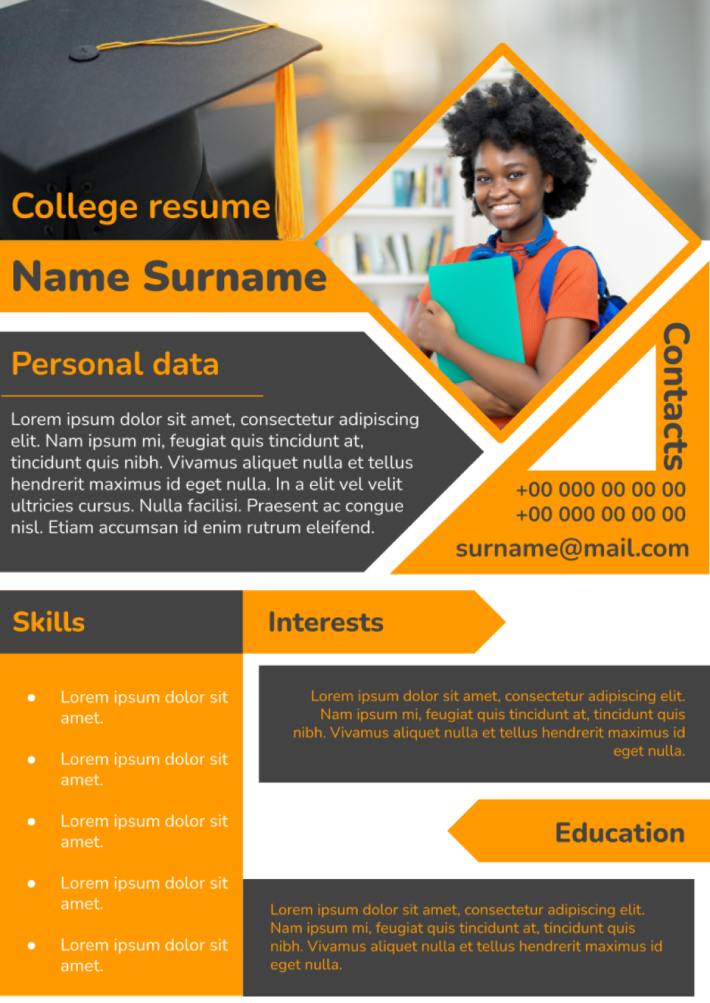


The graduation from high school and the continuation of the academic process at the university is a difficult life stage for each student. It includes a period marked by exciting exams for admission to study at the chosen university. This process implies the creation of the resume to provide the educational institution with the necessary information about the future student.
The use of college resume templates for Google Docs can greatly simplify this task for the student having no experience in this area. This document should have a generally-accepted structure to reflect the specific data. At the same time, you should follow the proper style of this information presentation to achieve the desired invitation to study at the chosen university.
The use of the template will give you a chance to obtain the document with the smart and attractive design by causing a positive first impression from members of the selection committee. This approach will turn into your advantage over other students expressing a desire to continue studies at the same university. The college resume template for Google Docs will give you:
- A chance to receive invaluable experience in the field of creating CV
- Find a new job with no resume creation experience
- Get an opportunity for further professional implementation
The presence of different options of online document editing will allow you to make a unique resume reflecting the list of your achievements needed to impress the university admissions office. The well-thought-out college resume will turn into a great start of the successful educational process and future professional career.
The developed resume templates for Google Docs will emphasize the experience obtained at the previous stages of the educational process by demonstrating the dominance of the at the previous stages of the educational process. All serious students pay special attention to the creation of this document.

designer
My goal is to create beautiful and intuitive graphic designs for individuals and businesses! I, Kateryna Kyrylova, specialize in a variety of formats, from Google products to Microsoft.
Achievements:


designed more than 1500 templates for docsandslides.com
Template text reviewed by an expert from docsandslide's blog.



1

2

3

Related Resume Templates
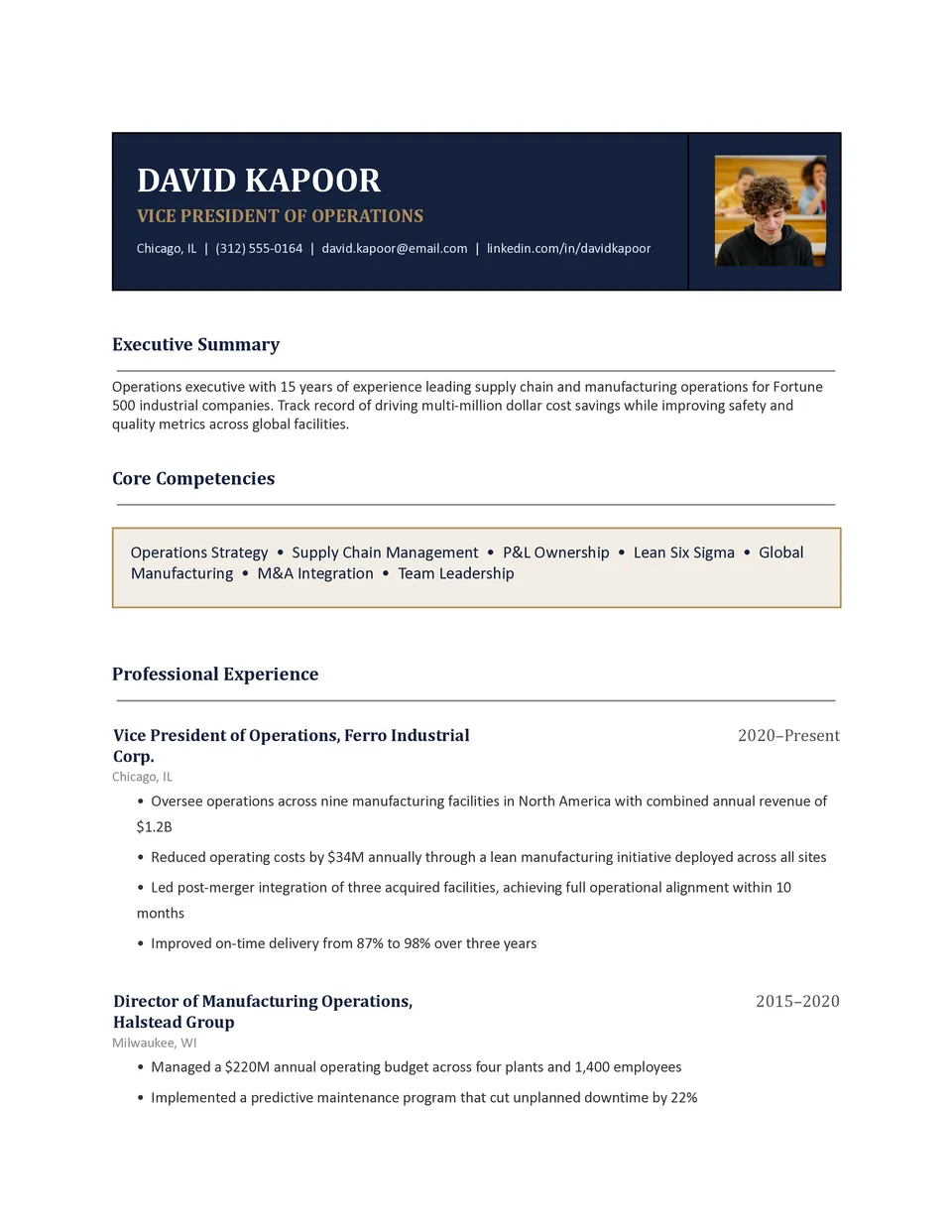
Business Resume Template helps professionals present commercial experience, leadership, skills, and measurable achievements with a focused career structure. It includes space for a professional summary, employment history, responsibilities, results, education, certifications, technical skills, and contact information. Managers, analysts, sales specialists, entrepreneurs, and business graduates can use it for corporate applications, promotions, and networking. The organized design makes it easier to emphasize revenue growth, project outcomes, team leadership, and other evidence of impact. You can edit the template for free, tailor it to each position, and download the final version as Word, Google Docs or PDF for submission.

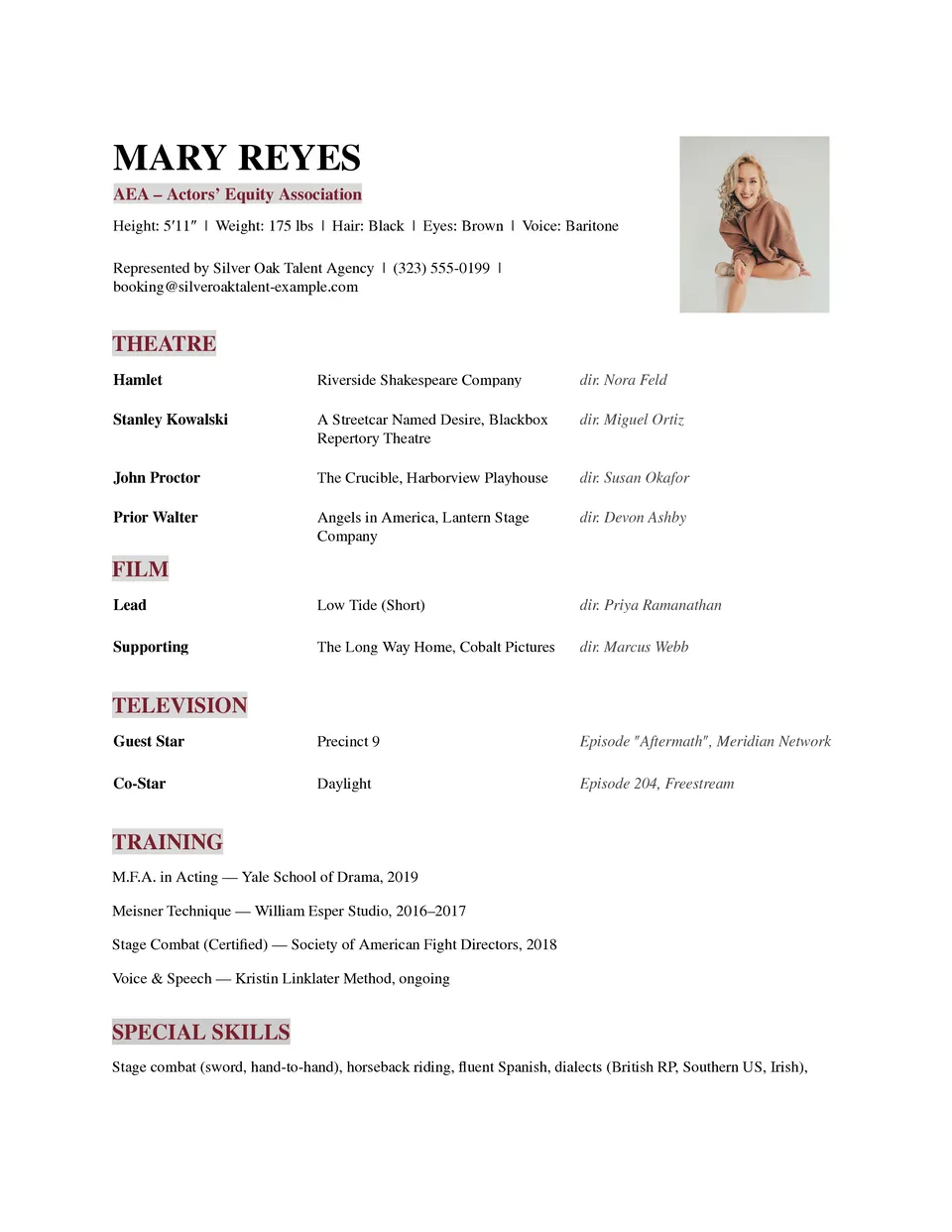
Theater Resume Template helps performers present stage experience, training, credits, skills, and professional details in a format suited to auditions and casting opportunities. Actors, directors, dancers, stage professionals, and drama students can include productions, roles, venues, education, special abilities, measurements, and a professional photo. The layout keeps performance history organized so casting teams can quickly identify relevant experience and capabilities. Editable sections allow you to tailor the content for a specific role, production, or audition. You can use it for free, update it whenever your credits grow, and download or print the finished resume.
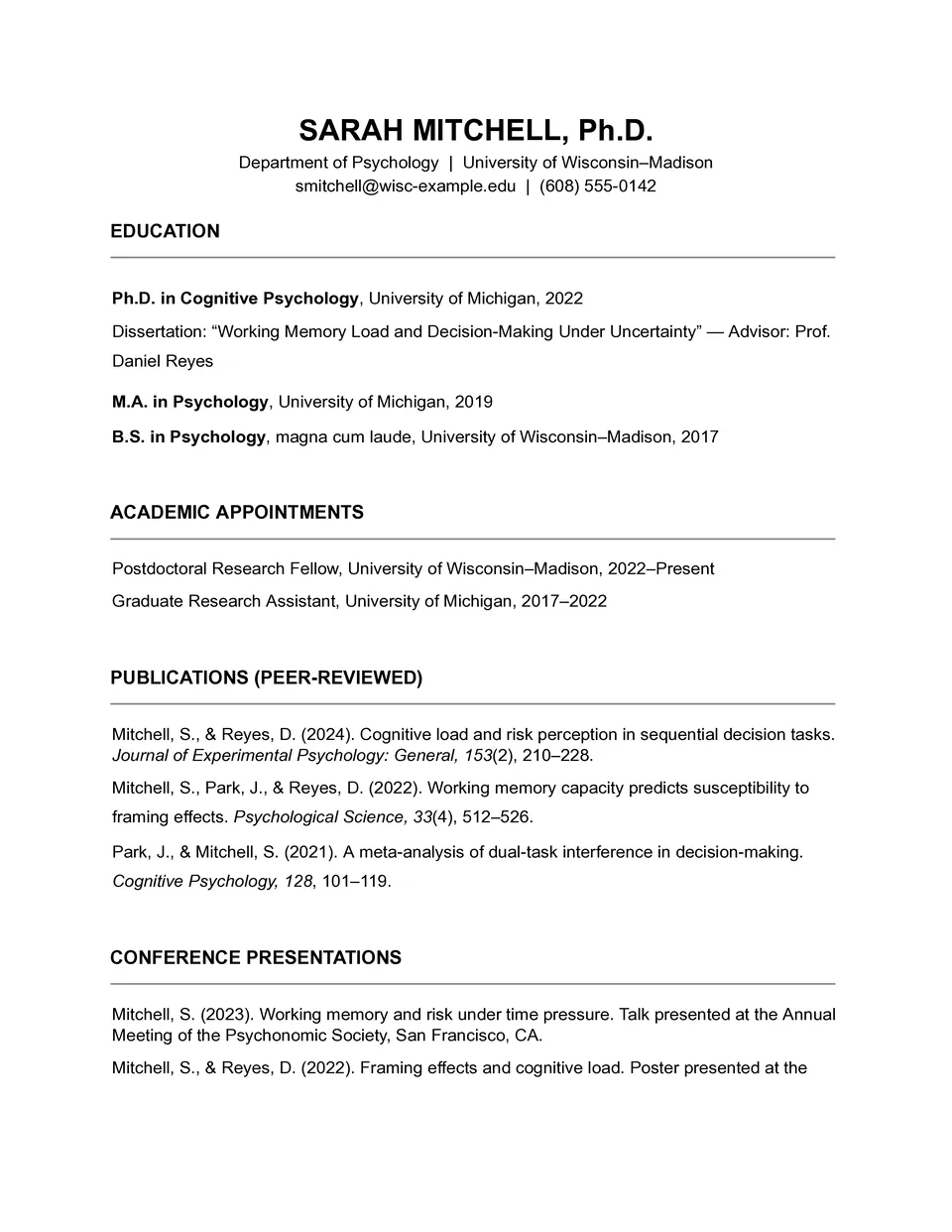
Do you need to fit education, research, publications, awards, and teaching experience into one well-organized academic resume? Academic Resume Template includes dedicated sections for education, research interests, teaching and professional experience, publications, presentations, fellowships, honors, memberships, skills, and references. Researchers, lecturers, PhD candidates, graduate students, and scholarship applicants can use it to document achievements that require more detail than a standard resume. The structured layout makes scholarly experience easier to review for universities, research institutions, and academic committees. You can customize it at no cost, add as many relevant sections as needed, and download.
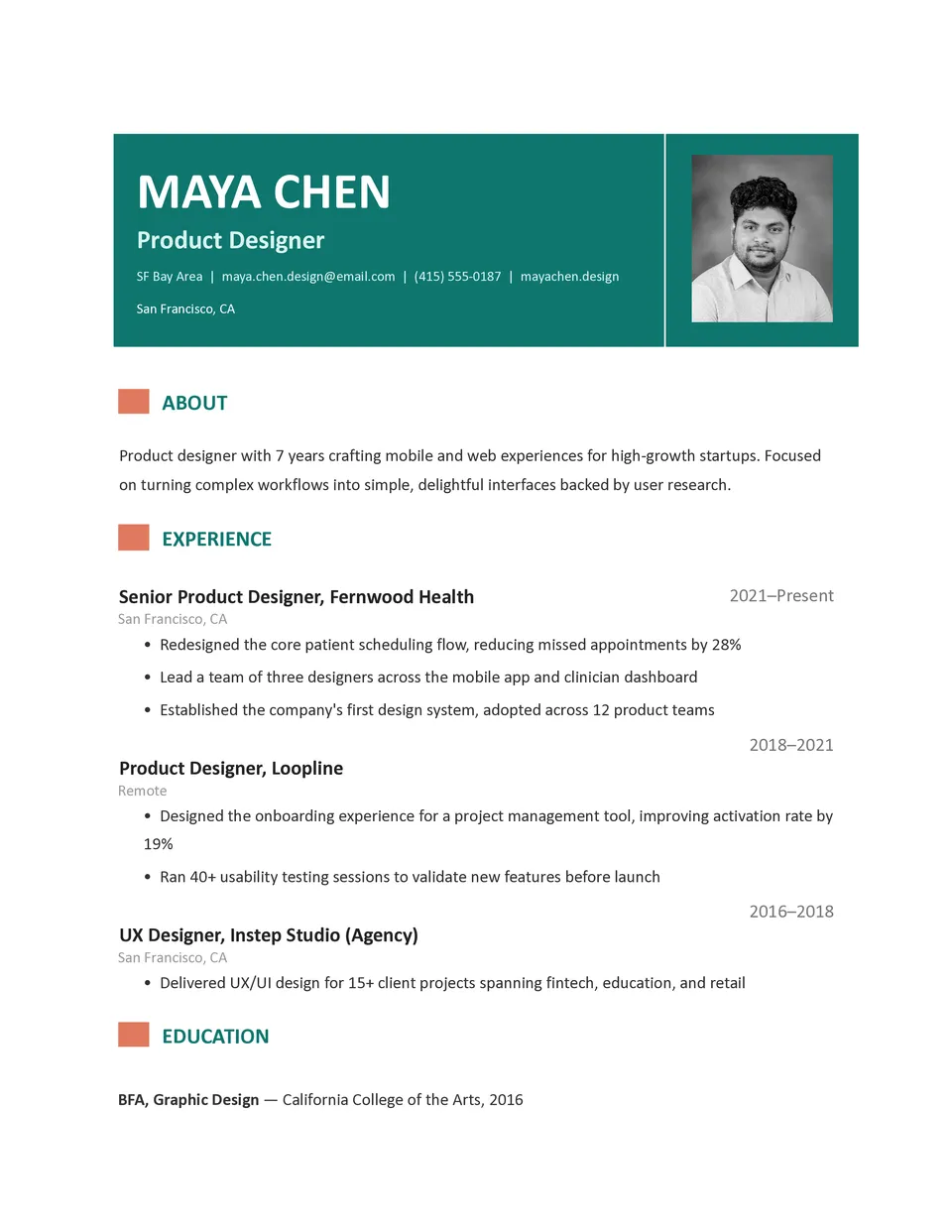
Modern Resume Template gives job seekers a contemporary way to present experience, skills, projects, and achievements without making the document feel overloaded. It includes a current-style header, professional summary, experience section, education, skills, and optional areas for certifications or portfolio links. Creative professionals, marketers, designers, technology specialists, and applicants targeting modern workplaces can adapt it to reflect their field. The visual hierarchy helps recruiters find important details quickly while giving the resume a more distinctive appearance. Free editing, flexible styling, and downloadable Word, Google Docs or PDF versions make it practical for fast applications.
Related Resume Templates
Business Resume Template helps professionals present commercial experience, leadership, skills, and measurable achievements with a focused career structure. It includes space for a professional summary, employment history, responsibilities, results, education, certifications, technical skills, and contact information. Managers, analysts, sales specialists, entrepreneurs, and business graduates can use it for corporate applications, promotions, and networking. The organized design makes it easier to emphasize revenue growth, project outcomes, team leadership, and other evidence of impact. You can edit the template for free, tailor it to each position, and download the final version as Word, Google Docs or PDF for submission.
Theater Resume Template helps performers present stage experience, training, credits, skills, and professional details in a format suited to auditions and casting opportunities. Actors, directors, dancers, stage professionals, and drama students can include productions, roles, venues, education, special abilities, measurements, and a professional photo. The layout keeps performance history organized so casting teams can quickly identify relevant experience and capabilities. Editable sections allow you to tailor the content for a specific role, production, or audition. You can use it for free, update it whenever your credits grow, and download or print the finished resume.
Do you need to fit education, research, publications, awards, and teaching experience into one well-organized academic resume? Academic Resume Template includes dedicated sections for education, research interests, teaching and professional experience, publications, presentations, fellowships, honors, memberships, skills, and references. Researchers, lecturers, PhD candidates, graduate students, and scholarship applicants can use it to document achievements that require more detail than a standard resume. The structured layout makes scholarly experience easier to review for universities, research institutions, and academic committees. You can customize it at no cost, add as many relevant sections as needed, and download.
Modern Resume Template gives job seekers a contemporary way to present experience, skills, projects, and achievements without making the document feel overloaded. It includes a current-style header, professional summary, experience section, education, skills, and optional areas for certifications or portfolio links. Creative professionals, marketers, designers, technology specialists, and applicants targeting modern workplaces can adapt it to reflect their field. The visual hierarchy helps recruiters find important details quickly while giving the resume a more distinctive appearance. Free editing, flexible styling, and downloadable Word, Google Docs or PDF versions make it practical for fast applications.
Don’t forget to check your spam box!

Generating high-quality templates requires significant time and dedication. We simply request the inclusion of a small attribution link. Select the platform where you intend to utilize the template.
Copy this link and paste it wherever it’s visible, close to where you’re using the image. If that’s not possible, place it at the footer of your website, blog or newsletter, or in the credits section.
Place the attribution line near the image’s usage on your website, or if that’s not feasible, include it in the credits section. For example: ‘image: Docsandslides.com’. This template was created using images from Docsandslides.com.

Choose your preferred social media platform from options like Pinterest, Facebook, Twitter, and more. Share our templates with your contacts or friends. If you’re not active on these social networks, you can simply copy the link and paste it into the one you use.