

Recipe Brewing Template
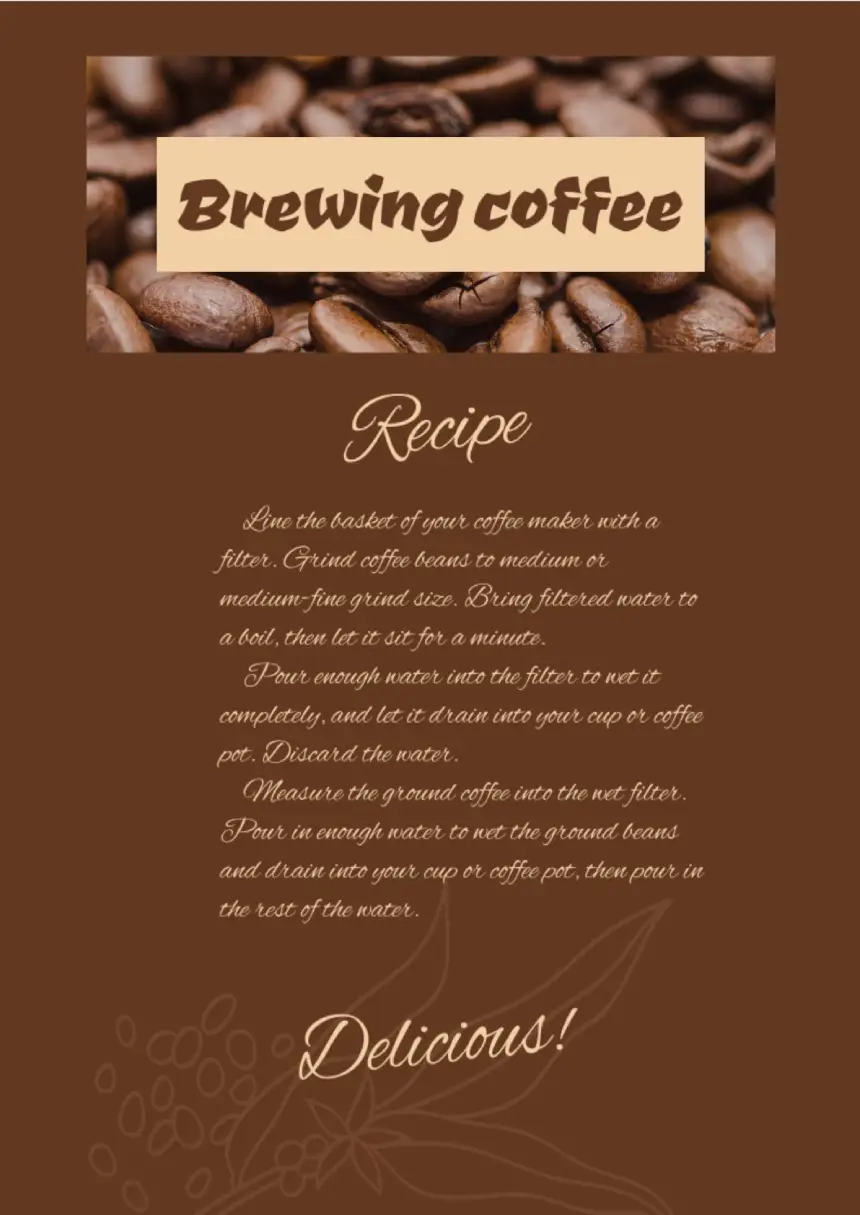


The use of the brewing recipe template placed on the Google Docs is a convenient way to describe the nuances of this beverage. Green coffee beans can be stored for years. At the same time, they slowly and only slightly worsen their taste and quality. Roasted coffee beans begin to lose their flavor and aroma after a week of storage. As for ground coffee, its taste and aroma begin to deteriorate immediately after grinding.
This was well understood in the East, where drinking culture provides for grinding as the first stage of the procedure for preparing and drinking coffee, which takes a total of no more than half an hour. So, it is recommended to use high-quality roasted grains within a month. Therefore, it is better to buy 200 grams of roasted coffee every time, no more. The coffee should be:
- freshly ground
- Qualitative
- Fragrant
These qualities of the product can turn into a basis to achieve the enjoyment of consumption of this amazing beverage. The British are among the first who began to use an invigorating drink. English coffee is made exclusively from natural beans. The classic recipe includes a mixture of Colombian and Indian coffee, strictly in the same amount. Fresh figs are cut into pieces and fried for 2 hours, the slices should be completely dry. After drying, the fruit is crushed and added to ground coffee and prepared in the usual way.
Bavarian coffee is not like other types of preparation. In general, it can be called a dessert, as it is not drunk, but eaten. For its preparation, gelatin, egg yolk are used, due to which a gentle mousse of a pleasant consistency is obtained. The brewing recipe template for Google Docs has the necessary details of the design to describe the special “style” of this beverage.

designer
My goal is to create beautiful and intuitive graphic designs for individuals and businesses! I, Kateryna Kyrylova, specialize in a variety of formats, from Google products to Microsoft.
Achievements:


designed more than 1500 templates for docsandslides.com
Template text reviewed by an expert from docsandslide's blog.



1

2

3

Related Recipe Templates
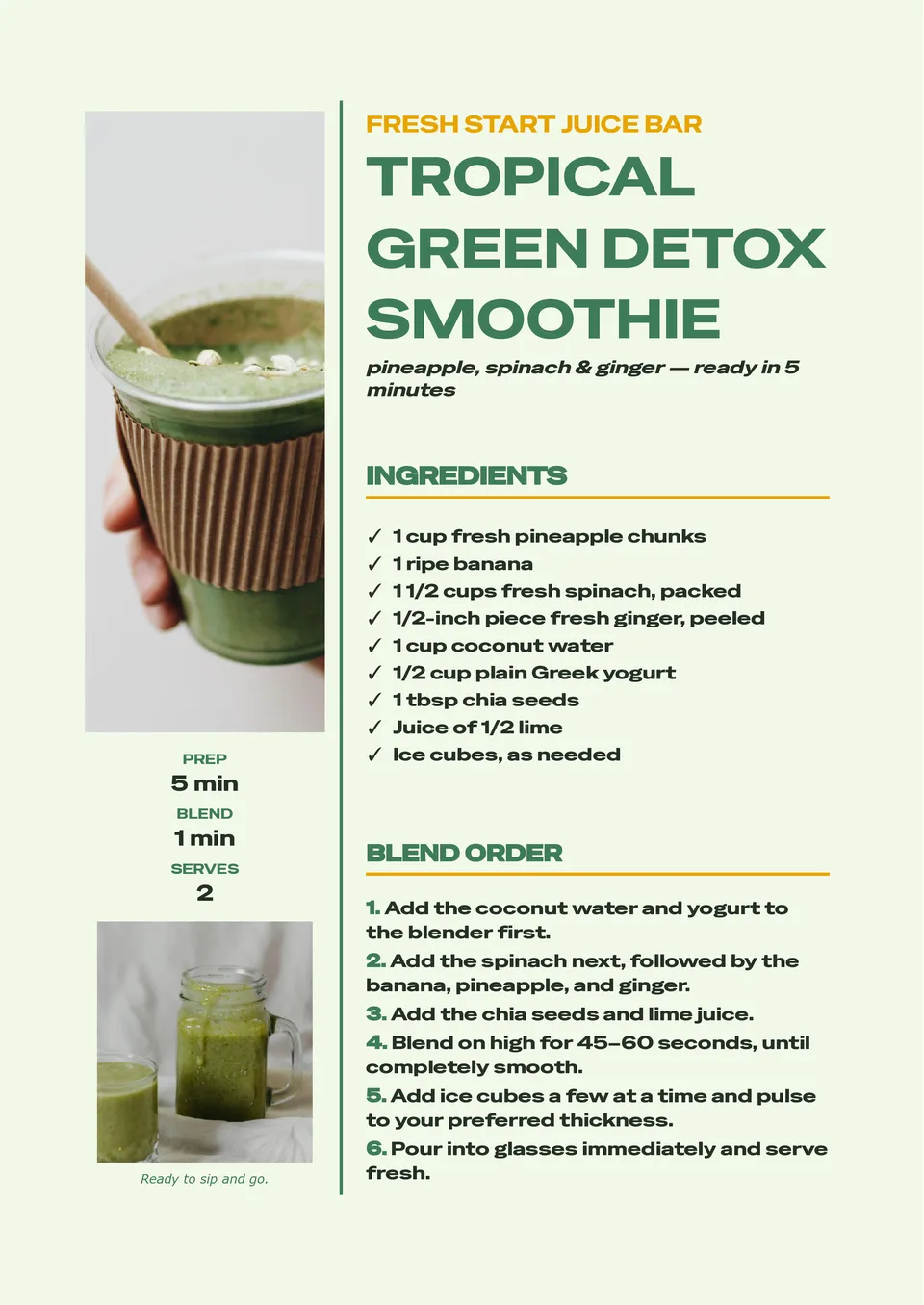
A consistent smoothie recipe is much easier to repeat when ingredients, portions, and blending instructions are written in one clear place. Smoothie Recipe Template provides room for fruits, vegetables, liquids, add-ins, serving size, nutrition notes, preparation steps, and optional garnish ideas. It is useful for wellness creators, cafés, fitness coaches, parents, and anyone building a personal collection of quick drinks. The layout makes it simple to compare combinations and adjust recipes for different dietary preferences. Add your own ingredients and visuals, then save, print, or share the free editable design with others.

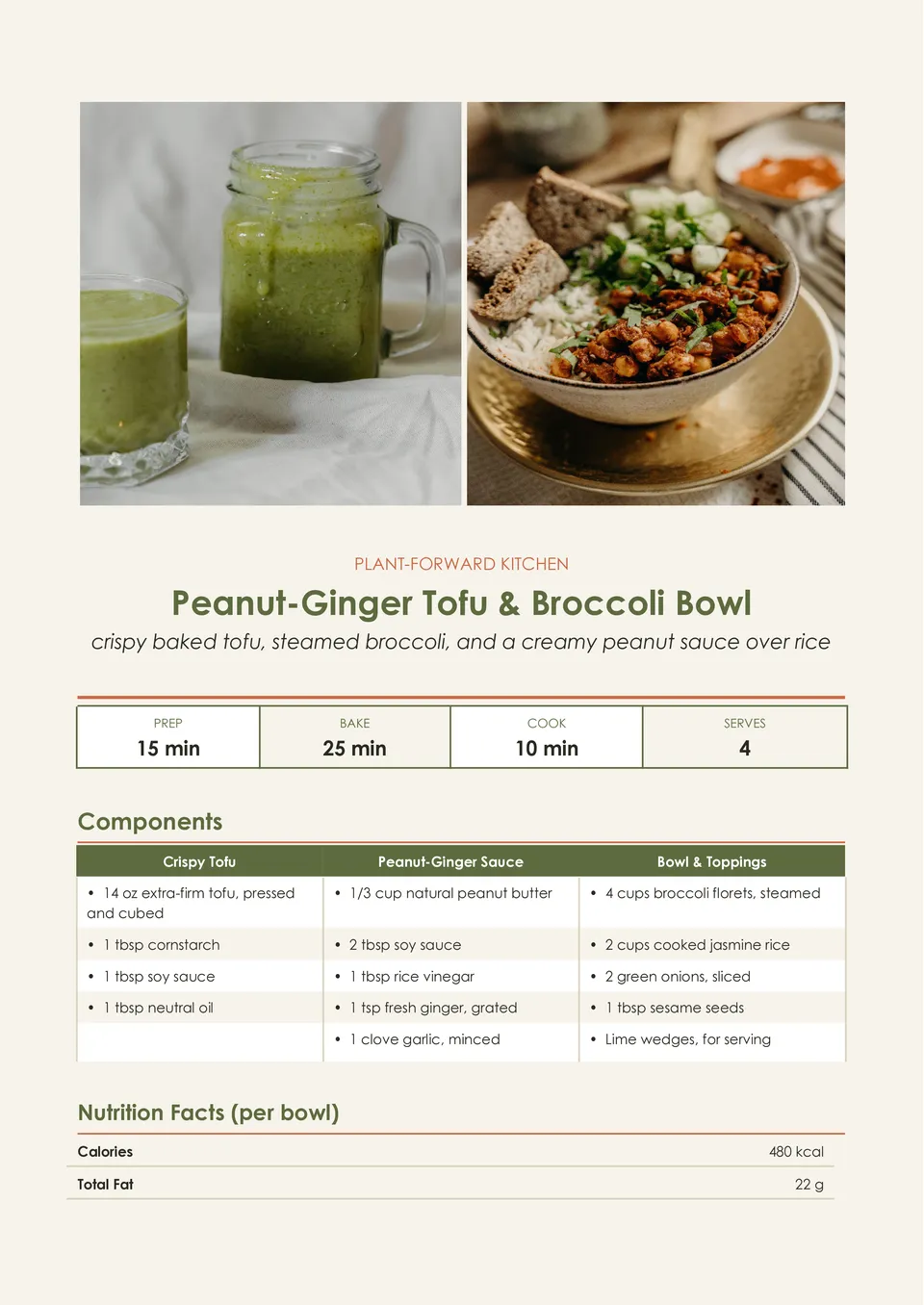
Vegan Recipe Template helps present plant-based dishes with room for ingredients, substitutions, preparation directions, cooking time, servings, allergen notes, and serving suggestions. It is made for vegan home cooks, recipe bloggers, restaurants, nutrition professionals, and anyone sharing meat- and dairy-free meal ideas. The organized page can make ingredient swaps and dietary details easier for readers to understand before they start cooking. Change every editable element to match a specific dish, brand, or meal plan. The template is free for personal and business use and can be downloaded, printed, or shared as soon as your recipe is ready.
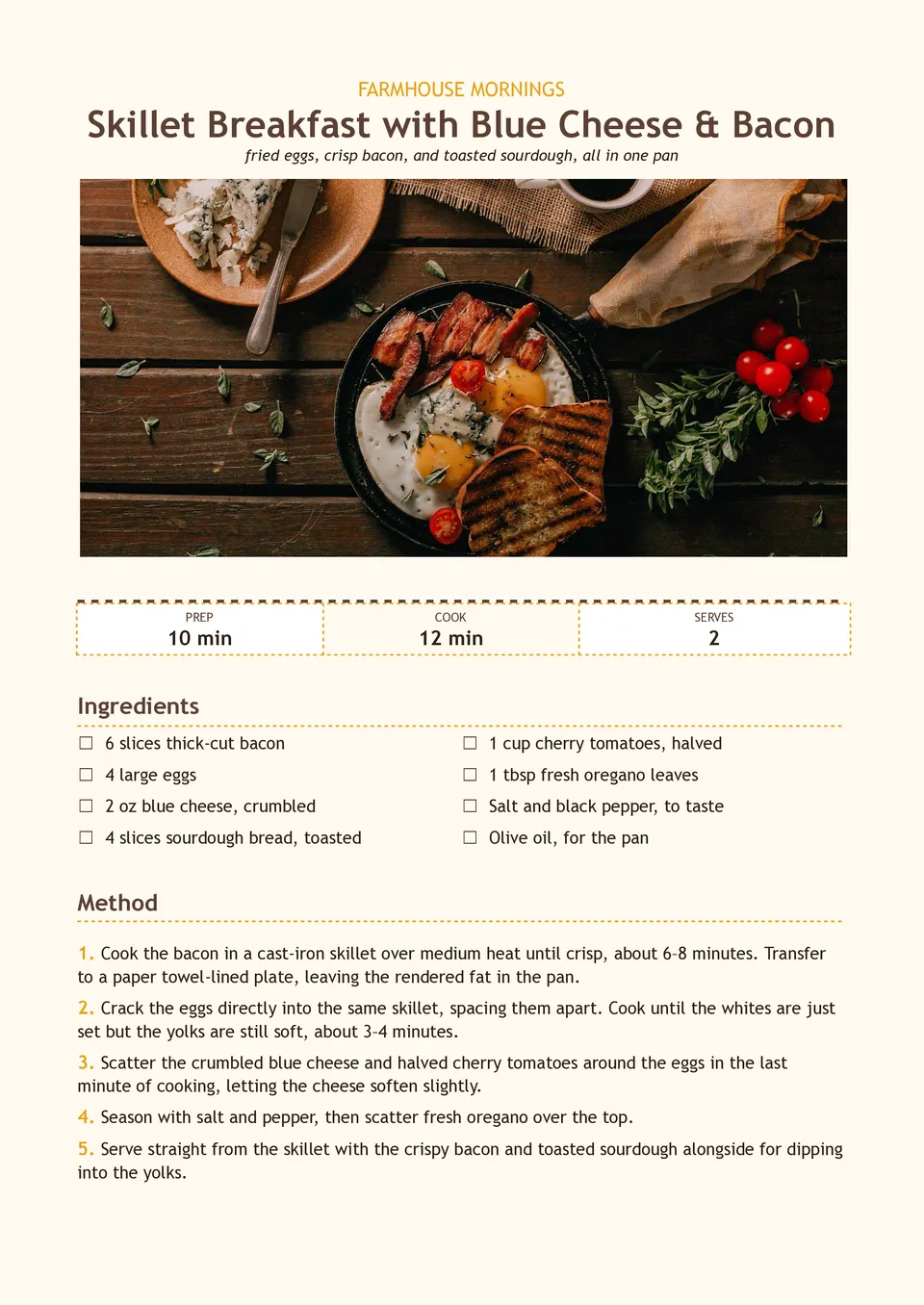
Are morning recipes scattered between screenshots, bookmarks, and handwritten notes when you need a quick meal idea? Breakfast Recipe Template brings ingredients, preparation steps, cooking times, servings, substitutions, and make-ahead notes together on one page. It suits meal-prep enthusiasts, families, nutrition coaches, cafés, and food creators planning breakfasts for busy weekdays or brunch menus. The structured layout makes it easier to recreate favorite dishes and share them with others. You can adapt the text and visuals at no charge, then print the result or keep it in a digital recipe collection.
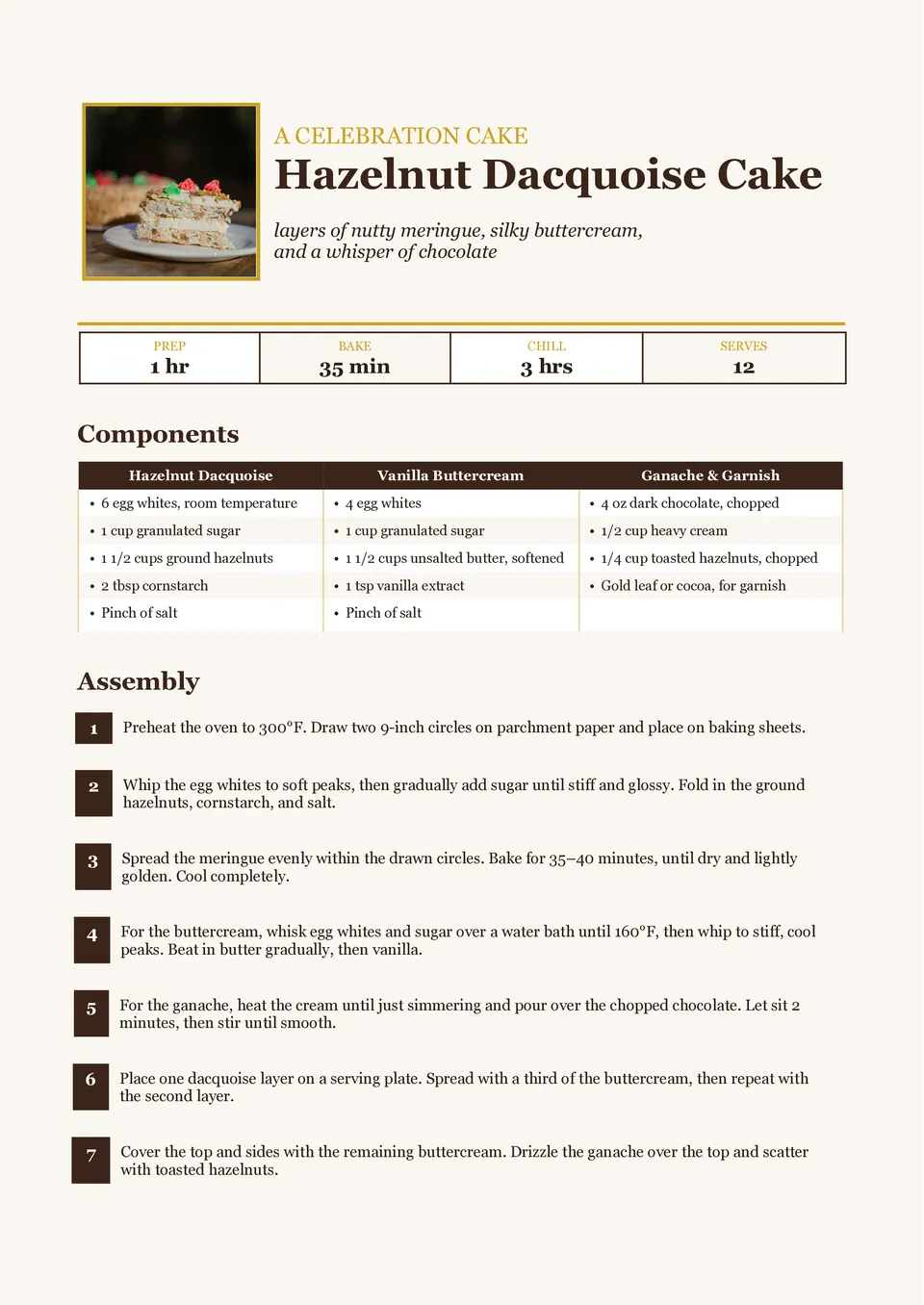
Dessert Recipe Template turns cakes, pies, cookies, puddings, and other sweet creations into recipes that are simple to follow and enjoyable to share. It includes editable areas for the dessert name, ingredients, method, preparation and baking time, servings, decorating steps, and serving ideas. Home bakers, food bloggers, pastry businesses, and people making celebration menus can use it to present signature treats with more polish. Clear separation between the recipe stages helps prevent important finishing details from being overlooked. The ready-made design is free to customize and can be downloaded or printed for a cookbook, gift, or kitchen reference.
Related Recipe Templates
A consistent smoothie recipe is much easier to repeat when ingredients, portions, and blending instructions are written in one clear place. Smoothie Recipe Template provides room for fruits, vegetables, liquids, add-ins, serving size, nutrition notes, preparation steps, and optional garnish ideas. It is useful for wellness creators, cafés, fitness coaches, parents, and anyone building a personal collection of quick drinks. The layout makes it simple to compare combinations and adjust recipes for different dietary preferences. Add your own ingredients and visuals, then save, print, or share the free editable design with others.
Vegan Recipe Template helps present plant-based dishes with room for ingredients, substitutions, preparation directions, cooking time, servings, allergen notes, and serving suggestions. It is made for vegan home cooks, recipe bloggers, restaurants, nutrition professionals, and anyone sharing meat- and dairy-free meal ideas. The organized page can make ingredient swaps and dietary details easier for readers to understand before they start cooking. Change every editable element to match a specific dish, brand, or meal plan. The template is free for personal and business use and can be downloaded, printed, or shared as soon as your recipe is ready.
Are morning recipes scattered between screenshots, bookmarks, and handwritten notes when you need a quick meal idea? Breakfast Recipe Template brings ingredients, preparation steps, cooking times, servings, substitutions, and make-ahead notes together on one page. It suits meal-prep enthusiasts, families, nutrition coaches, cafés, and food creators planning breakfasts for busy weekdays or brunch menus. The structured layout makes it easier to recreate favorite dishes and share them with others. You can adapt the text and visuals at no charge, then print the result or keep it in a digital recipe collection.
Dessert Recipe Template turns cakes, pies, cookies, puddings, and other sweet creations into recipes that are simple to follow and enjoyable to share. It includes editable areas for the dessert name, ingredients, method, preparation and baking time, servings, decorating steps, and serving ideas. Home bakers, food bloggers, pastry businesses, and people making celebration menus can use it to present signature treats with more polish. Clear separation between the recipe stages helps prevent important finishing details from being overlooked. The ready-made design is free to customize and can be downloaded or printed for a cookbook, gift, or kitchen reference.
Don’t forget to check your spam box!

Generating high-quality templates requires significant time and dedication. We simply request the inclusion of a small attribution link. Select the platform where you intend to utilize the template.
Copy this link and paste it wherever it’s visible, close to where you’re using the image. If that’s not possible, place it at the footer of your website, blog or newsletter, or in the credits section.
Place the attribution line near the image’s usage on your website, or if that’s not feasible, include it in the credits section. For example: ‘image: Docsandslides.com’. This template was created using images from Docsandslides.com.

Choose your preferred social media platform from options like Pinterest, Facebook, Twitter, and more. Share our templates with your contacts or friends. If you’re not active on these social networks, you can simply copy the link and paste it into the one you use.