

 Back to templates
 Google Docs Templates - Page 48
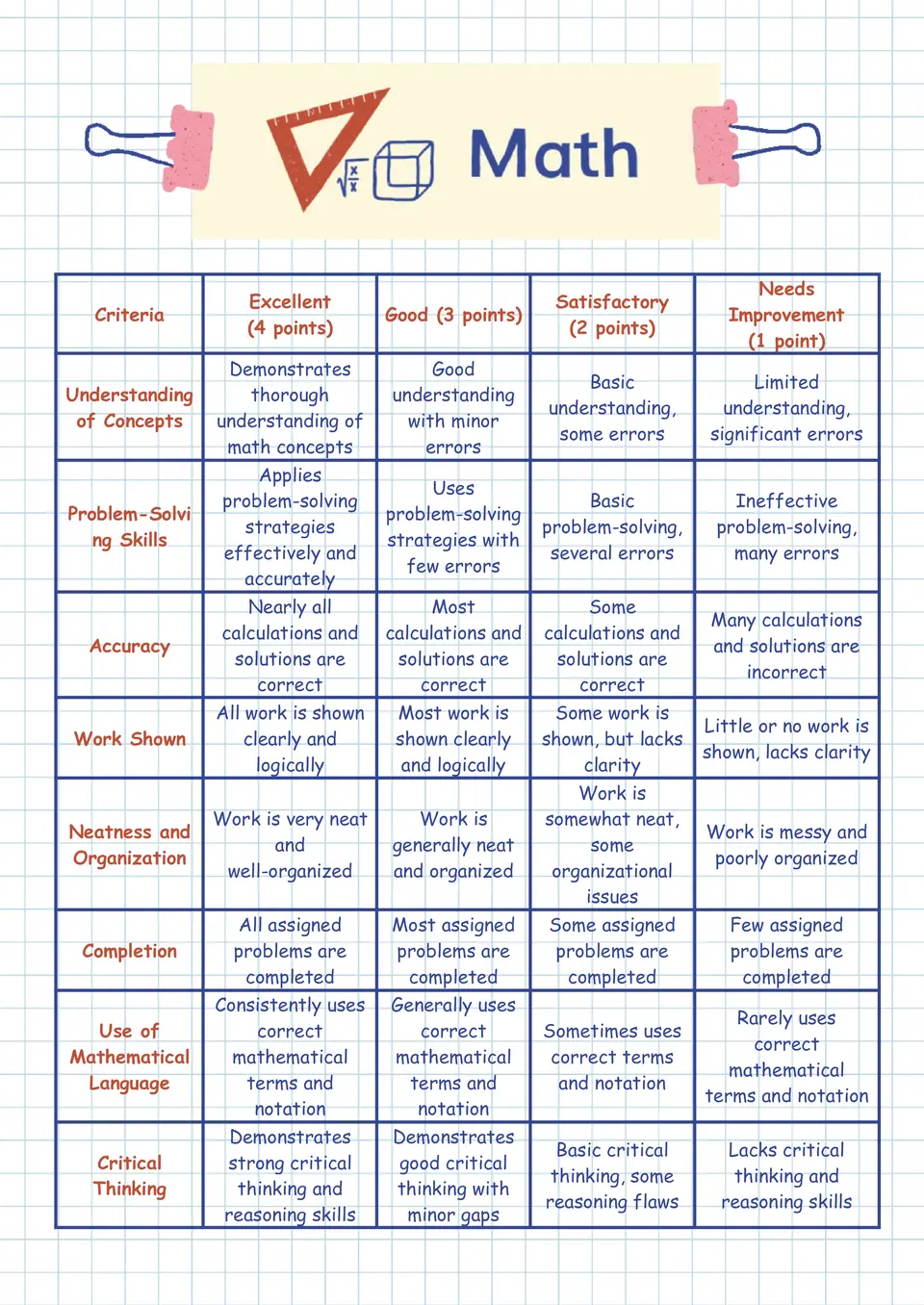
The Math Rubric Template is a strong fit for math teachers, curriculum coordinators, and assessment teams who want to grade problem‑solving and reasoning consistently. It works well for quizzes, projects, and standardized‑style tasks where accuracy, process, and communication matter.

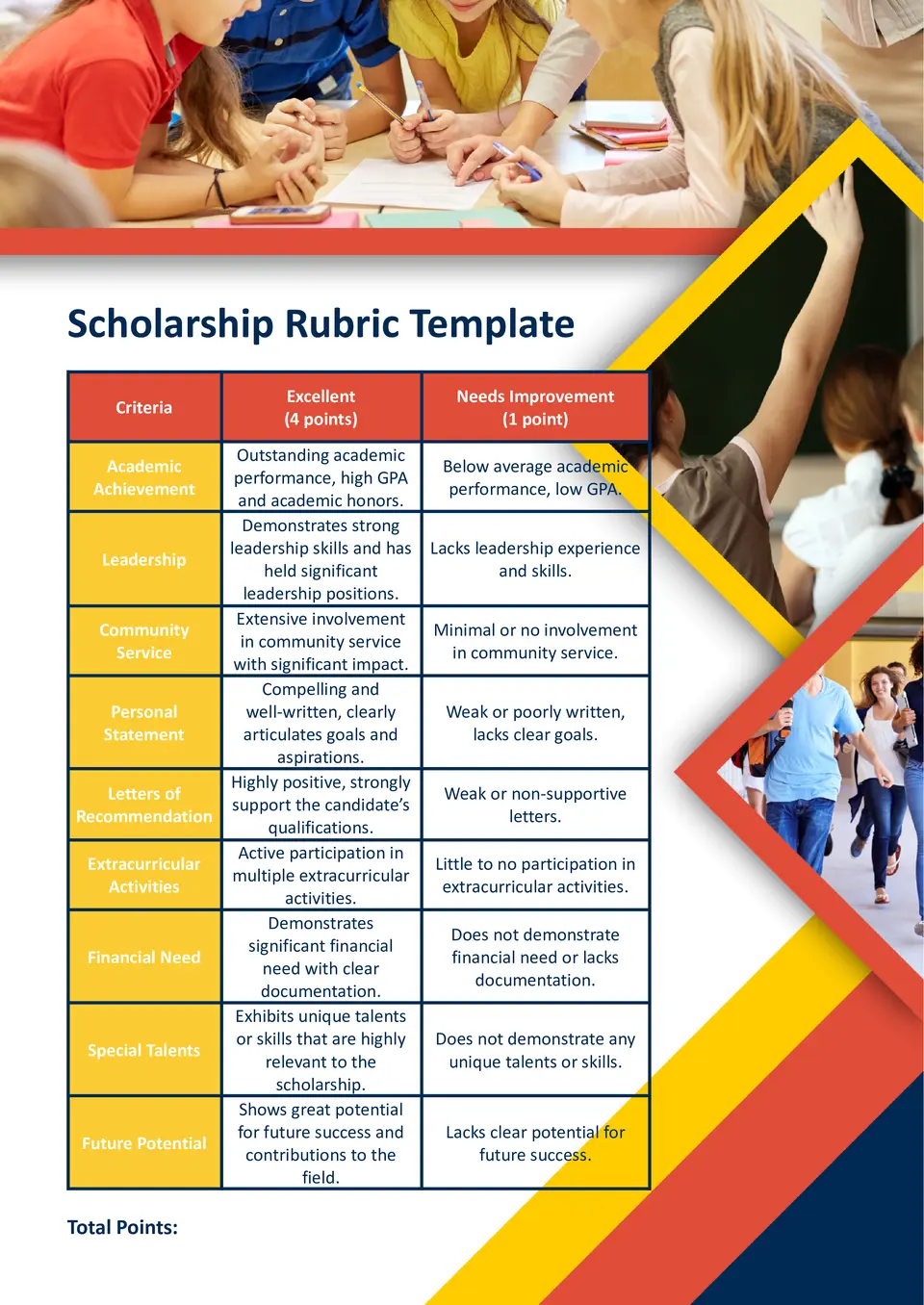
Looking for a fair way to score scholarship applications with less guesswork? The Scholarship Rubric Template is ideal for committees, school administrators, and nonprofit teams that need clear categories for merit, essays, and impact.
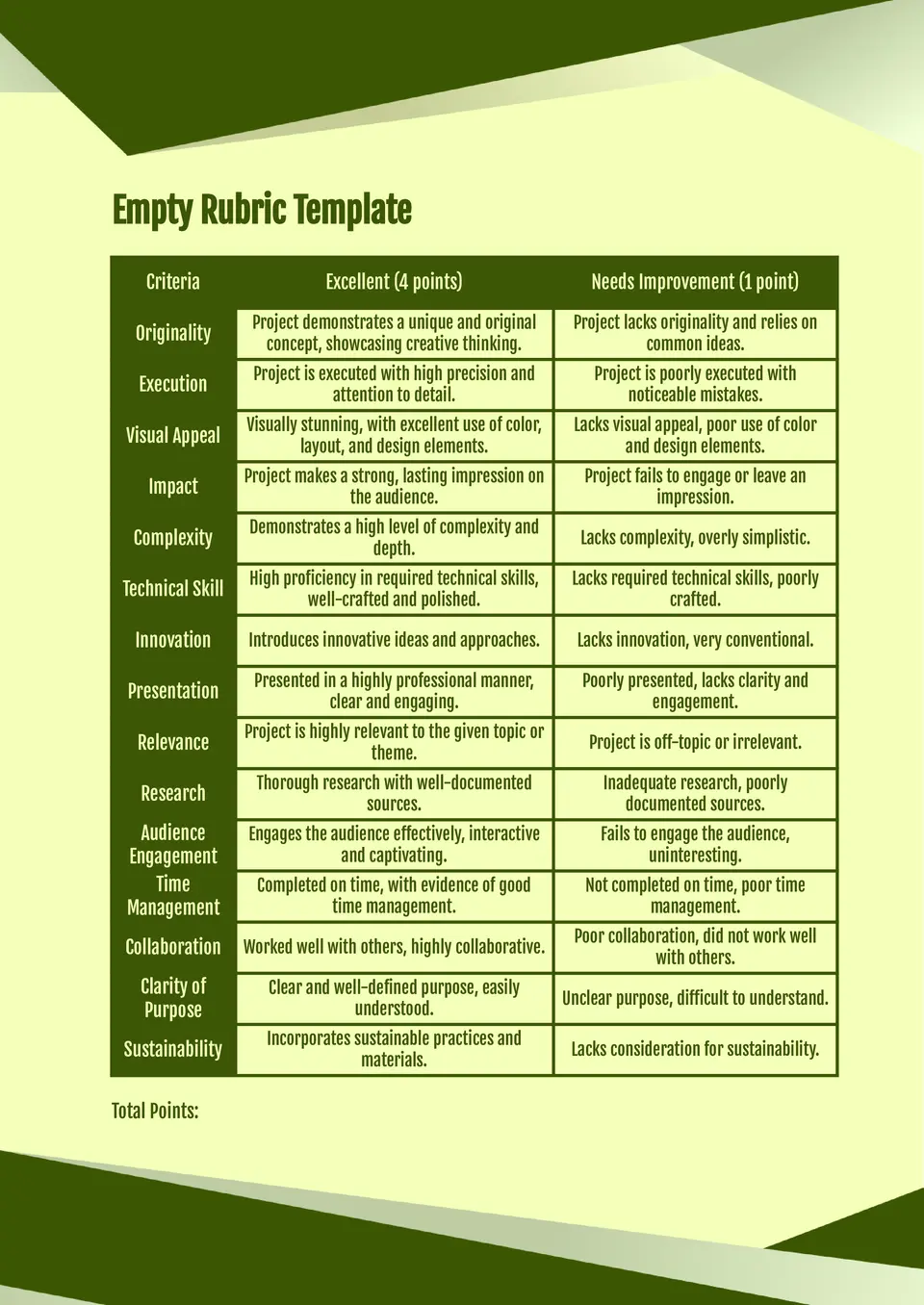
Want a clean framework you can customize for any type of grading? The Empty Rubric Template is a flexible choice for teachers, trainers, and evaluators who need a blank layout for scores, criteria, and performance levels.
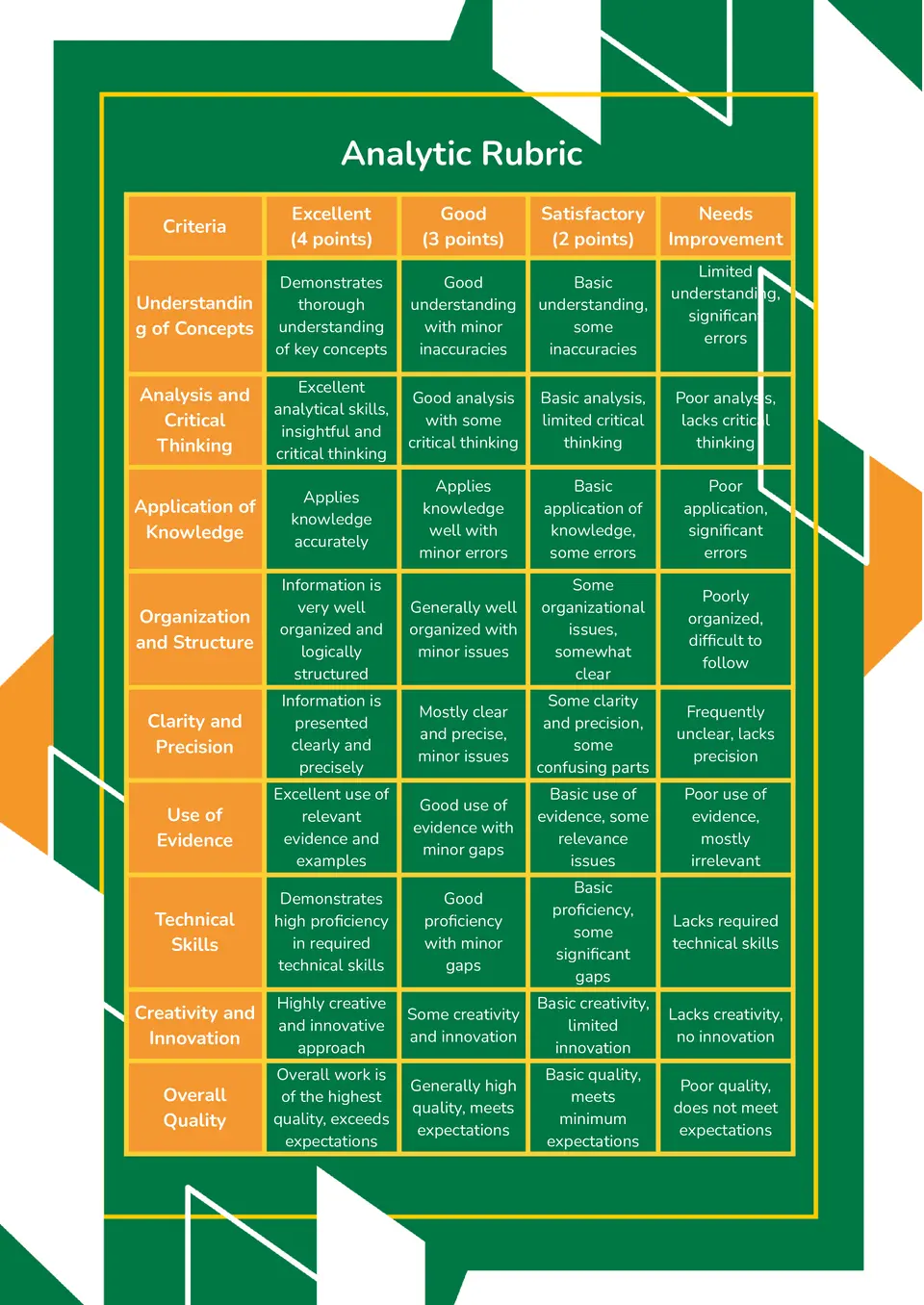
How do you evaluate performance across specific skills instead of relying on one overall score? The Analytic Rubric Template helps educators, trainers, and assessment teams assess work through clear criteria and defined scoring levels.
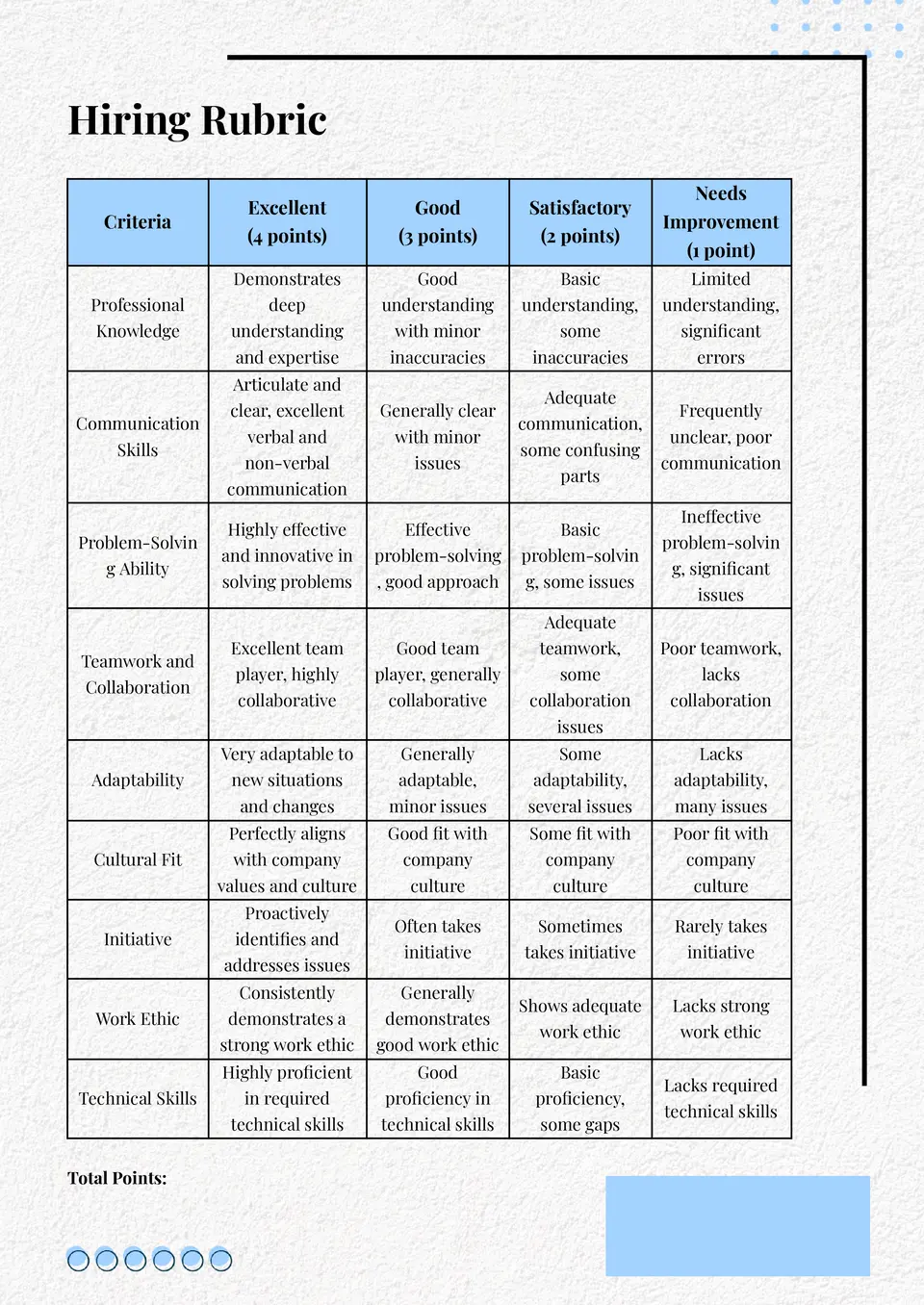
The Hiring Rubric Template is a strong fit for HR departments, startup founders, and hiring panels that want a formalized way to match candidates to job requirements. It helps organize criteria around skills, experience, culture fit, and availability so no key factor gets missed.
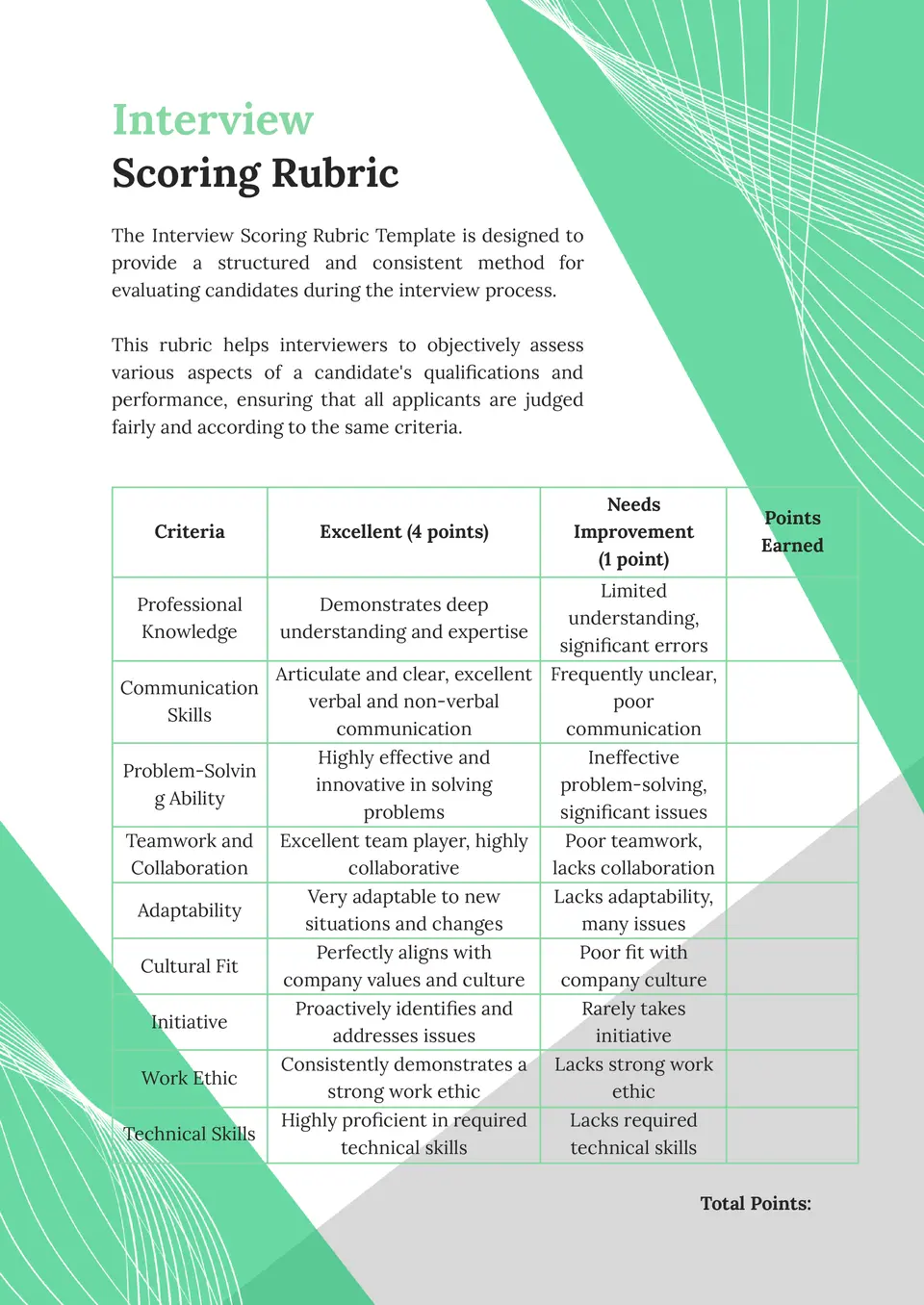
Tired of vague “I liked them” feedback and unsure how to rate interviews more objectively? The Interview Scoring Rubric Template is ideal for talent teams, small‑business owners, and managers who want a clear scale for each interview dimension.
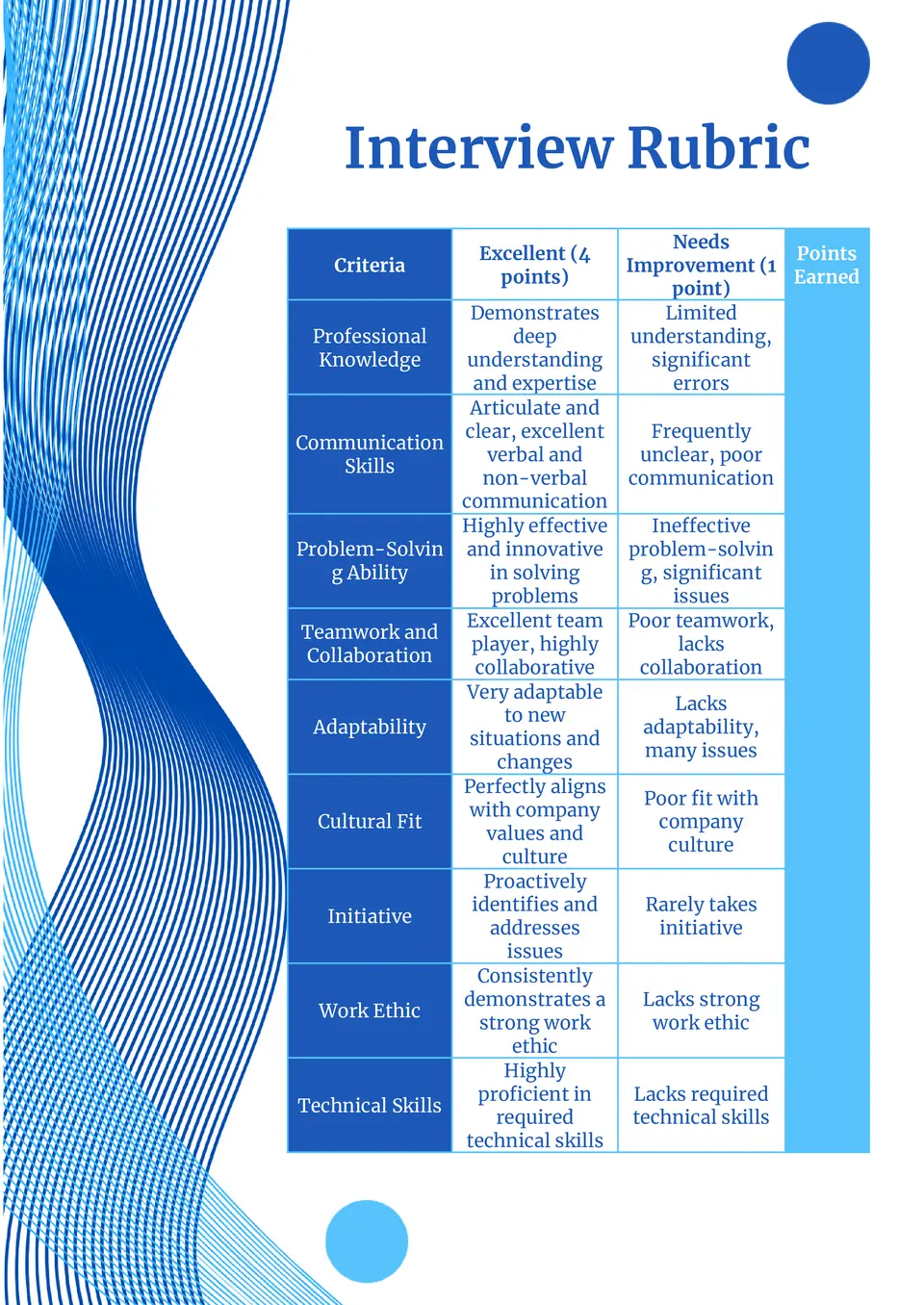
The Interview Rubric Template is a practical choice for hiring managers, HR teams, and recruiters who want a consistent way to assess candidates after interviews. It helps you score preparation, communication, fit, and experience across multiple rounds.
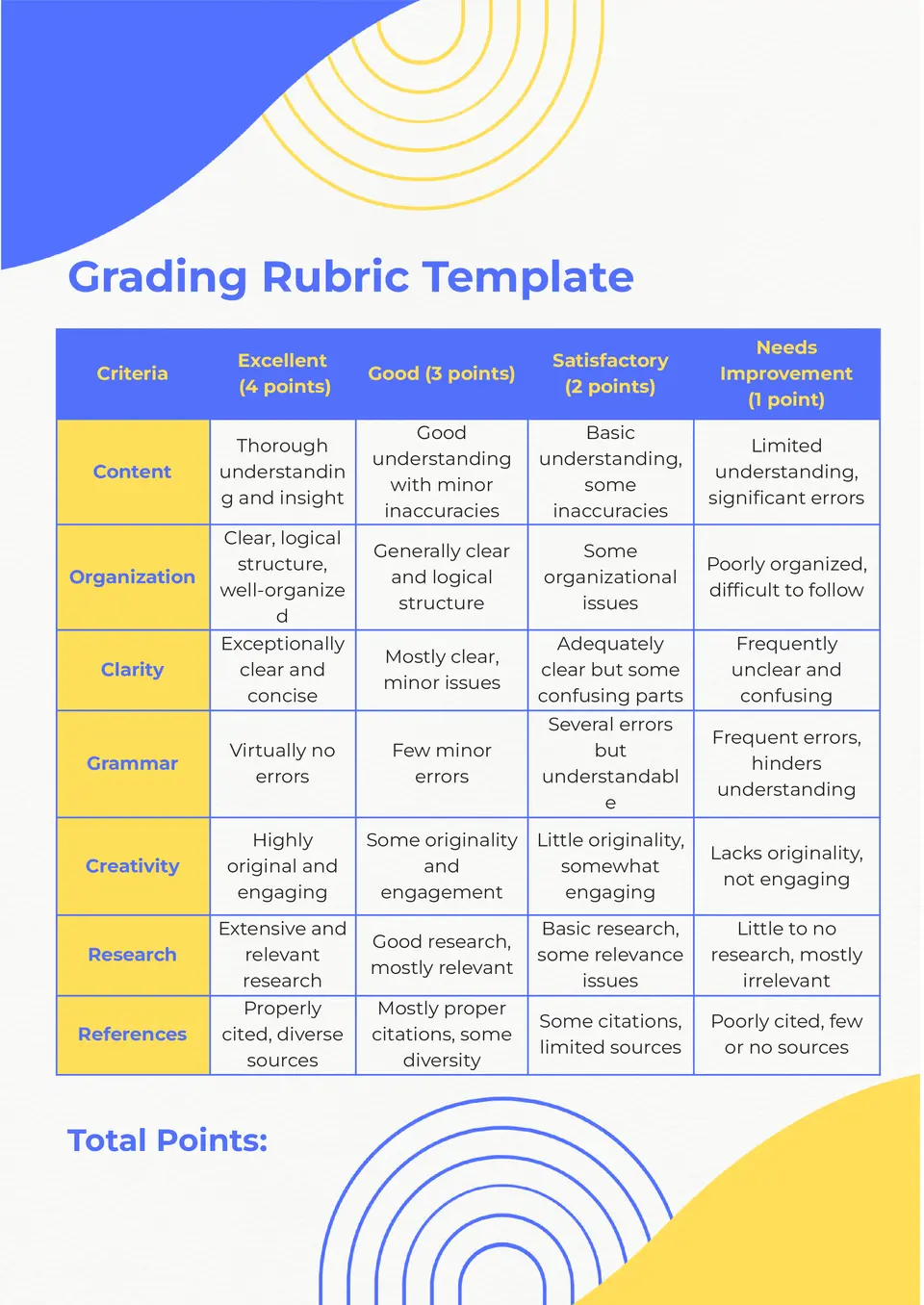
Want a fairer way to evaluate student work without leaving targets vague? The Grading Rubric Template is a useful tool for teachers, professors, and program coordinators who need clear criteria for grading assignments and projects.
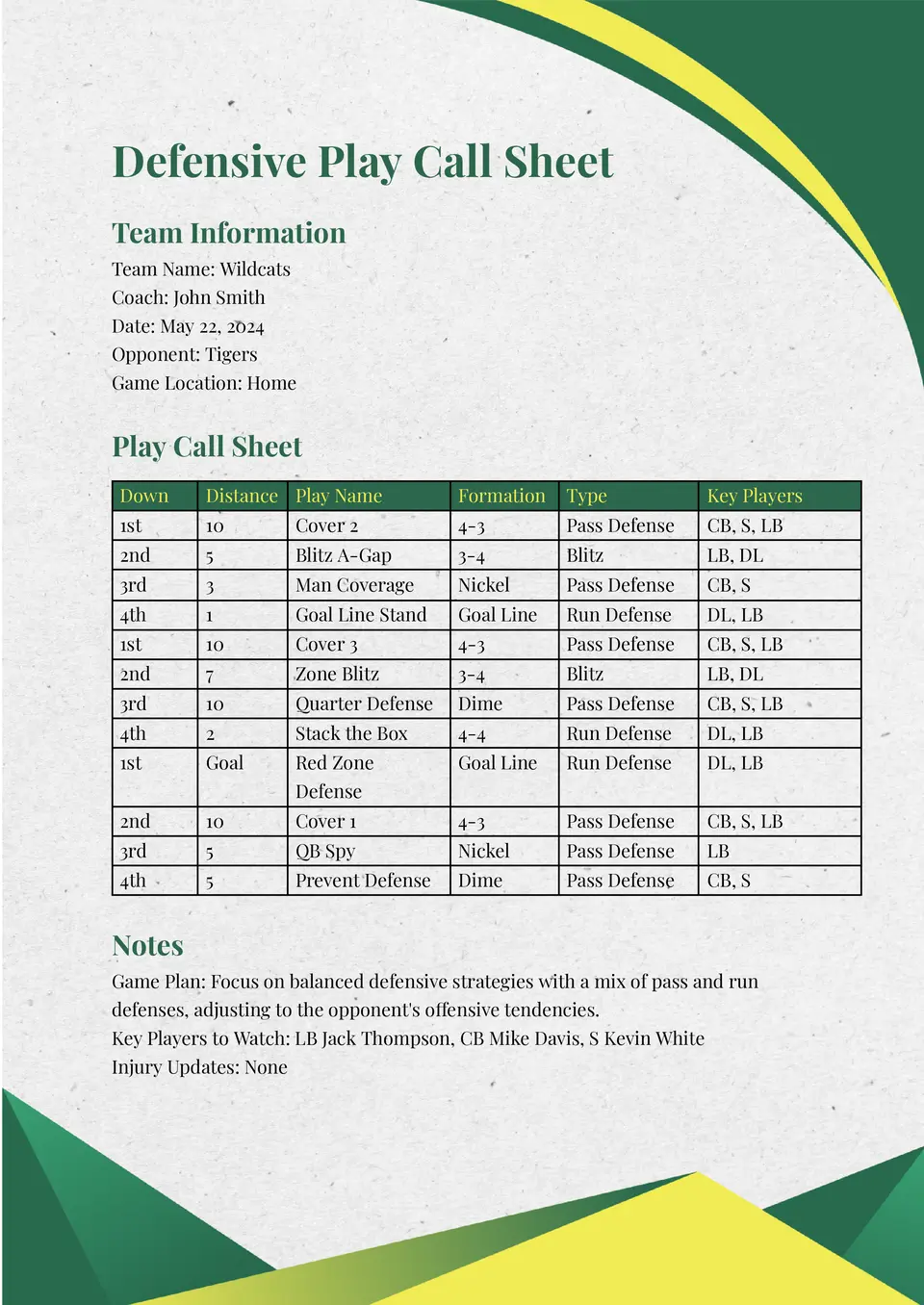
The Defensive Play Call Sheet Template is a strong choice for defensive coaches and coordinators who want a structured way to track coverages, blitzes, and run fits. It helps you pair formations with calls and reminders so everyone on the sideline stays on the same page.
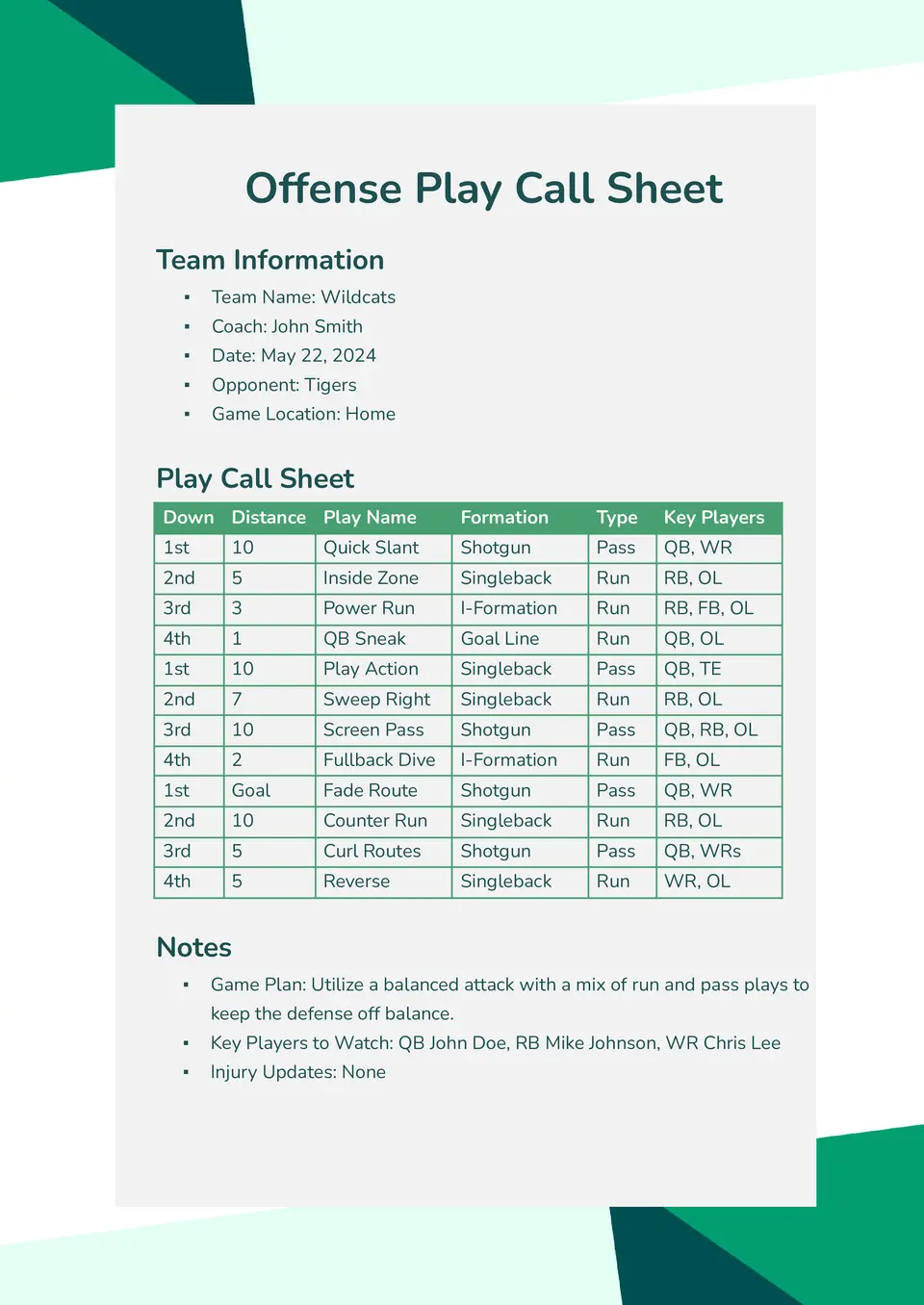
Need a focused place to plan your next‑play decisions on offense? The Offense Play Call Sheet Template suits offensive coordinators, quarterbacks, and position‑group coaches who want a clear view of plays, formations, and assignments.
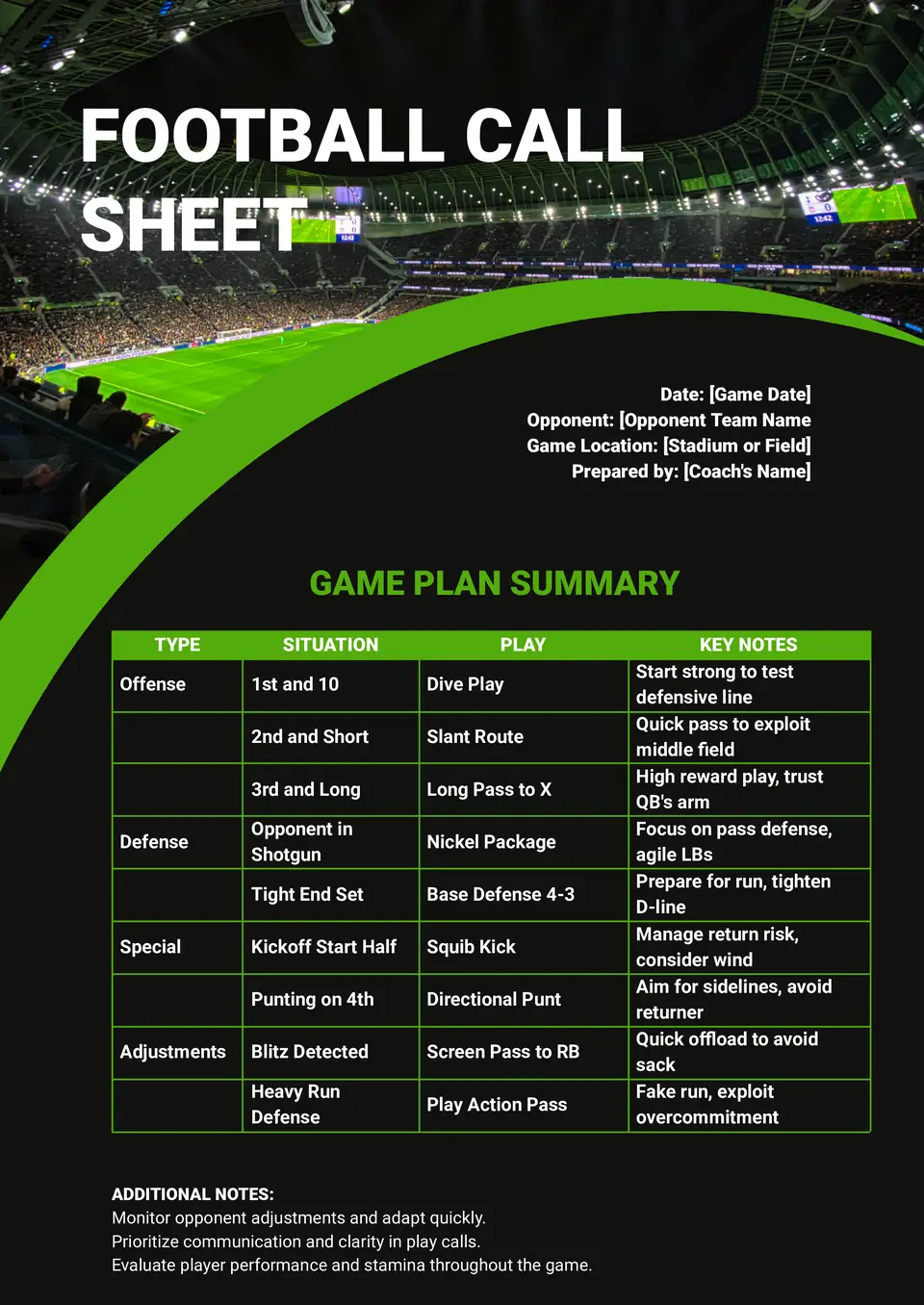
How do you keep play calls, audibles, and timing details in order when every snap matters? The Football Call Sheet Template helps coaches and support staff organize formations, situational calls, and matchup adjustments in one place.
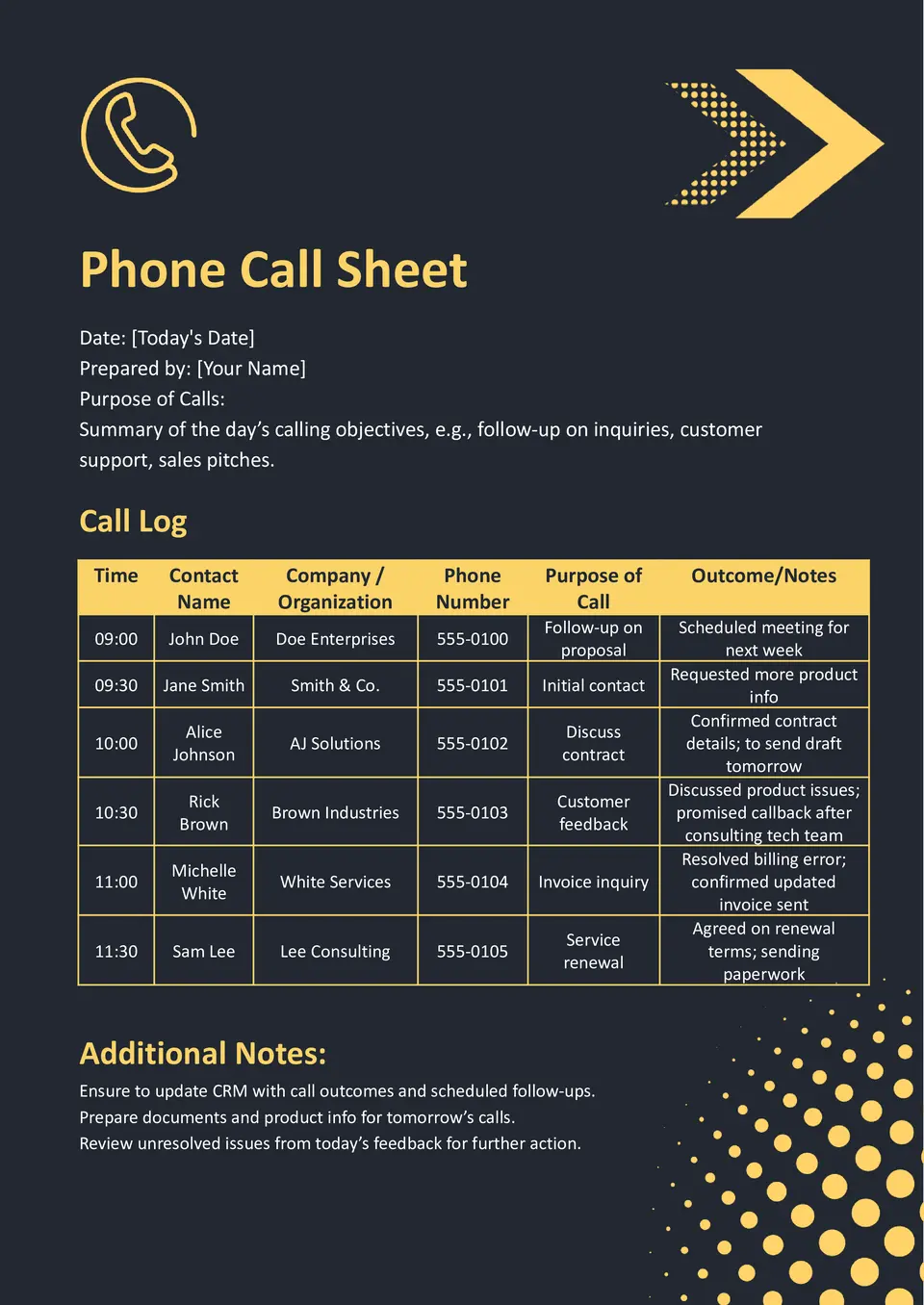
The Phone Call Sheet Template is ideal for sales teams, recruiters, and customer‑service managers who need a structured way to log calls, questions, and follow‑ups. It gives you a clean layout to track callers, notes, and next steps without losing important details.
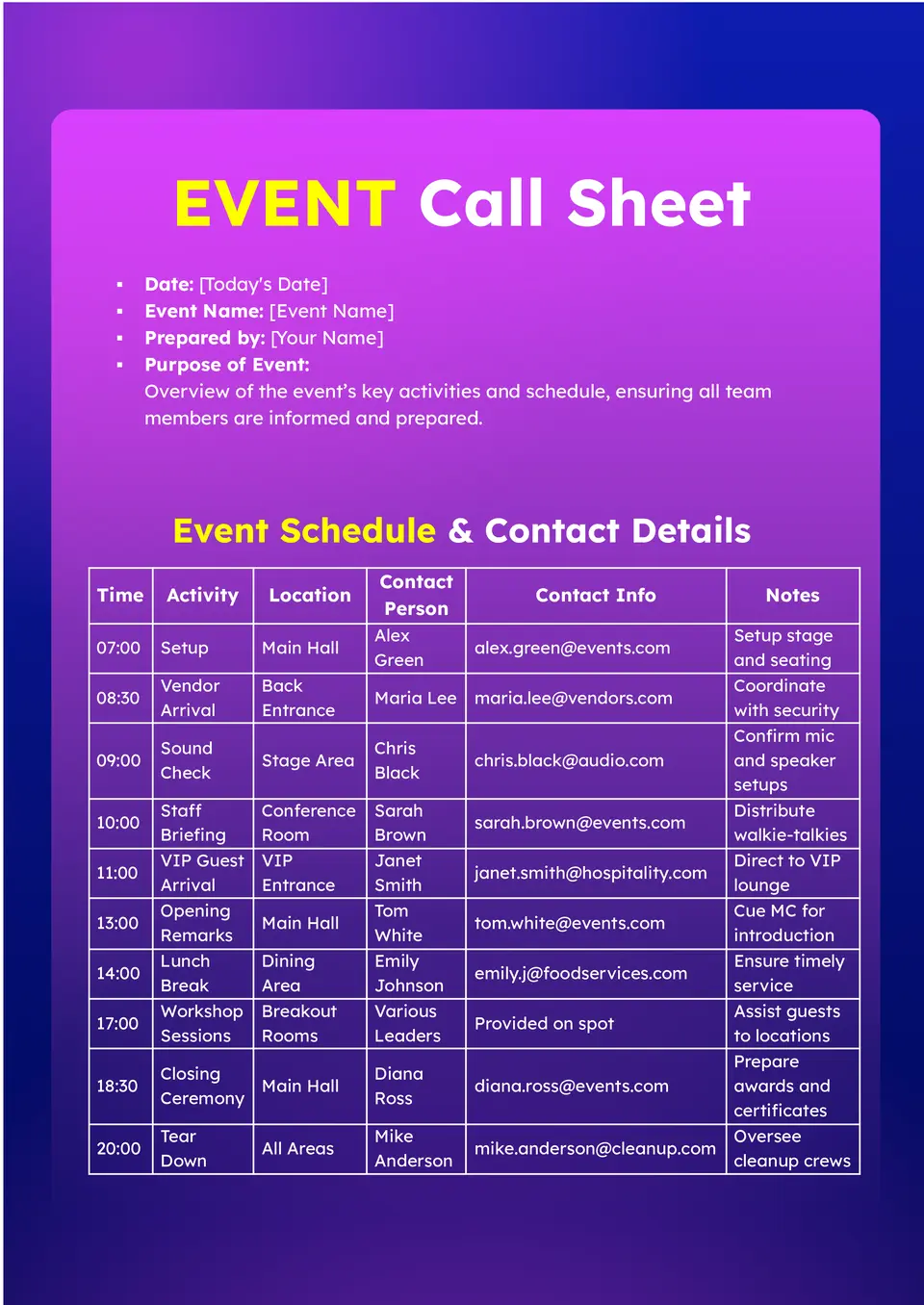
Need a better way to organize guest lists, timings, and responsibilities for your next event? The Event Call Sheet Template is a strong choice for event planners, coordinators, and organizers who want one clear document for contact details, arrival times, and key roles.
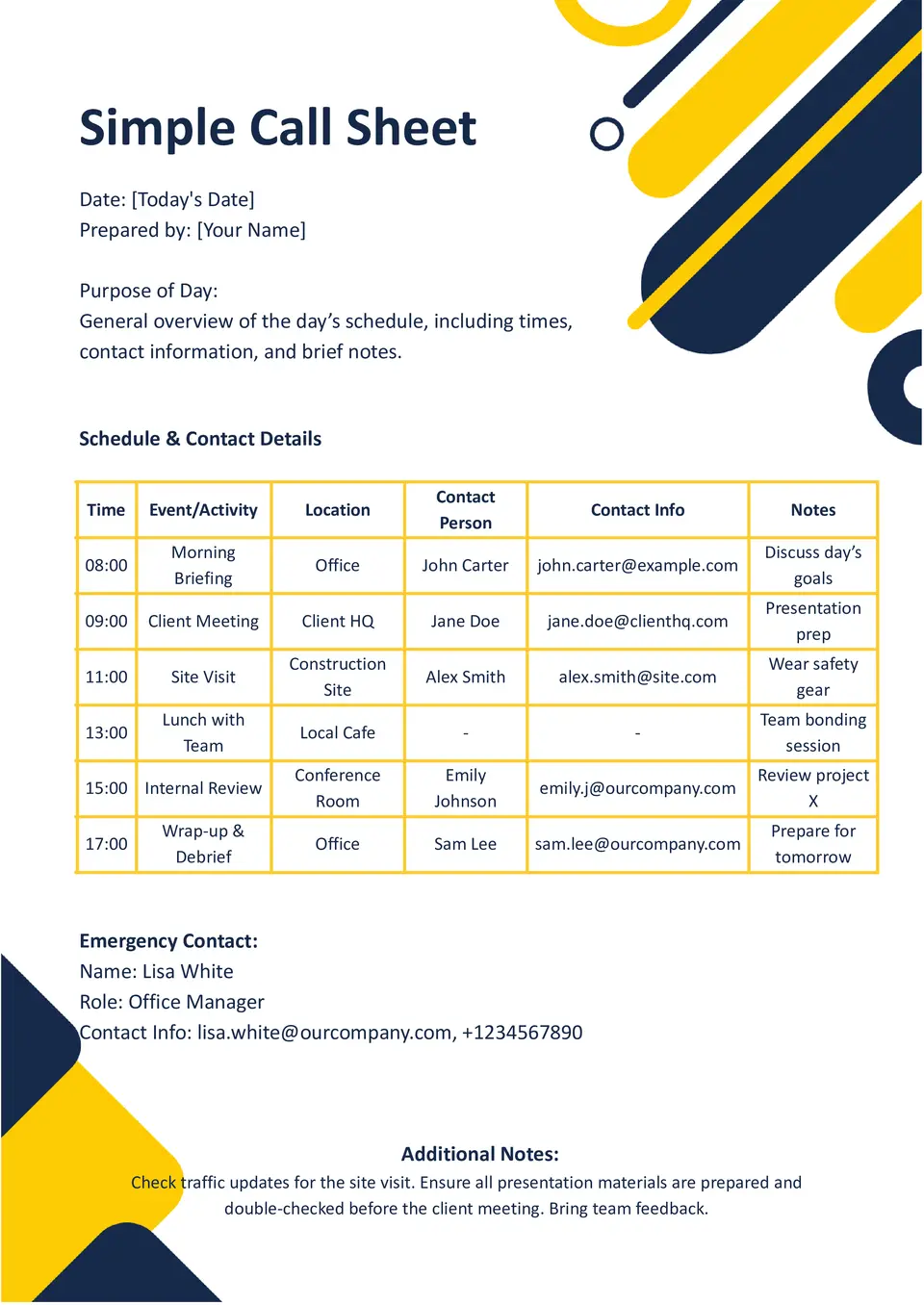
Why do teams use a simple call sheet when they need the schedule and key details in one place? The Simple Call Sheet Template gives you a straightforward layout for organizing times, contacts, tasks, and daily notes.
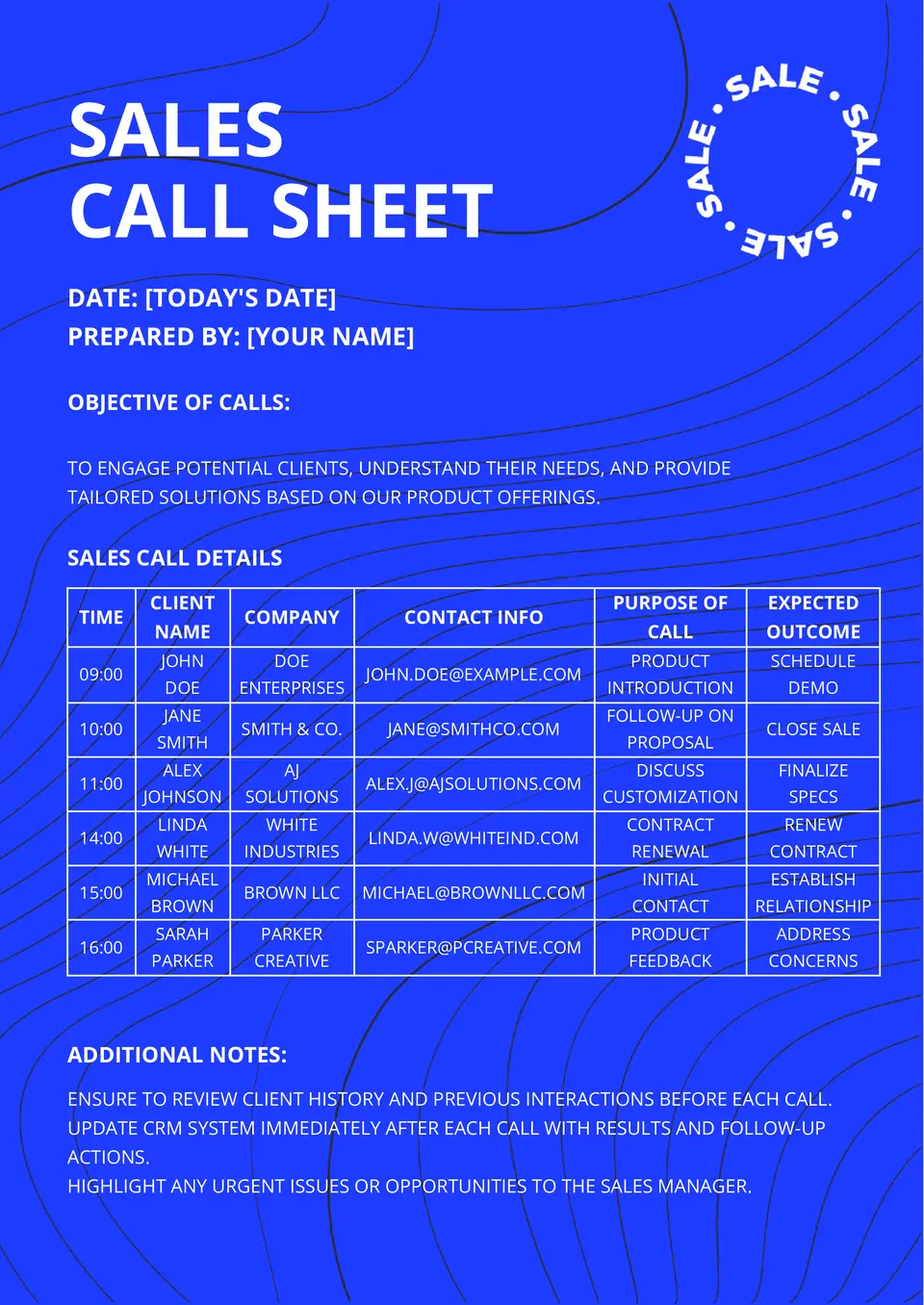
Where can sales teams keep lead details, talking points, and follow-up notes without jumping between documents? The Sales Call Sheet Template helps reps organize calls, track customer information, and stay focused during outreach.

How should photographers organize shoot times, locations, and team details before the session begins? The Photoshoot Call Sheet Template gives photographers, assistants, and creative teams a simple way to prepare the full plan for the day.

Choose your preferred social media platform from options like Pinterest, Facebook, Twitter, and more. Share our templates with your contacts or friends. If you’re not active on these social networks, you can simply copy the link and paste it into the one you use.