

 Back to templates
 Google Docs Templates - Page 5
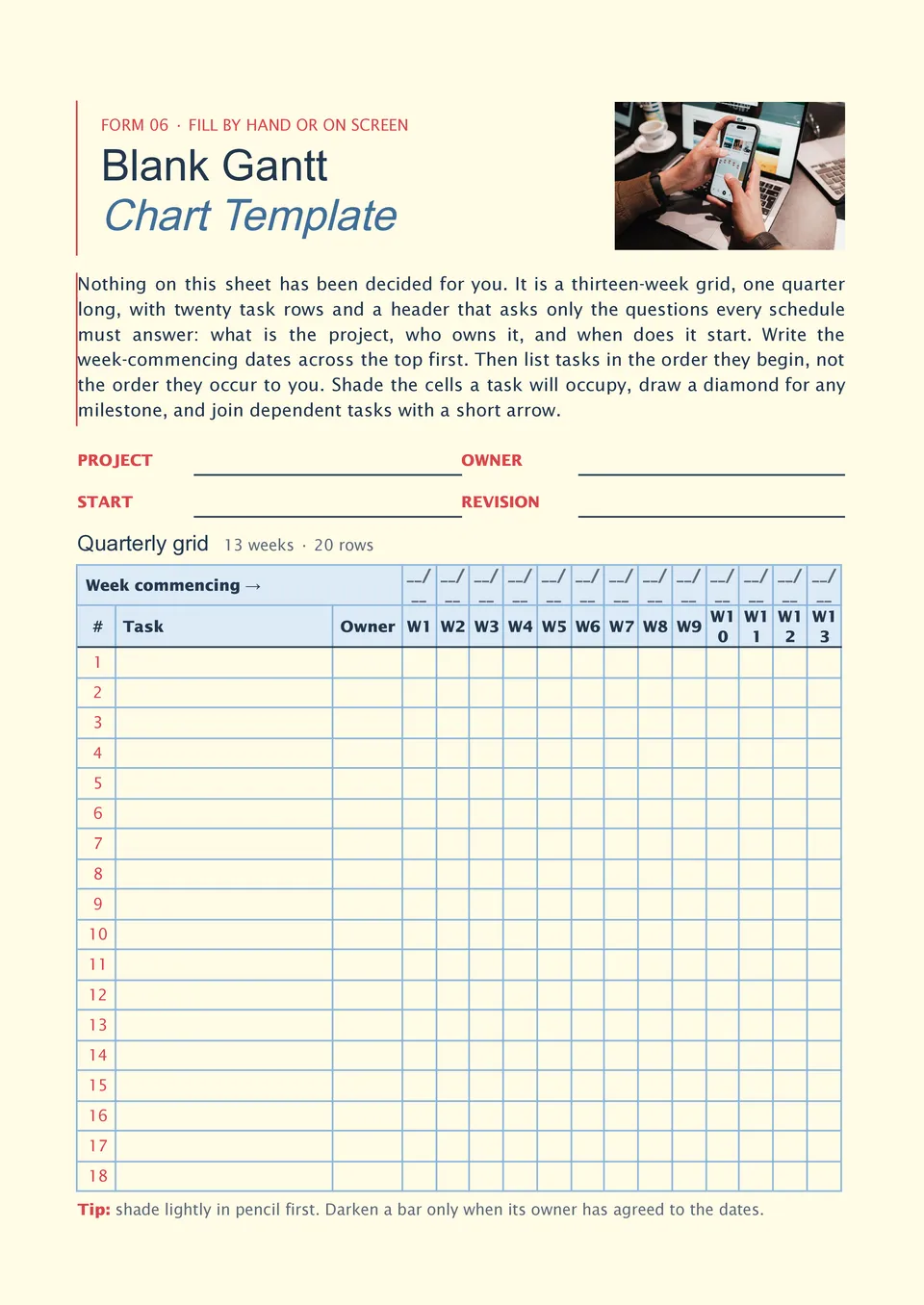
Do you need a flexible Gantt chart that fits your own workflow instead of forcing your project into preset tasks or categories? Blank Gantt Chart Template provides an open framework with task rows, date columns, timeline bars, and optional areas for owners, milestones, dependencies, and progress. It suits project managers, students, consultants, planners, and teams working across different industries. The empty structure lets you decide which fields, phases, and time scale are relevant to your project. It is free to customize, ready for download or printing, and reusable for future schedules.

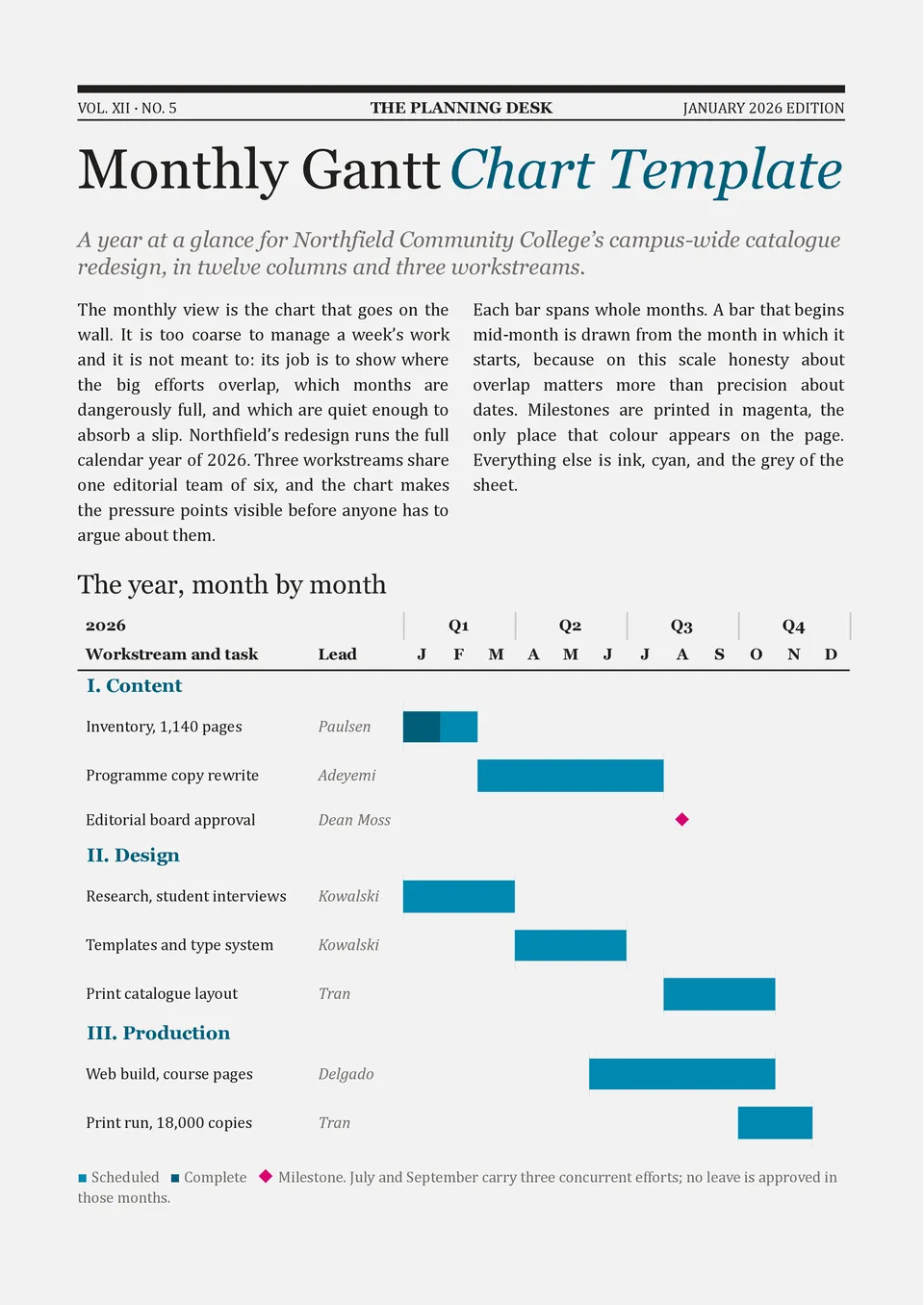
Monthly Gantt Chart Template provides a broader view of tasks and milestones across several weeks or months. It includes project phases, task names, start and end dates, durations, owners, completion status, and horizontal timeline bars. Project managers, marketing teams, construction coordinators, and operations leaders can use it for long-term planning and monthly stakeholder updates. The layout helps compare workload across periods and see whether major deliverables are on schedule. You can edit the fields for free and download, print, or share the completed schedule.
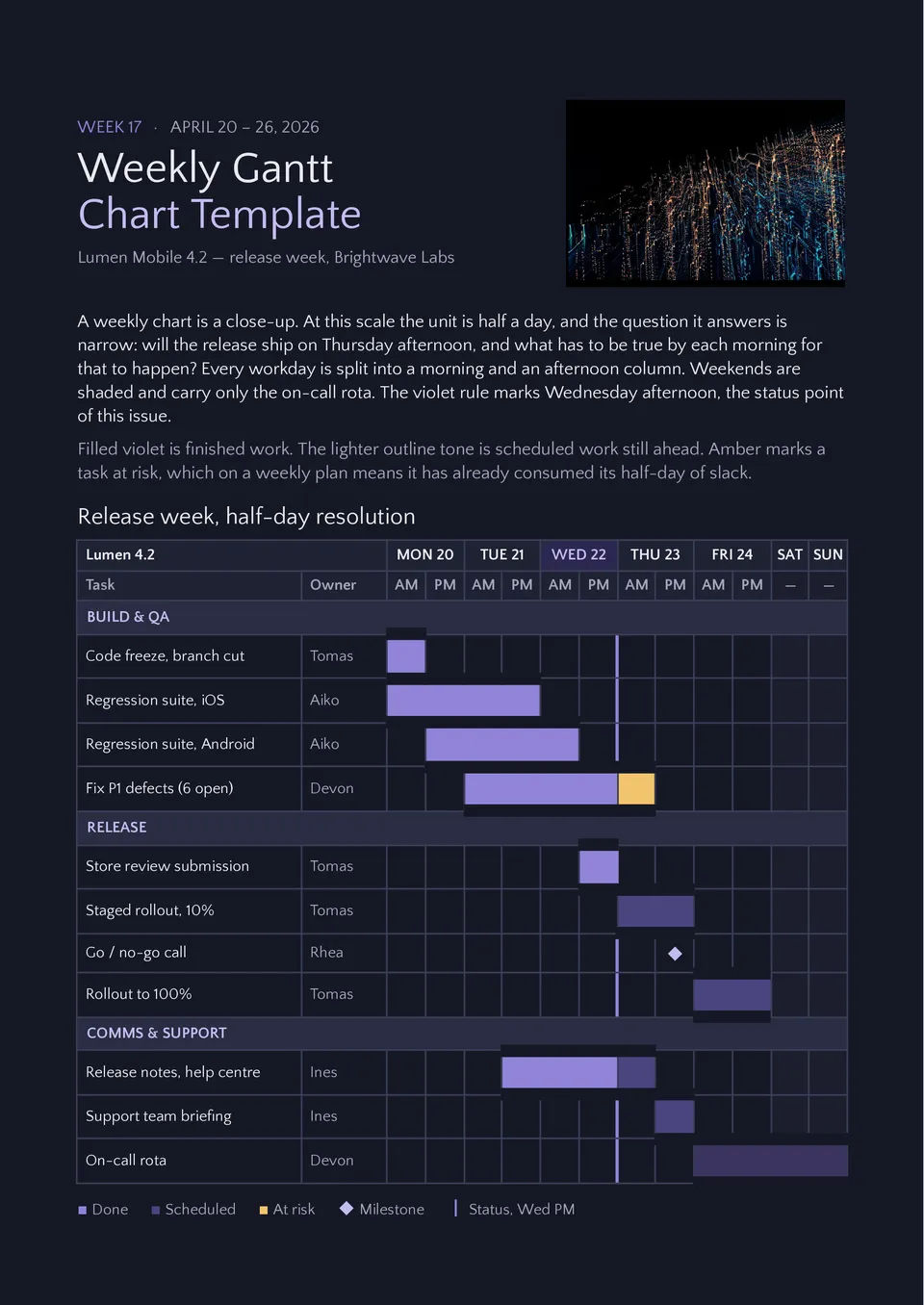
Are short deadlines and overlapping tasks making it hard to coordinate everything that must happen this week? Weekly Gantt Chart Template breaks work into daily time periods with space for tasks, owners, status, duration, progress, and deadlines. Team leads, freelancers, event coordinators, and sprint teams can use it for standups, short initiatives, and deliverables with tight schedules. The week-based view makes unfinished work and day-to-day bottlenecks immediately visible. You can customize the free template and prepare it for digital sharing or printing during weekly planning sessions.
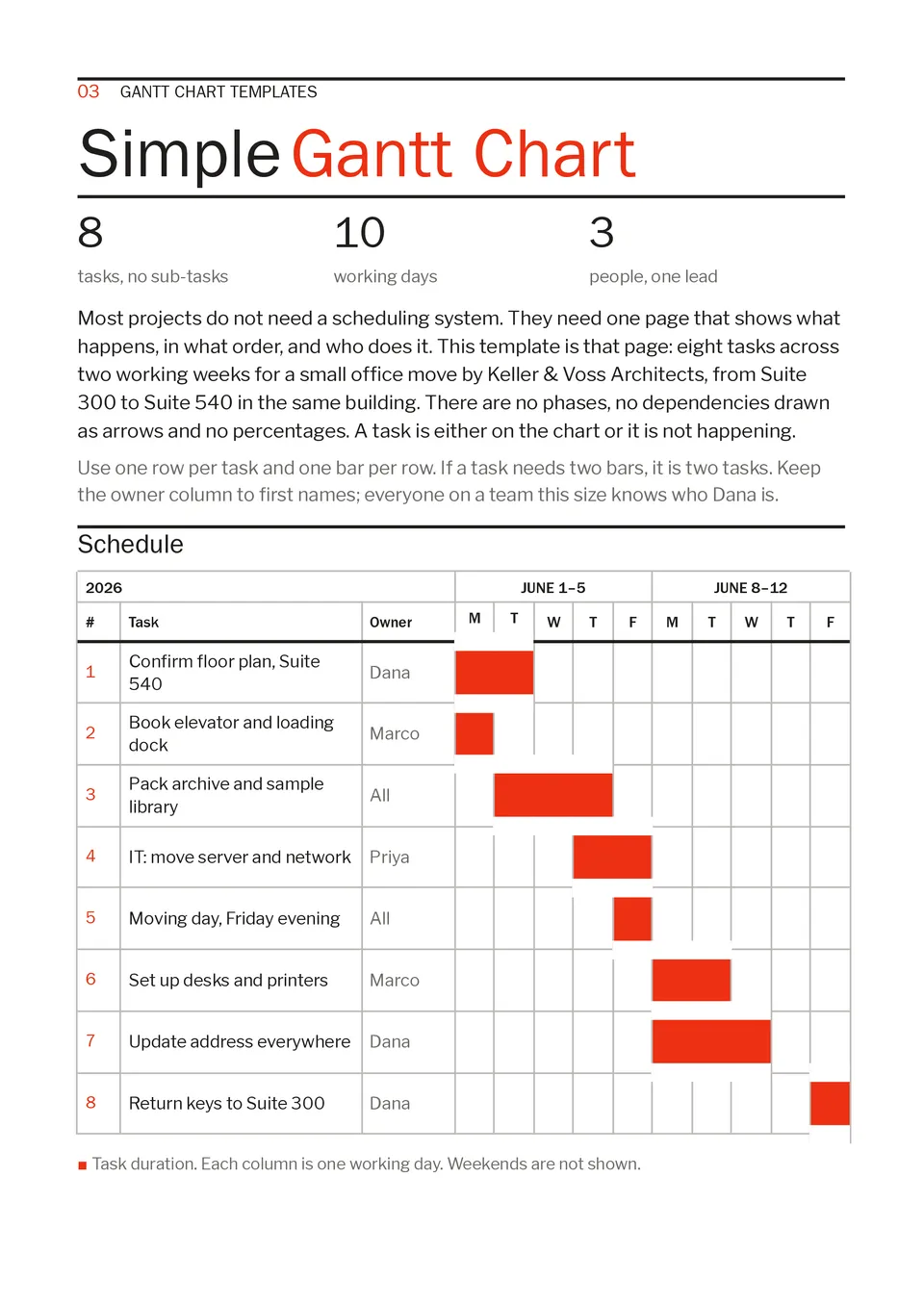
Need a straightforward project schedule without complicated dependencies or excessive planning fields? Simple Gantt Chart Template provides task rows, project phases, start dates, end dates, durations, owners, due dates, and visual timeline bars. Small teams, students, consultants, and project managers can use it for internal initiatives, assignments, launches, or stakeholder updates. The uncluttered layout makes it easy to understand what needs to happen and when. It is free, quick to edit, and suitable for downloading, printing, or sharing.
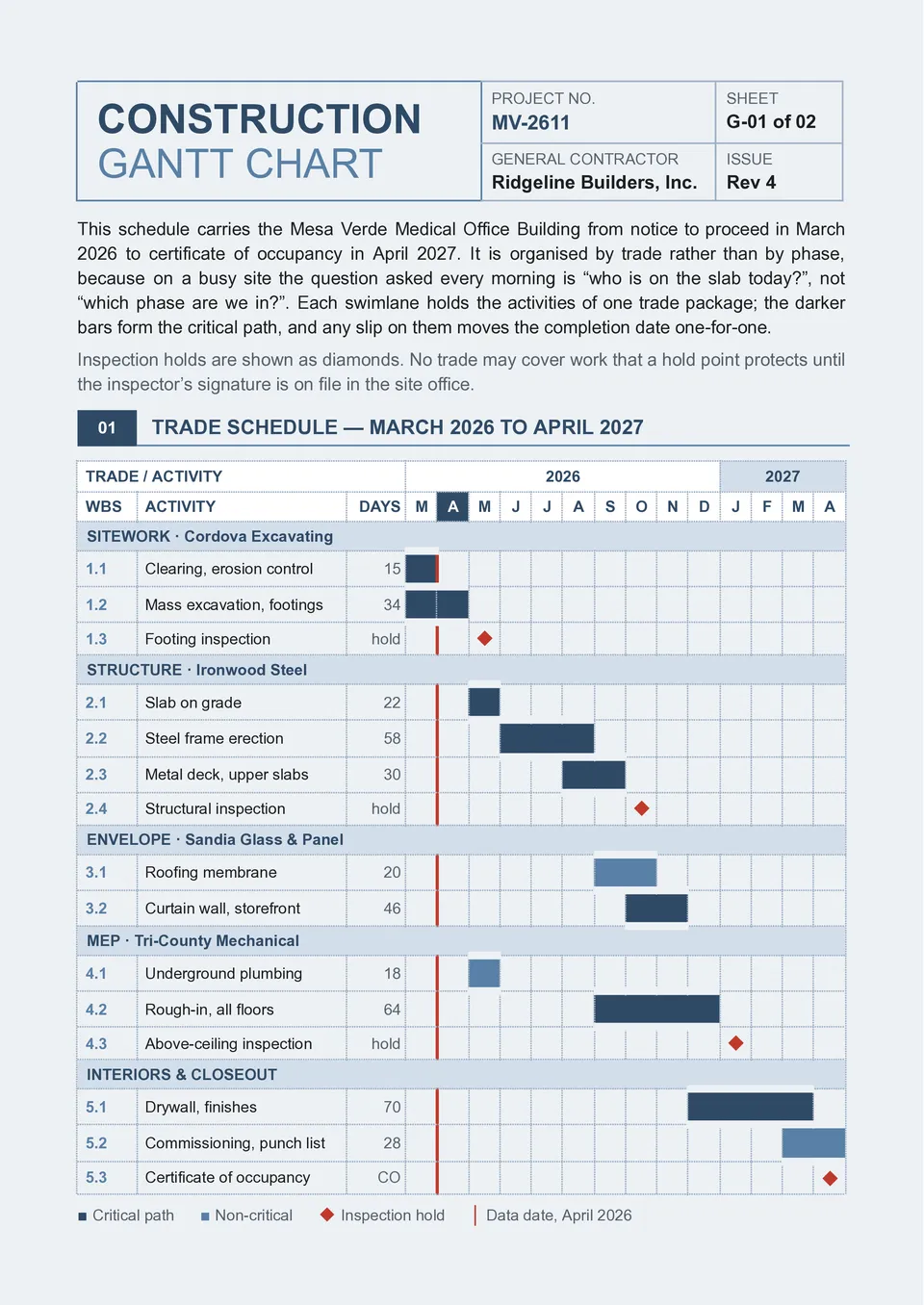
Construction Gantt Chart Template helps organize building work from preparation and excavation through installation, finishing, inspections, and handover. It includes space for tasks, subcontractors, start and end dates, durations, dependencies, milestones, materials, progress, and project costs. Contractors, site managers, architects, and property developers can use it to coordinate trades and prevent schedule conflicts. The visual timeline shows how construction phases overlap and which activities must be completed before others begin. You can edit it for free, download or print it, and use it for residential, commercial, or infrastructure projects.
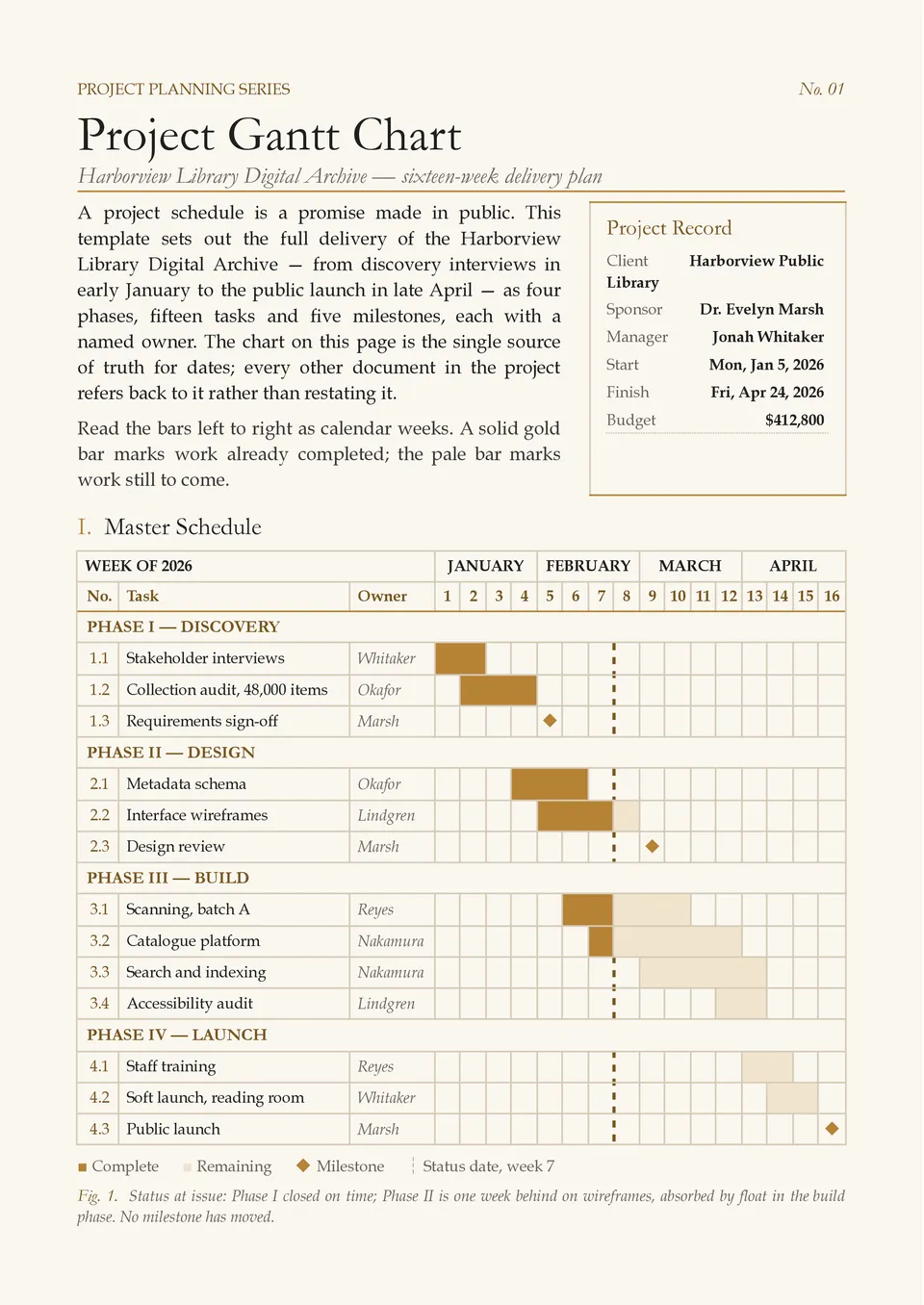
Are project tasks, deadlines, and dependencies scattered across different files and difficult to track together? Project Gantt Chart Template organizes tasks, phases, owners, start dates, end dates, durations, milestones, dependencies, and progress in one visual schedule. Project managers, team leads, agencies, and clients can use it to coordinate work and communicate project status clearly. The timeline makes overlapping activities, bottlenecks, and upcoming deadlines easier to identify. It is free to customize, ready to download, print, or share with stakeholders.
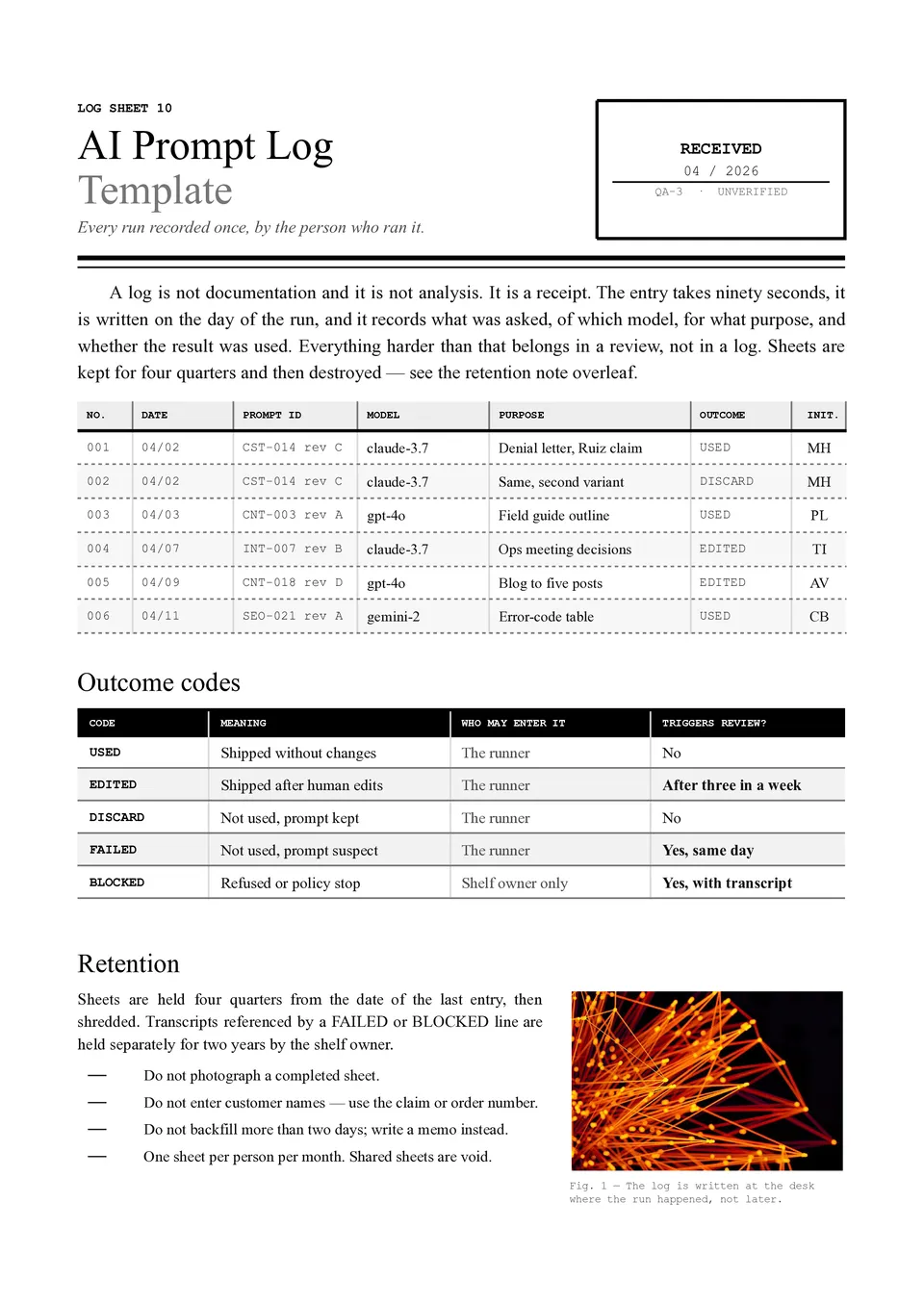
AI Prompt Log Template helps track which prompts were used, what inputs were provided, what results were generated, and which versions performed best. It can include fields for the date, project, tool or model, prompt text, context, output summary, rating, revisions, and next steps. Teams, researchers, marketers, students, and AI users can use it to compare experiments and avoid losing effective instructions. Keeping a record makes it easier to improve prompt quality, reproduce results, and identify patterns in successful outputs. The free editable layout is ready to download, print, or use as an ongoing prompt documentation system.
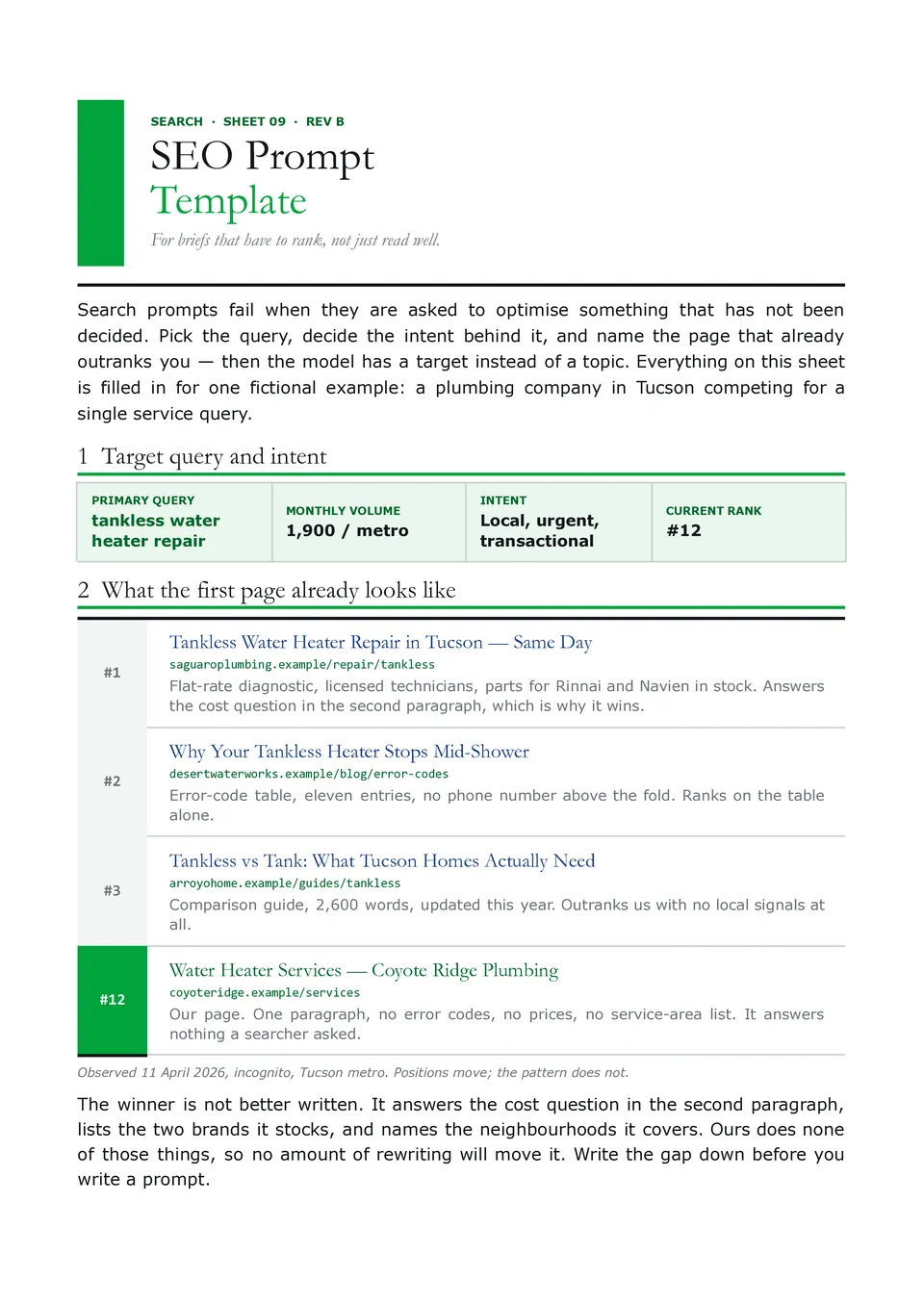
SEO Prompt Template helps structure AI requests for keyword research, search intent, content briefs, title ideas, meta descriptions, outlines, internal links, and optimization checks. SEO specialists, bloggers, agencies, ecommerce teams, and business owners can define the target keyword, audience, search intent, content goal, competitor context, tone, and required output. These details give AI a clearer basis for producing content that is relevant to both readers and search strategy. The organized fields also make prompts easier to reuse across pages, products, and campaigns. You can edit the template for free and maintain it as part of a repeatable SEO workflow.
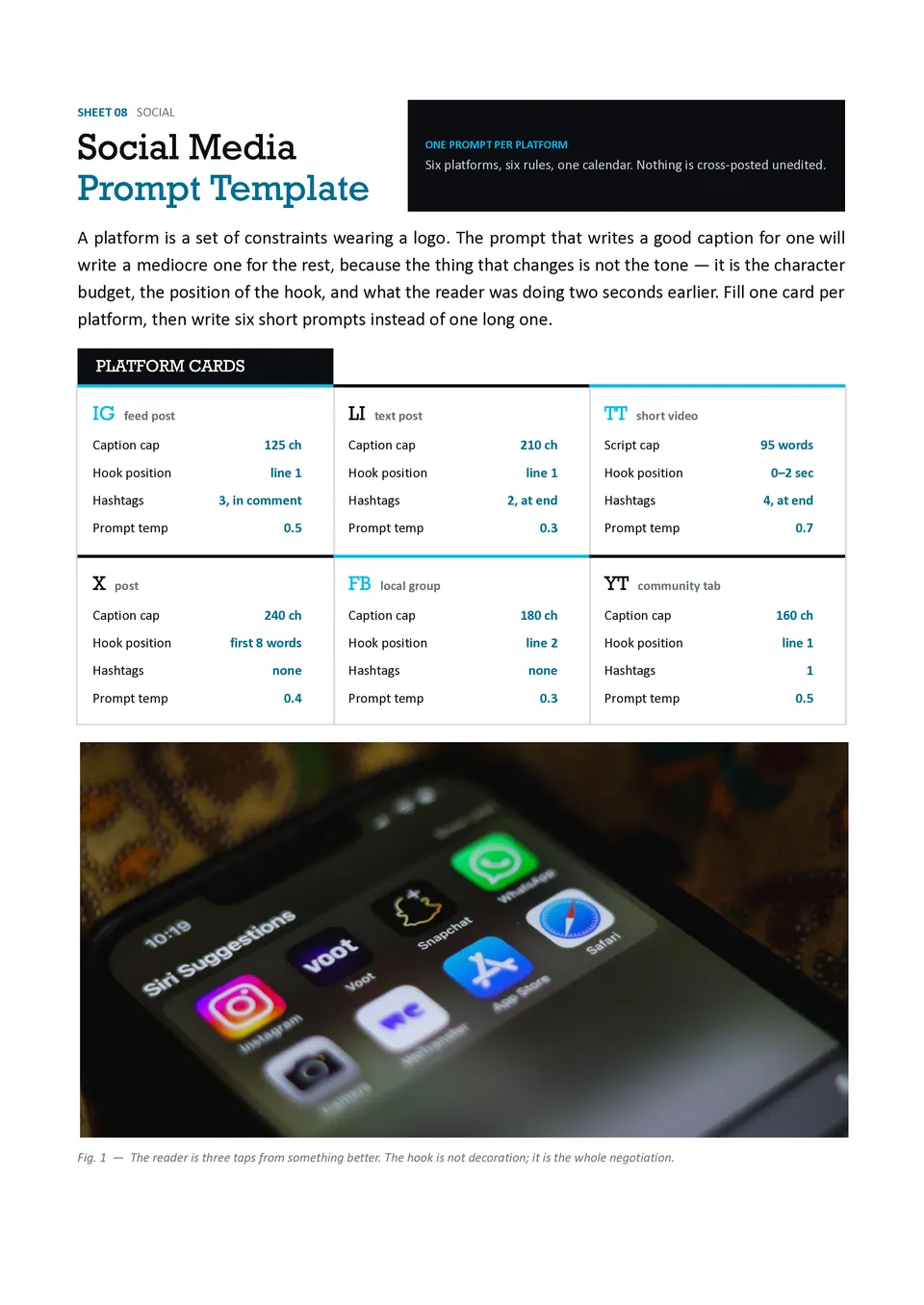
Social Media Prompt Template organizes the information AI needs to create platform-specific posts, captions, hooks, hashtags, content ideas, and calls to action. It includes sections for the platform, audience, campaign goal, topic, brand voice, post length, visual direction, and engagement objective. Social media managers, creators, agencies, and small-business owners can use it to produce content that fits each channel instead of copying one generic message everywhere. The detailed structure helps maintain consistency while allowing the wording to adapt to different audiences. It is free to customize and useful for building repeatable weekly or campaign-based content workflows.
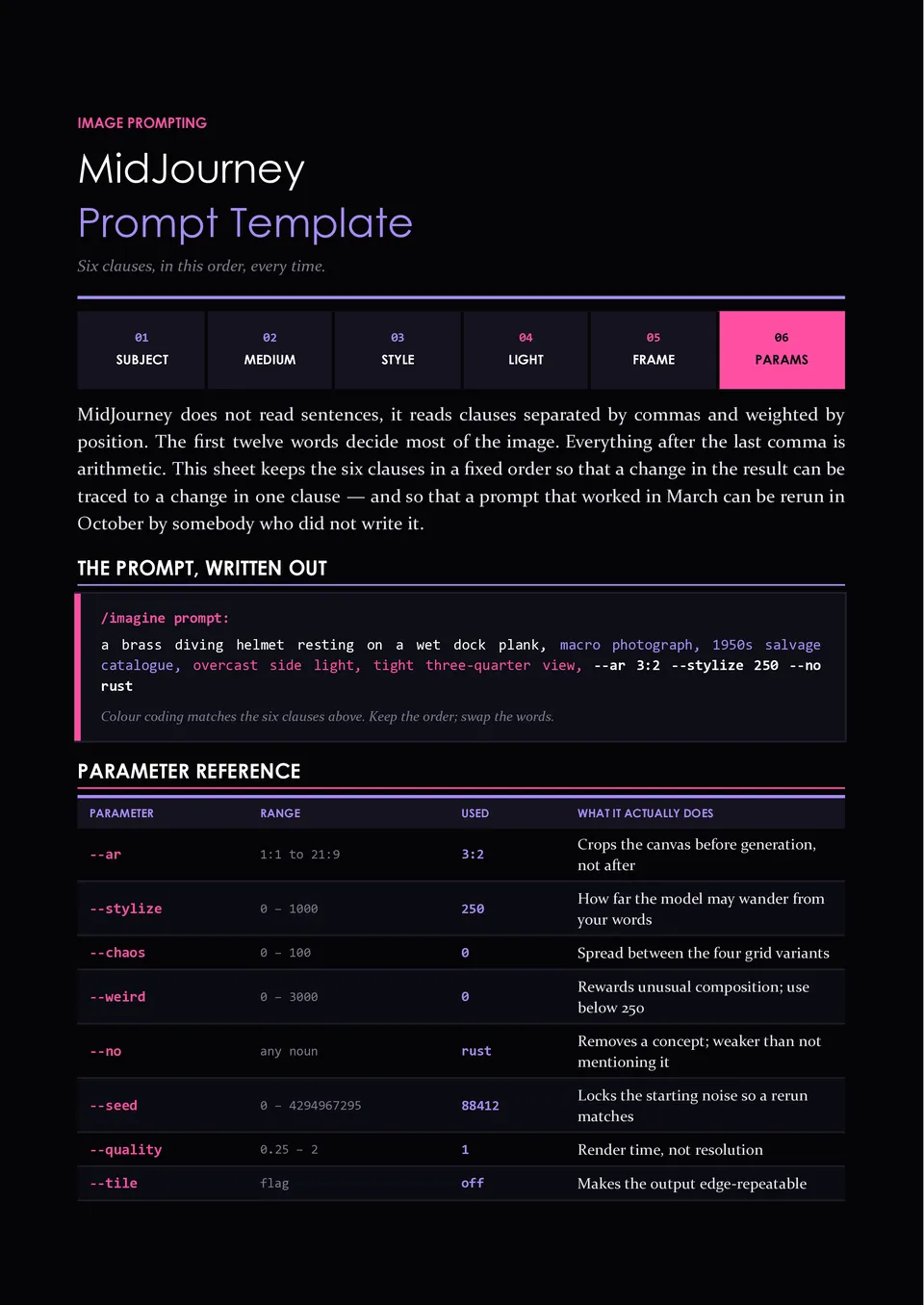
Are your AI-generated images missing the composition, mood, style, or visual details you had in mind? Midjourney Prompt Template helps organize subject, setting, composition, lighting, color palette, artistic style, camera details, aspect ratio, and negative instructions. Designers, artists, marketers, content creators, and product teams can use it to develop more deliberate image prompts before generating visuals. The structured approach makes it easier to compare variations and refine the elements that affect the final result. You can customize the free template for different visual projects and keep a reusable prompt record for future work.
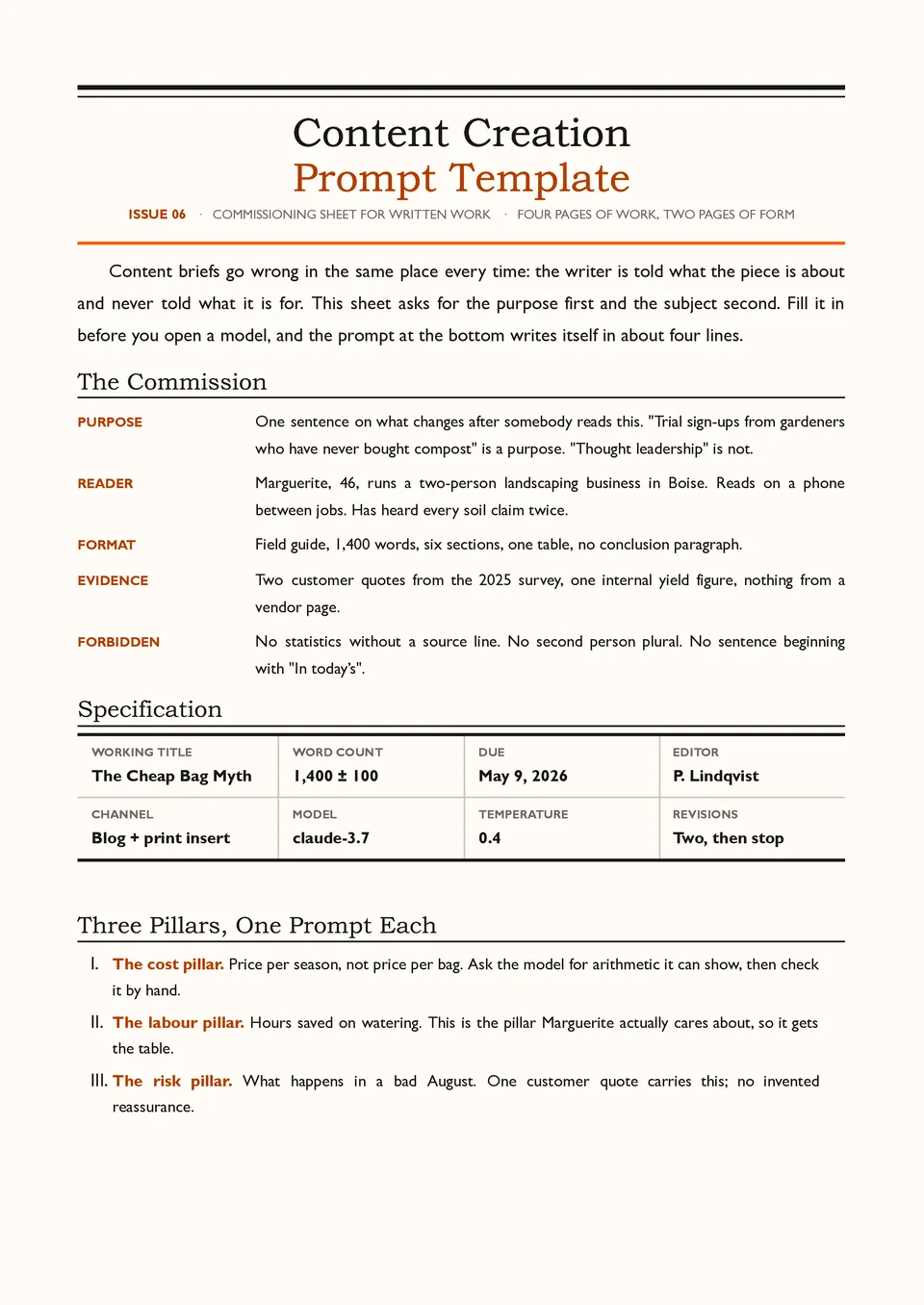
Content Creation Prompt Template helps turn a content idea into a complete AI brief with a defined audience, topic, purpose, tone, structure, length, key points, and call to action. Bloggers, copywriters, video creators, newsletter teams, and social media professionals can use it for articles, scripts, captions, posts, and other content formats. The sections make it easier to provide the background and limitations an AI model needs before generating a draft. A reusable structure also supports a more consistent voice across multiple pieces of content. It is free to edit and ready to save, print, or use as a repeatable content workflow.
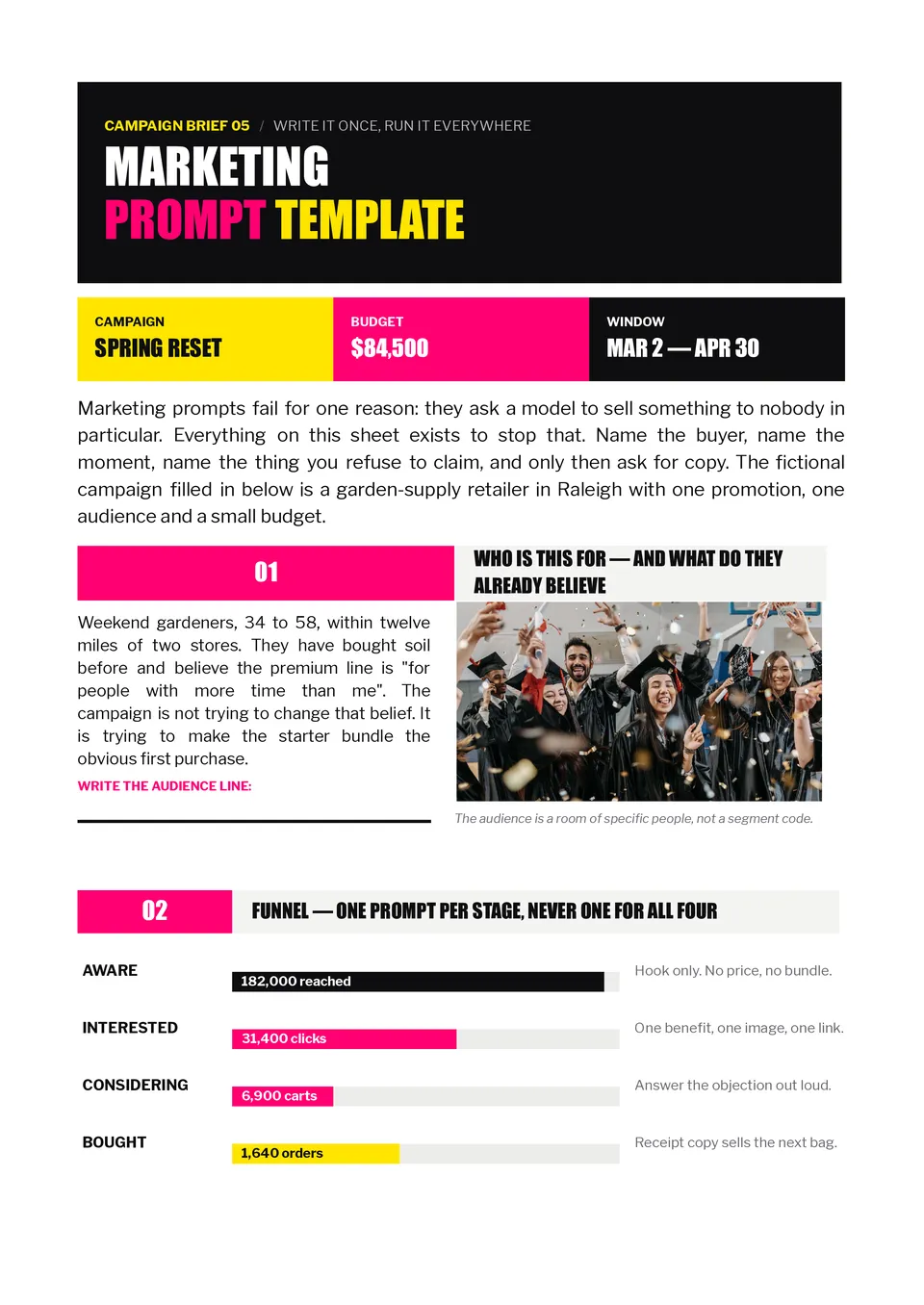
Marketing Prompt Template gives marketers a repeatable structure for generating campaign ideas, audience insights, ad copy, email content, product messaging, and promotional concepts. It provides space for the target audience, campaign objective, offer, brand voice, platform, call to action, length, and restrictions. Agencies, founders, social media managers, and in-house marketing teams can use it to brief AI with enough context for more relevant results. The detailed input fields help keep generated content aligned with the brand and the intended customer journey. You can personalize it for free and reuse it across campaigns, channels, and content formats.
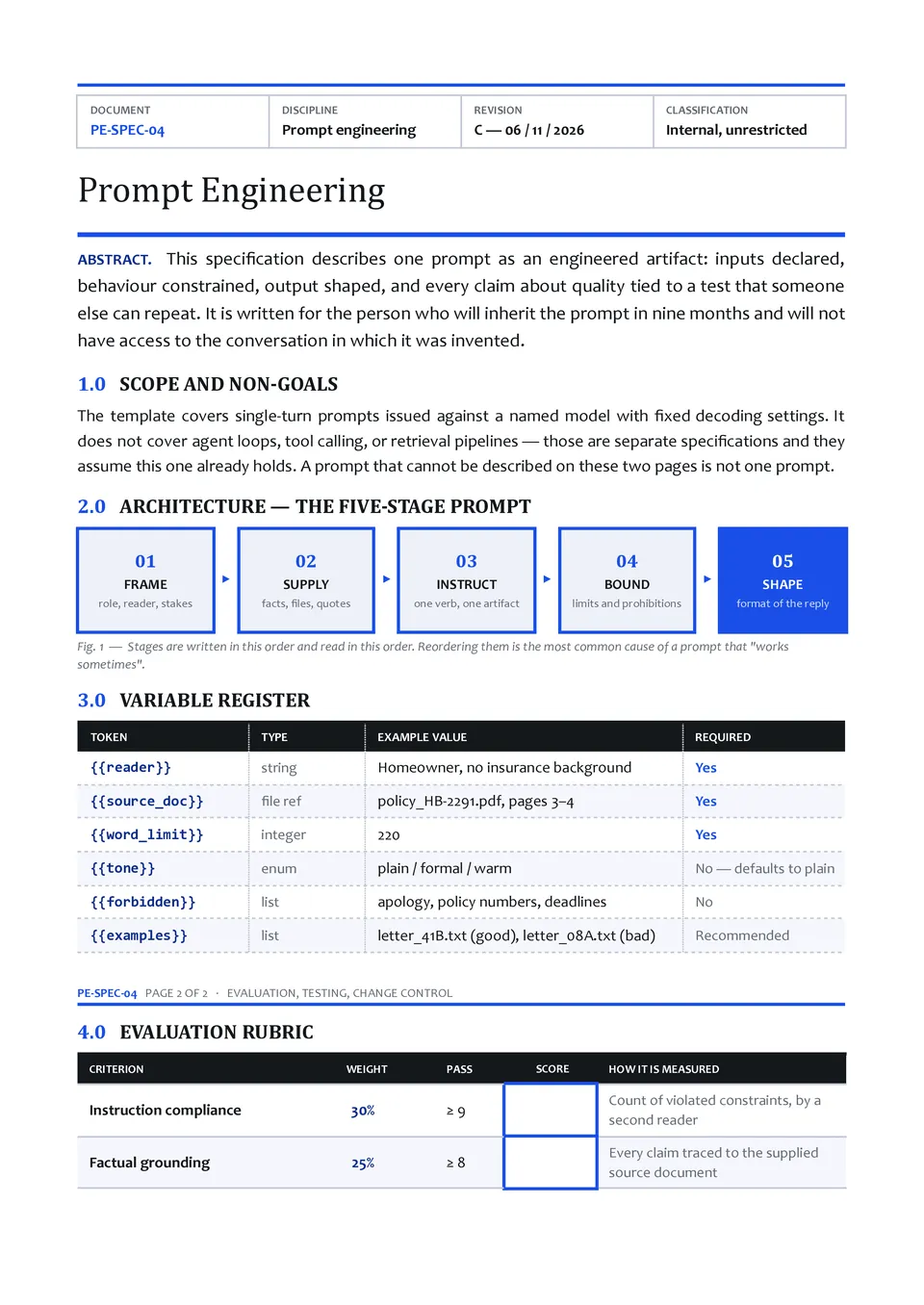
Do your AI responses vary because your requests lack clear goals, context, instructions, or output requirements? Prompt Engineering Template breaks a strong prompt into practical sections such as role, task, context, constraints, examples, tone, and response format. It suits AI practitioners, developers, analysts, educators, and teams building repeatable workflows with language models. The framework helps identify missing information and makes prompts easier to test and improve over time. You can edit the sections for free and use the completed structure for experiments, documentation, or team standards.
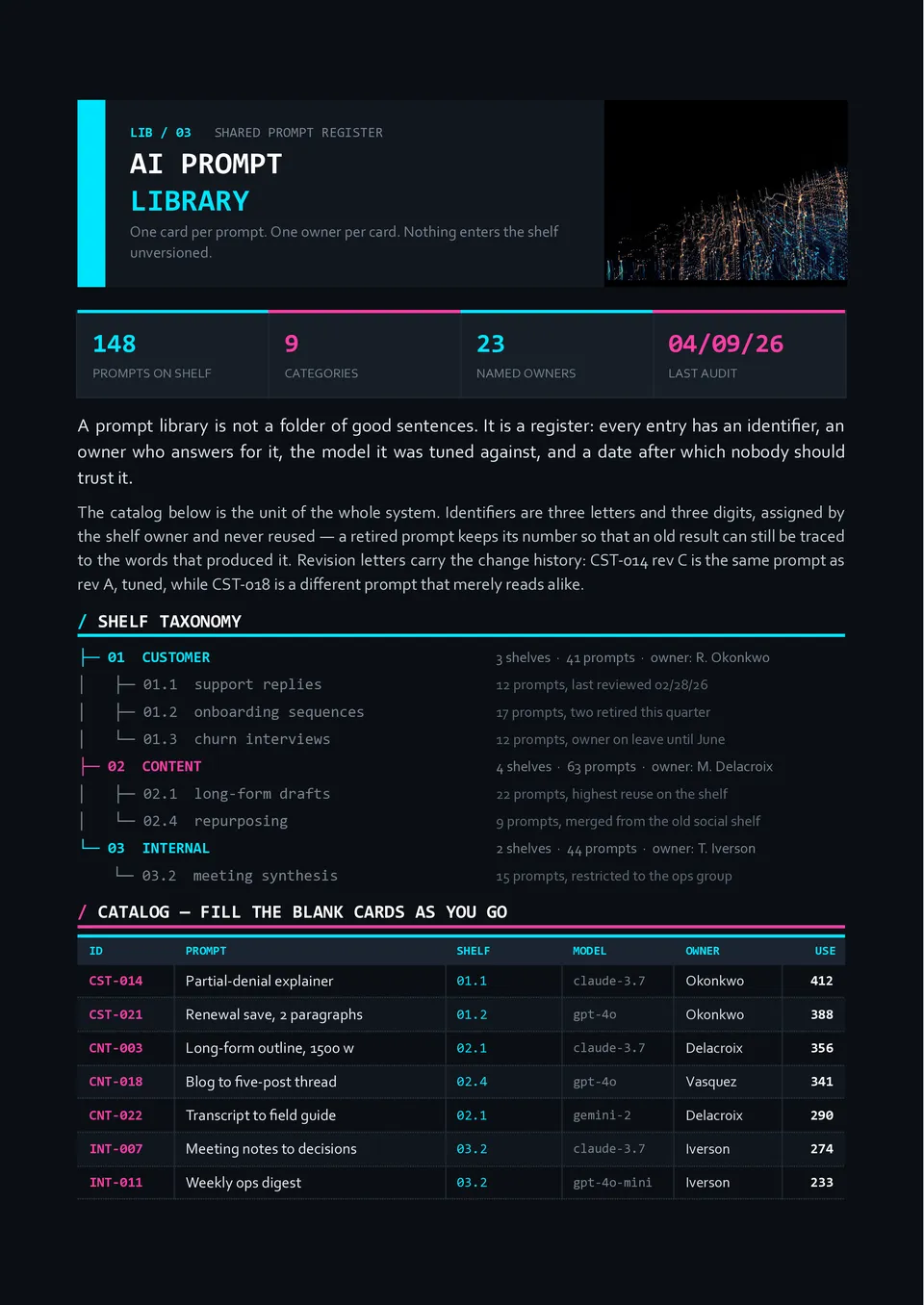
AI Prompt Library Template organizes reusable prompts by category, purpose, audience, model, tone, and workflow. It can include fields for the prompt itself, required inputs, example outputs, tags, version history, and notes about when to use it. Marketing teams, content creators, researchers, educators, and businesses can use it to build a searchable collection instead of recreating effective instructions from memory. The structured library makes successful prompts easier to find, compare, update, and share with colleagues. It is free to customize and ready to download, print, or maintain as a working prompt repository.
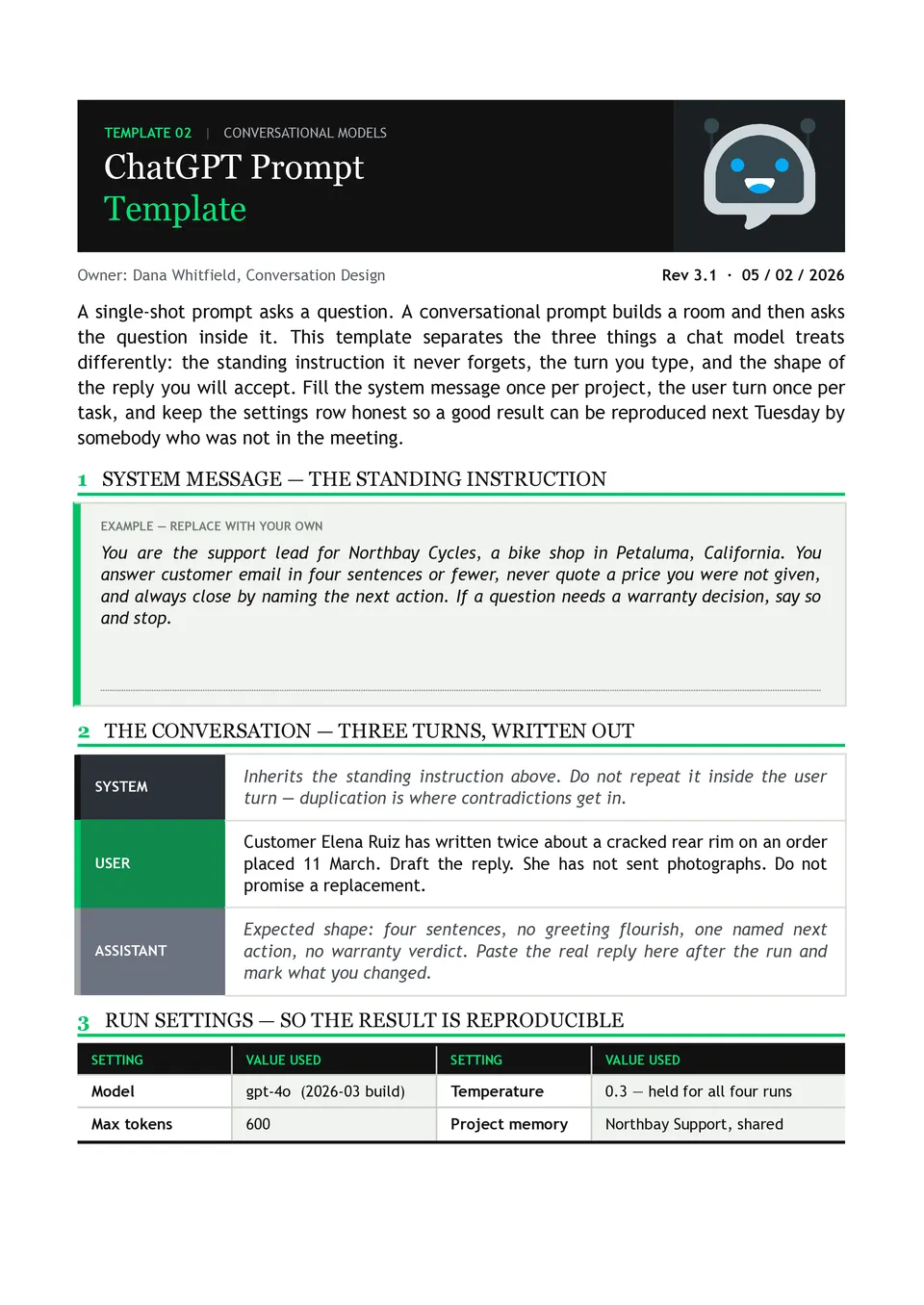
ChatGPT Prompt Template helps users turn a vague request into a more specific instruction with defined context, goal, tone, format, and constraints. It includes sections for the task, relevant background, desired response, examples, and requirements that ChatGPT must follow. Students, creators, researchers, support teams, and professionals can use it to get more consistent and useful responses. The structured layout reduces ambiguity and makes it easier to refine prompts for repeated tasks. You can customize it for free and use the finished prompt as a reusable workflow.
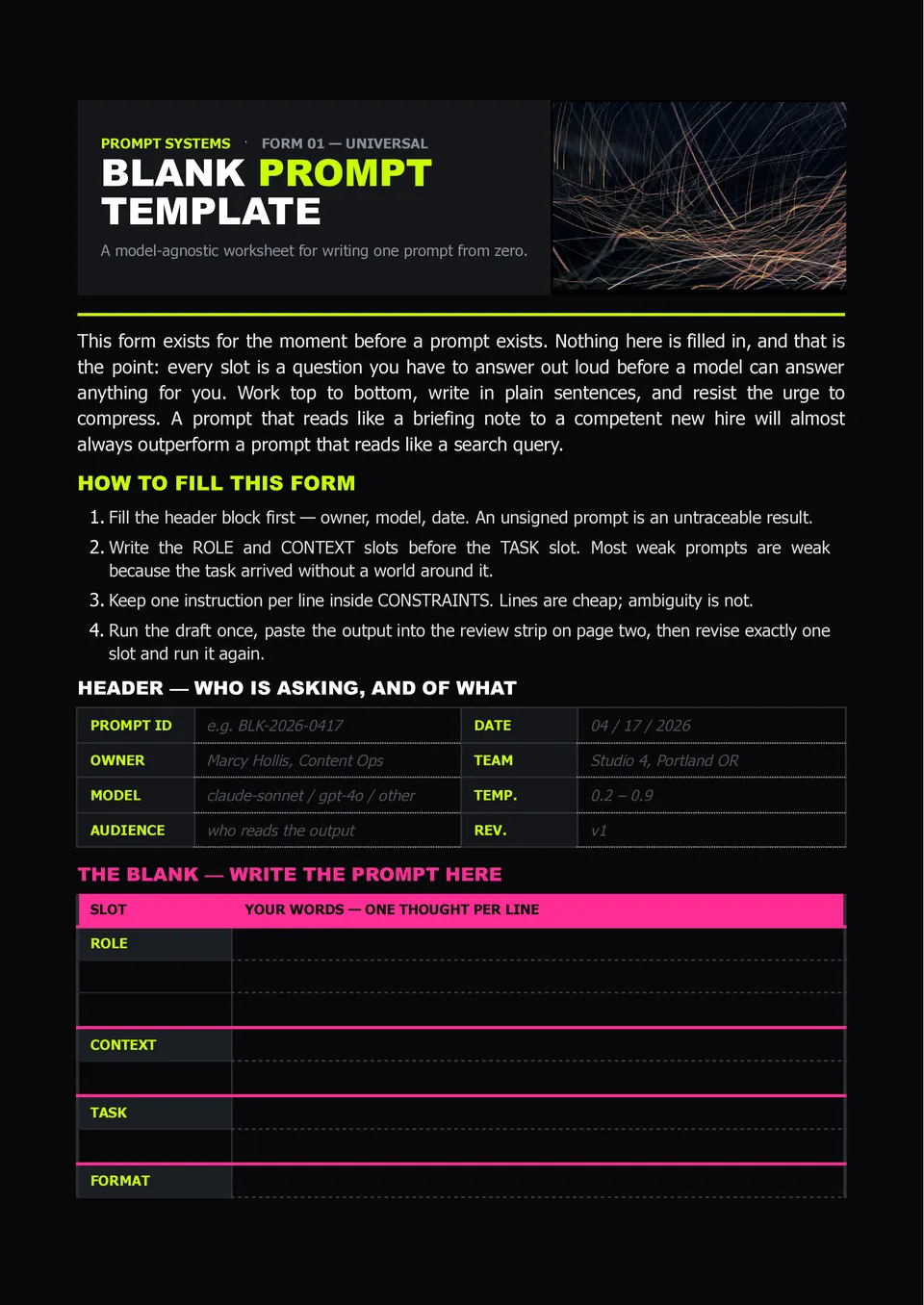
Need a flexible place to write better AI instructions without forgetting important context or constraints? Blank Prompt Template provides open sections for the role, task, background information, desired output, tone, limitations, and examples. Students, professionals, marketers, and business teams can adapt it for almost any AI-related task. The empty structure gives you full control over the prompt instead of forcing your request into a rigid use case. It is free to edit, ready to download, print, or reuse whenever you need a clearer starting point.

Choose your preferred social media platform from options like Pinterest, Facebook, Twitter, and more. Share our templates with your contacts or friends. If you’re not active on these social networks, you can simply copy the link and paste it into the one you use.