

 Back to templates
 Google Docs Templates - Page 6
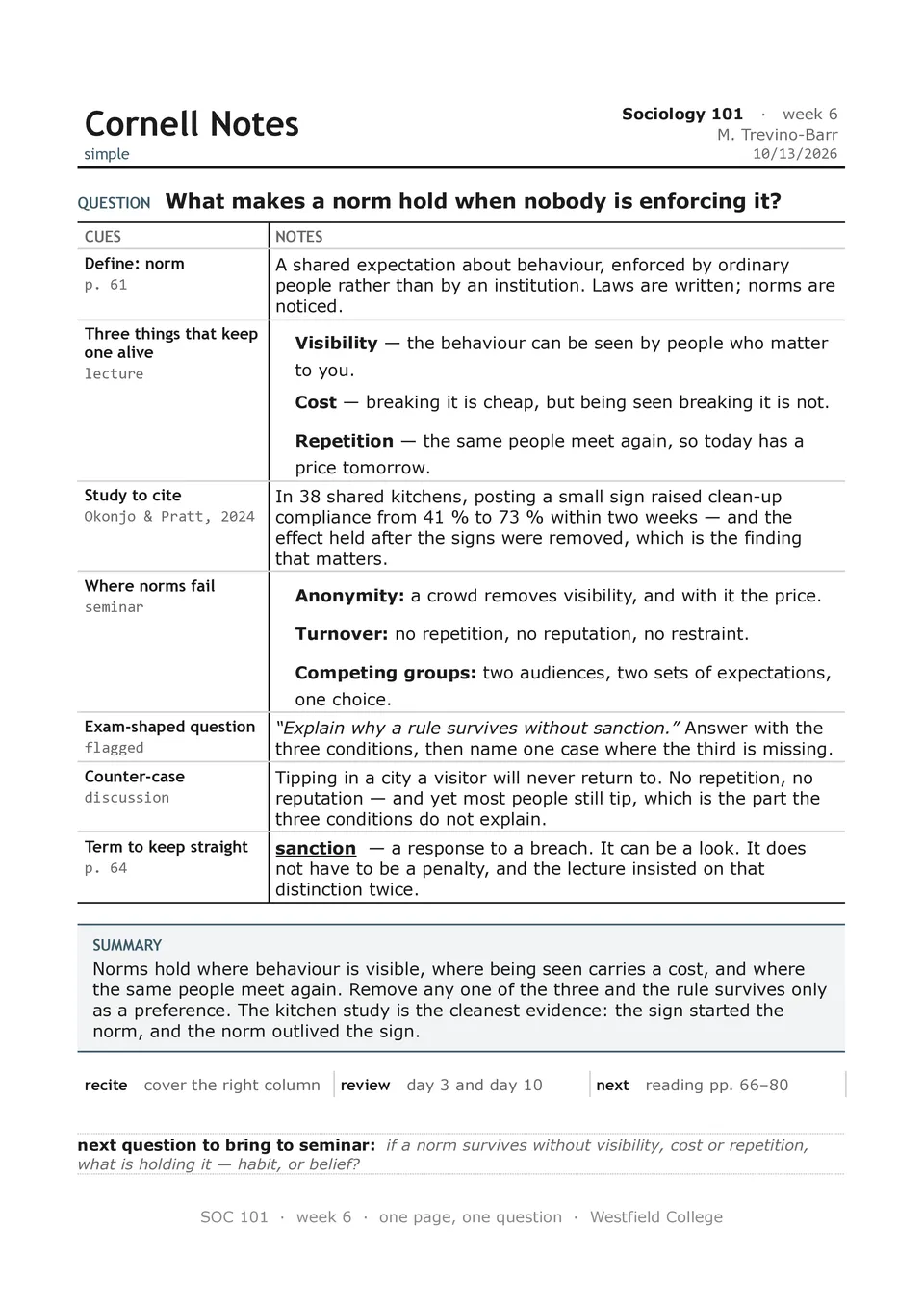
Simple Cornell Notes Template removes unnecessary visual elements and focuses on the core study workflow: take notes, create cues, and write a summary. The page contains a heading area, a left recall column, a main notes section, and a short summary block at the bottom. It is suitable for learners who want a fast, familiar setup for lectures, textbook chapters, webinars, or independent revision. The minimal design helps the reader focus on content and makes the final notes easy to scan before quizzes or exams. It is free to edit, convenient to duplicate, and ready to download, print, or share with classmates.

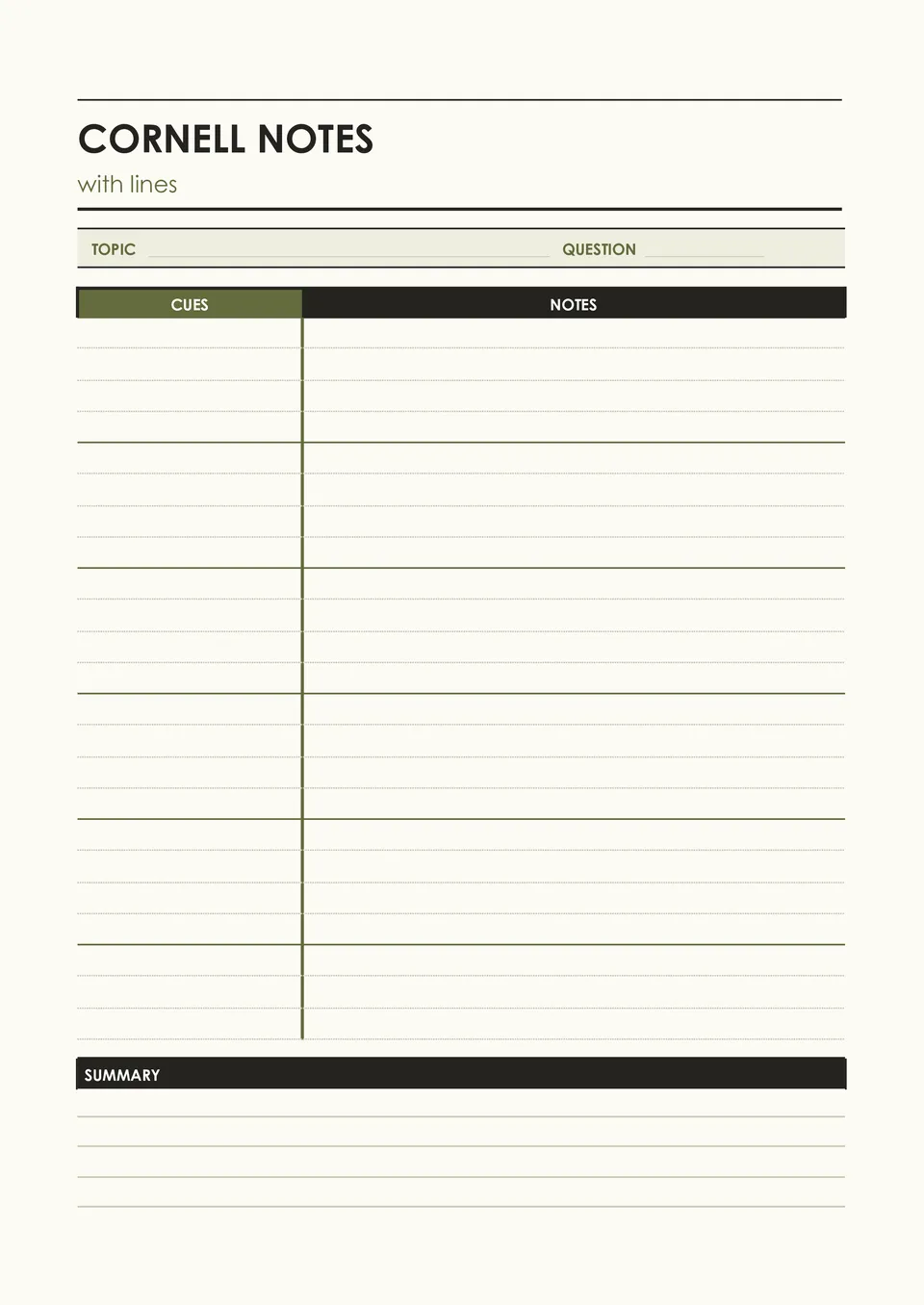
Cornell Notes With Lines Template combines the standard cue, notes, and summary structure with ruled writing space that keeps handwritten pages tidy. It includes a narrow left section for prompts and key terms, lined space for lecture or reading notes, and a bottom area for a concise recap. It works well for students who prefer handwriting but want more guidance than a blank page provides. The lined design makes it easier to keep ideas aligned, leave room for additions, and reread notes later. You can use it free of charge, modify the page details, and print enough copies for an entire course.
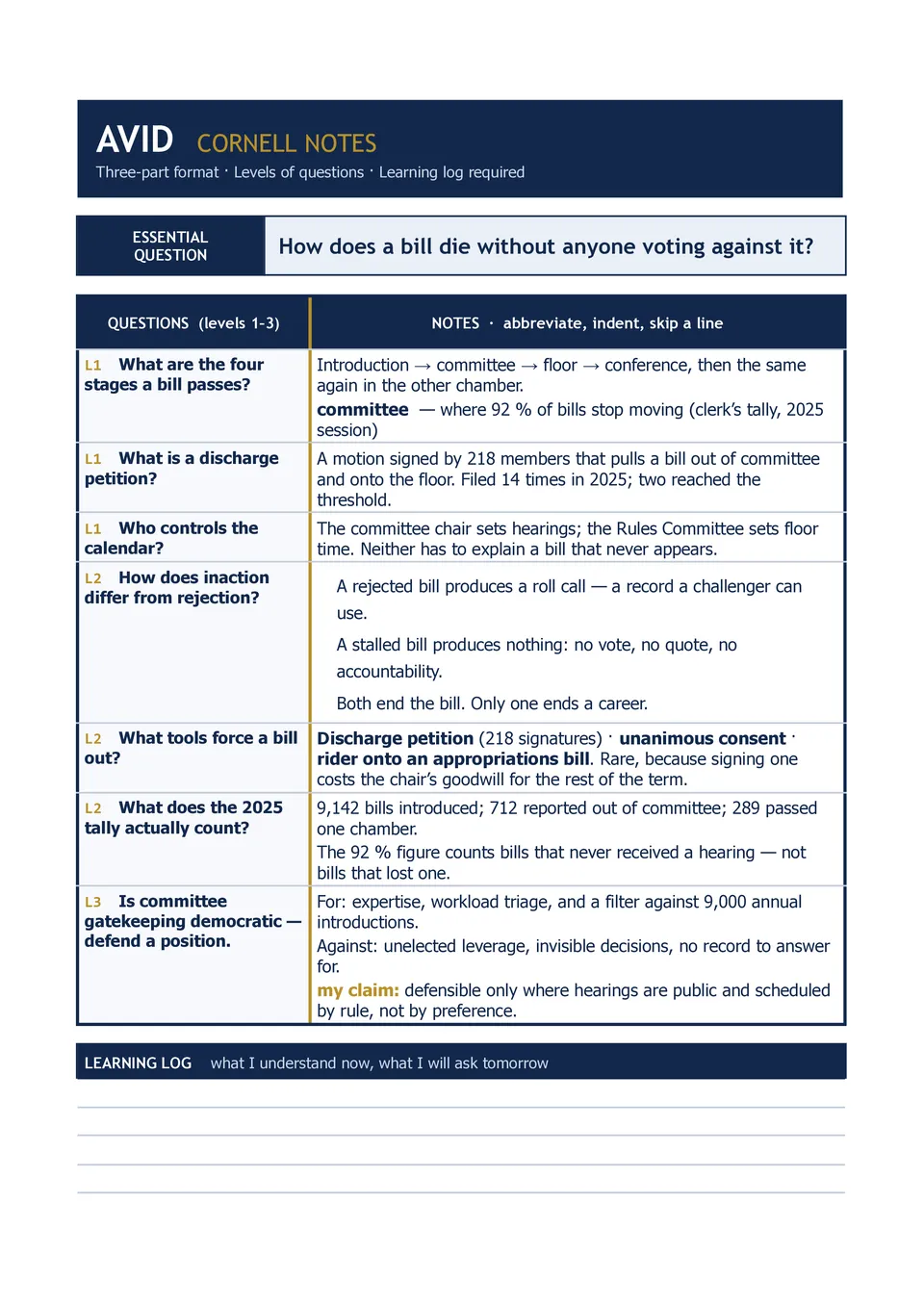
AVID Cornell Notes Template supports the AVID-focused note-taking process by organizing a page around an essential question, questions or connections, detailed notes, and a summary reflection. Teachers, AVID students, academic support staff, and schools can use it to build consistent active-learning habits across subjects. The structure encourages learners to record information first, return to create meaningful prompts, and reflect on the lesson in their own words. It also gives space for identifying the note-taking purpose, class, date, and topic. The layout is free to customize, ready for printing, and useful for both classroom instruction and independent study.
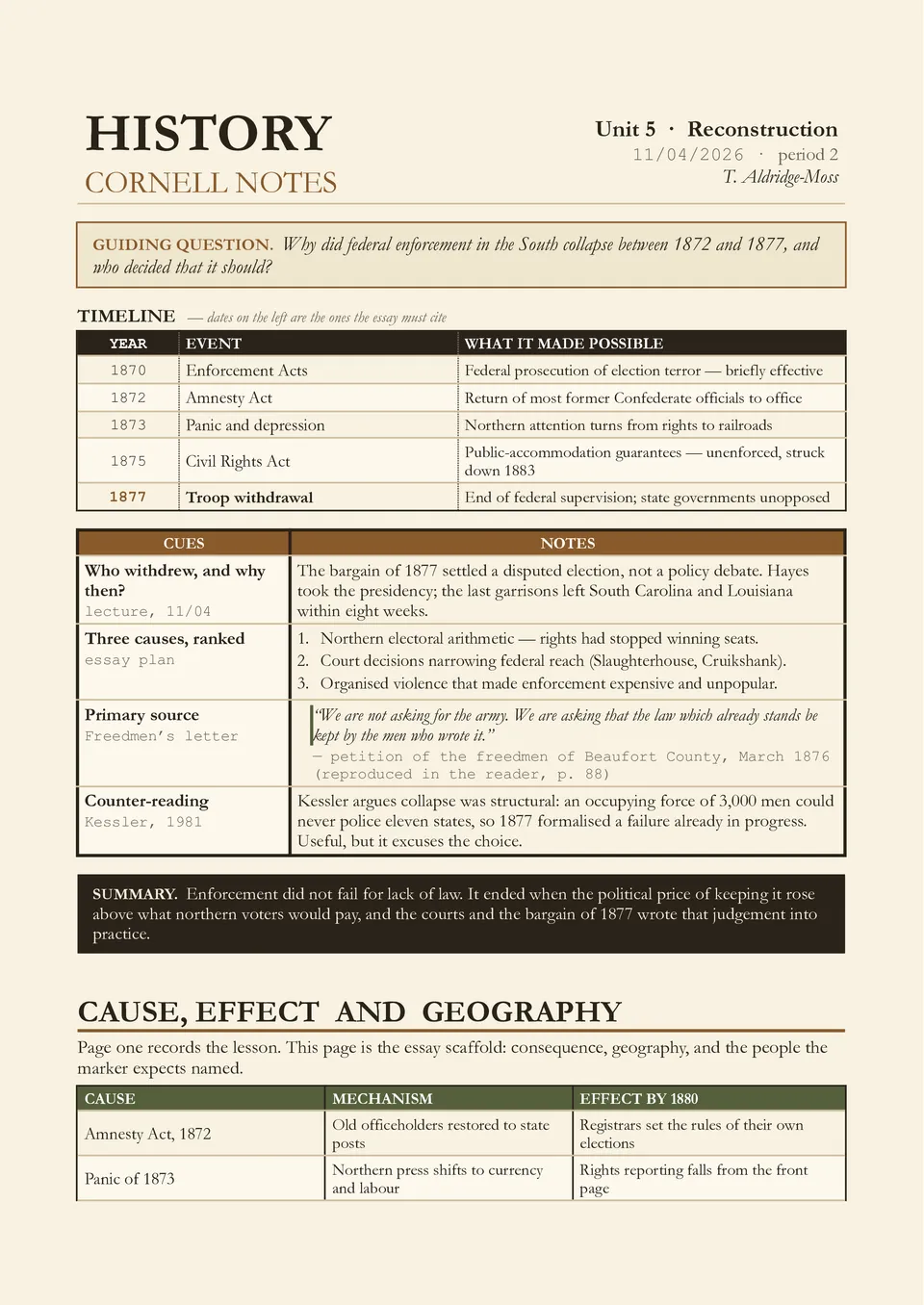
Are historical dates, people, causes, and consequences difficult to remember after a long lecture or reading assignment? History Cornell Notes Template organizes the material into a cue column for dates and guiding questions, a notes section for events and evidence, and a summary area for the broader historical significance. It is ideal for history students, social studies teachers, exam candidates, and anyone studying timelines, source materials, or major movements. The layout makes it easier to link individual facts to causes, effects, and recurring themes. Available for free, it can be customized for any era or topic and prepared for printing or digital review.
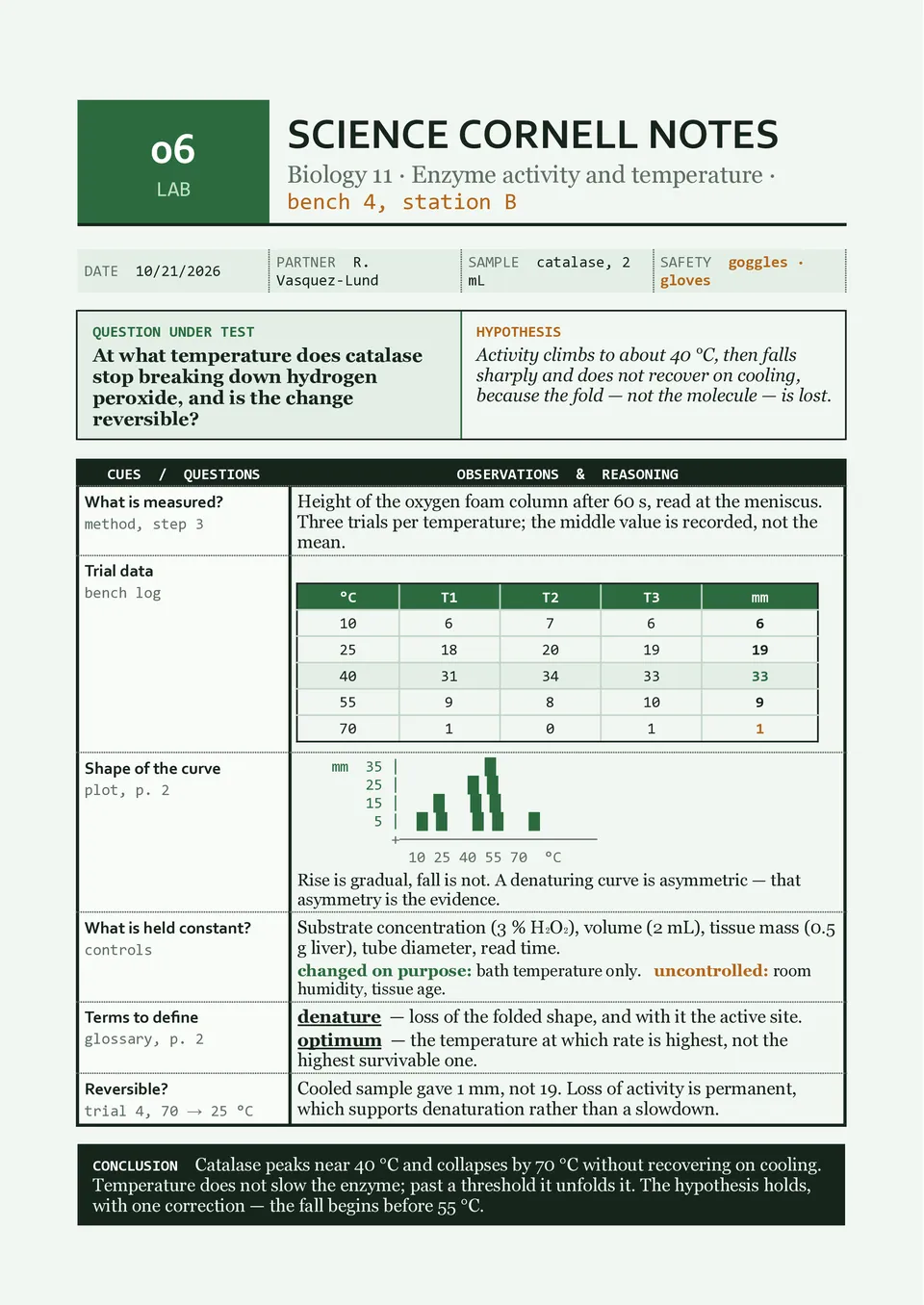
Science Cornell Notes Template helps turn complex lessons into reviewable notes with dedicated space for vocabulary, hypotheses, processes, diagrams, observations, evidence, and conclusions. Students, science teachers, lab groups, and homeschoolers can use it for biology, chemistry, physics, earth science, and laboratory work. The cue column can hold key terms or test questions, while the summary area lets learners connect the main scientific idea to the evidence recorded above. This approach supports both note-taking during instruction and active recall during revision. You can personalize the template at no cost, then download, print, or keep it in a digital subject binder.
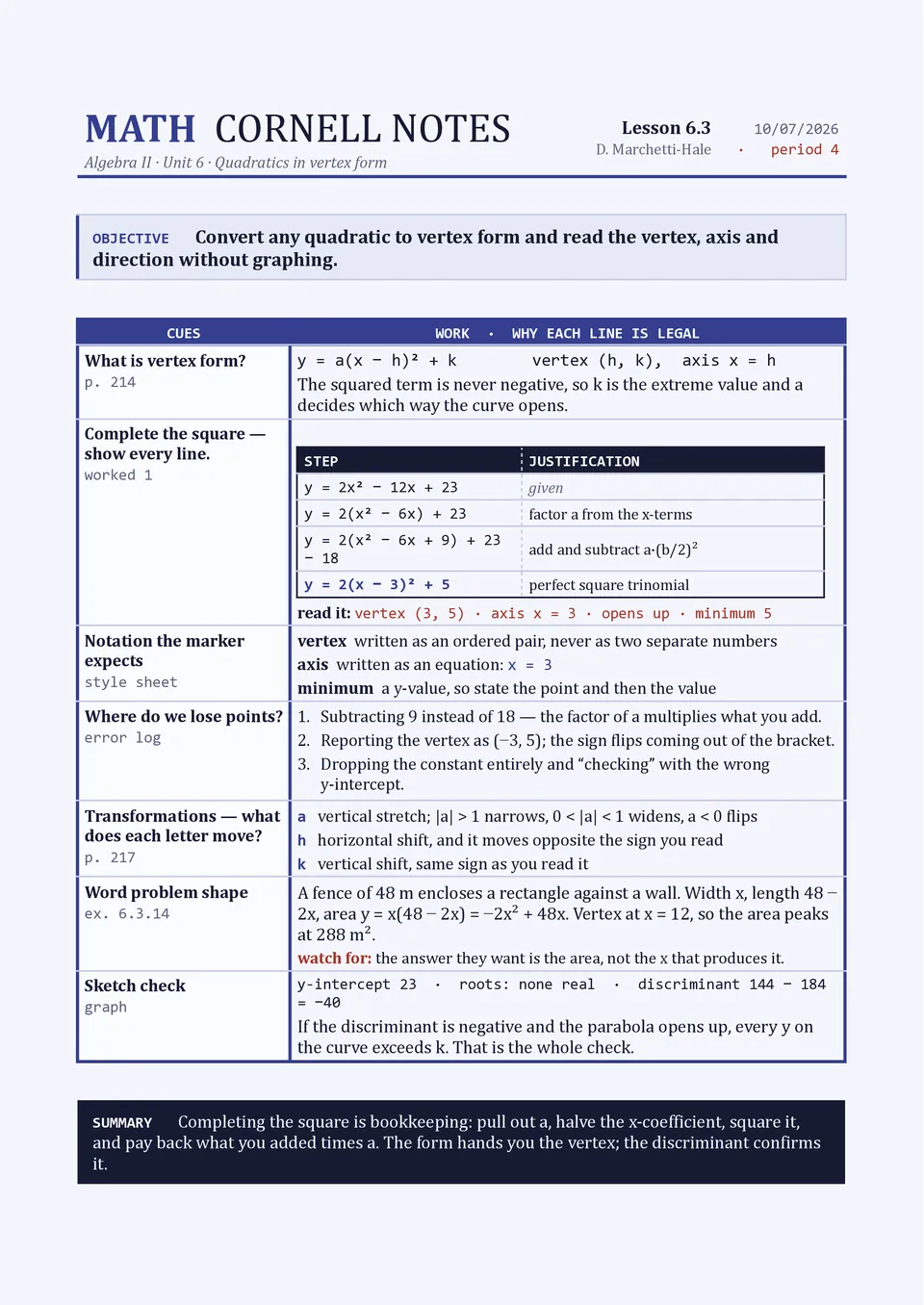
Do formulas, worked examples, and problem-solving steps become confusing when they are mixed into ordinary notes? Math Cornell Notes Template creates separate areas for key terms and questions, detailed calculations, formulas, examples, and a final summary of the concept. It is a strong choice for middle school, high school, college, and tutoring environments where learners need to review methods as well as answers. The wider notes section gives room to show equations and step-by-step reasoning, while the cue column supports quick self-testing. The template is free to edit and can be printed or saved for homework, exam preparation, and lesson review.
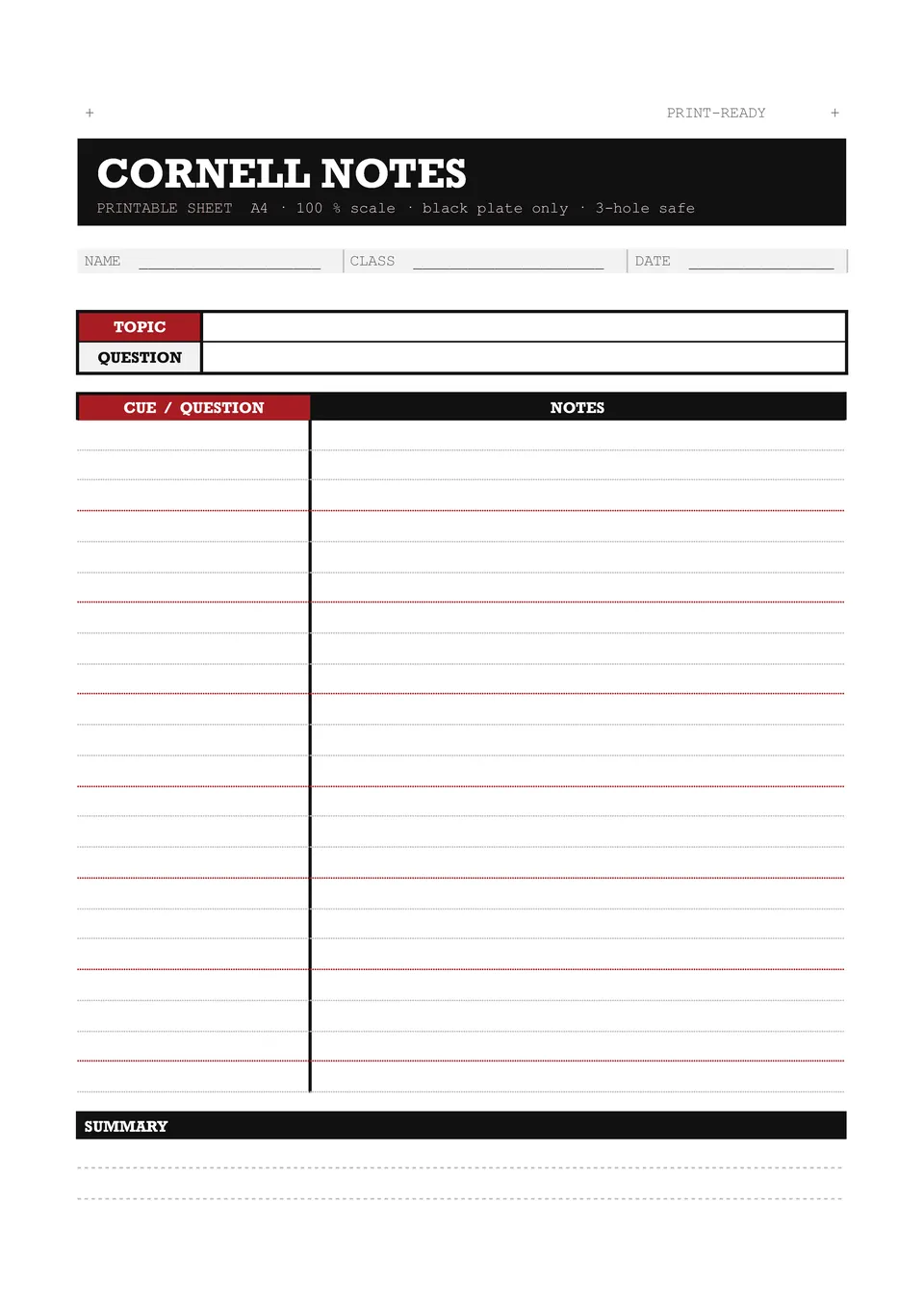
Printable Cornell Notes Template gives learners a ready-made page for taking structured notes away from a screen. It features space for a topic header, a cue or question column, a wide note-taking area, and a bottom section for summarizing key ideas. High school students, college students, teachers, and training participants can print several copies before a class, workshop, or study session. The three-part design supports recording information, creating review prompts afterward, and condensing the material into a quick recap. You can customize the page for free before printing it for a notebook, folder, or classroom handout.
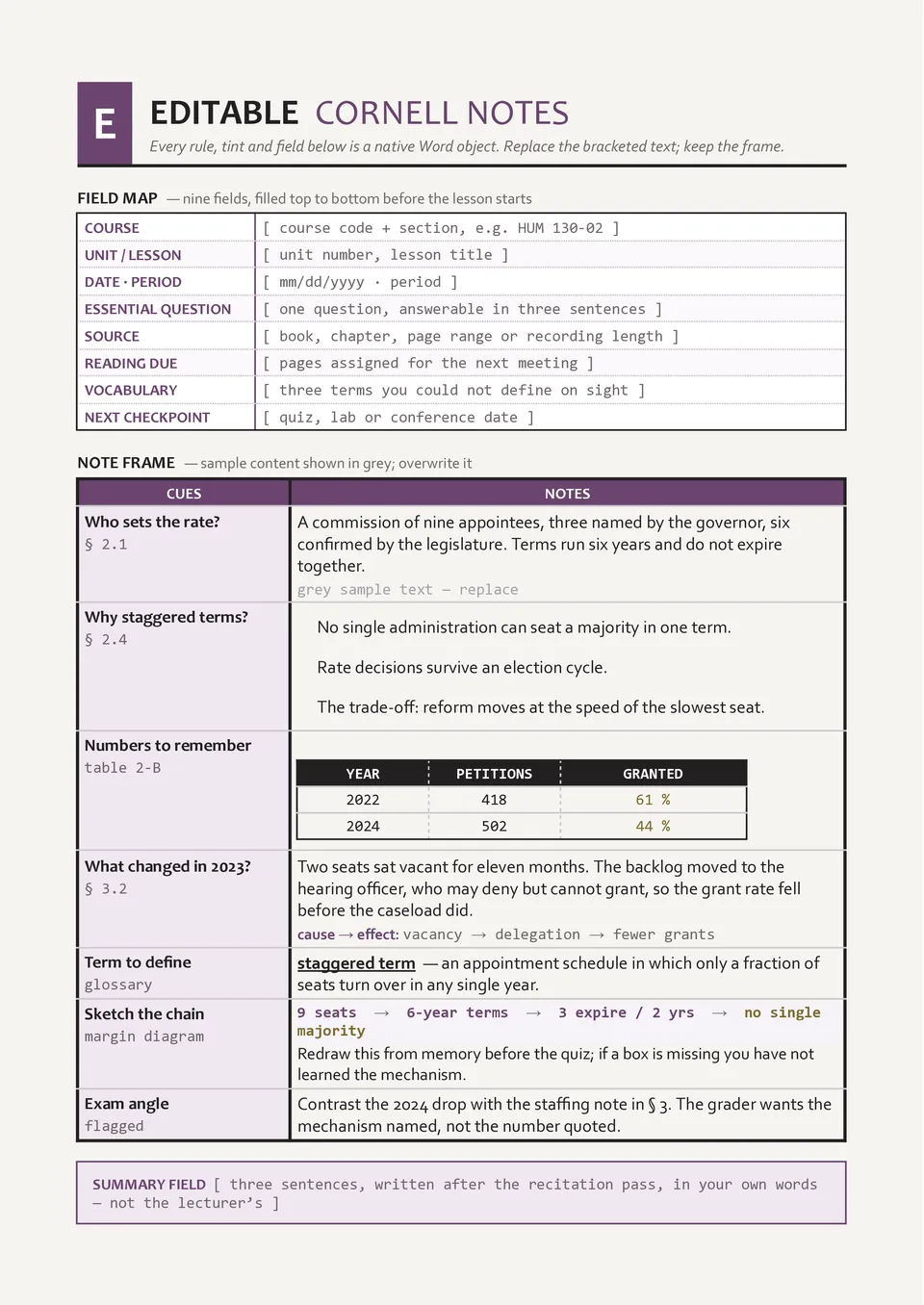
Are you looking for a Cornell notes page that can be adjusted to fit your handwriting, class requirements, or preferred study style? Editable Cornell Notes Template contains customizable sections for a heading, cue prompts, detailed notes, and a summary, allowing you to change labels, spacing, colors, and text. It suits students, teachers, academic coaches, and homeschool families who want a reusable note-taking tool rather than a fixed worksheet. The page can be tailored for short lectures, long reading assignments, revision sessions, or collaborative learning. It is available free of charge and can be updated, downloaded, printed, or reused as often as you need.
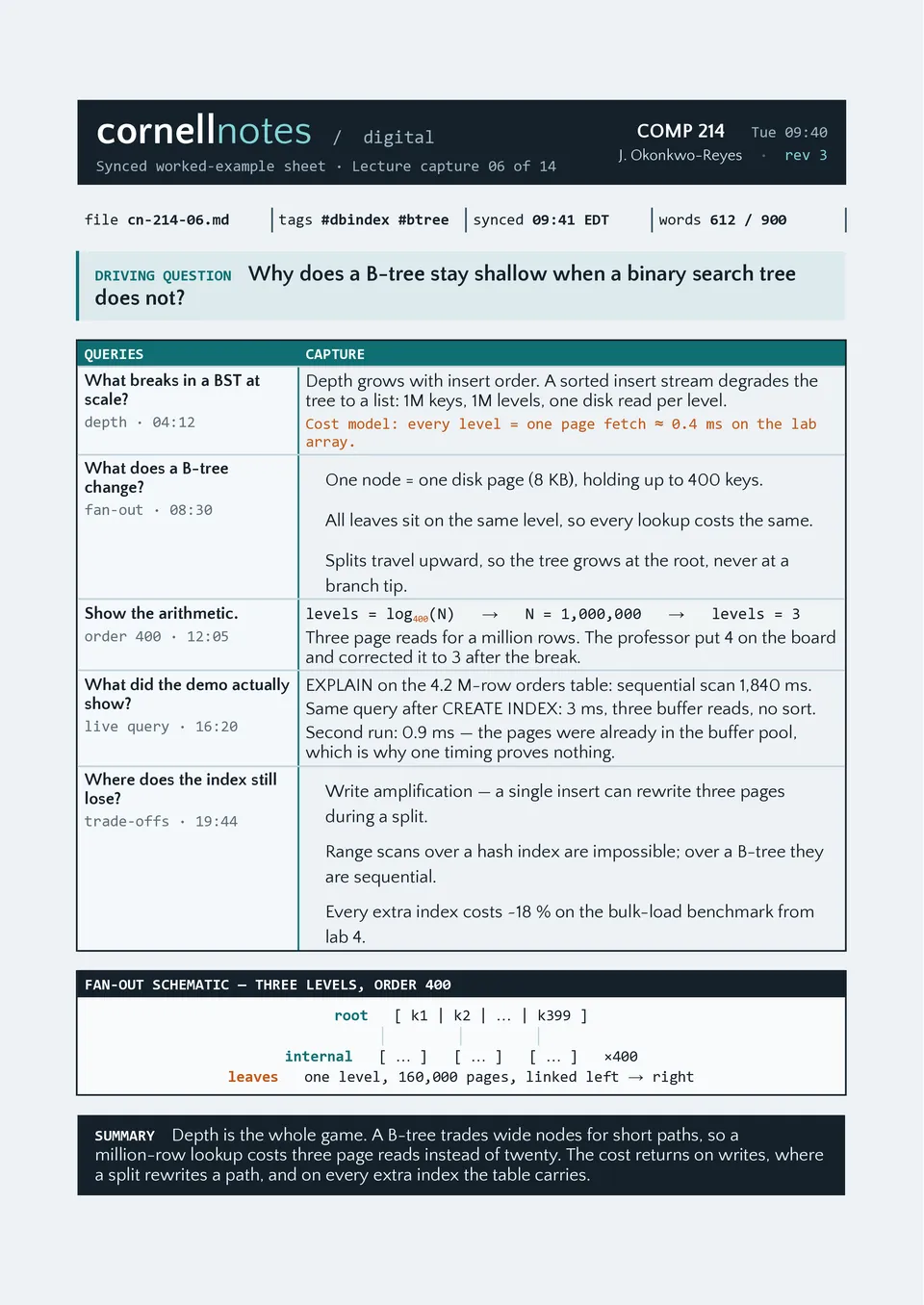
Digital Cornell Notes Template brings a proven study structure to a reusable page you can update, duplicate, and organize for multiple subjects. It includes areas for the lesson topic, date, cue questions, main notes, and a final summary of the most important ideas. It is useful for students attending online classes, taking notes from videos, or building a searchable study archive. The organized sections encourage active review by turning notes into recall questions and short summaries. You can edit every part for free, save copies for future lessons, and share or print your completed notes whenever needed.
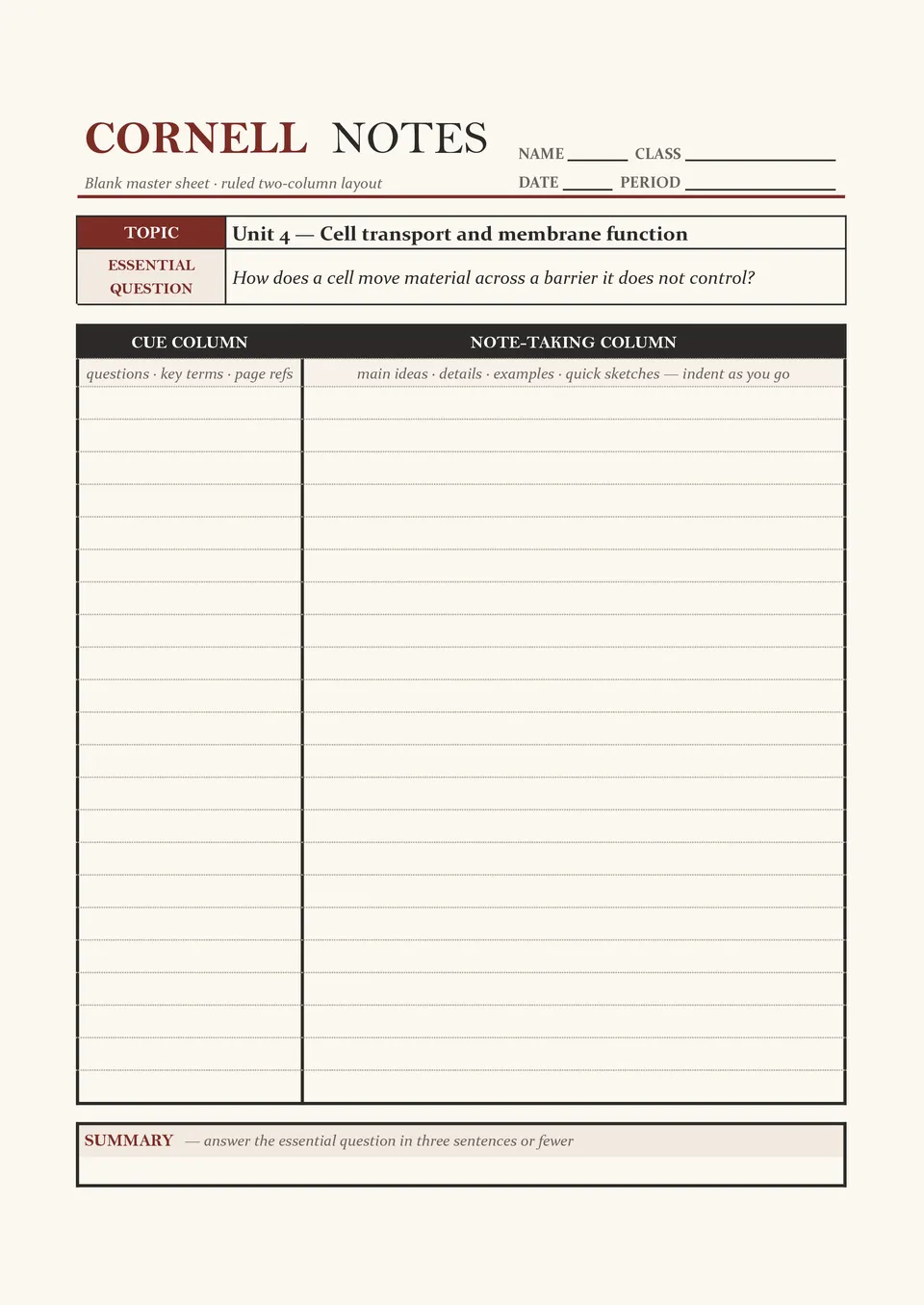
Do you need a distraction-free page for Cornell notes without preset subjects, colors, or extra elements? Blank Cornell Notes Template provides the essential three-part structure: a left cue column for keywords and questions, a larger notes area, and a summary section at the bottom. Students, teachers, tutors, and independent learners can adapt it to any lecture, chapter, meeting, or study topic. Its open layout leaves room to write in course details, dates, and the exact amount of content each lesson requires. The template is free, easy to personalize, and ready to download, print, or use digitally.
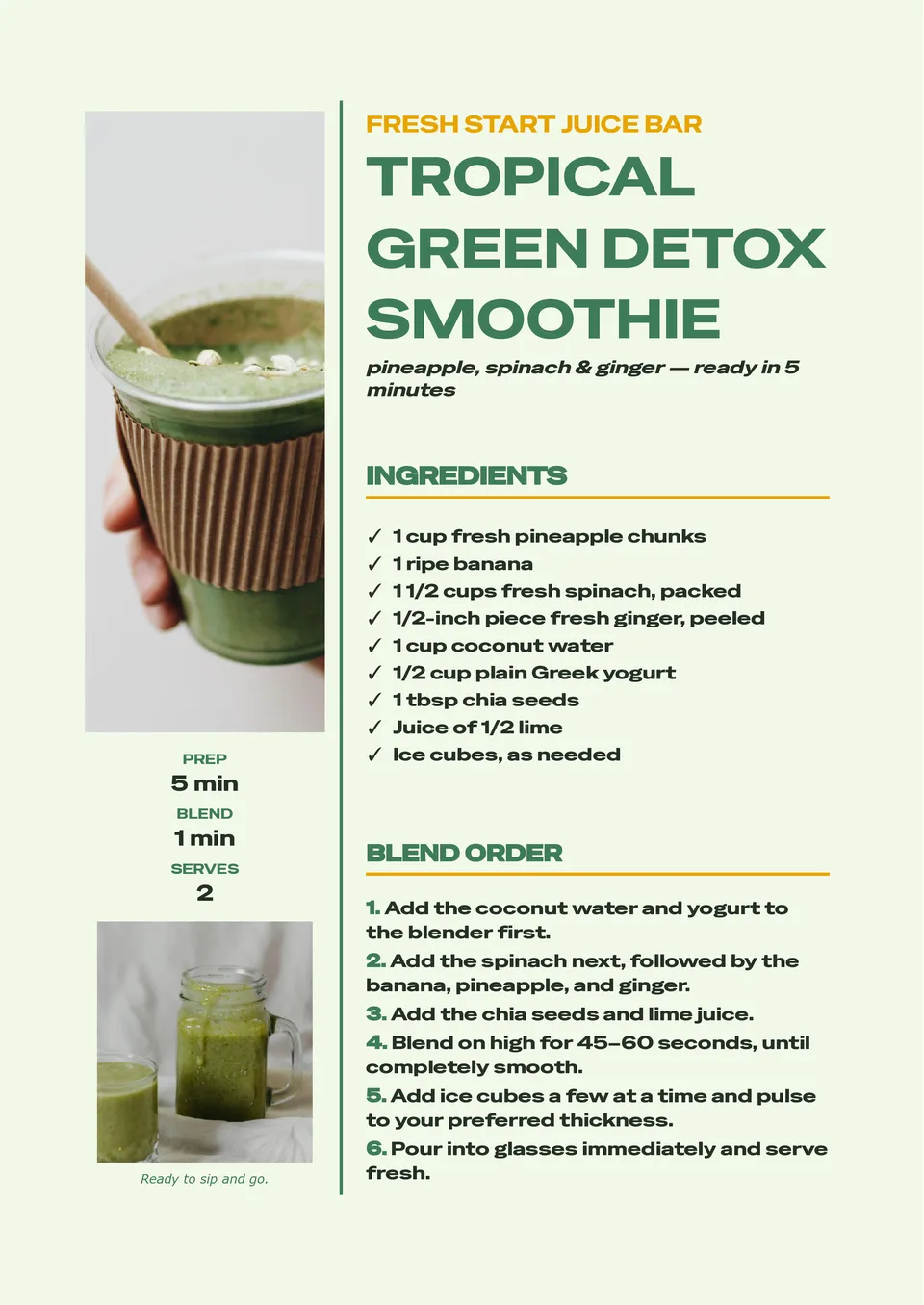
A consistent smoothie recipe is much easier to repeat when ingredients, portions, and blending instructions are written in one clear place. Smoothie Recipe Template provides room for fruits, vegetables, liquids, add-ins, serving size, nutrition notes, preparation steps, and optional garnish ideas. It is useful for wellness creators, cafés, fitness coaches, parents, and anyone building a personal collection of quick drinks. The layout makes it simple to compare combinations and adjust recipes for different dietary preferences. Add your own ingredients and visuals, then save, print, or share the free editable design with others.
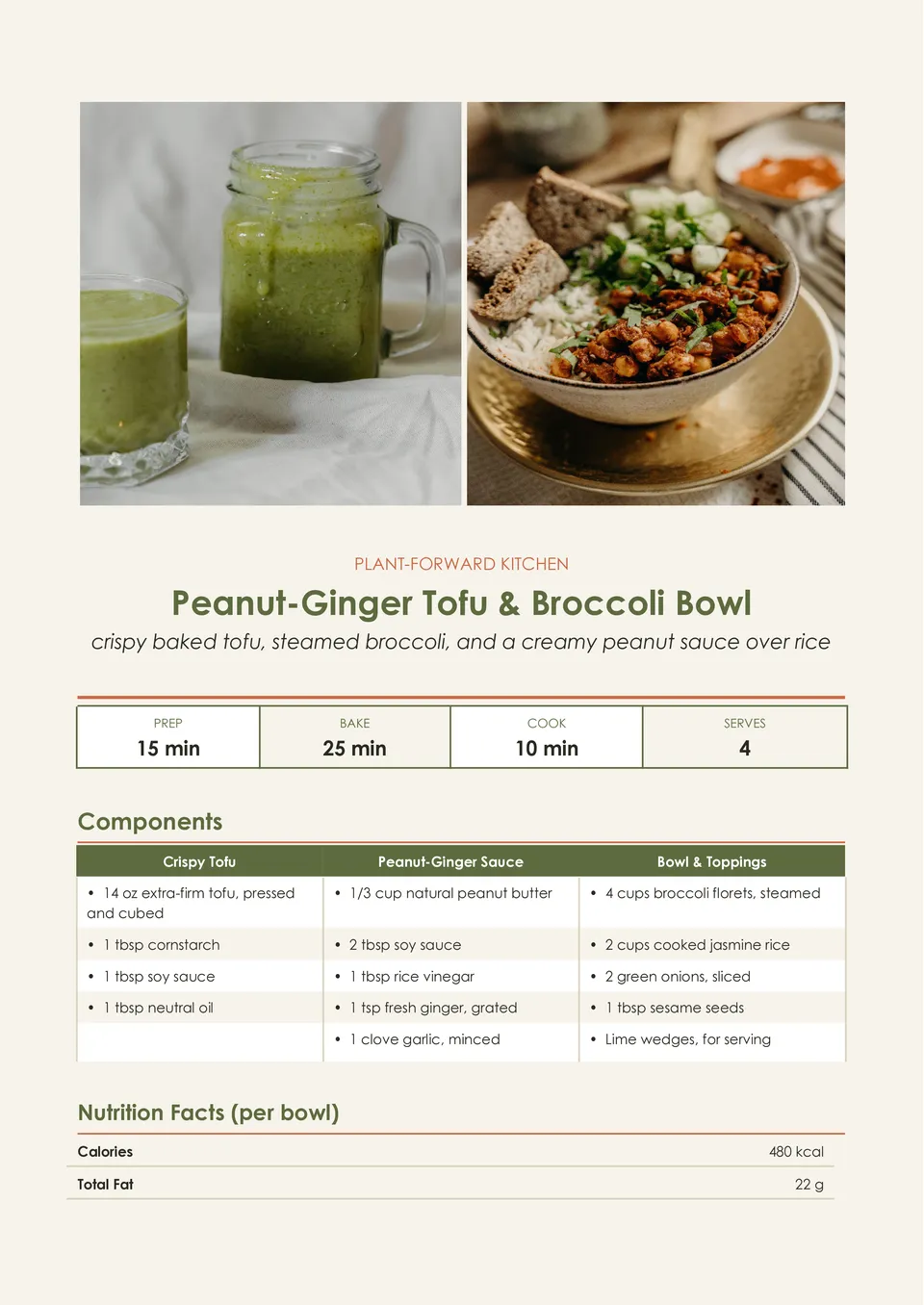
Vegan Recipe Template helps present plant-based dishes with room for ingredients, substitutions, preparation directions, cooking time, servings, allergen notes, and serving suggestions. It is made for vegan home cooks, recipe bloggers, restaurants, nutrition professionals, and anyone sharing meat- and dairy-free meal ideas. The organized page can make ingredient swaps and dietary details easier for readers to understand before they start cooking. Change every editable element to match a specific dish, brand, or meal plan. The template is free for personal and business use and can be downloaded, printed, or shared as soon as your recipe is ready.
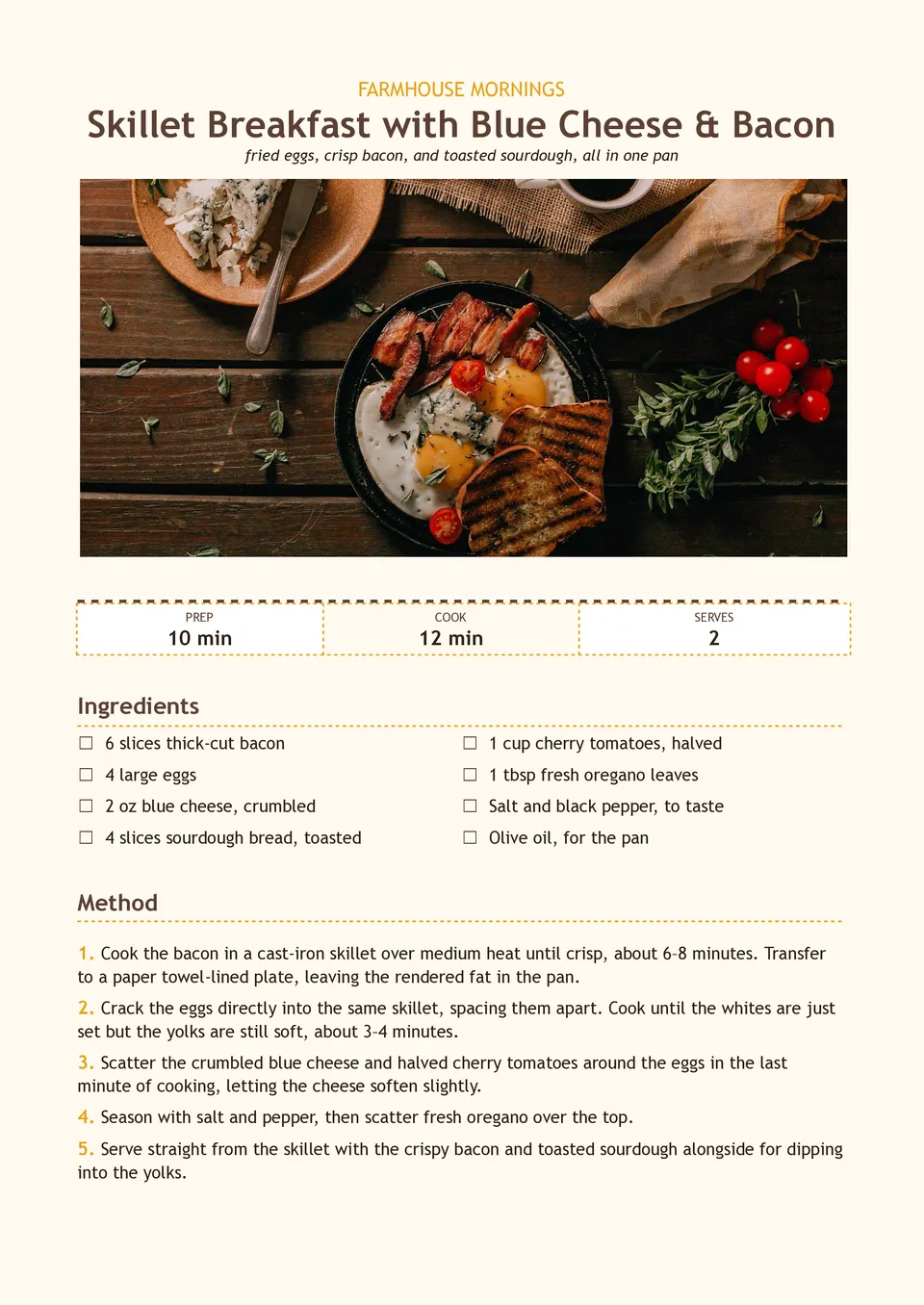
Are morning recipes scattered between screenshots, bookmarks, and handwritten notes when you need a quick meal idea? Breakfast Recipe Template brings ingredients, preparation steps, cooking times, servings, substitutions, and make-ahead notes together on one page. It suits meal-prep enthusiasts, families, nutrition coaches, cafés, and food creators planning breakfasts for busy weekdays or brunch menus. The structured layout makes it easier to recreate favorite dishes and share them with others. You can adapt the text and visuals at no charge, then print the result or keep it in a digital recipe collection.
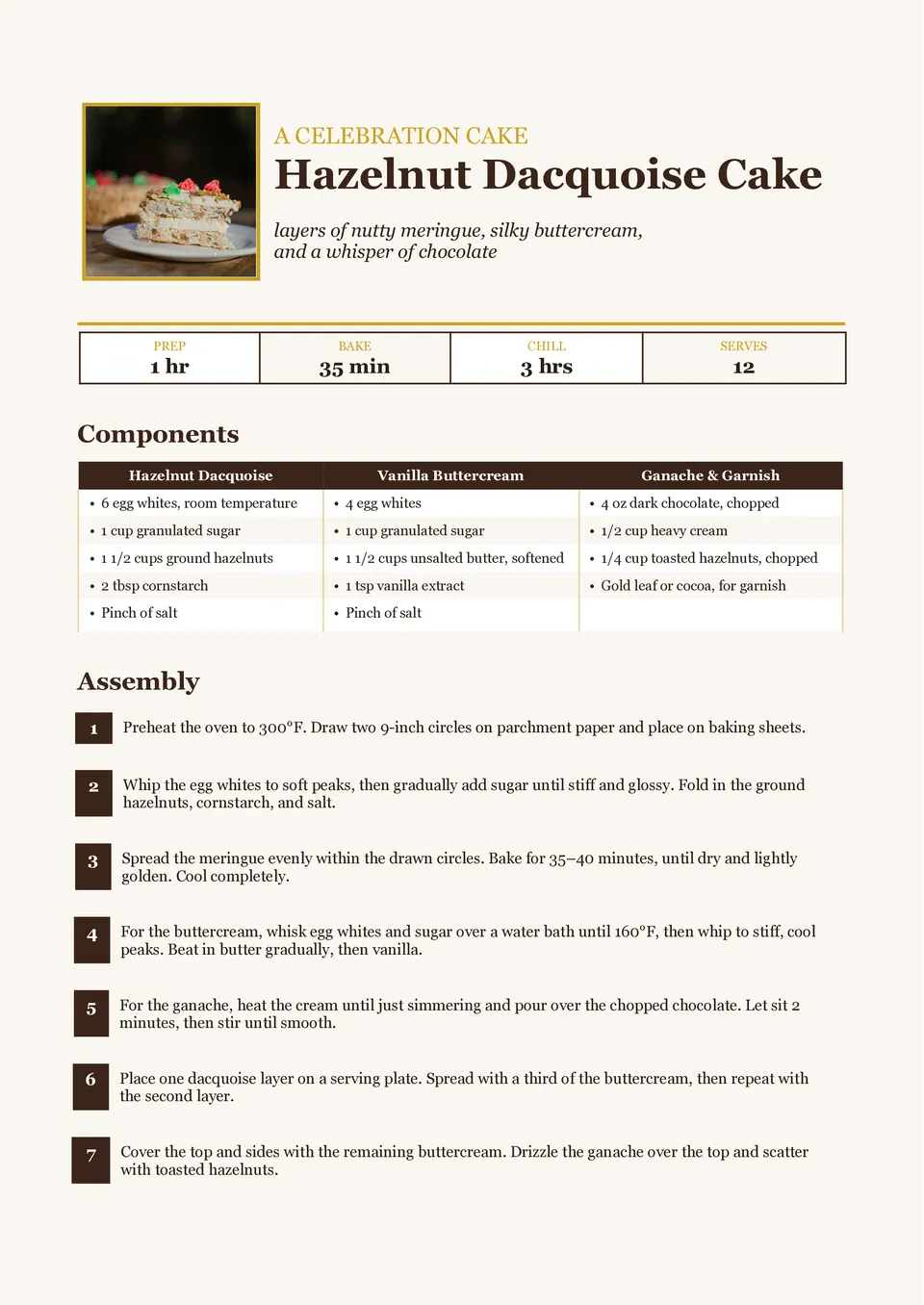
Dessert Recipe Template turns cakes, pies, cookies, puddings, and other sweet creations into recipes that are simple to follow and enjoyable to share. It includes editable areas for the dessert name, ingredients, method, preparation and baking time, servings, decorating steps, and serving ideas. Home bakers, food bloggers, pastry businesses, and people making celebration menus can use it to present signature treats with more polish. Clear separation between the recipe stages helps prevent important finishing details from being overlooked. The ready-made design is free to customize and can be downloaded or printed for a cookbook, gift, or kitchen reference.
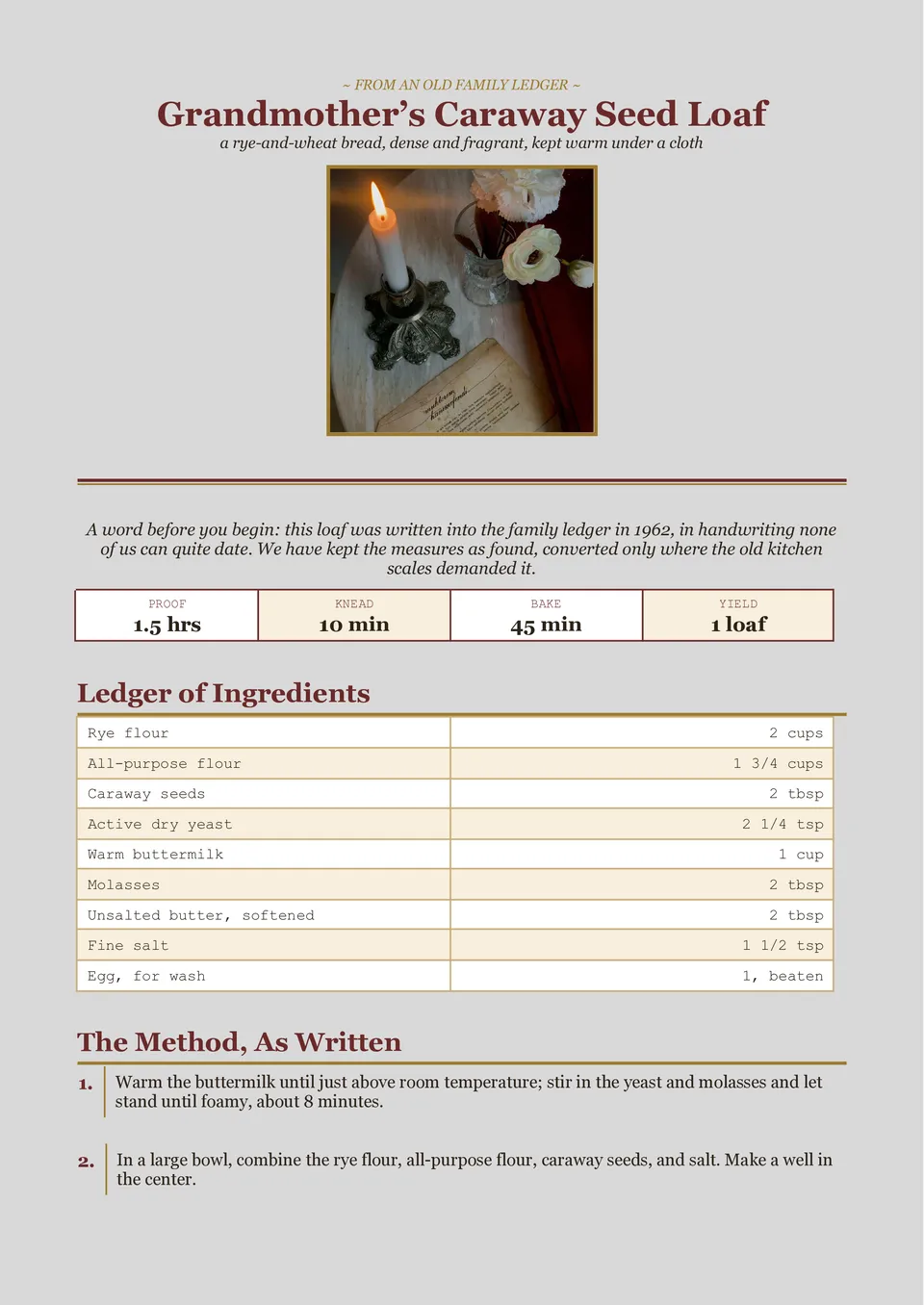
Vintage Recipe Template gives classic dishes, handwritten family notes, and retro-inspired food collections a nostalgic presentation. The page can hold a recipe title, ingredients, directions, cooking time, servings, source attribution, and a short story about the dish. It is a fitting choice for family cookbooks, heritage recipes, cafés with a traditional identity, and giftable recipe collections. The old-fashioned visual direction adds character without making the instructions harder to follow. You can update the wording, images, and colors for free before printing it as a recipe card or sharing it digitally.
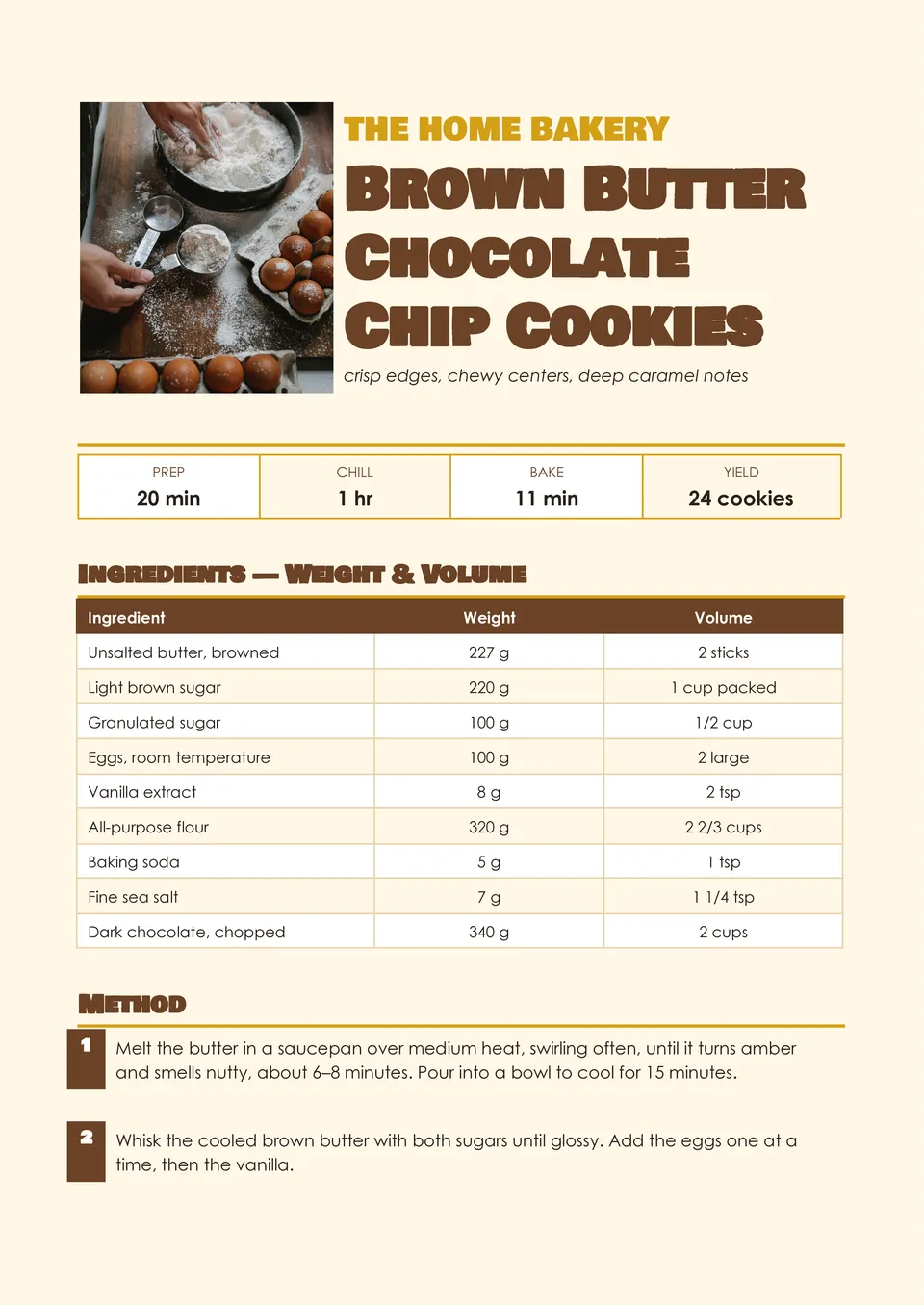
Are measurements, oven temperatures, and baking steps getting lost when you write recipes in random notes? Baking Recipe Template gives each important detail its own place, including ingredients, quantities, preparation steps, baking temperature, bake time, yield, decorating ideas, and storage guidance. Bakers, pastry chefs, cottage-food businesses, and people preparing recipe books can use it to document cakes, cookies, breads, and pastries. The well-organized page helps reduce mistakes when a recipe must be repeated exactly. Edit the design for free with your branding or photos, then download and print a polished version for customers, friends, or your kitchen binder.

Choose your preferred social media platform from options like Pinterest, Facebook, Twitter, and more. Share our templates with your contacts or friends. If you’re not active on these social networks, you can simply copy the link and paste it into the one you use.