

 Back to templates
 Google Docs Templates - Page 4
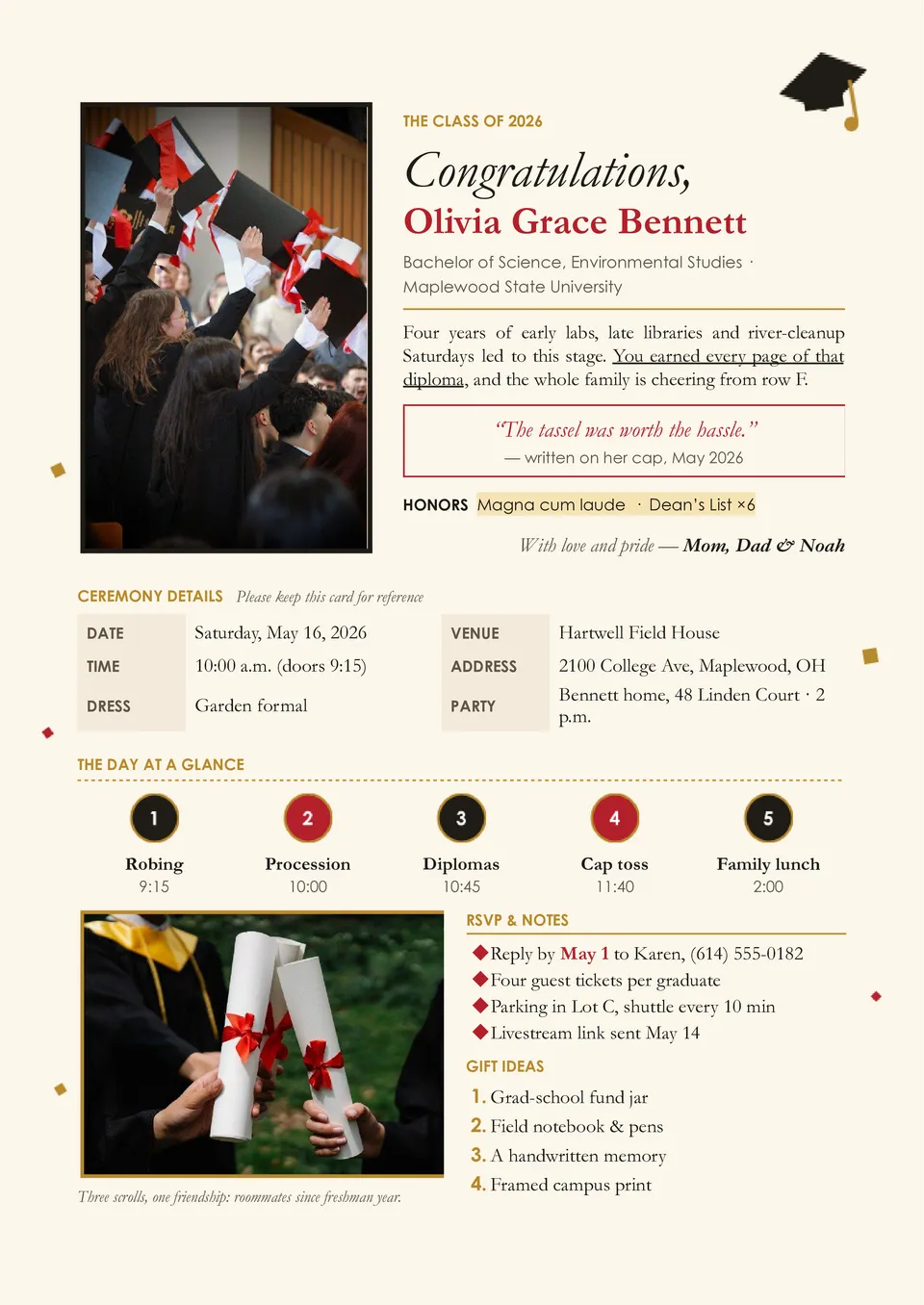
Graduation Card Template helps you create a personal message for someone celebrating a school, high school, college, university, master’s, or doctoral milestone. It provides space for the graduate’s name, graduation year, congratulations, a personal note, a photo, and optional event or gift details. Families, friends, teachers, schools, and organizations can adapt it for congratulations, announcements, invitations, or thank-you messages. The editable layout saves time while keeping the card meaningful and suitable for the occasion. It is free to customize, ready to download and print, or easy to share digitally with the graduate.

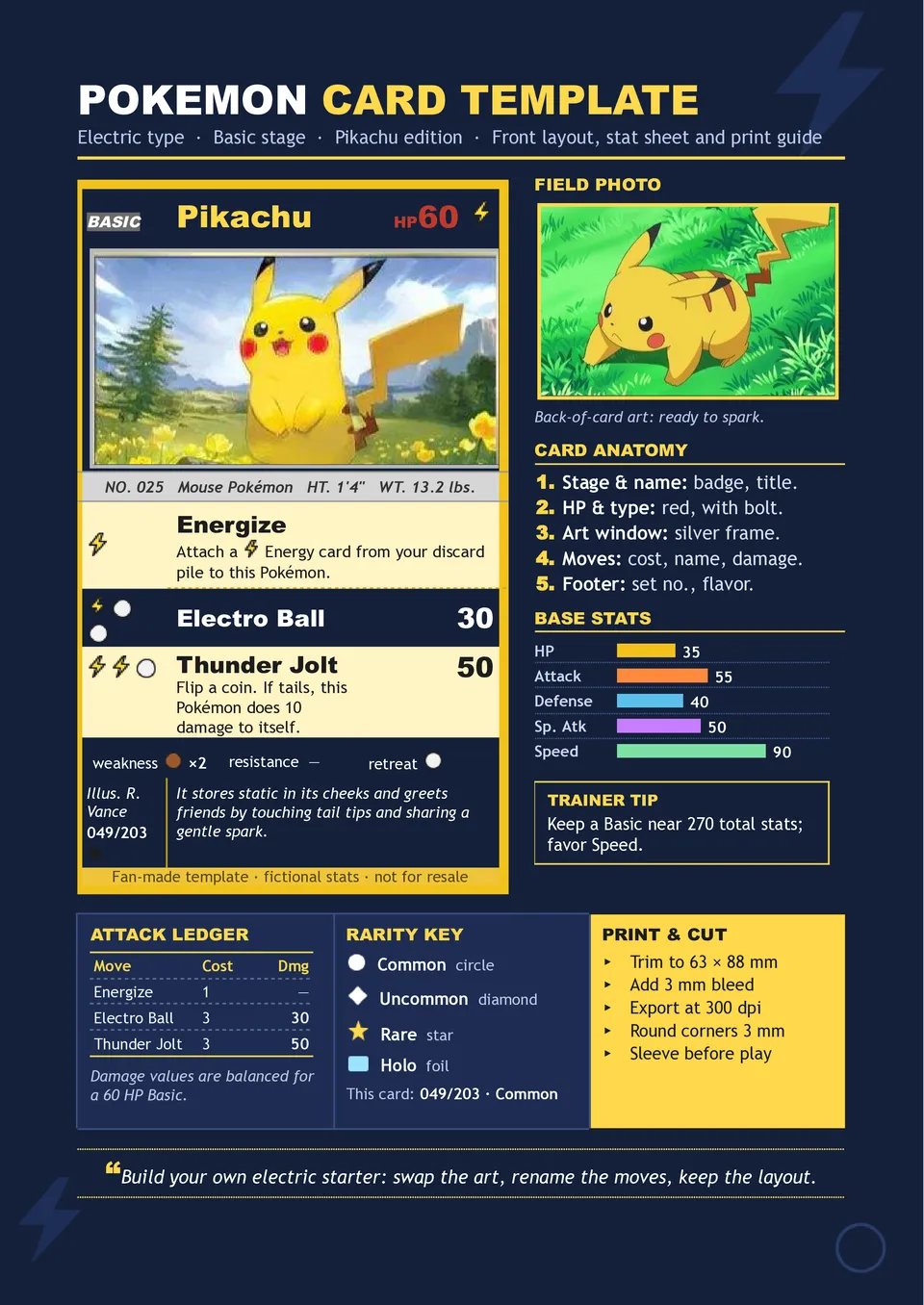
Want to create a custom trading card for a school project, birthday activity, collection, or Pokémon fan gift? Pokémon Card Template includes editable areas for the character name, HP, type, artwork, abilities, attacks, energy costs, damage, weakness, resistance, retreat cost, flavor text, and card number. Children, parents, teachers, collectors, and creative fans can use it to invent original characters or classroom “character strength” cards. The familiar structure makes the activity engaging while giving users room to add their own ideas and illustrations. You can customize it at no cost, download and print the finished card, and use it for personal creative projects.
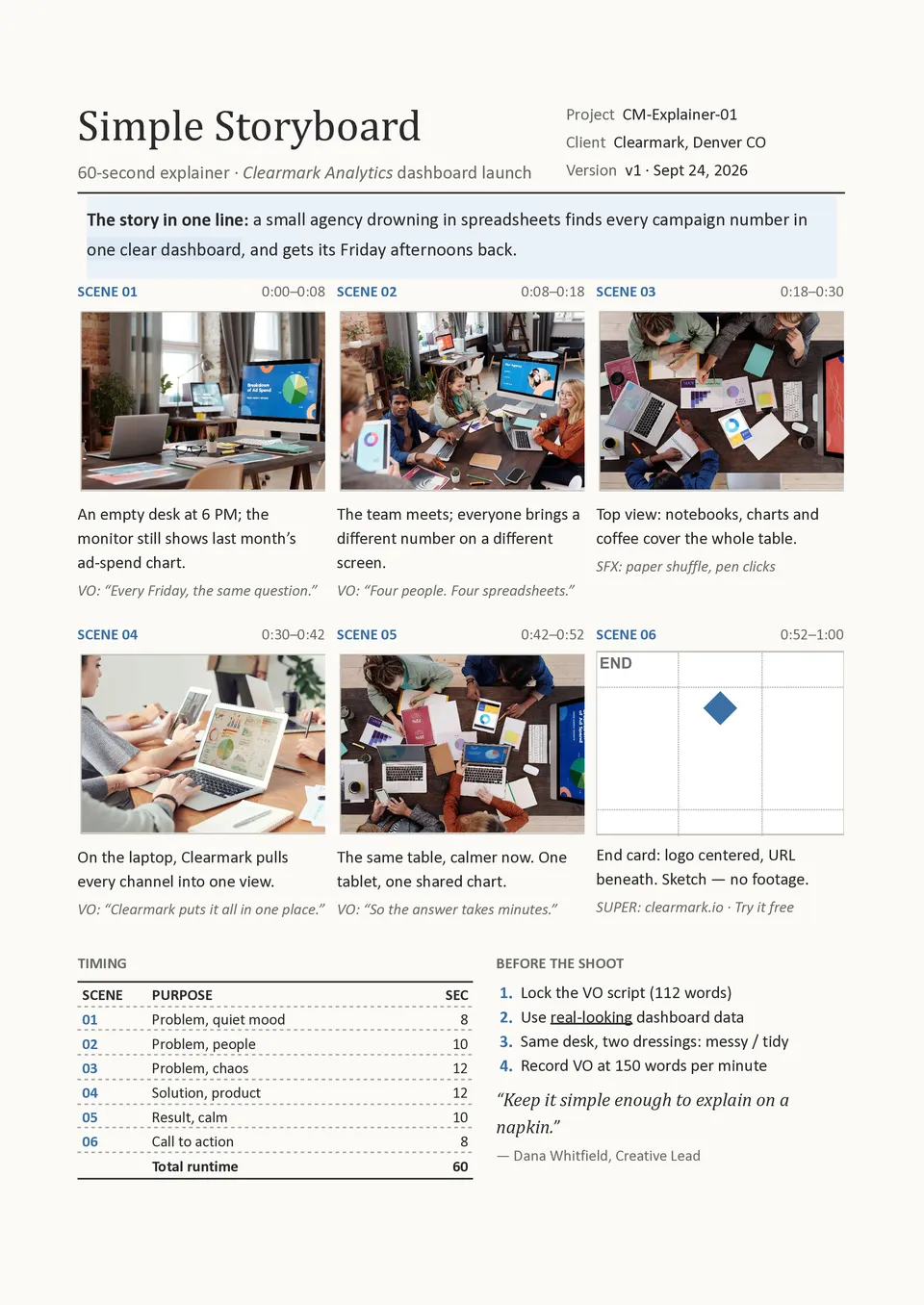
Simple Storyboard Template focuses on the essentials: a visual frame, scene or shot number, action description, camera note, dialogue or sound cue, and timing. Beginners, students, small production teams, teachers, and content creators can use it when they need a clear plan without a large number of technical fields. The uncluttered structure makes it quick to fill in and easy for collaborators to understand. It works for films, presentations, commercials, lessons, animations, and short online videos. You can use it for free, edit the sections, and prepare the finished storyboard for printing or digital sharing.
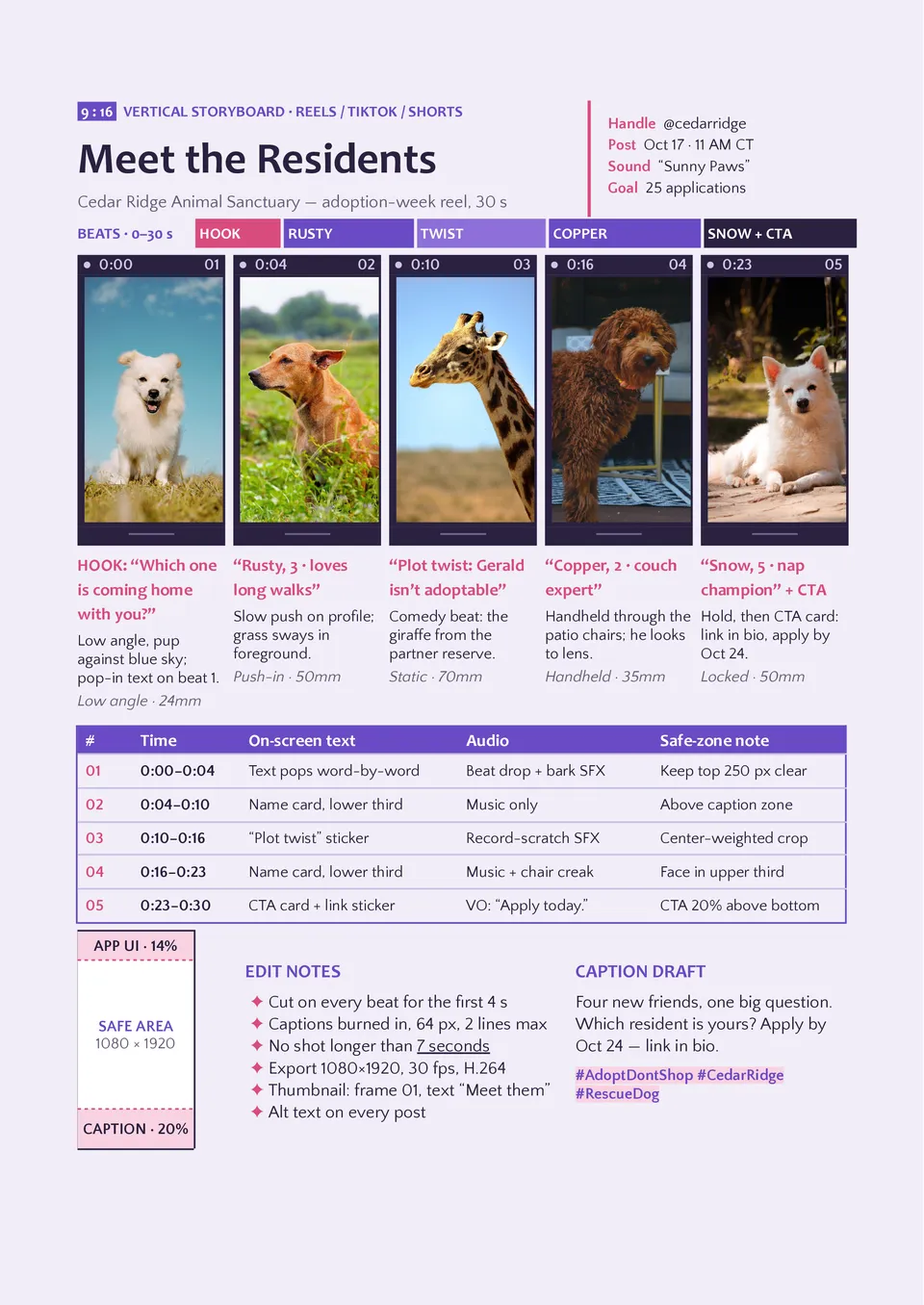
Vertical Storyboard Template is designed for portrait-oriented content such as mobile videos, stories, reels, short-form ads, and social media campaigns. It provides vertical panels with fields for scene numbers, on-screen text, visuals, dialogue, camera movement, sound, transitions, and timing. Content creators, social media managers, advertisers, and mobile-first production teams can use it to plan how a story will appear on a phone screen. The layout keeps the visual composition and text placement aligned with the portrait viewing experience. It is free to personalize, ready to download or print, and suitable for reviewing short-form concepts with a team or client.
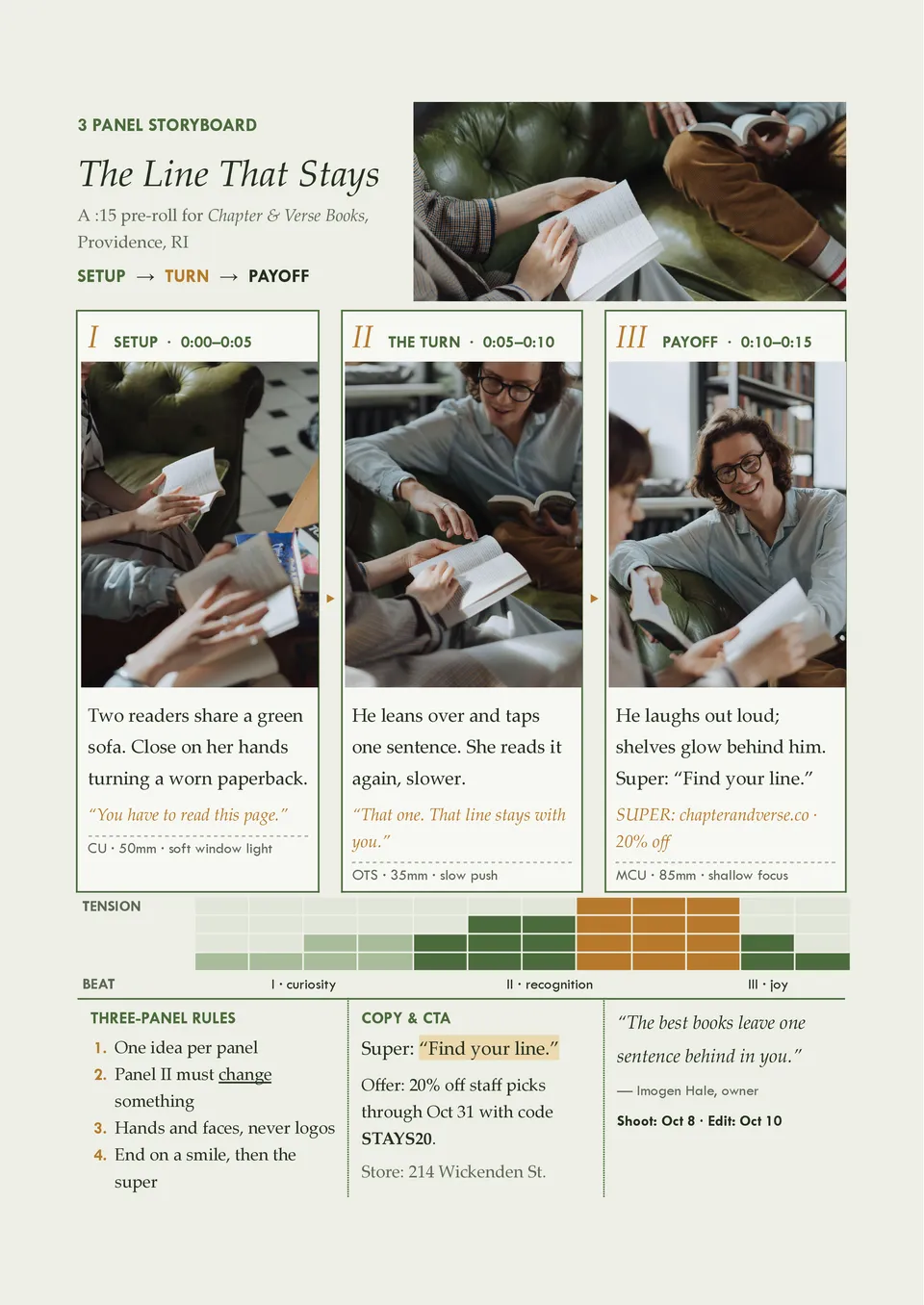
Three-panel Storyboard Template offers a compact way to show the beginning, middle, and end of a short scene, message, or visual idea. Each panel can include an image or sketch with room for action, dialogue, camera direction, sound, and timing notes. It suits short videos, commercials, classroom assignments, social media concepts, and quick creative pitches. The limited panel count encourages concise storytelling and helps users focus on the most important visual beats. You can adapt it for free, download or print it, and use it for rapid planning or presentations.
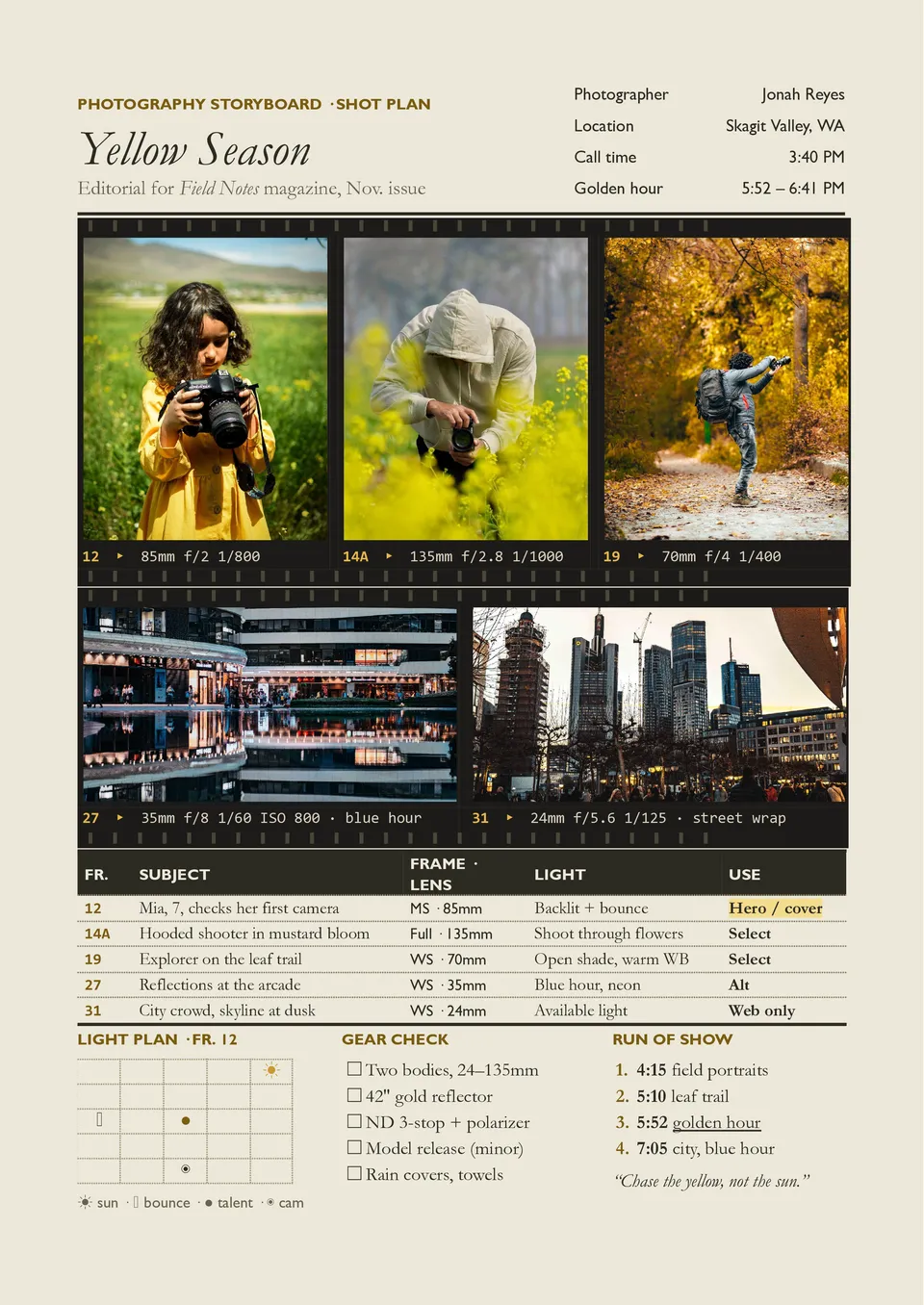
Photography Storyboard Template helps plan a photoshoot by showing the intended sequence, composition, styling, and visual direction before the camera setup begins. It includes space for reference images, shot numbers, subject details, location, framing, lighting, props, wardrobe, and creative notes. Photographers, art directors, advertising teams, fashion professionals, and production coordinators can use it to organize campaign or editorial shoots. The visual plan helps the crew understand the desired look and reduces missed shots during a limited shoot window. It is free to edit, simple to share, and ready for printing as a shoot-day reference.
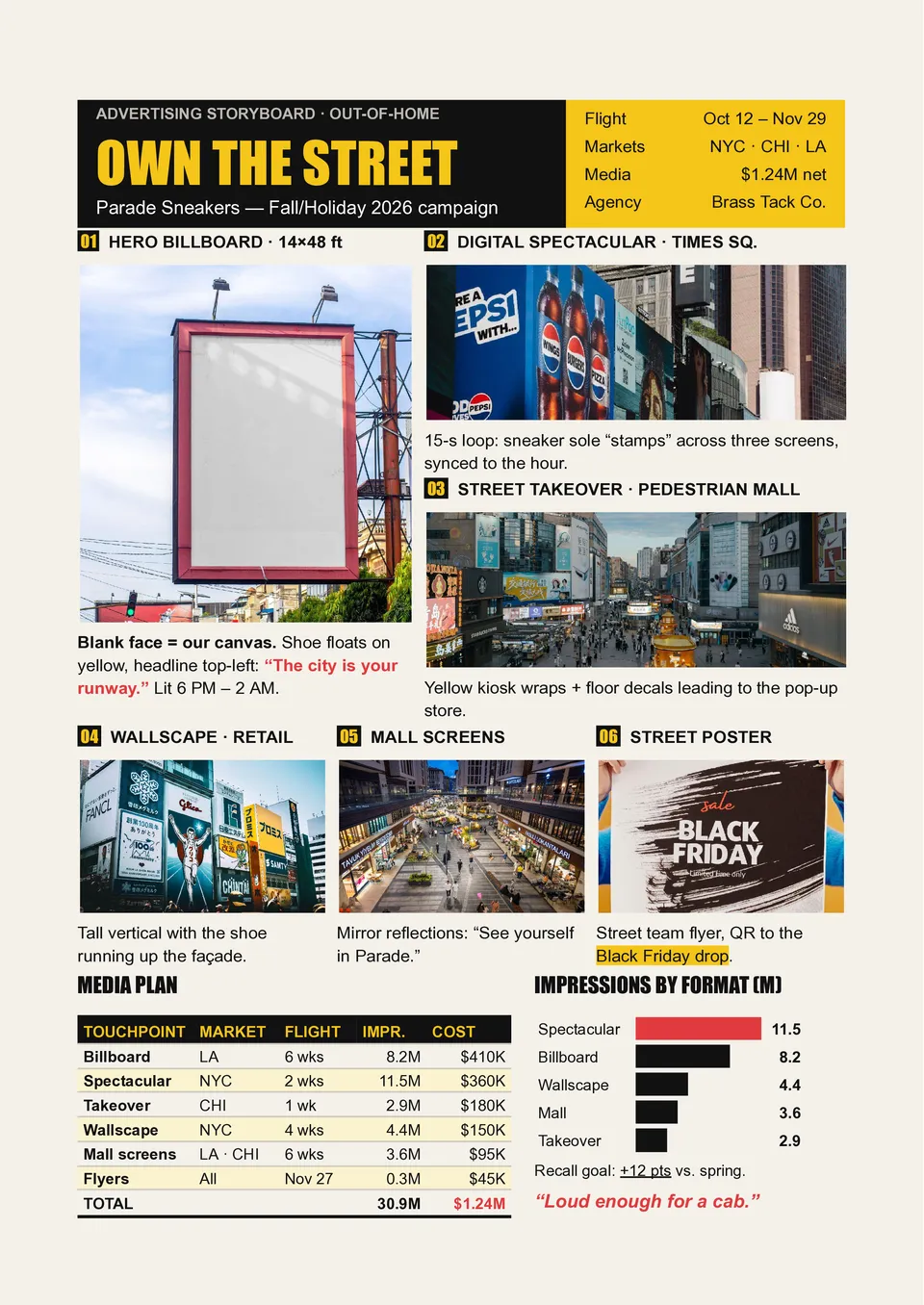
Are marketing teams struggling to explain how an advertising concept should look, sound, and move before it reaches production? Advertising Storyboard Template organizes the campaign into panels for visuals, product shots, on-screen text, voiceover, music, transitions, timing, and the final CTA. Creative directors, copywriters, agencies, and brand managers can use it to present the full narrative to clients and production teams. The storyboard helps connect every scene with the audience message and makes revisions easier before filming or animation. You can personalize the free layout with brand assets and prepare it for approval, printing, or digital collaboration.
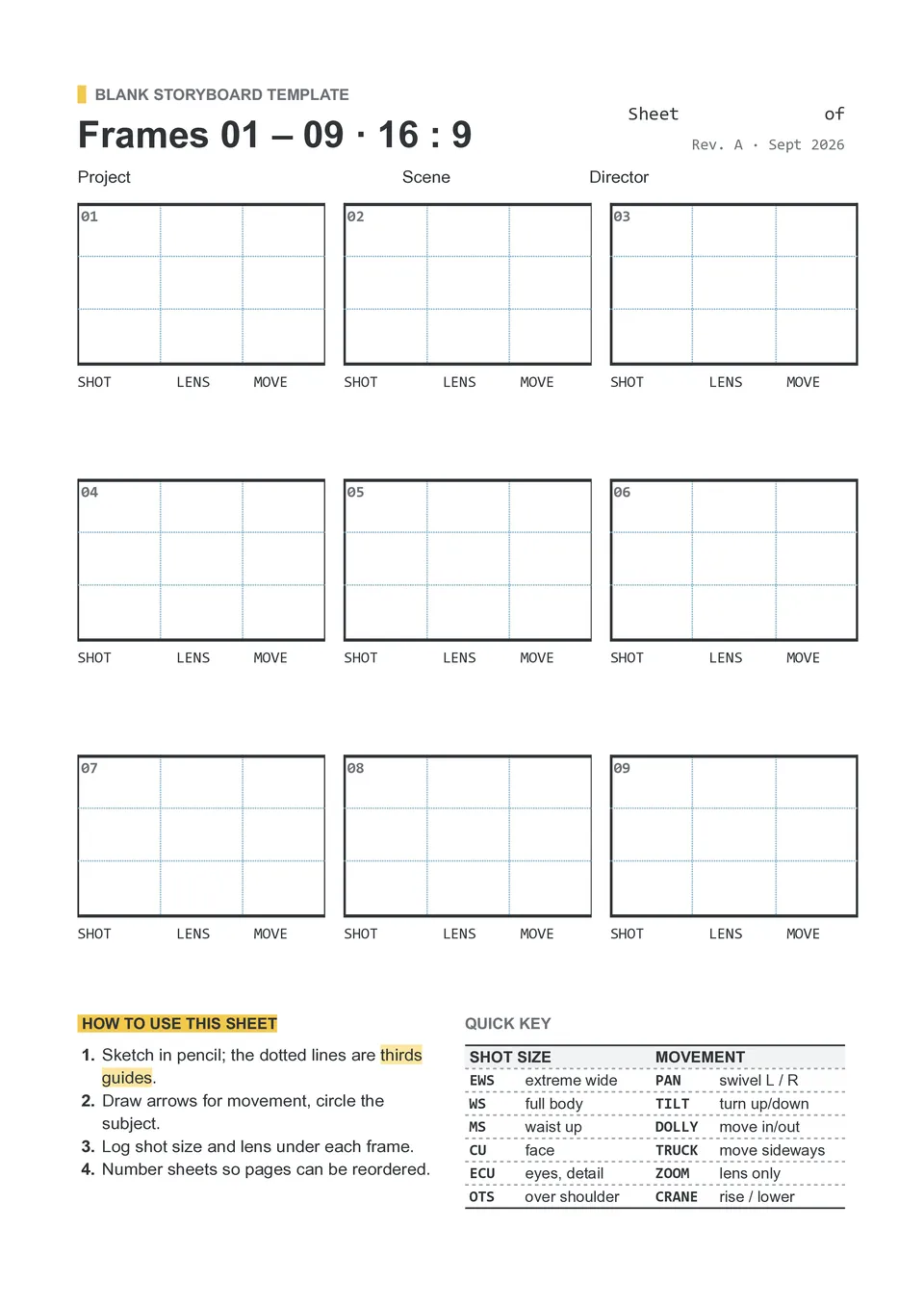
Need an open storyboard layout that can adapt to a film, lesson, advertisement, photoshoot, or personal creative project? Blank Storyboard Template provides empty visual panels with space for shot numbers, scene descriptions, camera notes, dialogue, audio, timing, and production instructions. Directors, students, photographers, teachers, and content creators can build their own structure without removing irrelevant sample content. The flexible page works for quick thumbnails as well as more detailed pre-production planning. It is free to customize, ready to download or print, and reusable for projects of different sizes.
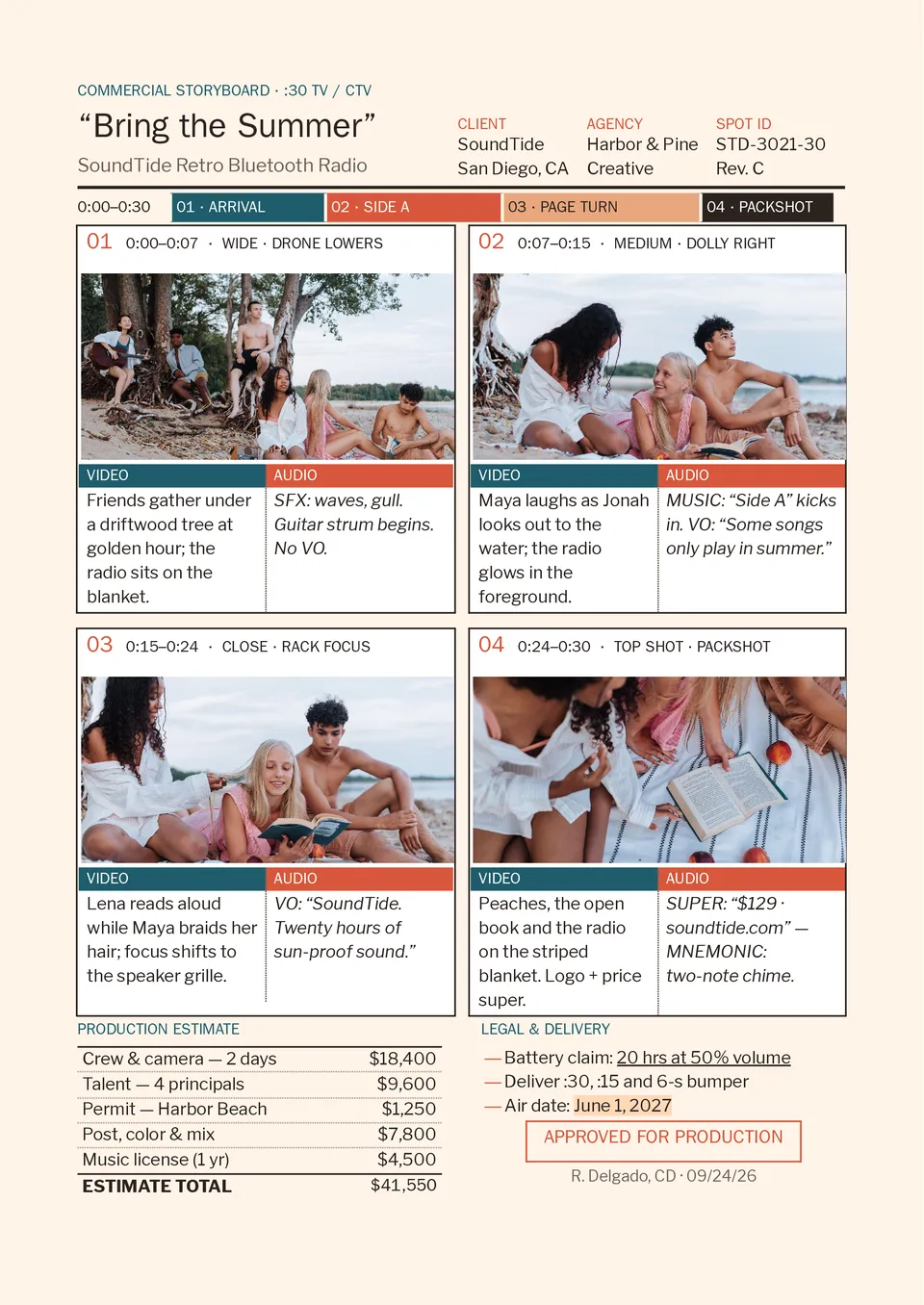
Commercial Storyboard Template maps an advertisement from the opening hook and product reveal to the message, proof point, and final call to action. It provides space for shot visuals, scene numbers, product placement, camera direction, dialogue or voiceover, sound, timing, and transition notes. Advertising agencies, brand teams, directors, and freelance creators can use it to align creative, production, and client expectations before filming. The panel-by-panel structure makes it easier to check whether every shot supports the campaign objective. You can edit the free template, add references or sketches, and prepare it for client approval or production meetings.
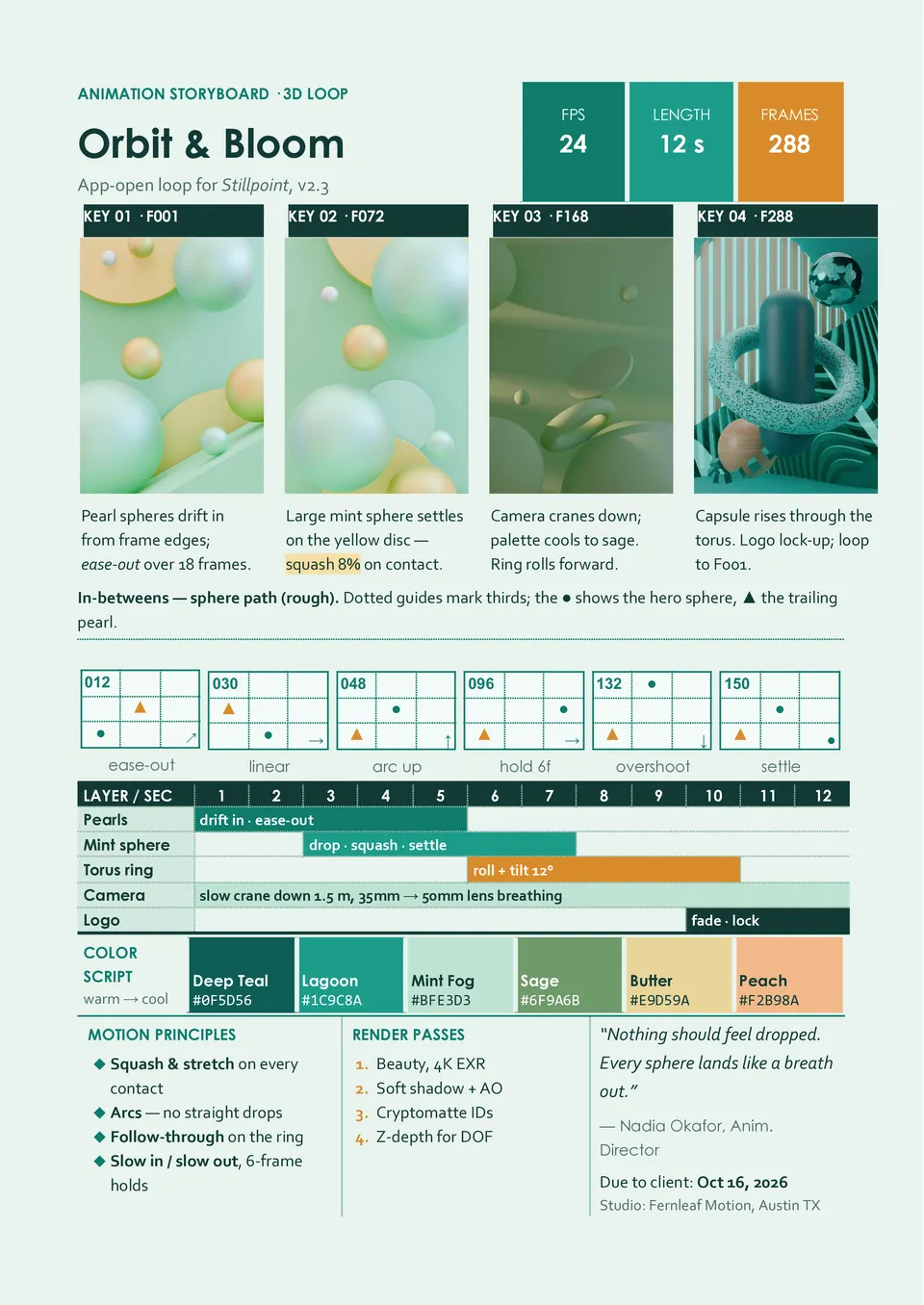
Do animated scenes become difficult to manage when character actions, camera movements, dialogue, and effects are not documented together? Animation Storyboard Template includes panels for key poses, action notes, dialogue, camera shots, transitions, timing, and visual effects. Animators, storyboard artists, directors, students, and motion-design teams can use it to test the flow of a sequence before production begins. The structure helps clarify movement, continuity, pacing, and the relationship between visuals and sound. It is free to customize, easy to reuse, and ready to download, print, or share with collaborators.
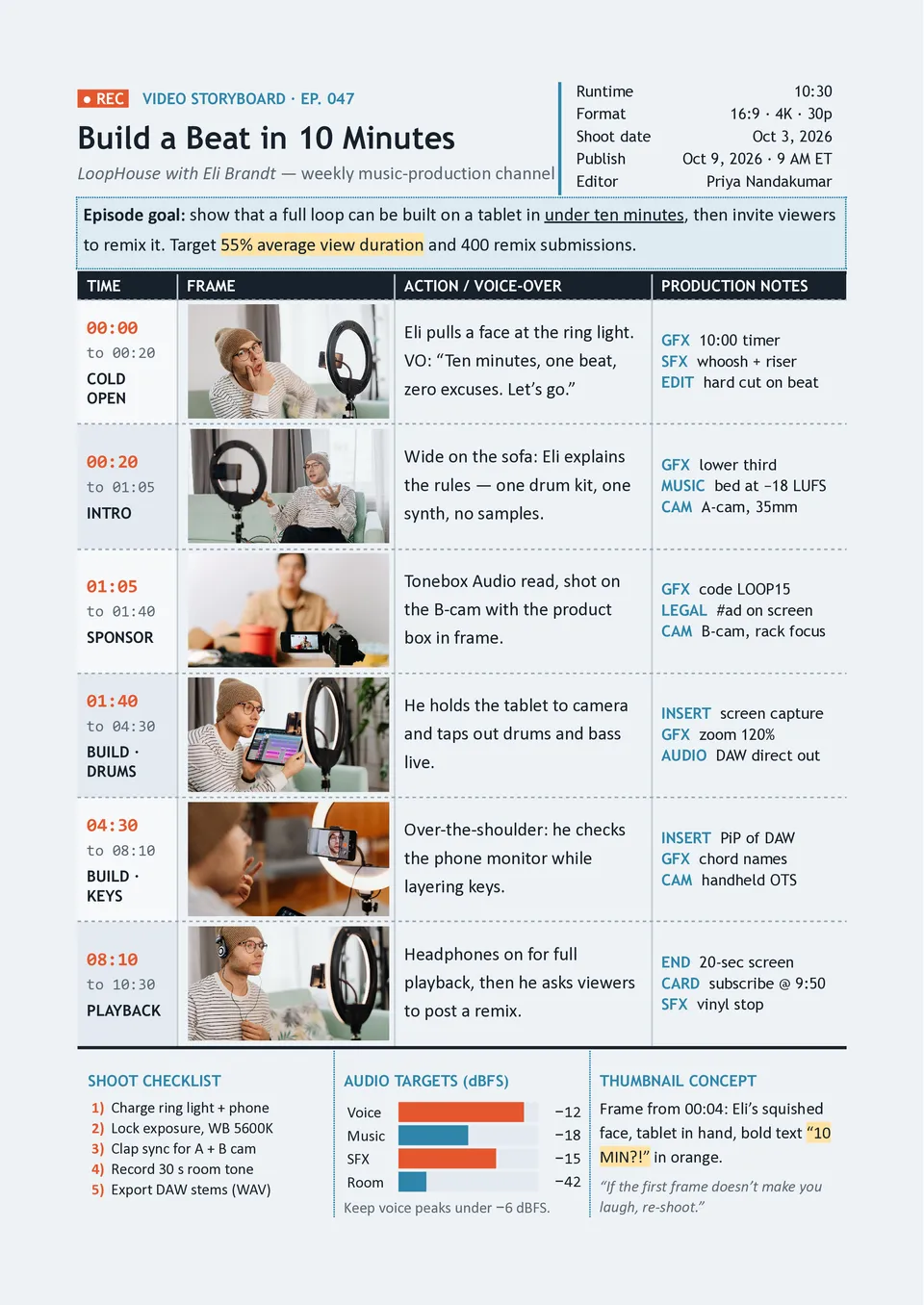
Video Storyboard Template helps creators plan a video shot by shot before recording or editing begins. It includes areas for frame images, scene numbers, action, camera direction, voiceover, dialogue, sound effects, transitions, and timing. YouTubers, filmmakers, educators, content teams, and social media creators can use it to turn an idea or script into a practical shooting plan. The visual sequence makes it easier to estimate coverage, organize footage, and keep the final video focused. You can customize it for free and prepare the completed storyboard for printing, sharing, or production use.
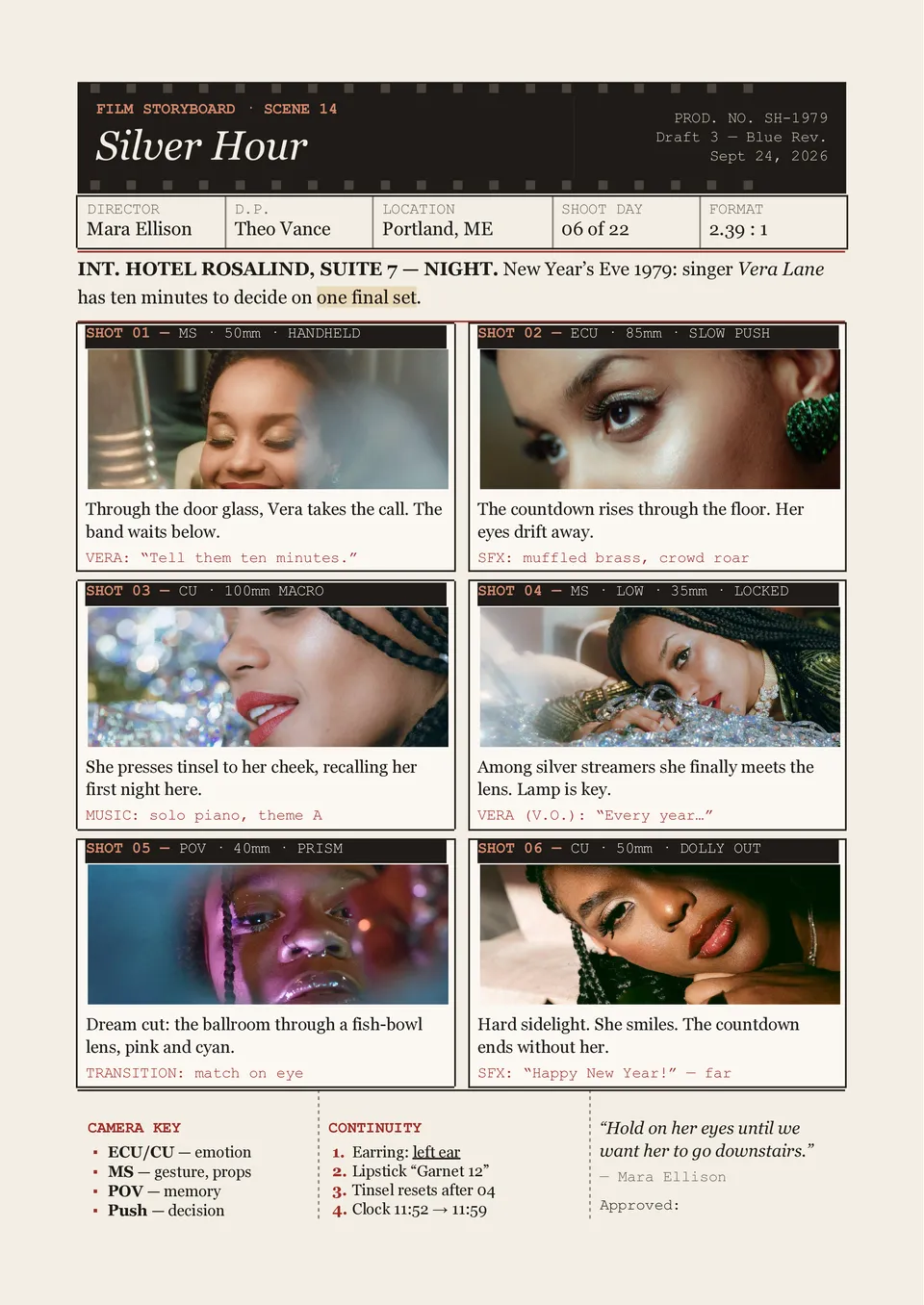
Are scenes, camera angles, and dialogue difficult to coordinate before filming begins? Film Storyboard Template provides numbered panels with space for sketches or reference images, action descriptions, shot types, camera movement, dialogue, sound, timing, and production notes. Directors, cinematographers, screenwriters, and film students can use it to pre-visualize each scene and communicate the intended sequence to the crew. The structured layout helps identify continuity issues and unclear shots before they become expensive production problems. It is free to edit, ready to download, print, and use during planning or on set.
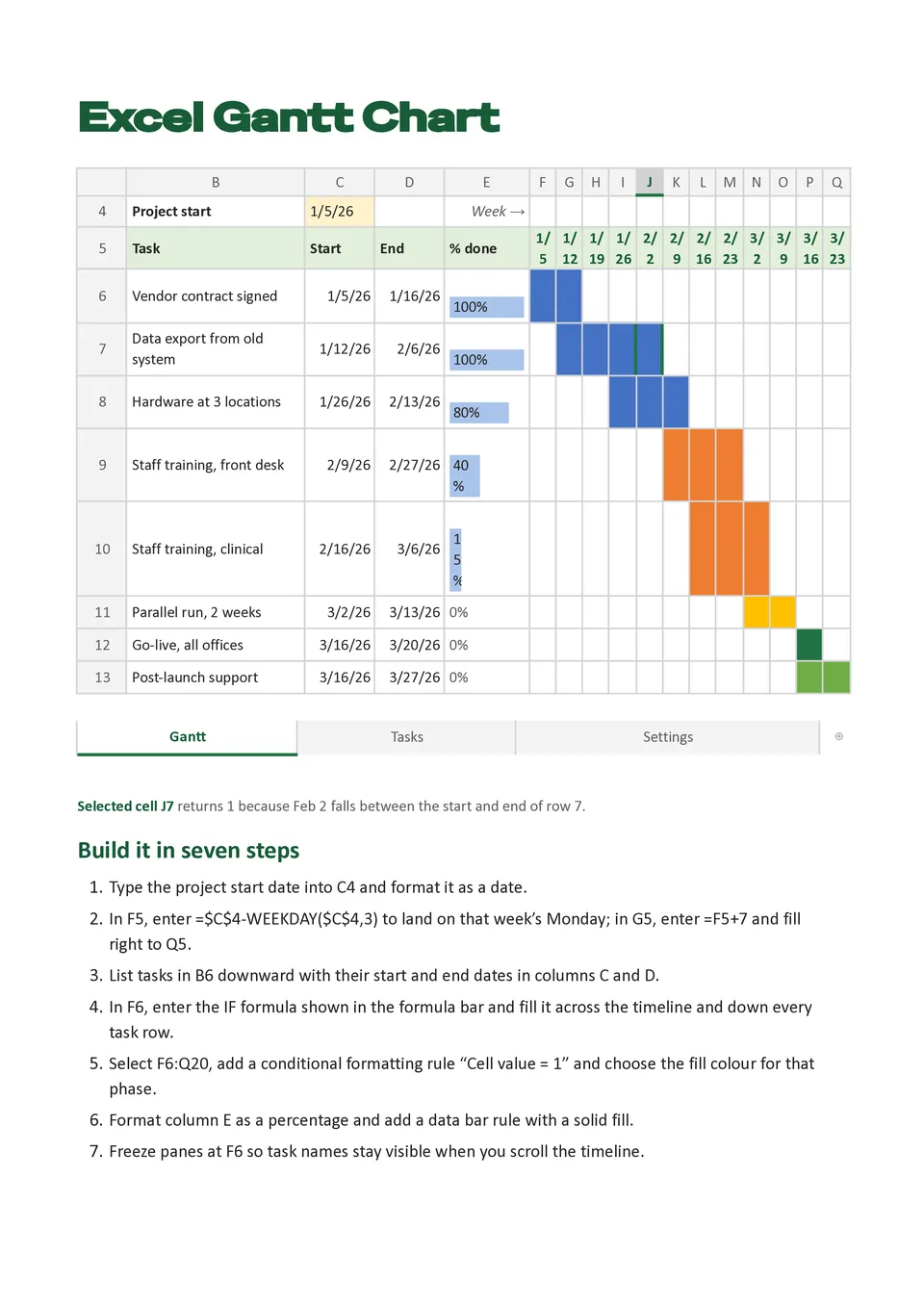
Excel Gantt Chart Template helps users plan tasks and display their duration across a calendar-based timeline with familiar spreadsheet fields. It can include task names, start dates, end dates, duration, owners, milestones, dependencies, progress percentages, and status indicators. Project managers, operations teams, contractors, and business analysts can use it for schedules that require detailed tracking and easy updates. The visual bars make overlapping work, delays, and critical tasks easier to spot than a standard task list. It is free to customize, compatible with spreadsheet-based workflows, and ready for download, printing, or sharing.
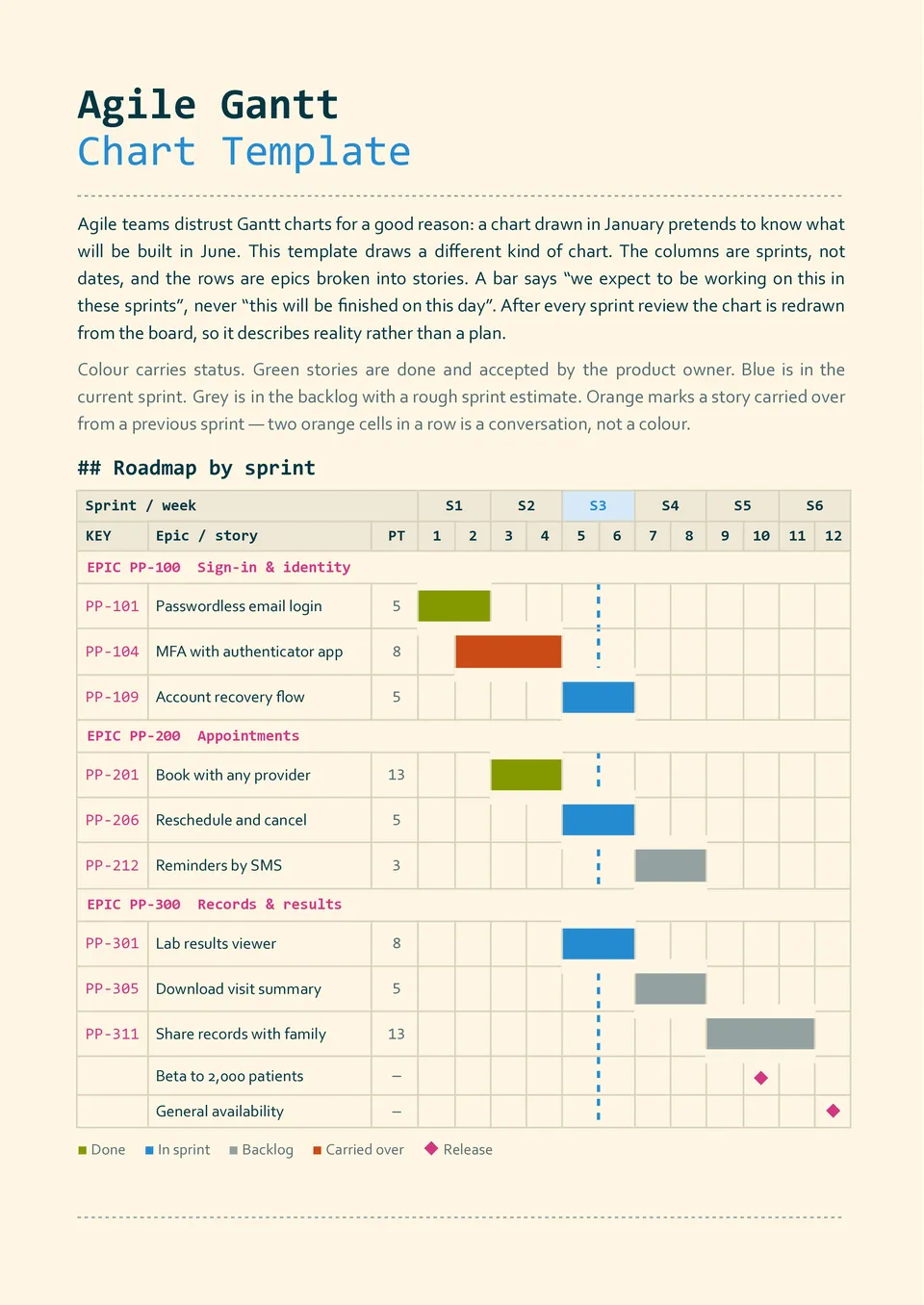
Agile Gantt Chart Template combines a timeline view with space for sprints, backlog items, releases, owners, dependencies, milestones, and completion progress. Software teams, product managers, developers, and agile coaches can use it to connect short delivery cycles with broader release goals. The structure helps visualize what is planned for each sprint and how individual tasks contribute to the product roadmap. Teams can update priorities, dates, and progress as requirements change. You can edit it for free and use the finished chart for sprint planning, reviews, retrospectives, or stakeholder updates.
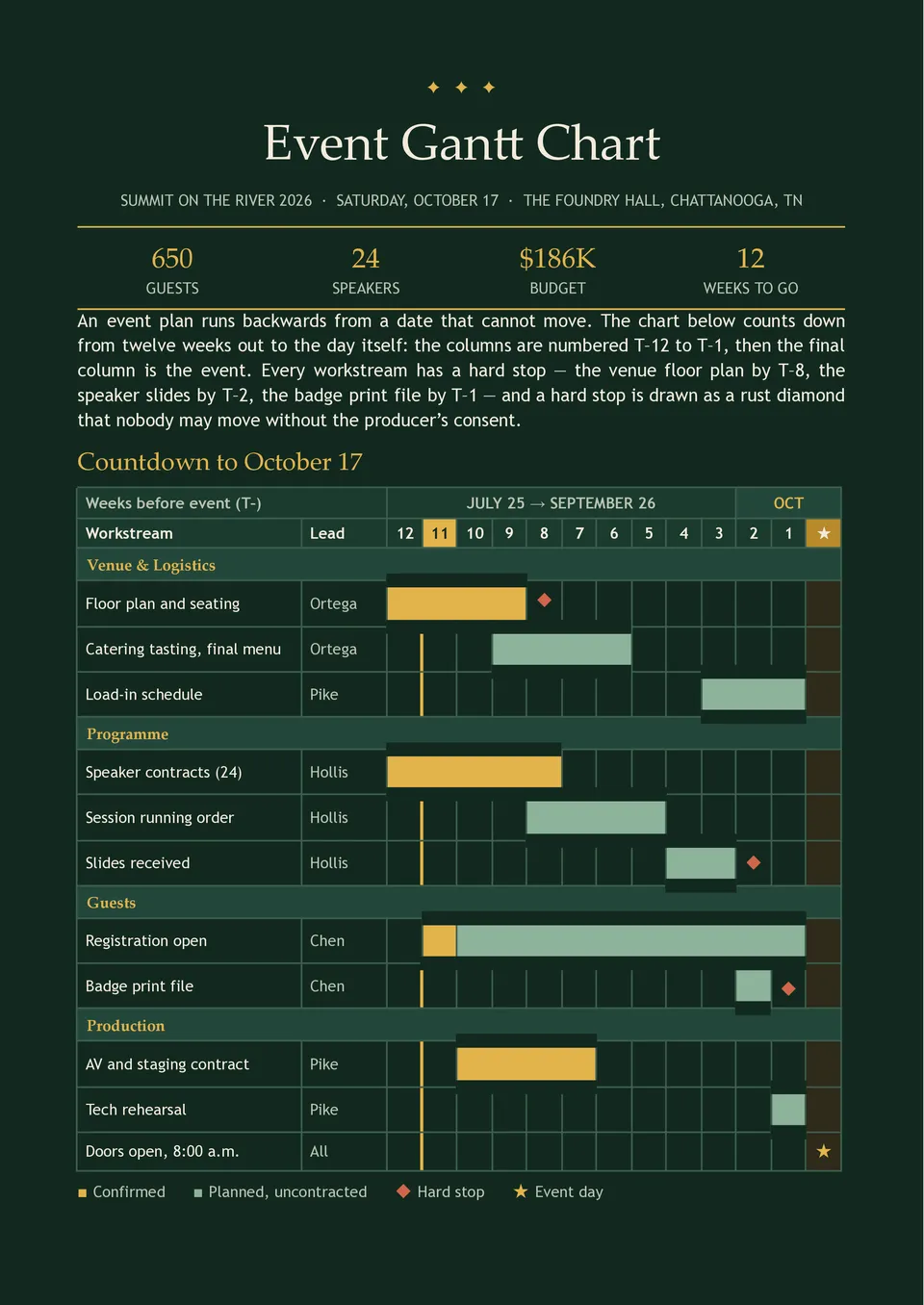
Are event tasks, supplier deadlines, venue arrangements, and promotion activities becoming difficult to coordinate as the date approaches? Event Gantt Chart Template organizes planning phases, vendors, bookings, logistics, marketing, staffing, setup, event-day tasks, and post-event follow-up. Event planners, conference teams, wedding coordinators, schools, and nonprofits can use it to manage preparation from the first booking to final teardown. Dependencies and milestones make it easier to identify tasks that could affect the event if they are delayed. The editable design is free to use and ready to download, print, or share with the planning team.
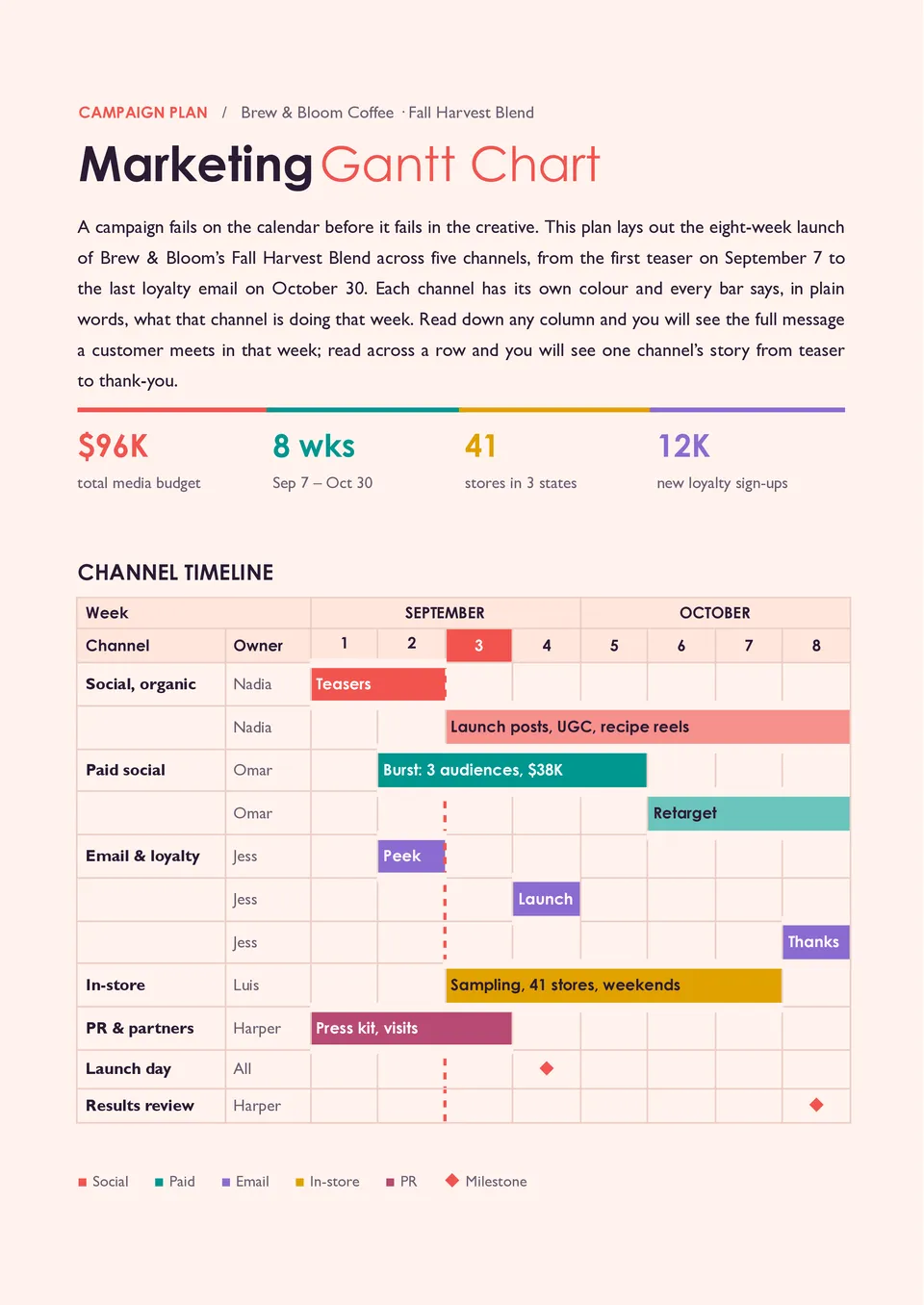
Marketing Gantt Chart Template maps campaigns from research and planning to content production, launch, promotion, and performance review. It provides space for campaign activities, channels, owners, deadlines, dependencies, milestones, budgets, and progress updates. Marketing managers, agencies, content teams, and business owners can use it to coordinate multiple campaigns and avoid missed deliverables. The timeline helps connect each marketing action with the launch date and the next stage of the customer journey. You can personalize the free layout with your campaigns and prepare it for team meetings or client reviews.

Choose your preferred social media platform from options like Pinterest, Facebook, Twitter, and more. Share our templates with your contacts or friends. If you’re not active on these social networks, you can simply copy the link and paste it into the one you use.