

 Back to templates
 All templates- Page 9

Need a clearer way to connect your company’s long-term vision with the objectives, milestones, and actions required to achieve it? Business Vision Board Template organizes business aspirations, strategic priorities, product ideas, growth targets, team objectives, key metrics, and action steps. Founders, managers, consultants, and leadership teams can use it during annual planning, quarterly reviews, workshops, or strategy retreats. The visual structure helps teams align around a shared direction and turn abstract ambitions into measurable outcomes. It is free to edit and ready to download, present, print, or share with stakeholders.


Fitness Vision Board Template brings health goals, movement milestones, motivating images, routines, habits, and progress markers into one visual plan. It suits people preparing for a race, building strength, improving mobility, changing daily habits, or working toward greater energy and wellbeing. The layout encourages goals based on measurable abilities and consistent actions rather than appearance alone. Coaches and personal trainers can also use it during planning or goal-setting sessions with clients. You can edit the content for free, add personal images and targets, then download, print, or keep the board digitally.

Are you unsure which professional direction to pursue or what your next career milestone should look like? Career Vision Board Template provides space for dream roles, skills to develop, target companies, achievements, income goals, networking ideas, and action steps. Job seekers, students, freelancers, career changers, and professionals planning a promotion can use it to visualize a more specific path. The sections help connect the desired career identity with concrete capabilities and deadlines. It is free to personalize and ready for downloading, printing, or sharing with a mentor or career coach.

Are your goals spread across saved images, notes, and inspiration folders with no clear plan connecting them together? Digital Vision Board Template creates an organized space for aspirations, visuals, captions, measurable milestones, and first steps. Creatives, students, professionals, coaches, and remote teams can update it whenever priorities change without rebuilding the entire board. The digital structure makes it easy to collect ideas, group them by theme, and keep the board accessible for regular reviews. You can edit it for free, add images and text, and save or share the finished vision board online.

Goal Vision Board Template helps organize aspirations into clear categories with space for images, motivational statements, deadlines, milestones, and progress notes. Students, professionals, entrepreneurs, and personal-development coaches can use it to turn large ambitions into smaller, more manageable objectives. The layout supports both visual motivation and practical planning by connecting each goal with evidence of progress and a next action. It works for personal growth, career planning, health targets, finances, relationships, and creative projects. This free editable design is ready to customize, download, print, or revisit throughout the year.

Do you want to turn your hopes for 2027 into specific goals instead of leaving them as vague New Year wishes? 2027 Vision Board Template provides space for images, affirmations, milestones, priorities, and action steps across the areas you want to improve. It suits individuals, families, coaches, teachers, and teams planning a new year with greater direction. The structured layout helps connect inspiring ideas with measurable targets and realistic next steps. You can customize it for free, add your own visuals and text, then download, print, or share the finished board.

Matrix Org Chart Template visualizes dual reporting relationships when employees work with both a functional manager and a project, product, or program lead. It contains editable labels, role boxes, departments, project teams, and solid or dotted connectors that make multiple lines of responsibility visible. Consulting firms, engineering teams, product organizations, agencies, and cross-functional businesses can use it to explain structures that a traditional hierarchy cannot show accurately. The chart helps clarify who manages expertise and career development versus who owns a specific deliverable. It is free, easy to adapt, and ready to download, print, or present to teams and stakeholders.

Want a straightforward organizational chart that explains who reports to whom without crowded layers, complex graphics, or unnecessary detail? Simple Org Chart Template uses clean boxes and connectors for essential names, job titles, and reporting relationships. It is a practical option for small businesses, startups, classrooms, local organizations, and teams with only a few management levels. The minimal approach keeps the hierarchy immediately understandable for staff, clients, or new hires. The template can be adjusted for free, reused as the team grows, and prepared for print or digital sharing.

Department Org Chart Template focuses on one business unit so managers can show roles, team leads, responsibilities, and reporting relationships without displaying the whole company. It includes editable sections for a department head, managers, specialists, coordinators, and support roles, connected in a logical structure. Department leaders, HR professionals, team managers, and project coordinators can use it for onboarding, workload planning, or internal updates. A focused chart helps employees see who to contact for approvals, support, and specific tasks. You can update the free layout with names and functions, then download, print, or distribute it digitally.

Does your nonprofit need to make the relationship between the board, executive leadership, employees, committees, and volunteers easier for everyone to understand? Nonprofit Org Chart Template provides structured space for board members, officers, an executive director, program teams, development staff, administrative roles, and volunteer coordination. Charities, foundations, community groups, and associations can use it to explain governance and day-to-day operations to staff, funders, and new board members. The chart helps distinguish board oversight from operational management and clarifies the roles supporting each program. It is free to edit, ready to personalize, and suitable for reports, orientation materials, or meetings.

Corporate Org Chart Template helps larger organizations present complex structures across executive leadership, divisions, functional departments, and management layers. It offers editable areas for C-suite roles, directors, department heads, employees, reporting lines, and dotted-line relationships where needed. Corporations, enterprise HR teams, and business consultants can adapt it for workforce planning, annual reports, company presentations, and internal directories. The visual map makes it easier to understand how departments connect and how authority moves through the organization. Available free of charge, it can be customized with company branding and prepared for print or digital distribution.

Are new team members unsure who handles design, operations, client communication, or decision-making within a project group? Team Org Chart Template maps individual roles, team leads, functional responsibilities, and working relationships in a concise visual. Project managers, startup founders, agency leads, and cross-functional teams can use it to introduce colleagues, assign ownership, and make collaboration smoother. The layout is useful for showing a focused workgroup without having to include the entire organization. You can edit each role and connector for free, then download, print, or share the chart with the team.

Hierarchical Org Chart Template uses a familiar top-down structure to show leadership at the top, managers beneath them, and individual contributors or teams at lower levels. Each editable box can include a person’s name, role, department, and optional contact details, while connecting lines show direct reporting relationships. It works especially well for organizations with a defined chain of command, specialized departments, and clear levels of authority. HR teams, executives, and managers can use it to clarify accountability, guide onboarding, and communicate reorganizations. The template is free, easy to modify, and suitable for printing or presenting in meetings.

Need to build an organizational chart around your own structure without deleting someone else’s sample departments first? Blank Org Chart Template provides an open canvas with editable placeholders, connectors, and hierarchy levels that can be filled with your own names, teams, and reporting lines. It suits new companies, consultants, teachers, project leaders, and anyone designing an organization from the ground up. The flexible layout can become a company-wide map, a department diagram, or a chart for a temporary project team. It is free to customize, simple to duplicate, and ready to download, print, or share.

Business Organizational Chart Template presents a company’s leadership, departments, functions, and reporting relationships in a structured overview. It includes editable boxes for names, job titles, team labels, and connectors that show how authority and communication flow through the business. Small businesses, startups, consultants, and established organizations can use it for strategy decks, hiring plans, employee handbooks, or stakeholder meetings. The organized structure makes gaps, overloaded management layers, and unclear responsibilities easier to identify. You can tailor the content for free and use the finished chart in print or digital communications.

Does your company need a clear visual that shows who leads each function and where every role sits in the reporting structure? Company Org Chart Template organizes executives, managers, teams, job titles, and reporting lines into one easy-to-read hierarchy. Founders, HR teams, operations managers, and department heads can use it for onboarding, planning, reorganizations, or internal communication. The visual layout helps employees understand who owns which responsibilities and where to direct questions. It is free, editable, and ready to download, print, or present once you add names, roles, and departments.
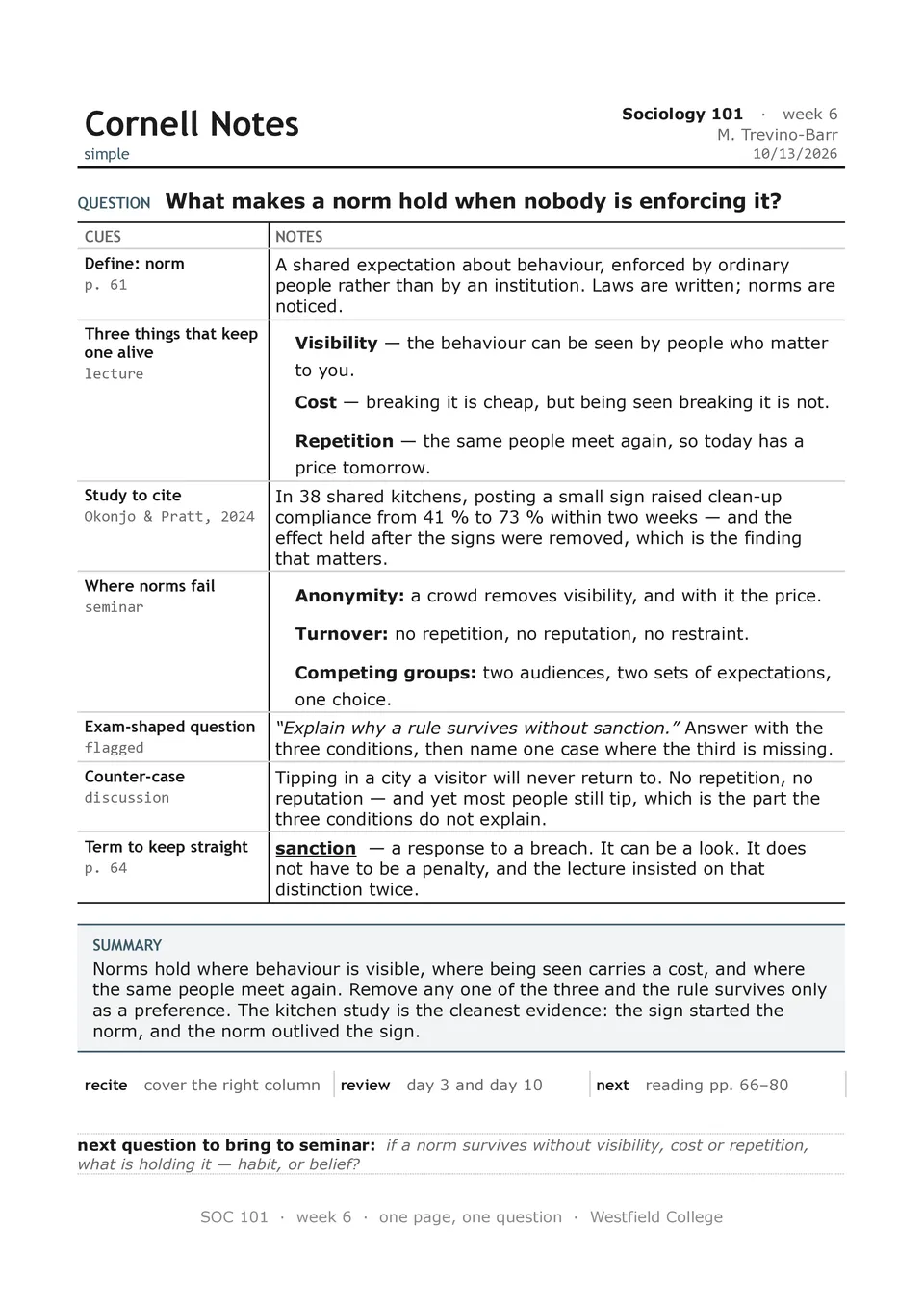
Simple Cornell Notes Template removes unnecessary visual elements and focuses on the core study workflow: take notes, create cues, and write a summary. The page contains a heading area, a left recall column, a main notes section, and a short summary block at the bottom. It is suitable for learners who want a fast, familiar setup for lectures, textbook chapters, webinars, or independent revision. The minimal design helps the reader focus on content and makes the final notes easy to scan before quizzes or exams. It is free to edit, convenient to duplicate, and ready to download, print, or share with classmates.


Choose your preferred social media platform from options like Pinterest, Facebook, Twitter, and more. Share our templates with your contacts or friends. If you’re not active on these social networks, you can simply copy the link and paste it into the one you use.